
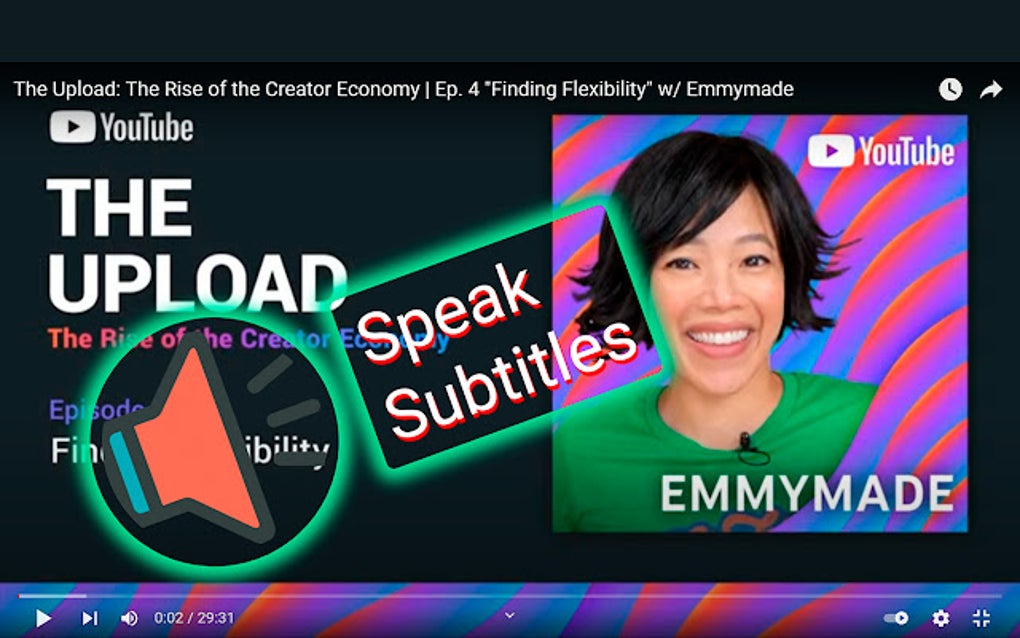
Speak Subtitles for YouTube is a Google Chrome extension designed to enhance the YouTube viewing experience by converting on-screen text subtitles into natural-sounding speech. Developed by Первомай and available as a free download, this extension leverages the power of Artificial Intelligence (AI) and Text-to-Speech (TTS) engines to bring your favorite videos to life in a whole new way. This comprehensive review explores its functionality, benefits, potential drawbacks, and overall user experience.
How Speak Subtitles for YouTube Works
At its core, Speak Subtitles for YouTube operates by seamlessly integrating with YouTube’s video player. Once installed, the extension automatically detects the presence of subtitles in a video. Instead of simply displaying the text, it utilizes advanced AI-powered TTS technology, drawing upon the capabilities of both Google and Microsoft engines. This dual-engine approach provides users with a robust and versatile speech synthesis experience.
The selection of voices is impressive, offering users access to over 100 distinct voices across a wide range of languages and accents. Whether you prefer a male or female voice, a specific regional dialect, or a neutral accent, the extension provides the flexibility to customize your listening experience. This rich variety allows for a more personalized and immersive engagement with YouTube content.
The process is remarkably smooth and intuitive. After activating the extension, the audio playback of the subtitles happens concurrently with the video itself, creating a synchronized and natural auditory accompaniment. This feature is particularly beneficial for individuals who prefer listening to content rather than reading, or for those who may have visual impairments or simply find reading subtitles distracting.
Features and Benefits
The core benefit of Speak Subtitles for YouTube lies in its ability to transform passive reading into active listening. This conversion can drastically improve the overall YouTube experience in several ways:
- Enhanced Accessibility: For individuals with visual impairments, dyslexia, or those who simply prefer audio consumption, the extension provides significant accessibility improvements. It allows users to fully engage with YouTube content without the visual strain of reading subtitles.
-
Multitasking Capabilities: The audio playback of subtitles allows users to perform other tasks concurrently. Whether browsing the internet, working on a document, or engaged in another activity, the ability to passively listen to YouTube videos enhances multitasking efficiency.
-
Immersive Viewing Experience: The synchronized audio provides a more engaging and immersive experience. By combining visual and auditory components, the extension makes videos more captivating and less likely to cause viewer fatigue.
-
Language Learning: The extensive selection of voices and languages makes the extension a valuable tool for language learners. Listening to subtitles in a target language provides valuable pronunciation practice and exposure to natural speech patterns.
-
Improved Comprehension: For videos with complex or technical subject matter, listening to subtitles in conjunction with the video can improve comprehension. The auditory component adds another layer of understanding, particularly for those who find it challenging to absorb information solely through reading.
Potential Drawbacks and Troubleshooting
While Speak Subtitles for YouTube offers a significant improvement to the YouTube experience, it’s important to acknowledge potential limitations:
- Extension Conflicts: One possible drawback is the potential for conflicts with other YouTube extensions. If the extension malfunctions or behaves unexpectedly, disabling other extensions can often resolve the issue. Prioritizing essential extensions and disabling less crucial ones is recommended to avoid performance conflicts.
-
Audio Quality: The quality of the synthesized speech may vary depending on the chosen voice and the sophistication of the underlying TTS engine. While generally natural-sounding, some voices may exhibit slight robotic inflections or inconsistencies in pronunciation. Experimentation with different voices is encouraged to find the most optimal setting.
-
Synchronization Issues: While generally reliable, occasional minor synchronization issues between the audio and video might occur. This is usually minimal and rarely disruptive, but users should be aware of this possibility.
-
Limited Voice Selection in Certain Languages: While offering a wide range of voices and languages, the availability might be slightly limited for less commonly spoken languages. The collection of voices is continuously updated and improved, so this limitation may reduce over time.
Speak Subtitles for YouTube for Specific Use Cases
The versatility of Speak Subtitles for YouTube makes it beneficial for various user groups and applications:
For Business: Businesses can leverage this extension for several purposes, including internal training videos, marketing materials, or presentations. By converting subtitles into audio, employees can access information hands-free, while clients can absorb content easily in their preferred language. The added accessibility enhances inclusivity and facilitates more efficient content consumption within an organization.
Apps and Games: While not directly integrating with apps and games outside of YouTube, the principles behind Speak Subtitles for YouTube are relevant. Similar TTS technologies are employed in many accessibility apps and game settings, enhancing the overall experience for users who prefer auditory feedback. This extension showcases the potential of broader application of similar technology for improving accessibility.
News and Educational Content: The extension is particularly useful for consuming news and educational content. Students can listen to lectures or documentaries, while news consumers can passively absorb information during other tasks. The multi-tasking capability enhances both learning and information consumption for diverse learning styles.
Technical Specifications and Availability
- License: Free
- Version: 1.1.40 (as of August 17, 2025)
- Platform: Google Chrome
- Language: English (with support for multiple languages via voice selection)
- Downloads: Over 13,700
- Developer: Первомай
- Download Link: [This section would contain a direct download link if this were a live article]
The extension is readily available for download from the Chrome Web Store (or other relevant extension stores as appropriate) and installation is straightforward and user-friendly.
Conclusion
Speak Subtitles for YouTube provides a valuable enhancement to the YouTube viewing experience, making it more accessible, engaging, and efficient. The free availability, coupled with its wide range of features, makes it a compelling tool for a broad audience. While potential conflicts with other extensions exist, these are generally easily resolved. Overall, Speak Subtitles for YouTube offers a significant improvement in accessibility and convenience for YouTube users worldwide. Its AI-powered TTS functionality transforms the passive act of reading subtitles into active listening, enhancing the overall user experience in a significant way. The extension’s versatility and user-friendliness make it a must-have tool for anyone who frequently uses YouTube for entertainment, education, or professional purposes.
File Information
- License: “Free”
- Version: “1.1.39”
- Latest update: “August 4, 2025”
- Platform: “chrome”
- Language: “English”
- Downloads: “12.8K”


