Speak & Translate is a free language translation application designed for Windows PCs. This review delves into its functionality, strengths, weaknesses, and how it compares to other translation software available on the market. While offering a convenient real-time translation experience, it also presents certain limitations that users should be aware of before relying on it for critical tasks.
Core Functionality: Real-time Translation and Text-to-Speech
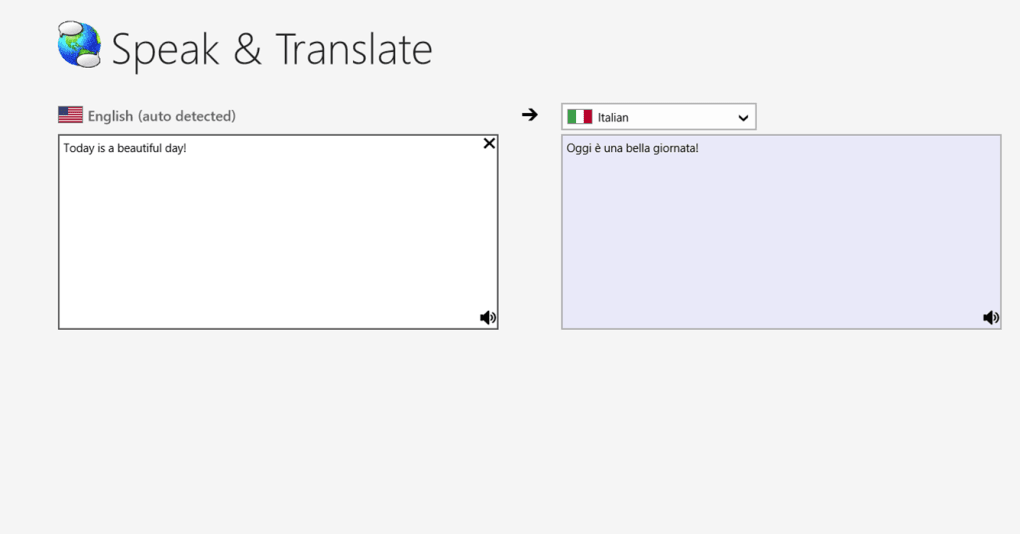
At its core, Speak & Translate provides real-time translation of text input. As you type, the application instantly converts your text into the selected target language. This immediate feedback loop is beneficial for users needing quick translations during communication or research. Beyond simple text translation, the app boasts a text-to-speech feature. This allows users to hear the translated text pronounced aloud, providing valuable assistance in understanding pronunciation and intonation in the target language. This feature is particularly useful for learners grappling with new sounds and accents. The ability to hear the translation read aloud adds a significant layer of accessibility, allowing users to both read and listen to the translated text, reinforcing comprehension.
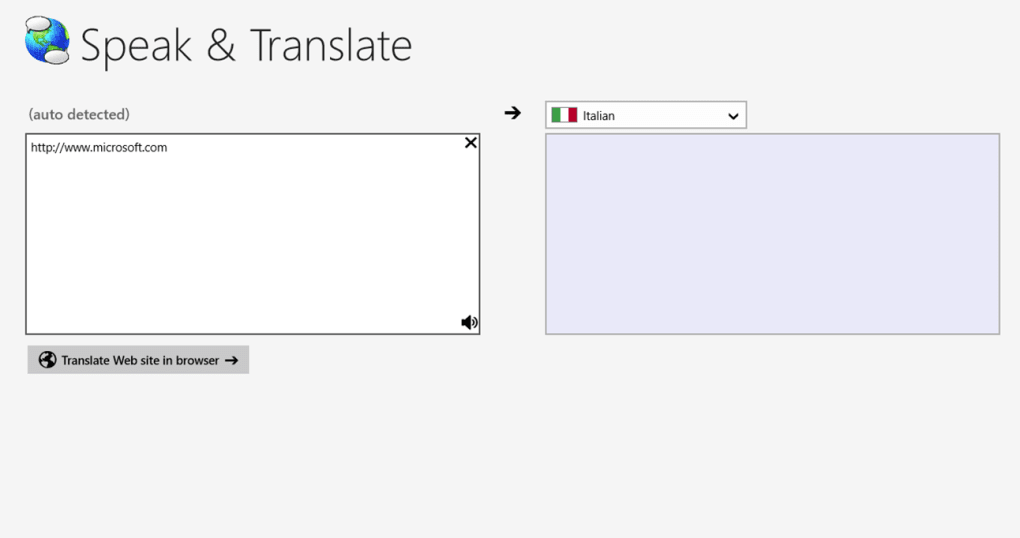
The software’s capabilities extend beyond individual word or sentence translation. It’s designed to handle larger chunks of text, and even facilitates the translation of entire websites through integration with Bing Translator. This makes it a valuable tool for those needing to quickly grasp the content of web pages in foreign languages. The ease of use is a key selling point; the straightforward interface minimizes the learning curve, making the application accessible to users with varied levels of technological proficiency.
Integration and Sharing Capabilities
One of Speak & Translate’s notable features is its seamless integration with the Windows 8 (and later) sharing functionality. This allows users to select text within any other application, share it with Speak & Translate, and instantly receive a translation. This cross-application compatibility significantly enhances the app’s utility, making it a versatile tool integrated into a user’s existing workflow. Imagine reading an article in a foreign language; instead of manually copying and pasting the text, the user can simply select the desired section and share it directly to Speak & Translate for immediate translation. This efficiency dramatically improves the user experience, making multilingual interactions smoother and less cumbersome. This efficient sharing functionality streamlines the translation process, saving valuable time and effort.
Strengths and Weaknesses of Speak & Translate
While Speak & Translate presents several advantages, it’s crucial to acknowledge its limitations. The application shines in its simplicity and speed. Its real-time translation feature is exceptionally useful for immediate needs, and the inclusion of text-to-speech further enhances its accessibility and learning potential. The integration with other Windows applications streamlines the workflow, adding a significant layer of convenience.
However, the app is not without its drawbacks. One recurring criticism centers around loading issues, reported by some users. While the majority of users find the translation speed satisfactory, occasional delays or glitches can impact the user experience, particularly during intensive use or when translating large blocks of text. This inconsistency in performance needs to be addressed for the app to maintain a consistently positive user experience.
Another significant concern voiced by users relates to the accuracy and clarity of translations. While the app generally provides acceptable translations for common phrases and straightforward sentences, users have reported instances of ambiguous or inaccurate translations, particularly when dealing with complex sentence structures, idioms, or nuanced language. This suggests that the app may struggle with the subtleties of language, sometimes misinterpreting the intended meaning. This limitation underscores the need for careful review and critical evaluation of the translations provided, especially when accuracy is paramount. It should not be solely relied upon for critical translations requiring precision.
The relatively limited number of languages supported compared to more comprehensive translation applications also limits its overall appeal. While the specific number of supported languages is not explicitly stated in the available information, the lack of mention of a vast language database suggests a smaller selection when compared to industry giants. This may restrict its usability for users requiring translations across a wider range of languages.
Comparison with Alternative Translation Software
Speak & Translate exists within a competitive landscape of translation applications. Comparing it to popular alternatives like Google Translate, DeepL, and Bing Translator highlights its strengths and weaknesses. While it offers the convenience of real-time translation and text-to-speech, the accuracy and breadth of language support may fall short compared to established players in the translation field. Google Translate, for instance, boasts a significantly larger language database and often exhibits higher translation accuracy, particularly for complex sentences and nuanced language. DeepL is renowned for its high-quality translations, particularly in capturing subtle linguistic nuances. Bing Translator, while also offering a wide range of languages, may sometimes lack the finesse of DeepL in its translations.
However, Speak & Translate’s integration with the Windows sharing functionality provides a significant advantage over its competitors. This ease of access and streamlined workflow makes it a quick and convenient option for users who prioritize speed and straightforward translation over absolute accuracy and a vast language selection. The key differentiator lies in its user-friendly design and integration capabilities, catering to users prioritizing ease of use and quick translations over absolute precision.
Conclusion: A Useful Tool with Limitations
Speak & Translate offers a user-friendly and efficient real-time translation experience. The inclusion of text-to-speech is a significant benefit for language learners and those seeking a multi-sensory approach to translation. Its seamless integration with Windows sharing functionality enhances its practical value and convenience. However, potential users should be mindful of its limitations, including occasional loading issues, the possibility of ambiguous or inaccurate translations, and the potentially limited range of supported languages. It serves as a handy tool for quick translations and basic language learning but should not be considered a replacement for professional translation services or more comprehensive translation applications where accuracy and nuance are critical. Its suitability depends on the user’s needs and tolerance for the inherent limitations of real-time, automatic translation. For users seeking a simple and readily accessible translation tool for everyday use, Speak & Translate provides a reasonable solution. For users requiring highly accurate and nuanced translations of complex texts, more robust software would be a better choice.
File Information
- License: “Free”
- Version: “1.0”
- Latest update: “May 31, 2018”
- Platform: “Windows”
- OS: “Windows 10”
- Language: “English”
- Downloads: “5.1K”


