
Speed Video Converter, a Windows-only trialware application developed by Softflyers, offers a straightforward approach to video format conversion. While boasting a fast conversion speed and user-friendly interface, its capabilities and overall performance warrant a closer examination. This review will delve into its features, ease of use, performance, and compare it to other available video converters on the market.
Feature Set and Functionality
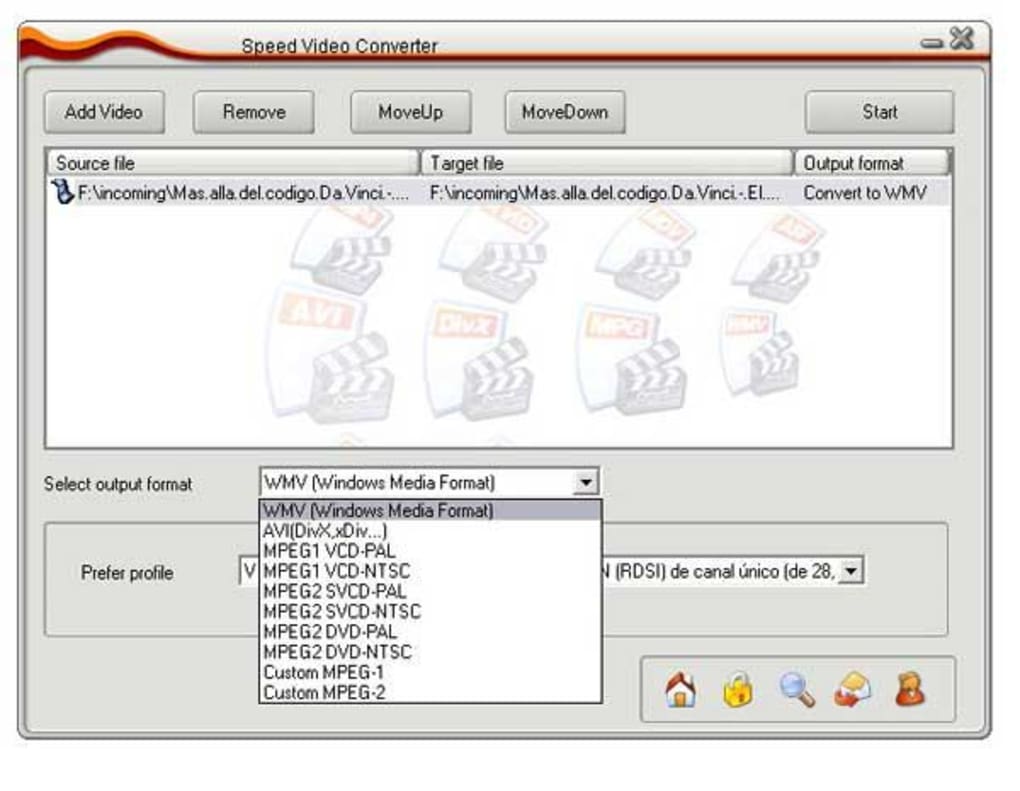
Speed Video Converter’s core function revolves around converting video files from one format to another. It supports a range of common formats, including WMV, AVI, MPEG-1, and MPEG-2. While this selection isn’t exhaustive compared to more modern converters that handle numerous codecs and containers like MP4, MKV, and MOV, it caters to a significant portion of users’ needs, especially those working with older video formats. The program focuses on core functionality, foregoing advanced features like batch processing, editing capabilities (like trimming or cropping), and sophisticated options for video and audio quality adjustments found in more comprehensive suites. This simplicity can be appealing to users who need a quick and easy solution without the complexities of more advanced software.
The software’s small size is a noteworthy advantage, demanding minimal system resources and disk space. This makes it a viable option for users with older or lower-powered computers where larger, more resource-intensive applications might struggle. Its lightweight nature contributes to the speed of the conversion process, a key selling point highlighted in the program’s marketing. However, this simplicity might also be a limitation for users seeking more advanced features.
User Interface and Ease of Use
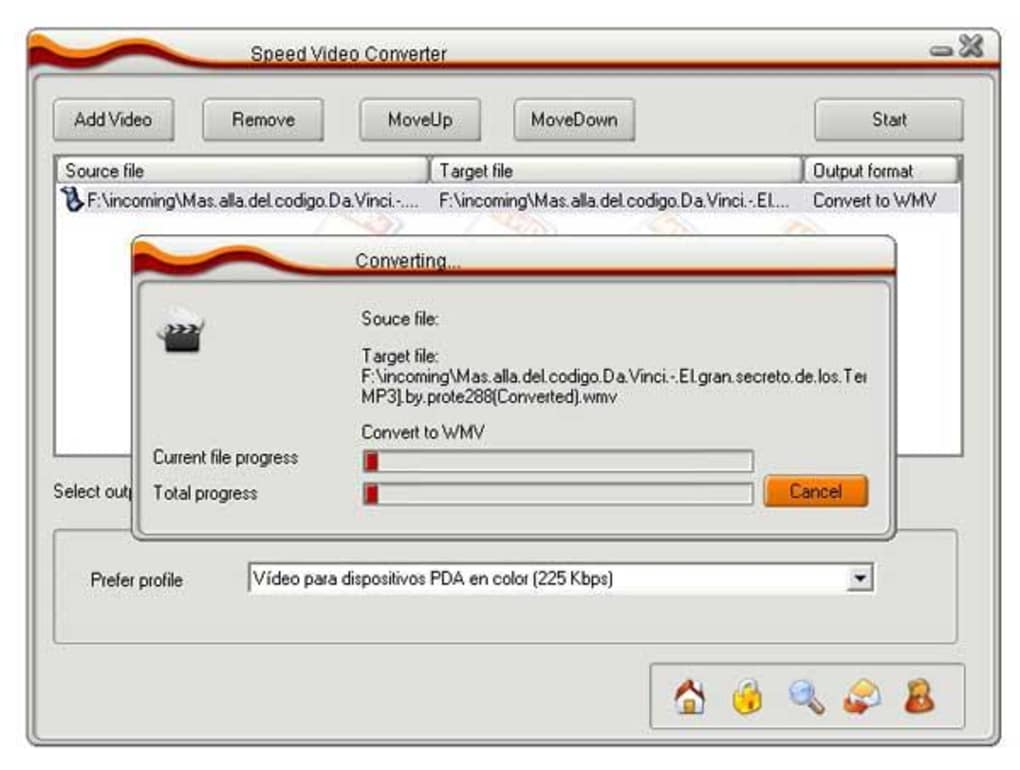
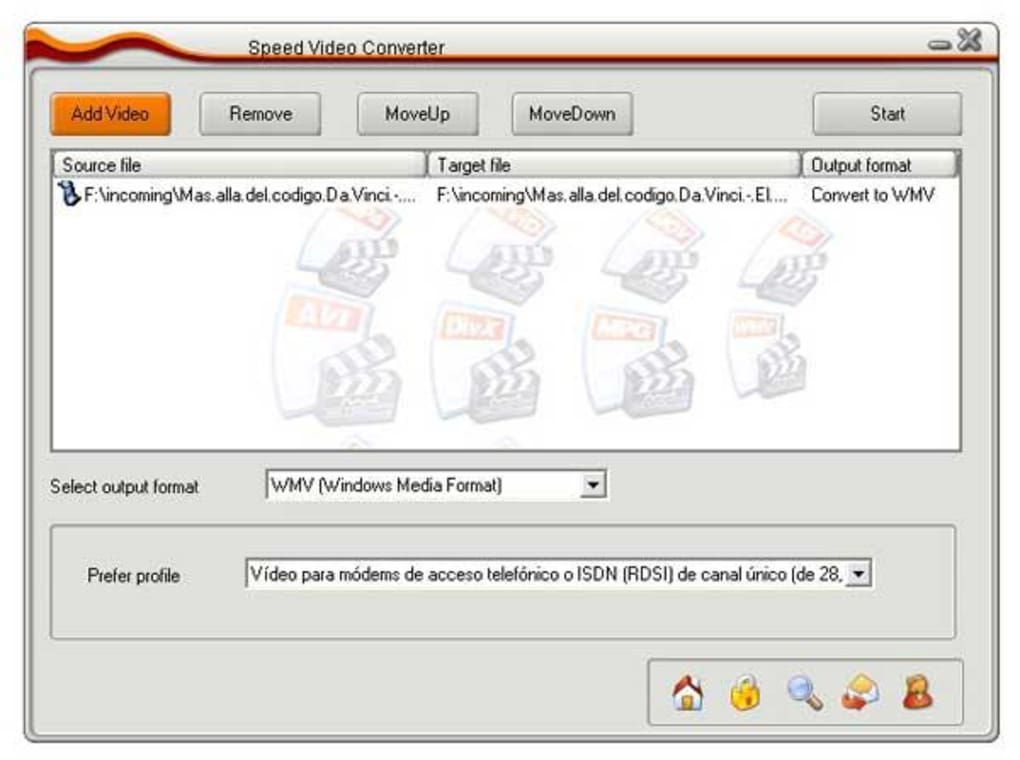
Speed Video Converter prioritizes a clean and intuitive user interface. The straightforward design makes it relatively easy for even novice users to navigate and perform conversions. The process typically involves selecting the input video file, choosing the desired output format, and initiating the conversion. The absence of overwhelming options contributes to the ease of use. However, this simplicity lacks the flexibility and customization offered by more feature-rich alternatives. Advanced users might find themselves wanting more granular control over various aspects of the conversion process, such as bitrate settings, frame rate adjustments, and aspect ratio modifications.
Performance and Conversion Speed
The software’s claim of fast conversion speed is a central selling point. While the actual conversion speed will depend on factors such as the video file size, the chosen output format, and the processing power of the user’s computer, anecdotal evidence suggests that Speed Video Converter generally performs its conversions efficiently. This speed is likely a direct result of its streamlined design and focus on core functionality; without numerous advanced settings to process, the conversion task is simplified and expedited. However, a more rigorous benchmark test comparing it against other converters would be needed to objectively measure its performance against competitors offering more sophisticated features.
Comparison with Alternative Video Converters
Numerous video conversion applications are available, offering a wide array of features and functionalities. Speed Video Converter’s strengths lie in its simplicity and speed, making it a viable choice for users prioritizing ease of use and fast conversion times over comprehensive feature sets. However, many modern converters offer significantly more features, including batch processing, editing tools, support for a wider range of formats, and more granular control over video and audio parameters. Popular alternatives like VLC Media Player, Handbrake, and FFmpeg provide much broader functionalities, though often at the cost of a steeper learning curve and potentially slower processing speeds for certain tasks. The choice between Speed Video Converter and these alternatives will depend largely on the user’s priorities and technical skills. For users needing only basic conversions and who value simplicity above all else, Speed Video Converter could be a practical choice. For more advanced users or those needing diverse functionalities, a more feature-rich application would be a better fit.
System Requirements and Compatibility
Speed Video Converter is designed for Windows operating systems, specifically Windows 98 and earlier versions. This limited compatibility significantly restricts its accessibility in the modern computing landscape, where Windows XP and later versions are vastly more prevalent. The lack of support for newer operating systems is a major drawback, effectively rendering the software obsolete for a large segment of potential users. The program’s age might also result in compatibility issues with modern video formats and codecs, potentially leading to conversion errors or suboptimal results. This limitation underscores the importance of considering compatibility before choosing a video conversion tool. If you’re using a newer operating system, it’s advisable to explore more contemporary options that provide broader compatibility and support for current video standards.
Security and Reliability
The software’s security status is marked as “Clean” by Phanmemfree, indicating that it has undergone extensive antivirus scans without detecting any malicious activity. This should provide a degree of assurance to users regarding the safety of downloading and running the application. However, it’s crucial to always download software from reputable sources and practice safe computing habits to minimize the risk of malware infections. Regularly updating your antivirus software and using caution when installing applications are fundamental steps in safeguarding your system. While Phanmemfree’s security assessment offers a baseline level of confidence, it is not a guarantee of absolute safety.
User Reviews and Feedback
At the time of writing this review, user reviews for Speed Video Converter were limited. A lack of substantial user feedback makes it difficult to gauge the overall satisfaction level among users. Without more widespread user reviews, it’s challenging to provide a comprehensive assessment of the software’s performance and reliability from a user experience perspective. Further user feedback would be valuable in providing a more balanced and thorough review.
Conclusion
Speed Video Converter presents itself as a straightforward, fast video converter with a user-friendly interface. Its compact size and claimed speed are attractive qualities, especially for users with limited system resources or those needing quick conversions of a limited range of video formats. However, its limitations are significant. The outdated compatibility with older Windows versions, the restricted format support compared to modern converters, and the lack of advanced features make it a less appealing choice for most users in today’s landscape. While it might be suitable for very basic conversion tasks on outdated systems, users seeking more versatile, powerful, and up-to-date video conversion tools should consider exploring the wide range of more modern and feature-rich alternatives available on the market. The choice ultimately depends on individual needs and priorities, balancing ease of use and speed with the need for wider format support, advanced features, and compatibility with contemporary operating systems.
File Information
- License: “Trial version”
- Version: “4.2.3”
- Latest update: “August 12, 2019”
- Platform: “Windows”
- OS: “Windows 98”
- Language: “English”
- Downloads: “12.9K”
- Size: “6.18 MB”


