
Speedbit Video Accelerator is a software application designed to enhance the online video viewing experience by significantly accelerating download and playback speeds. This review delves into its features, performance, pros and cons, and compares it to alternative solutions. While no longer actively developed, understanding its capabilities offers insight into the evolution of video streaming optimization tools.
Core Functionality and Features
Speedbit Video Accelerator’s primary function is to expedite the loading and buffering of online videos. It achieves this by employing a multi-threaded connection approach. Instead of downloading a video in a single stream, the software divides the video file into multiple segments, downloading them concurrently. This parallel downloading drastically reduces the overall download time, leading to quicker video starts and smoother playback. The result is a more enjoyable viewing experience, free from the frustrating interruptions of buffering pauses.
The software supports a wide range of video-sharing websites, including popular platforms such as YouTube, MySpace, DailyMotion, Vimeo, Metacafe, and even websites that embed videos, like Facebook and Amazon. This broad compatibility makes it a versatile tool for users who access videos from various online sources. Importantly, the accelerator handled both standard-definition and high-definition (HD) videos; however, access to HD acceleration may have required a premium version (details on availability of this version are currently unavailable).
Beyond acceleration, Speedbit Video Accelerator integrated a convenient feature for sharing videos directly to Twitter. This functionality streamlines the process of sharing engaging online video content with one’s social network. The integration was implemented through a small, unobtrusive desktop pop-up window, designed to minimize disruption to the user’s viewing experience.
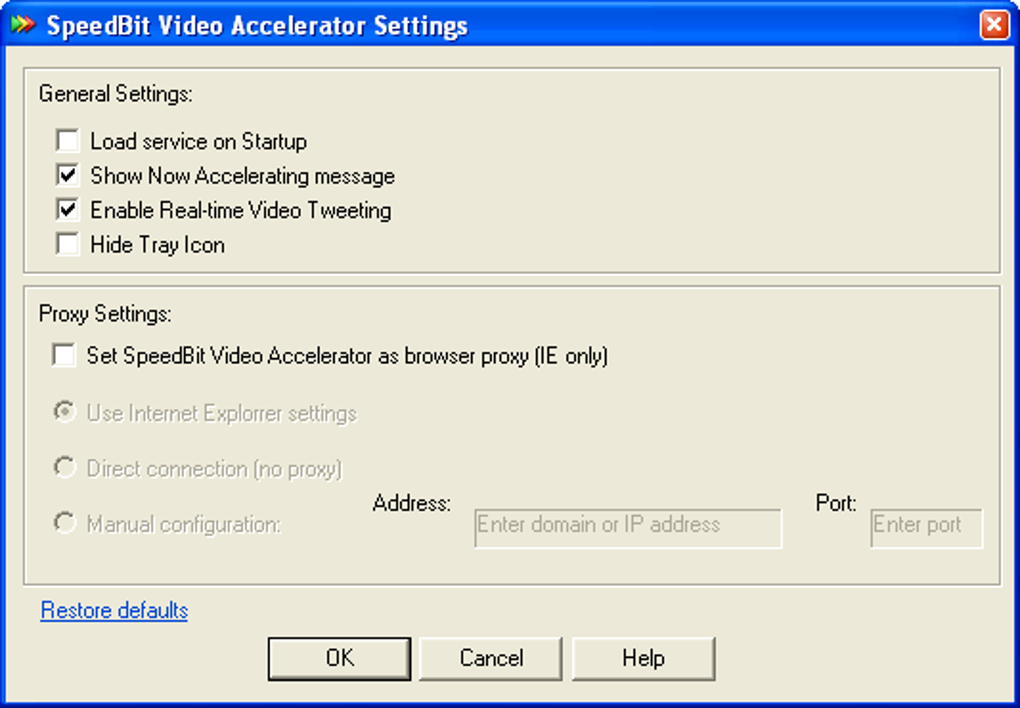
While the software generally delivered on its promise of faster video loading and smoother playback, user reviews suggest an initial delay in its functionality. Several reports indicated a noticeable lag before the acceleration features became fully active. Despite this initial sluggishness, the overall performance improvement was consistently reported as significant enough to outweigh the minor inconvenience of the startup delay. The software functioned effectively across different web browsers, including Internet Explorer and Firefox, showcasing compatibility across multiple platforms.
Performance and User Experience
Speedbit Video Accelerator’s performance was largely praised for its ability to noticeably reduce video loading times and eliminate buffering issues. The multi-threaded download technology proved effective in delivering a smooth and uninterrupted viewing experience. The user interface was generally considered intuitive and user-friendly, requiring minimal configuration. This ease of use was a major advantage, making the software accessible to even those with limited technical expertise.
However, the initial delay before the software’s acceleration capabilities fully engaged was a common criticism. This latency, while seemingly minor, was sufficient to cause some user frustration. While the software’s effectiveness was undeniable once fully operational, the inconsistent startup time could be viewed as a significant drawback for users who valued immediate functionality.
Further complicating the performance evaluation is the lack of recent updates and apparent discontinuation of development. The potential for compatibility issues with newer browsers and operating systems should also be considered. Therefore, current performance may be significantly altered depending on the specific hardware and software environment.
Pros and Cons
Pros:
- Significant Speed Improvement: The most prominent advantage was the noticeable acceleration of video loading and buffering, resulting in smoother playback.
- Broad Compatibility: Supported a large number of popular video-sharing websites and those embedding videos within their platforms.
- User-Friendly Interface: The simple design required minimal configuration and was accessible to users of all technical skill levels.
- Built-in Social Media Integration: The Twitter integration facilitated easy video sharing, adding convenience for users.
- Support for HD Videos: Though possibly requiring a premium version (no longer accessible), this feature catered to users seeking accelerated high-definition viewing.
Cons:
- Initial Startup Delay: A significant drawback was the reported delay before the acceleration features became fully functional.
- Potential Compatibility Issues: Given the absence of recent updates, compatibility with modern browsers and operating systems might be a concern.
- Discontinuation of Development: The lack of ongoing development means there are no new features, bug fixes, or performance enhancements.
- Pop-up Messages (Reported): Some users reported that pop-up messages could become annoying during use.
Alternative Applications
Numerous alternatives to Speedbit Video Accelerator exist, many of which offer similar functionalities with potentially improved features and ongoing development. These alternatives often incorporate advanced algorithms and regularly updated features to ensure compatibility and optimized performance across various platforms. The specific best alternative will depend heavily on individual needs and preferences. Some possible alternatives include dedicated download managers with video acceleration capabilities, browser extensions specifically designed to improve video streaming, and even changes to browser settings to optimize performance.
The landscape of video streaming and download optimization tools has significantly advanced since Speedbit Video Accelerator was actively maintained. Modern solutions typically offer more comprehensive features, improved performance, and active development, addressing the shortcomings observed in the Speedbit application.
Conclusion
Speedbit Video Accelerator, while effective in speeding up video downloads and playback, suffers from several limitations. The initial startup delay, lack of recent updates, and potential compatibility problems represent significant drawbacks. While its multi-threaded approach to downloading provided a noticeably enhanced viewing experience, the absence of active development makes it less appealing compared to modern alternatives that offer comparable or superior performance with ongoing support and feature enhancements. For users seeking a current and reliable solution for improving their online video viewing experience, exploring newer video acceleration tools would be advisable.
File Information
- License: “Free”
- Latest update: “May 24, 2023”
- Platform: “Windows”
- OS: “Windows XP”
- Language: “English”
- Downloads: “599.6K”
- Size: “8.19 MB”


