
Speedbit Video Downloader was a popular video downloading tool designed to simplify the process of saving online video clips to your computer. Developed by SpeedBit, this software aimed to provide users with a straightforward method for downloading and converting videos from various online sources. While no longer actively developed or updated, understanding its capabilities and limitations provides valuable insight into the evolution of video downloading software. This review examines its functionality, pros and cons, and compares it to modern alternatives.
Downloading and Conversion Capabilities
Speedbit Video Downloader offered a user-friendly interface. After installation, a toolbar icon would appear in your web browser, acting as a quick access point. Users would paste the URL of the desired video into this designated space. The software then proceeded to download the video, primarily in FLV format. This straightforward approach made downloading videos accessible even to less tech-savvy users.
One of Speedbit Video Downloader’s key features was its built-in video conversion capabilities. Recognizing that FLV wasn’t universally compatible, the software enabled users to convert downloaded videos into more common formats like MP4 and AVI. This ensured playback compatibility across a wider range of devices and media players. Furthermore, users could extract the audio from videos, converting them into MP3 format for music listening. This multi-format support significantly enhanced the software’s practicality and usability.
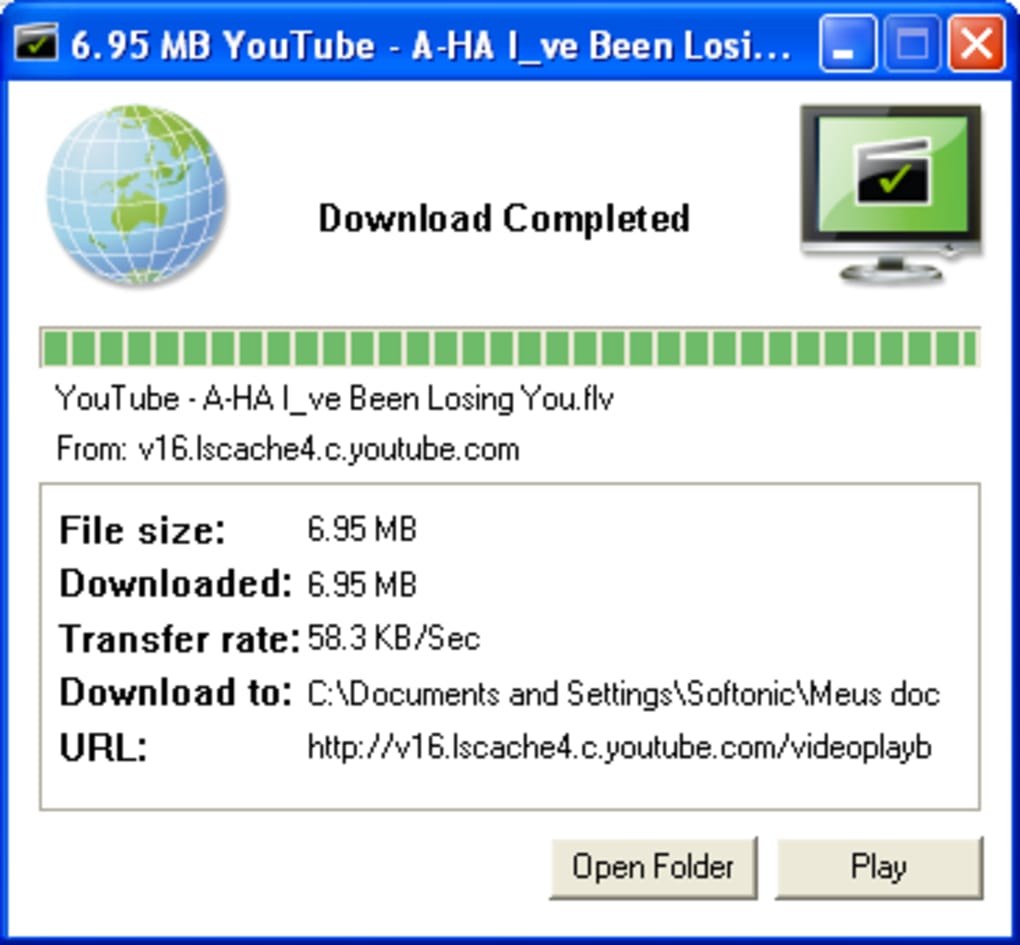
The software supported video streaming sites powered by Flash technology, including popular platforms like YouTube and Dailymotion. This broad compatibility ensured accessibility to a significant portion of online video content. However, its reliance on Flash technology ultimately limited its longevity, as Flash gradually became obsolete.
User Interface and Experience
The user interface of Speedbit Video Downloader was designed for simplicity. The toolbar icon and integrated URL input field provided a streamlined approach to downloading. This ease of use was a significant advantage, making it an attractive option for users who prioritized convenience over advanced features.
However, some users found the toolbar’s appearance intrusive. The addition of a potentially unnecessary search function within the toolbar also raised concerns about bundled software and potential unwanted additions.
The interface itself was considered outdated by many users, especially when compared to more modern video downloaders. A cleaner, more contemporary design would have enhanced the user experience, aligning with modern aesthetic standards and user expectations.
Strengths and Weaknesses of Speedbit Video Downloader
Pros:
- Ease of use: The straightforward interface made downloading and converting videos a simple process, accessible to a wide range of users.
- Video conversion: The ability to convert videos to various formats (MP4, AVI, MP3) addressed compatibility issues across different devices and media players.
- Broad compatibility: Support for Flash-enabled video streaming sites provided access to a significant portion of online video content.
- Quick downloads: While speeds varied depending on internet connection and server load, the software generally offered efficient download speeds.
Cons:
- Outdated interface: The dated user interface lacked the modern aesthetic and intuitive design found in newer video downloading tools.
- Obtrusive toolbar: The toolbar could be perceived as intrusive, taking up space and potentially cluttering the browser’s interface.
- Unnecessary add-ons: The inclusion of additional, potentially unwanted features, such as search add-ons, raised concerns about bundled software.
- Lack of automatic conversion: The software required manual intervention for video conversion, adding an extra step to the process.
- Flash reliance: Its dependence on Flash technology ultimately made it obsolete, as Flash player support has been phased out by major web browsers.
Comparison with Modern Alternatives
The landscape of video downloading software has changed dramatically since the heyday of Speedbit Video Downloader. Modern alternatives offer enhanced features, improved security protocols, and more streamlined interfaces. Many current downloaders support a wider range of video platforms and formats, often incorporating advanced features such as batch downloads, download scheduling, and integration with cloud storage services.
Many contemporary options prioritize user privacy and security, employing robust encryption and avoiding the inclusion of potentially unwanted software. They also typically offer cleaner, more modern interfaces designed for optimal user experience. The evolution of web technologies has also lessened the need for dedicated download managers as many browsers now offer built-in download capabilities.
While Speedbit Video Downloader served a purpose in its time, its reliance on outdated technology and simpler features renders it less competitive compared to modern alternatives. The current market offers superior options in terms of performance, security, features, and user interface.
Conclusion
Speedbit Video Downloader provided a relatively straightforward method for downloading and converting videos from Flash-enabled websites. Its ease of use and basic conversion features appealed to users seeking a simple solution. However, its outdated interface, reliance on outdated technologies (Flash), and inclusion of potentially unwanted software significantly detract from its overall value in the current technological landscape. Modern video downloaders offer enhanced functionalities, improved security, and a more refined user experience, leaving Speedbit Video Downloader as a relic of a bygone era in video downloading technology. While it served a purpose in its time, users are strongly advised to explore modern alternatives for a safer, more efficient, and feature-rich experience.
File Information
- License: “Free”
- Latest update: “July 11, 2023”
- Platform: “Windows”
- OS: “Windows Vista”
- Language: “English”
- Downloads: “92.1K”


