
Spicetify is a free, open-source command-line tool developed by a community of independent developers. It dramatically expands the customization capabilities of the official Spotify desktop client for Windows and macOS, allowing users to personalize their listening experience beyond the limitations of the standard application. This powerful utility provides a level of control over the user interface (UI) and functionality that’s unavailable through Spotify’s built-in settings, transforming the familiar Spotify experience into a highly personalized and efficient music player. This in-depth exploration will delve into Spicetify’s features, its installation process, and the potential it unlocks for enhancing your Spotify usage.
Transforming the Spotify Interface: Themes and CSS Customization
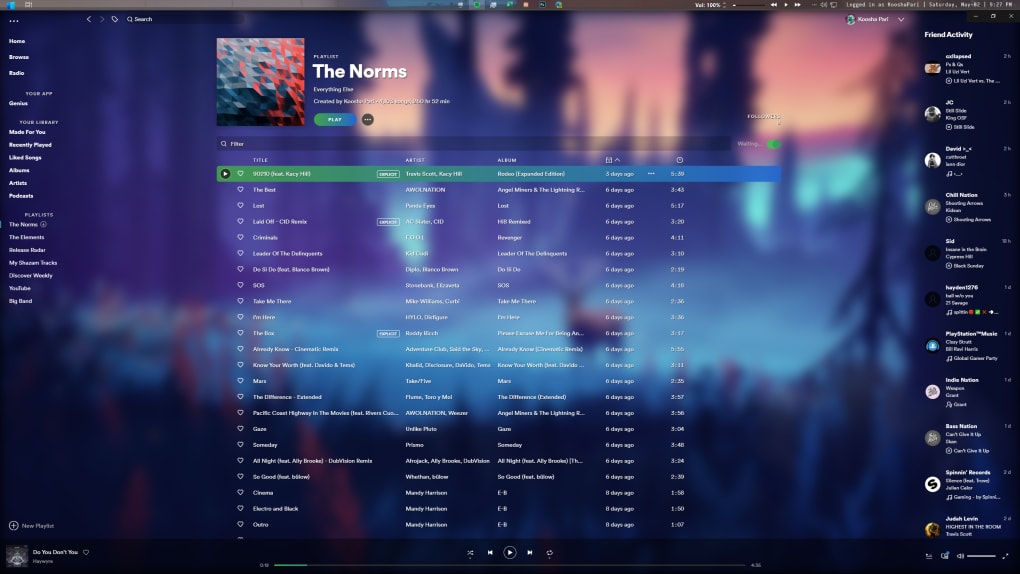
The core strength of Spicetify lies in its ability to radically alter the visual appearance of the Spotify desktop client. Users can create and apply custom UI themes, dramatically changing the color palette, fonts, and overall aesthetic of the application. This is achieved primarily through two key files: color.ini and user.css.
The color.ini file allows for granular control over the colors used throughout the Spotify interface. Users can define specific colors for various elements, such as the background, text, buttons, and progress bars. This allows for near-limitless customization options, enabling the creation of themes ranging from subtle adjustments to complete overhauls of the visual style. The precision offered by this file allows for incredibly tailored themes that perfectly match user preferences.
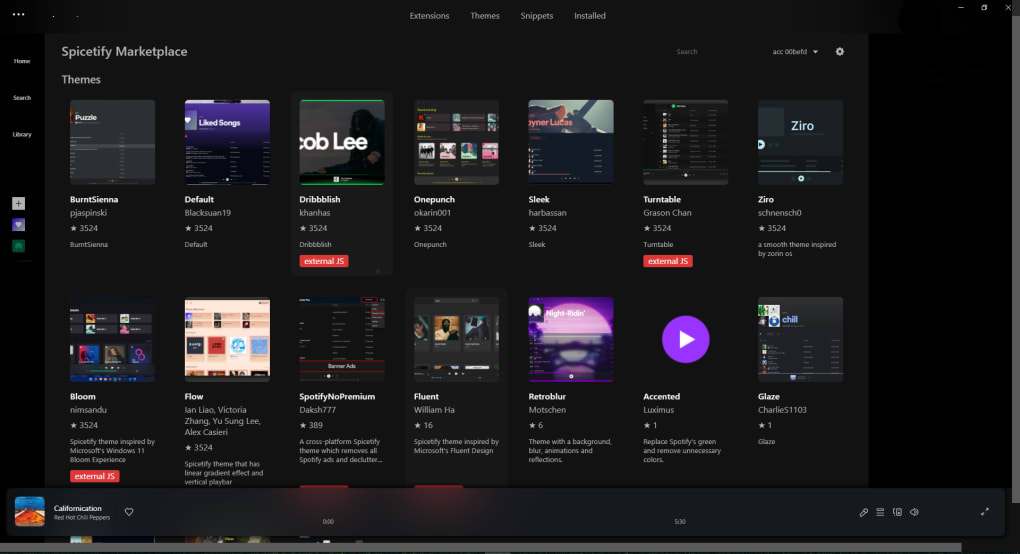
The user.css file, on the other hand, provides control over the layout and styling of the Spotify UI through Cascading Style Sheets (CSS). This is where users with a knowledge of CSS can make more advanced modifications to the interface. Experienced users can manipulate the positioning of elements, adjust spacing, and even create entirely new UI elements using CSS code. This provides an unparalleled level of control, allowing for highly customized interfaces that go far beyond simple color changes. For those unfamiliar with CSS, numerous pre-made user.css files are available online, offering a wide range of pre-designed styles to choose from.
Beyond these two primary files, Spicetify also supports the direct injection of custom CSS files. This means users can import their own CSS files, providing even more flexibility and customization options. This approach allows for the integration of complex styles and layouts created using external CSS editors, providing users with the ultimate control over the visual aspect of their Spotify application.
Extending Functionality with Spicetify Extensions
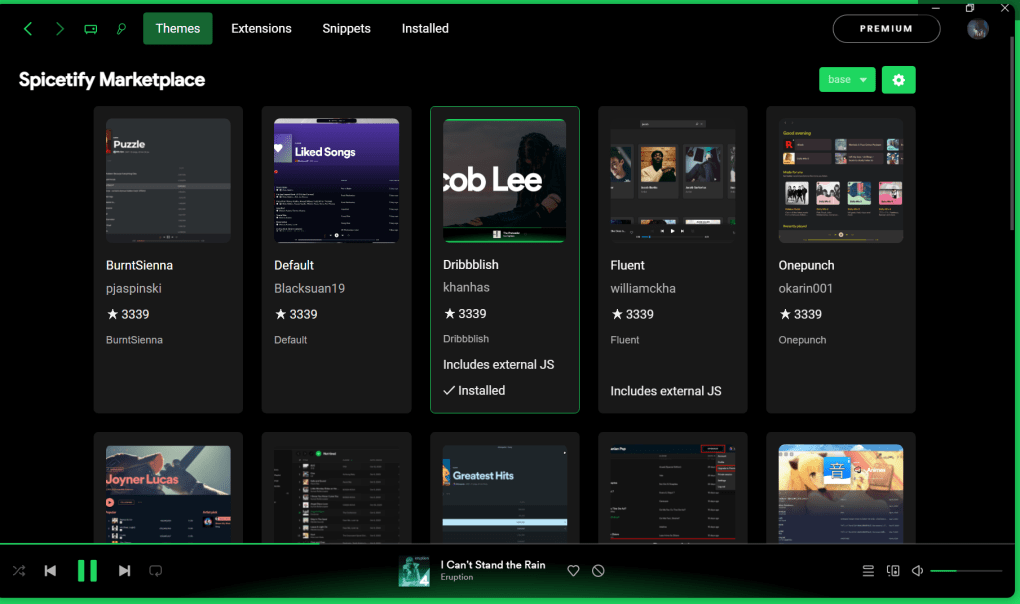
Spicetify’s capabilities extend far beyond mere visual modifications. The tool supports a wide range of extensions that add new features and functionality to the Spotify client. These extensions enhance the user experience in several ways, providing additions and improvements not found in the standard Spotify application.
Examples of popular Spicetify extensions include:
-
Pop-up Lyrics: This extension displays song lyrics in a convenient pop-up window while music is playing, eliminating the need to constantly search for lyrics online. This functionality proves incredibly useful for karaoke enthusiasts and individuals who enjoy understanding the meaning behind their favorite songs.
-
Full App Display View: This extension maximizes the Spotify window, eliminating the title bar and other window elements for a more immersive music listening experience. This feature is highly beneficial for users who prefer a distraction-free listening environment, emphasizing the music content.
-
Customizable Keyboard Shortcuts: Spicetify allows users to create and assign their own keyboard shortcuts for various actions within Spotify. This feature significantly streamlines user interaction with the application, allowing for quicker access to frequently used functions, and improving overall efficiency.
-
Reddit Integration: While currently limited in scope, this extension presents the potential for integrating custom Reddit feeds into the Spotify interface. This feature showcases the potential for extending Spicetify’s functionality to incorporate various external services.
These extensions, and many others available through the Spicetify community, drastically improve Spotify’s user experience, making it a more powerful and flexible music player. The continued development and expansion of available extensions ensure a constantly evolving and improving experience for users.
Installation and Usage: A Beginner’s Guide
While Spicetify utilizes the command line for installation and configuration, the process is relatively straightforward, particularly with the comprehensive guide available on the official Spicetify website. The installation process generally involves the following steps:
- Downloading the necessary files: The first step involves downloading the Spicetify installer from the official website. This installer is typically a small executable file that handles the majority of the installation process.
-
Running the installer: Once downloaded, the installer is executed, following on-screen prompts to guide the installation process. The installer usually prompts for the location of the Spotify installation directory. It’s crucial to provide the correct path to ensure Spicetify can effectively modify the Spotify client.
-
Applying themes and extensions: After successful installation, users can then utilize the command line to apply downloaded themes and extensions. These commands typically involve simple commands to specify the path to the theme or extension files, making the process quite easy to manage.
-
Customizing through configuration files: Users can then customize the appearance and functionality of Spotify by directly editing the
color.inianduser.cssfiles within the Spicetify directory. Again, the official Spicetify documentation provides detailed instructions and examples to assist users in this process.
The initial learning curve associated with using the command line can seem daunting. However, the clear instructions and supportive online community make the process manageable, even for users with limited command-line experience. The benefits of extensive customization greatly outweigh the minor initial effort required to learn the basic commands.
Spicetify: Advantages and Considerations
Spicetify offers several advantages over the standard Spotify experience:
-
Extensive Customization: The unparalleled level of customization offered by Spicetify allows users to tailor the Spotify interface and functionality precisely to their preferences. This provides a level of personalization unavailable through official Spotify settings.
-
Enhanced Functionality: The availability of community-created extensions expands the capabilities of the Spotify client, introducing new features that improve efficiency and user experience.
- Community Support: The vibrant community surrounding Spicetify provides ample support, resources, and pre-made themes and extensions, simplifying the customization process.
However, some considerations exist when using Spicetify:
-
Command Line Interface: Spicetify requires using the command line, which may present a learning curve for users unfamiliar with this interface.
-
Potential for Conflicts: Incorrectly modifying configuration files or using incompatible extensions could lead to issues with Spotify’s functionality. Careful adherence to instructions and responsible modification practices are crucial.
-
Unofficial Software: As an unofficial modification, Spicetify isn’t officially supported by Spotify, meaning issues may arise that aren’t addressed by Spotify’s official support channels.
Despite these considerations, Spicetify’s powerful customization capabilities and growing community support make it a highly valuable tool for users seeking to enhance their Spotify experience. The rewards of a fully customized and efficient music player often outweigh the minor inconveniences and potential risks. With careful usage and adherence to instructions, Spicetify unlocks a world of possibilities for customizing your Spotify experience.
File Information
- License: “Free”
- Version: “2.14.1”
- Latest update: “November 3, 2022”
- Platform: “Windows”
- OS: “Windows 8.1”
- Language: “English”
- Downloads: “8.3K”
- Size: “5.10 MB”


