
Splash Pro, a video player primarily known for its robust performance and smooth playback capabilities, particularly for high-resolution and demanding video formats, offers a compelling solution for users seeking a reliable and efficient media player experience. While no longer actively developed, its legacy remains marked by positive user reviews emphasizing its ability to handle files that challenge other players. This review dives deep into the features, strengths, and weaknesses of Splash Pro, providing a comprehensive overview for potential users.
Splash Pro’s Core Functionality and Strengths
At its heart, Splash Pro functions as a versatile video player capable of handling a wide range of video formats. Its primary strength lies in its ability to smoothly play videos that other media players might struggle with, particularly those with higher resolutions or higher frame rates that often lead to stuttering, lag, or synchronization issues between audio and video. This proficiency is attributed to its advanced motion smoothing algorithm, a key feature highly praised by users. This algorithm, capable of motion interpolation, enhances the viewing experience of 24/30p videos and movies, resulting in a noticeably smoother and more fluid playback.
For users with older or less powerful computers, Splash Pro shines by its ability to handle high-definition (HD) content without significant performance issues. This makes it an attractive option for users who may experience lag or pausing with other, more resource-intensive players. The effectiveness of this performance optimization is a recurring theme in positive user reviews, highlighting its ability to deliver a smooth viewing experience even on systems with limited processing power.
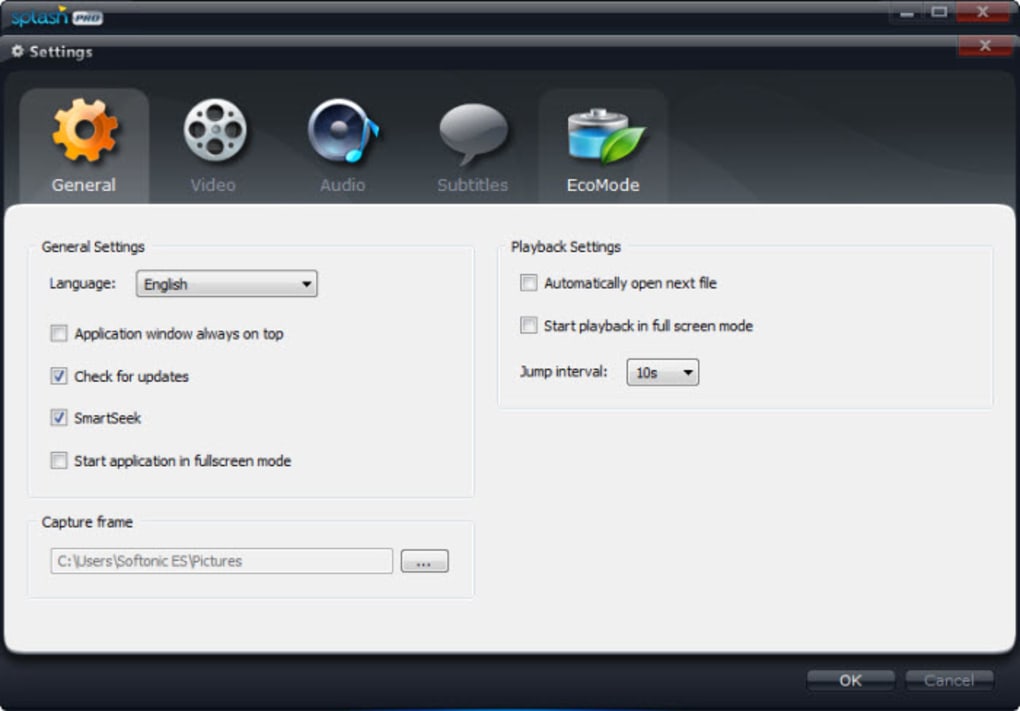
While the free trial version had limitations regarding the adjustment of brightness, contrast, and other video parameters, this was largely offset by the ability to make these adjustments directly through the operating system’s settings. This highlights a pragmatic approach to feature implementation, prioritizing core playback functionality over extensive, potentially less-essential, in-program controls.
Splash Pro’s Limitations and Considerations
Despite its strengths, Splash Pro does present some limitations. Firstly, it’s crucial to acknowledge that Splash Pro is no longer actively updated or supported by its developer, Mirillis. This means there are no ongoing bug fixes, security updates, or new feature additions. While the existing version may continue to function well on compatible systems, the lack of future support poses a risk, particularly considering the ever-evolving landscape of video codecs and operating system updates.
The limited feature set of the free trial version is another point to consider. While the core playback functionality remains largely intact in the trial, users lack access to certain video controls such as brightness and contrast adjustments directly within the player interface. As mentioned earlier, this limitation could be circumvented by utilizing the operating system’s own video settings. However, users seeking granular control over playback parameters may find this a significant drawback.
Furthermore, the program’s availability is limited to Windows operating systems, excluding users of macOS, Linux, or other platforms. This restricted compatibility limits the potential user base and restricts its applicability to a specific set of users.
The fact that Splash Pro is largely unavailable for download on official channels further emphasizes its discontinued status. While some third-party sources may offer downloads, caution is advisable, as the risk of obtaining corrupted or malware-infected files is significantly higher from unofficial channels.
User Experiences and Reviews: A Verdict on Splash Pro’s Effectiveness
User reviews consistently point to two main aspects of Splash Pro: its performance and its simplicity. Many users appreciate its ability to play videos smoothly, even those that lag on other players. The comments specifically highlight the motion smoothing algorithm as a significant factor contributing to this smooth playback experience, even for older or low-powered computers handling HD content.
The absence of extensive features is mentioned, but generally not as a negative aspect. Many users find the straightforward interface and focus on core playback functionality to be beneficial, particularly compared to more feature-rich and sometimes cumbersome media players. This aligns with the overall impression that Splash Pro prioritizes efficiency and performance over a wide array of customizable settings.
However, the lack of ongoing updates and support is a concern raised by some users, and rightfully so. Given the constantly evolving nature of technology and the inherent security risks associated with outdated software, this point significantly impacts the long-term viability and reliability of Splash Pro.
Comparing Splash Pro to Alternative Video Players
Compared to other popular video players like VLC Media Player, KMPlayer, or GOM Player, Splash Pro stands out primarily due to its performance optimization for challenging video files. VLC, known for its versatility and broad format support, might not always offer the same smooth playback experience, particularly with less powerful hardware. Similarly, while KMPlayer and GOM Player boast extensive features and customization options, they may sometimes lag or struggle with demanding videos. Splash Pro effectively occupies a niche by excelling in smooth playback of high-resolution content on machines where other players might falter.
However, it’s important to weigh this advantage against the limitations of its outdated status and lack of ongoing support. The robust feature sets and active development cycles of VLC, KMPlayer, and GOM Player provide a clear contrast, highlighting the trade-off between specialized performance and comprehensive features with ongoing updates. The choice between Splash Pro and its alternatives ultimately depends on individual priorities: prioritizing smooth playback for specific video types versus a broader range of features and long-term support.
Conclusion: Is Splash Pro Still Relevant in 2024?
Splash Pro’s legacy is cemented by its ability to provide a smooth video playback experience, especially beneficial for users with less powerful computers or those facing challenges with high-resolution video files. Its straightforward interface and focus on core functionality appeal to users who prioritize ease of use and performance over an abundance of features.
However, the critical factor that significantly impacts its relevance in 2024 is the complete lack of updates and developer support. The absence of security patches and bug fixes introduces significant risks, undermining its long-term viability and security. While it might continue to function for some users, the inherent risks associated with running unsupported software, including potential security vulnerabilities, cannot be ignored.
Therefore, while Splash Pro’s historical performance merits recognition, its discontinued status renders it a less than ideal choice for most users in 2024. Alternative video players offering comparable performance, coupled with active development, updates, and security support, present safer and more sustainable options for a reliable video playback experience. Users should prioritize solutions with ongoing support to ensure both functionality and security in the long run.
File Information
- License: “Trial version”
- Latest update: “June 30, 2020”
- Platform: “Windows”
- OS: “Windows 8”
- Language: “English”
- Downloads: “92.9K”
- Size: “16.58 MB”


