
SpriteCraft is a user-friendly application designed to convert any image into pixel art rendered using the iconic block style of Minecraft. This simple yet powerful tool bridges the gap between traditional image formats and the distinctive aesthetic of the popular sandbox game, allowing users to create unique Minecraft-themed artwork from their own photographs, digital drawings, or any other image they desire. Its intuitive interface makes the process straightforward, even for users with limited experience in image editing or pixel art creation.
The SpriteCraft Process: From Image to Minecraft Blueprint
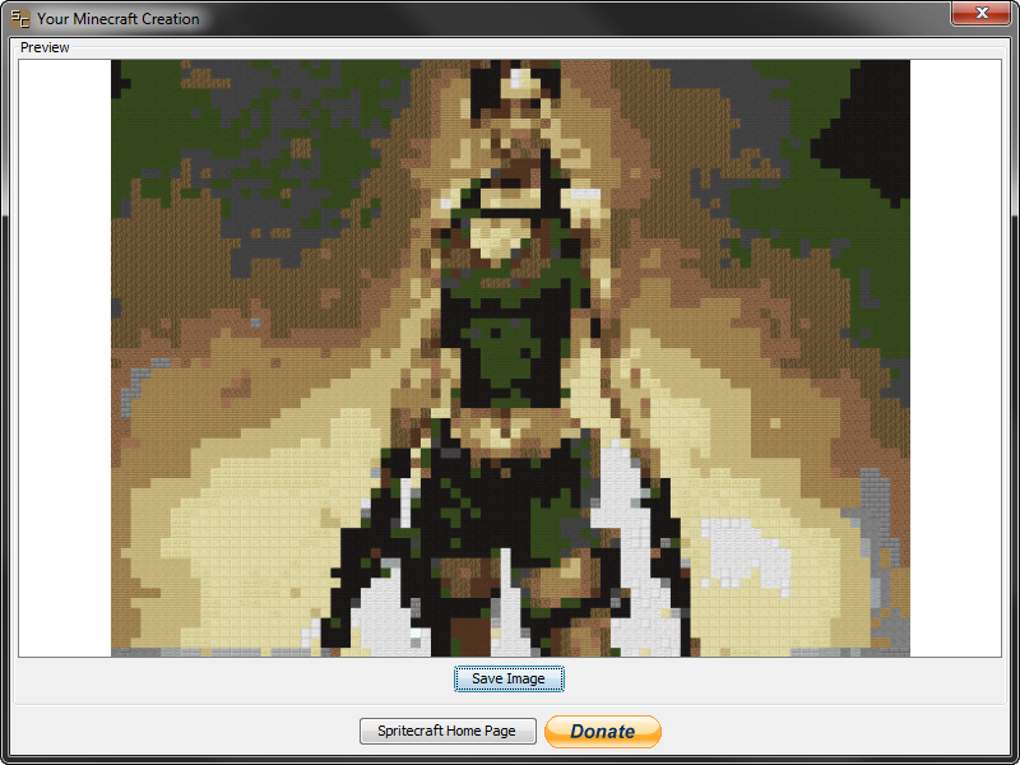
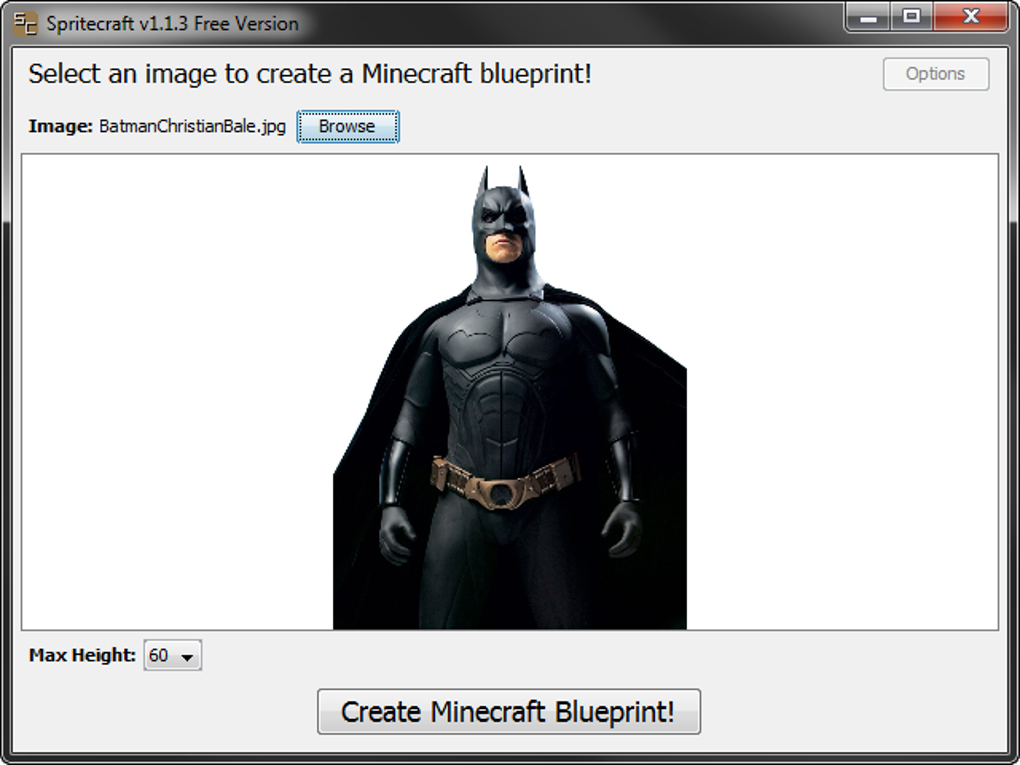
The core functionality of SpriteCraft revolves around a straightforward three-step process. First, users upload their chosen image. Supported formats generally include JPG, PNG, and BMP, offering broad compatibility with various image sources. Next, they specify the desired dimensions of the output pixel art. Typical options often include fixed heights, commonly expressed in terms of the number of Minecraft blocks (e.g., 30 blocks or 60 blocks), allowing users to control the overall scale and detail level of the final product. Finally, with a click of a button labeled “Create Minecraft Blueprint,” the application performs the conversion, transforming the uploaded image into a pixelated representation composed of Minecraft blocks. The resulting pixel art is then saved as a PNG image, ready for use in various contexts, from Minecraft world design to digital art projects.
The application’s algorithm intelligently maps the colors and textures of the source image onto the corresponding Minecraft blocks, mimicking the visual characteristics as closely as possible within the constraints of the block-based system. While the results are inherently limited by the discrete nature of Minecraft’s blocky aesthetic, the algorithm strives to maintain the essence of the original image, focusing on preserving key features and color palettes.
Understanding Limitations and Best Practices
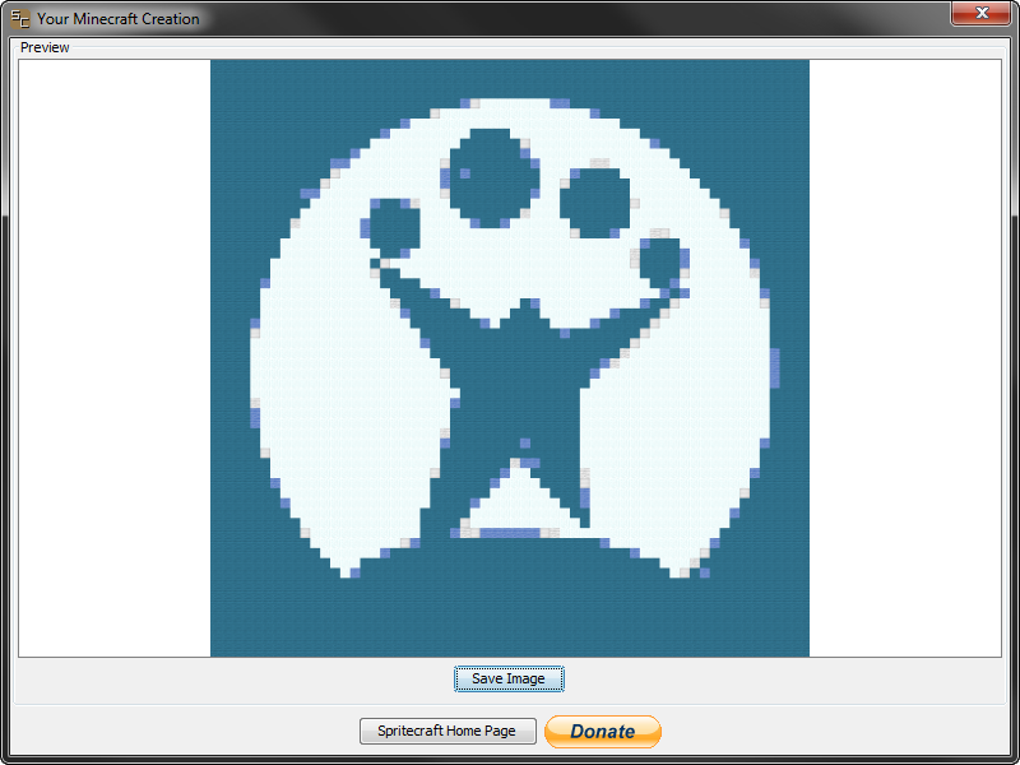
While SpriteCraft offers a novel and engaging method of creating Minecraft-themed pixel art, it’s important to understand its limitations to achieve optimal results. Highly detailed images, those with intricate textures or subtle color gradients, may not translate well into the blocky format. The conversion process inherently simplifies the visual information, resulting in potential loss of fine detail. Therefore, selecting source images with simpler compositions, bolder colors, and less intricate details usually yields more satisfactory outcomes.
To maximize the quality of the output, users are encouraged to follow several best practices. Firstly, choosing images with a relatively low resolution can significantly improve the conversion process. Very high-resolution images can overwhelm the application’s algorithm, leading to overly complex and less visually appealing pixel art. Secondly, using images with a limited color palette can also enhance the outcome. Images with a large number of distinct colors might result in a final product that lacks visual cohesion, whereas images with fewer, more distinct colors tend to translate better into the limited palette of Minecraft blocks.
Thirdly, considering the aspect ratio of the original image is crucial. Images with unusual aspect ratios might not translate well into the fixed height dimensions offered by SpriteCraft, potentially resulting in distorted or stretched pixel art. Experimenting with cropping the original image to achieve a more suitable aspect ratio can improve the final result. Finally, understanding the inherent limitations of the Minecraft block-based aesthetic is crucial. The application cannot perfectly replicate the subtleties of a photograph or painting; rather, it aims to capture the overall essence and style. Acceptance of a certain level of simplification and abstraction is essential for appreciating the unique artistic style that SpriteCraft facilitates.
SpriteCraft’s User Interface and Ease of Use
SpriteCraft prioritizes user-friendliness and accessibility. The interface is designed to be intuitive and straightforward, requiring minimal technical expertise. The process of uploading an image, adjusting settings, and initiating the conversion is typically completed within a few simple clicks. This ease of use makes SpriteCraft accessible to a broad audience, including those with limited experience in image editing or pixel art creation. The application’s focus on simplicity allows users to quickly and easily generate Minecraft-style pixel art without being bogged down by complex tools or settings.
The limited number of options available also contributes to its ease of use. Instead of overwhelming users with a multitude of customizable settings, SpriteCraft offers a carefully curated selection of key parameters, ensuring that users can easily achieve desired results without navigating through a maze of complex controls. This streamlined approach prioritizes efficiency and user satisfaction, allowing users to focus on the creative process of transforming their images into unique Minecraft-inspired artwork.
While the simplicity of the interface contributes significantly to its usability, it also implies certain limitations. Users looking for extensive customization options or fine-grained control over the pixel art generation process might find SpriteCraft’s limited settings somewhat restrictive. The lack of advanced tools for manual editing or refinement of the pixel art may disappoint users seeking more granular control over the artistic outcome. However, for users primarily seeking a quick and easy way to convert images into Minecraft-style pixel art, the streamlined interface is a significant advantage.
Beyond Basic Functionality: Exploring Potential Applications and Extensions
While SpriteCraft’s core functionality is focused on the straightforward conversion of images into Minecraft pixel art, its potential applications extend far beyond basic image manipulation. The generated pixel art can be used in a wide range of creative projects, providing a unique visual style to otherwise ordinary images. Minecraft players can integrate the output directly into their worlds, creating custom structures, landscapes, or artwork. Digital artists can use the pixel art as a starting point for more intricate projects, incorporating it into larger digital paintings or animations. Educators can utilize SpriteCraft as a tool to teach pixel art techniques or introduce students to the basics of image manipulation and digital art.
Furthermore, SpriteCraft’s potential for future expansion and development is significant. The inclusion of additional features, such as support for a wider range of image formats or the introduction of more advanced editing tools, could greatly enhance its versatility and appeal. The addition of pre-designed palettes based on specific Minecraft themes or the ability to customize individual block assignments could provide users with even greater creative control. Integrating the application with other Minecraft-related tools or platforms could also expand its reach and utility within the Minecraft community. The development of a web-based version would further enhance accessibility, allowing users to access the application without the need for a dedicated desktop download.
In conclusion, SpriteCraft presents a unique and engaging approach to transforming images into Minecraft-style pixel art. Its intuitive interface, straightforward workflow, and wide range of potential applications make it a versatile tool for both casual users and experienced digital artists. While its current functionality is limited, its potential for future development and expansion suggests an exciting future for this application, further establishing its position as a valuable tool within the ever-growing Minecraft community and beyond.
File Information
- License: “Free”
- Version: “1.1.3”
- Latest update: “April 28, 2013”
- Platform: “Windows”
- OS: “Windows XP”
- Language: “English”
- Downloads: “72.9K”
- Size: “194.54 KB”


