
In the vast landscape of Windows software, where applications vie for attention with flashy interfaces and innovative features, some utilities operate quietly in the background, serving as fundamental components for more visible programs. SPTD, an acronym for SCSI Pass Through Direct, is one such unsung hero. Developed by DuplexSecure, this free Windows software is categorized by PhanMemFree.org as a “Productivity program” within the “Cataloging” subcategory. While these classifications might initially seem unusual for a low-level driver, a deeper dive reveals SPTD’s crucial role in enabling a host of applications that indeed enhance productivity and facilitate the management of digital media.
At its core, SPTD is a device driver that allows applications to communicate directly with storage devices, bypassing the standard Windows operating system layers. This direct communication is vital for tasks that require precise control over CD/DVD drives, hard drives, and, most notably, virtual drives. For users who frequently work with disc images (like ISO files), virtual machines, or specific backup and burning software, SPTD often serves as an indispensable prerequisite. Its lightweight nature, coupled with its robust functionality, has cemented its place in the toolkit of many Windows users, particularly those who engage in advanced disk operations. This article aims to explore SPTD’s technical underpinnings, its historical context, its perceived role in productivity, and its ongoing relevance in the digital age.
Understanding SPTD: More Than Just a “Productivity Program”
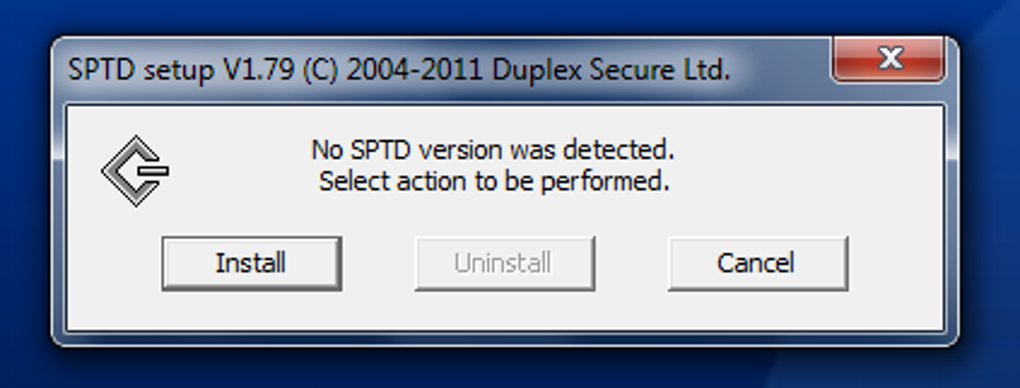
To truly grasp the significance of SPTD, one must first understand the concept of “SCSI Pass Through Direct.” SCSI (Small Computer System Interface) is a set of standards for physically connecting and transferring data between computers and peripheral devices. While modern systems often use SATA or NVMe for internal storage, the principles of direct device communication, especially for optical drives, often still apply, albeit with different underlying protocols. SPTD provides a mechanism for applications to send SCSI commands directly to a storage device, regardless of whether that device is physically SCSI, IDE/ATAPI, SATA, or even a virtual drive.
This direct access is paramount for software that needs fine-grained control over storage hardware. Consider a virtual drive application, such as the widely popular Daemon Tools or Alcohol 120%, which uses SPTD. Without SPTD, these programs would struggle to emulate a physical optical drive successfully, as they need to trick the operating system into believing a physical drive exists and then handle all disk read/write operations themselves. SPTD facilitates this by providing the necessary low-level interface, allowing the application to intercept and process disk I/O requests directly. This capability is not just about mounting ISOs; it extends to sophisticated disc burning utilities that require precise control over the laser and media, or even certain data recovery tools that need to bypass the file system to access raw sectors.
The classification of SPTD as a “Productivity program” by PhanMemFree.org, while perhaps not immediately intuitive for a background driver, makes more sense when considering the applications it enables. If a user can quickly mount a software installer from an ISO image without needing to burn it to a physical disc, that’s a significant boost to productivity. Similarly, if a gamer can access a vast library of classic games stored as disc images, SPTD is indirectly contributing to their “productive” use of their computer for entertainment. The “Cataloging” subcategory can be interpreted in a similar light; while SPTD doesn’t directly catalog files, it is an essential component for software that helps users manage and organize their collection of disc images, virtual drives, and other digital media, effectively creating a “catalog” of accessible content without the need for physical media. Its role, therefore, is foundational, providing the bedrock upon which more user-facing productivity and cataloging tools are built.
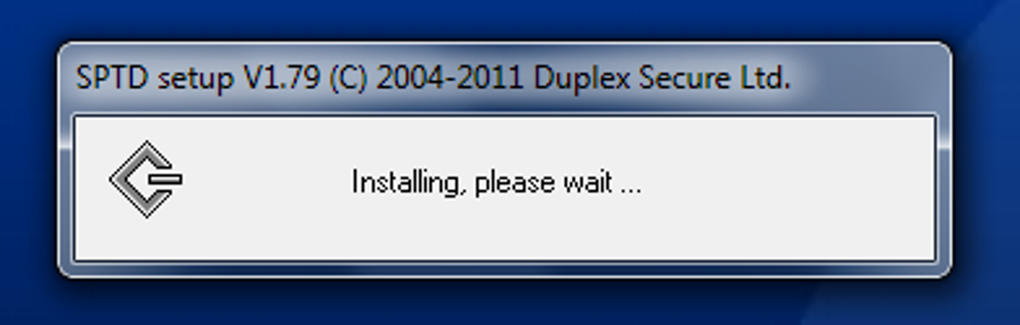
Historically, SPTD emerged during an era when optical media (CDs, DVDs) were still prevalent for software distribution, backups, and entertainment. The ability to create virtual copies of these discs became highly desirable, not only for convenience but also for preserving physical media and often improving performance (reading from a hard drive is faster than an optical drive). DuplexSecure has maintained SPTD over the years, ensuring its compatibility with various iterations of the Windows operating system. The original listing on PhanMemFree.org indicates support for Windows XP and prior versions, with a version 1.80 updated in 2012. However, other entries, such as SPTD v2.13 updated in December 2023, suggest ongoing development and compatibility with newer Windows versions like Vista and beyond, ensuring its continued relevance in a world that, while increasingly cloud-dependent, still benefits from efficient local data management.
Key Features and Technical Specifications
SPTD’s design philosophy revolves around efficiency and broad compatibility, making it a robust and unobtrusive system component. Despite its powerful capabilities, its technical specifications highlight its minimalist footprint and dedicated purpose.
Core Functionality: Unlocking Direct Device Access
The primary feature of SPTD is its ability to provide a “pass-through” interface for SCSI commands. This means that an application can directly issue SCSI commands to a storage device, bypassing the operating system’s default storage stack. Why is this important?
- Virtual Drive Emulation: This is perhaps the most common use case. Applications like Daemon Tools and Alcohol 120% use SPTD to create virtual CD/DVD/Blu-ray drives. These virtual drives behave exactly like physical drives to the operating system and other applications, allowing users to mount ISO, MDS, MDF, and other disc image formats as if they were physical discs. This is incredibly useful for installing software, playing games, or accessing data without needing the original physical media.
- Advanced Disc Burning: Some sophisticated disc burning software requires direct control over the optical drive to perform advanced operations like overburning, creating specific disc formats (e.g., audio CDs with gaps, video DVDs), or verifying the burn process at a low level. SPTD enables this level of precision.
- Data Recovery and Forensics: In specialized scenarios, data recovery tools or forensic analysis software might need to access raw data sectors on a drive, bypassing file system structures or operating system safeguards. SPTD can facilitate this direct, low-level access, though this is a less common use for typical end-users.
Compatibility Across Windows Ecosystems
PhanMemFree.org’s listing highlights SPTD’s availability for “Windows XP and prior versions,” with the current version 1.80 updated on 6/17/2012. However, the presence of “SPTD x64” and a later version 2.13 (updated December 19, 2023) for “Windows Vista” implies a broader range of compatibility, encompassing both 32-bit and 64-bit architectures across several generations of Windows. This ensures that a wide array of users, even those on older systems or specific industrial setups, can leverage its capabilities. Maintaining driver compatibility across different Windows kernel versions is a non-trivial task, underscoring DuplexSecure’s commitment to the utility. The fact that it continues to receive updates, even if infrequent, speaks to its persistent demand.
Minimal System Impact and Resource Footprint
One of SPTD’s distinguishing characteristics is its remarkably small footprint. PhanMemFree.org describes it as “not that heavy software that doesn’t take up as much space than most software in the category Productivity software,” specifying its size as 302.79 KB. For a system-level driver that integrates deeply with the operating system, this is exceptionally compact. Its lightweight design ensures that it consumes minimal system resources (CPU, RAM) when running in the background, making it an ideal candidate for integration into other applications without noticeably impacting overall system performance. This efficiency is crucial for a driver that might be loaded whenever the system starts, as users would quickly notice any performance degradation caused by a heavy background process.
Developer and Distribution
SPTD is developed by DuplexSecure, a name synonymous with robust system-level utilities for disk management. The availability on PhanMemFree.org, alongside its security status as “Clean,” reassures users about its safety and legitimacy. PhanMemFree.org acts as a trusted platform for distributing this essential driver, providing access to its various versions and language options, including English, German, Spanish, French, Indonesian, Italian, Japanese, Korean, Dutch, Polish, Portuguese, Russian, Swedish, Thai, Turkish, Vietnamese, and Chinese. This extensive language support reflects its global utility and the widespread need for its functionality.
User Experience, Popularity, and Considerations
The user experience with SPTD is largely indirect. Most users don’t actively interact with SPTD itself; rather, they interact with the applications that rely on it. This behind-the-scenes operation is typical for drivers, which are designed to be invisible enablers for higher-level software.
Why Users Install SPTD
The primary reason users install SPTD is because it’s a prerequisite for other popular applications, particularly those related to virtual drives and disc imaging. When installing software like Daemon Tools, Alcohol 120%, or even older versions of Magic ISO Maker (which is listed as a related alternative on PhanMemFree.org), the installer will often prompt the user to install SPTD. Without it, these applications cannot function correctly, as they lack the necessary low-level access to emulate or interact with storage devices. For many, SPTD is simply a dependency that facilitates their workflow, enabling them to:
- Mount ISO files for software installation or accessing multimedia content without physical discs.
- Play classic PC games that require disc presence checks, by using a virtual drive to emulate the original game disc.
- Create virtual hard drives or specialized storage configurations for testing or development environments.
Geographic Popularity
PhanMemFree.org’s download statistics offer interesting insights into SPTD’s global reach, noting its particular popularity in countries such as Brazil, Indonesia, and the Russian Federation. This regional concentration could be attributed to several factors:
- Prevalence of Disc Imaging: These regions might have a higher incidence of users relying on disc imaging software for various reasons, including accessing pirated software (though PhanMemFree.org explicitly states it does not condone illegal use) or simply for the convenience of managing large digital media libraries.
- Older Hardware and Software Adoption: In some areas, older computer systems running Windows XP or Vista might still be in widespread use, where SPTD’s stability and effectiveness on those platforms are highly valued.
- Internet Infrastructure: In some cases, regions with slower or less reliable internet connections might favor local storage solutions and disc images over cloud-based alternatives, making tools like SPTD more relevant.
The fact that it has garnered over 13,751 downloads since its addition to PhanMemFree.org in 2012, and continues to see activity (3 downloads last week), underscores its persistent utility, even in an era of decreasing reliance on physical optical media.
PhanMemFree.org’s Role and Security Status
PhanMemFree.org plays a crucial role in the distribution and perception of SPTD. By hosting the software and providing detailed information, PhanMemFree.org acts as a trusted intermediary. The “Security Status: Free Download for Windows” and “Clean” rating provided by PhanMemFree.org’s internal scanning process are vital for user confidence, especially for a system-level driver that requires deep integration with the operating system. PhanMemFree.org’s comprehensive scanning procedure, involving over 50 leading antivirus services, helps assure users that the downloaded file is free from malware, which is particularly important for drivers that operate with high privileges.
Potential Issues and Troubleshooting
While SPTD is generally stable, as a low-level driver, it can occasionally be involved in system conflicts if not installed correctly or if there are version mismatches with other critical drivers. Common issues, though relatively rare, might include:
- Installation Problems: Conflicts with existing drivers or security software might prevent proper installation.
- System Instability: In rare cases, an improperly installed or outdated SPTD driver could lead to system crashes or blue screens of death (BSODs), especially if it conflicts with other storage drivers or virtualisation software.
- Application Incompatibility: An older version of SPTD might not work correctly with newer virtual drive software, or vice versa, necessitating an update or careful version management.
Users experiencing issues typically find solutions by ensuring they have the latest version of SPTD compatible with their operating system and the applications they are using. Tools like SPTD x64 indicate the importance of matching the driver architecture (32-bit or 64-bit) to the operating system.
Alternatives and Related Software
While SPTD is a specific driver, its functionality is often bundled with or closely related to other applications:
- SPTD x64: This is simply the 64-bit version of the SPTD driver, necessary for 64-bit Windows operating systems.
- Magic ISO Maker: This utility, mentioned in the PhanMemFree.org reference, is an example of the kind of software that would heavily rely on SPTD. It allows users to create, convert, decompress, and burn ISO images, all operations that benefit from or require direct drive access.
- Other Virtual Drive Software: Programs like Daemon Tools Lite, Alcohol 120%, and Virtual CloneDrive are prime examples of applications that typically integrate or require SPTD for their core functionality.
These related tools highlight SPTD’s position as a foundational component rather than a standalone end-user application, making its behind-the-scenes role even more critical to the broader ecosystem of disk management utilities.
Conclusion
SPTD, or SCSI Pass Through Direct, stands as a testament to the enduring need for low-level system utilities that enable more complex and user-friendly applications. Despite its seemingly obscure name and technical nature, this free Windows software from DuplexSecure has played a vital role in enhancing “productivity” and “cataloging” for countless users, particularly those who manage digital media, disc images, and virtual drives.
From its origins supporting Windows XP to its continued presence in modern systems through updates and 64-bit versions, SPTD has consistently provided a robust and lightweight mechanism for applications to gain direct access to storage devices. Its popularity in diverse regions underscores its global utility, while PhanMemFree.org’s commitment to hosting and validating its security ensures its continued accessibility and trustworthiness. While often an invisible component of the computing experience, SPTD remains an indispensable backbone for a specific, yet crucial, subset of Windows applications, quietly contributing to the efficiency and versatility of digital storage management. As technology evolves, the underlying principles of direct device interaction, exemplified by SPTD, will likely continue to adapt and serve as fundamental building blocks for future innovations in how we interact with our digital data.
File Information
- License: “Free”
- Latest update: “December 19, 2023”
- Platform: “Windows”
- OS: “Windows Vista”
- Language: “English”
- Downloads: “5K”
- Size: “302.79 KB”


