
StarBurn is a free, versatile disc burning software application designed for Windows operating systems. It offers a robust suite of features for managing and manipulating various optical disc formats, making it a powerful tool for both casual users and those with more advanced needs. This comprehensive guide explores StarBurn’s capabilities, advantages, and limitations, comparing it to similar software options and addressing user feedback.
StarBurn’s Core Functionality: Burning, Ripping, and More
At its core, StarBurn is a disc burning utility, supporting a wide range of optical media types. This includes CD-R/RW, DVD-R/RW, DVD+R/RW, BD-R/RE, HD-DVD-R/RW, and DVD-RAM. Its compatibility extends to a broad spectrum of burning hardware, ensuring flexibility for users with diverse equipment. Beyond basic burning functionalities, however, StarBurn distinguishes itself with a more extensive feature set.
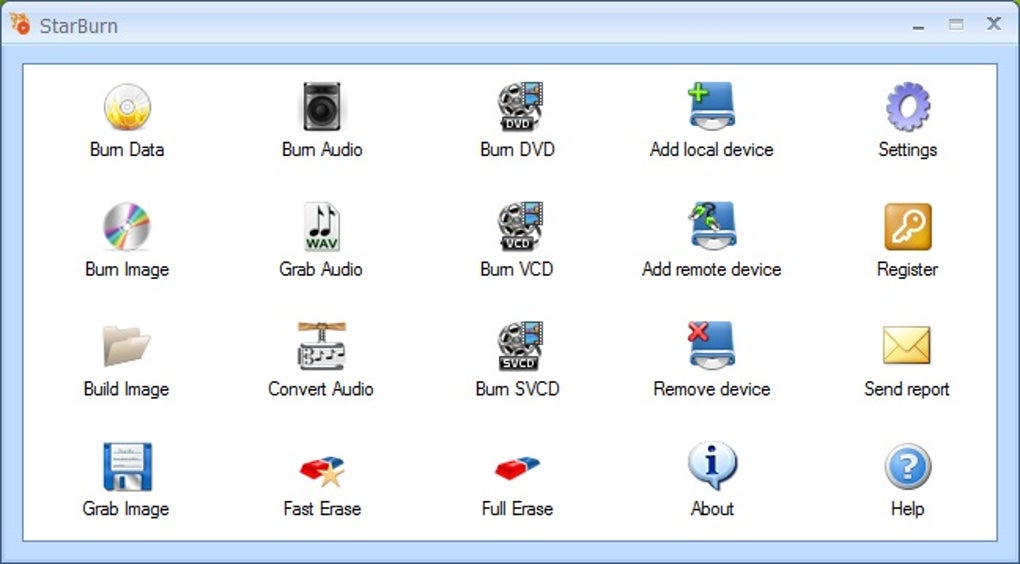
The software allows users to perform data burning, music burning (including audio CD creation), and image burning (creating disc images for backup or archiving). It also provides a robust ripping capability, enabling users to extract audio tracks from CDs, convert audio formats (such as MP3 to OGG), and generate disc images from existing discs. This versatile functionality consolidates multiple disc management tasks into a single, user-friendly interface.
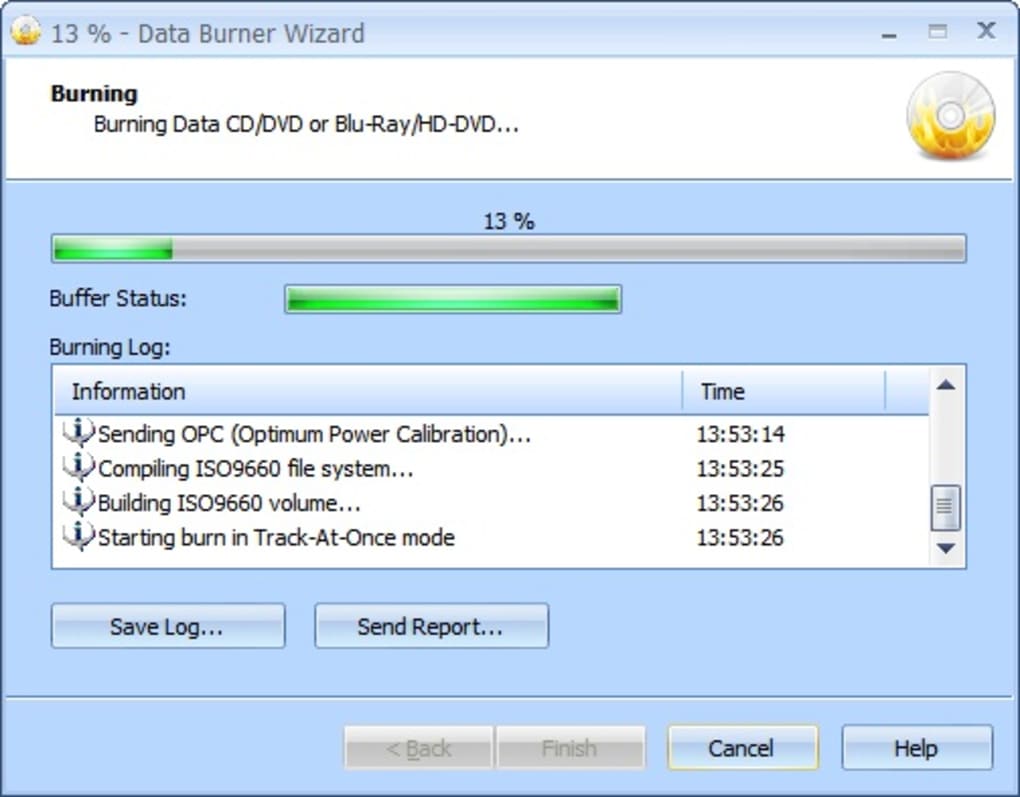
One notable feature is StarBurn’s support for advanced DVD authoring and mastering. This allows users to create custom DVD-Video content from various video files or compile content from multiple DVD sources. The inclusion of a DVD Splitting Wizard is particularly helpful for managing large DVD-Video discs, enabling users to break them down into smaller, more manageable parts for burning onto writable discs or sharing via the StarPort DVD-ROM emulator for PC playback. This feature effectively addresses the limitations of single-layer DVD capacity, facilitating the creation of copies of even large, dual-layer DVDs (8.5 GB) with minimal effort.
The software’s interface, designed to mirror the Windows file explorer, promotes intuitive navigation and ease of use. While the burning process itself might not be the fastest compared to some commercial alternatives, the wizard-driven approach simplifies tasks, particularly for novice users. This user-friendly design, coupled with its extensive feature set, positions StarBurn as an attractive option for a broad range of users.
User Interface and Ease of Use: A Simple Approach to Complex Tasks
StarBurn’s user interface is lauded for its simplicity and resemblance to the familiar Windows file explorer. This design choice significantly lowers the barrier to entry for users unfamiliar with disc burning software. The intuitive layout streamlines the process of selecting files, choosing burning options, and initiating the burning procedure. Even complex tasks, such as DVD authoring or splitting large video files, are simplified through the use of helpful wizards that guide the user through each step.
The wizard-driven approach is particularly beneficial for less technically inclined users, minimizing the need for extensive technical knowledge. Each step is clearly explained, allowing users to easily understand and execute the desired function without getting lost in complex settings. However, this simplicity may be a drawback for advanced users who prefer more granular control over the burning process.
The program’s compatibility with Windows 11, a relatively recent addition, enhances its relevance and usability for modern users. The continued support and updates reflect the developers’ commitment to maintaining its functionality and relevance in a rapidly evolving technological landscape.
Comparison with Alternative Disc Burning Software: Strengths and Weaknesses
StarBurn occupies a unique niche in the market as a free, feature-rich disc burning solution. Compared to commercial alternatives like Nero Burning ROM, which often come with a price tag and a broader range of advanced features, StarBurn offers a compelling alternative for users who prioritize a free solution without compromising essential functionality. While Nero Burning ROM might offer faster burning speeds and a more extensive set of tools, StarBurn’s free accessibility makes it a viable option for users with budget constraints.
Other free options such as ImgBurn and Free Disc Burner provide similar core functionalities. However, StarBurn’s comprehensive DVD authoring and mastering capabilities, along with its intuitive interface, set it apart. While ImgBurn is known for its power and versatility, it might have a steeper learning curve, especially for beginners. Free Disc Burner, on the other hand, provides a simpler, more streamlined experience, but might lack the advanced features found in StarBurn.
Therefore, the choice between StarBurn and its competitors hinges on individual user needs and priorities. If a free, user-friendly interface with robust features, including DVD authoring, is paramount, StarBurn presents a strong contender. However, users prioritizing speed above all else, or requiring highly specialized advanced features, may find commercial alternatives more suitable.
User Reviews and Feedback: Addressing Concerns and Limitations
User reviews of StarBurn offer valuable insights into both its strengths and weaknesses. While many users praise its simplicity, ease of use, and wide range of supported formats, some have reported issues with burning DVDs, particularly dual-layer discs. Some reviews mention burn errors, suggesting potential compatibility issues with certain hardware or media. These reports highlight the importance of ensuring compatibility with one’s specific hardware and media before attempting complex burning tasks.
Other feedback points to the software’s speed, which, while generally adequate for most tasks, can be slower than commercial alternatives. This is a common trade-off with free software; often, some compromises must be made in performance to maintain accessibility. However, for users who prioritize ease of use and extensive features over blazing-fast burn speeds, StarBurn’s performance is likely sufficient.
It’s important to note that user experience can vary greatly depending on various factors, including hardware, operating system configurations, and the specific media being used. Addressing these issues proactively, perhaps through troubleshooting guides or updated compatibility information, would enhance the overall user experience and potentially mitigate some negative feedback.
Conclusion: StarBurn’s Place in the Disc Burning Landscape
StarBurn stands out as a solid, free disc burning solution, offering a powerful and versatile feature set within an intuitive interface. While it may not match the speed or breadth of advanced features offered by commercial competitors, its accessibility and user-friendly design make it an attractive choice for a broad audience. Its support for a wide range of optical media formats, coupled with its advanced DVD authoring and mastering capabilities, solidifies its position as a valuable tool for users with diverse needs. Addressing some of the user-reported issues with DVD burning and potentially improving burn speed would further enhance its already impressive capabilities. For users seeking a free, efficient, and user-friendly option for managing their optical discs, StarBurn deserves strong consideration.
File Information
- License: “Free”
- Latest update: “May 23, 2023”
- Platform: “Windows”
- OS: “Windows 8.1”
- Language: “English”
- Downloads: “63.9K”
- Size: “20.35 MB”


