
Station is a free Windows application designed for straightforward and efficient communication. Developed by Station, this chat and instant messaging app provides a user-friendly platform for connecting with friends, family, and colleagues in real-time. Its focus on simplicity and ease of use makes it an attractive option for those seeking a no-frills approach to online communication. This review will explore Station’s features, performance, and overall user experience, comparing it to other popular instant messaging applications available on the Windows platform.
User Interface and Functionality
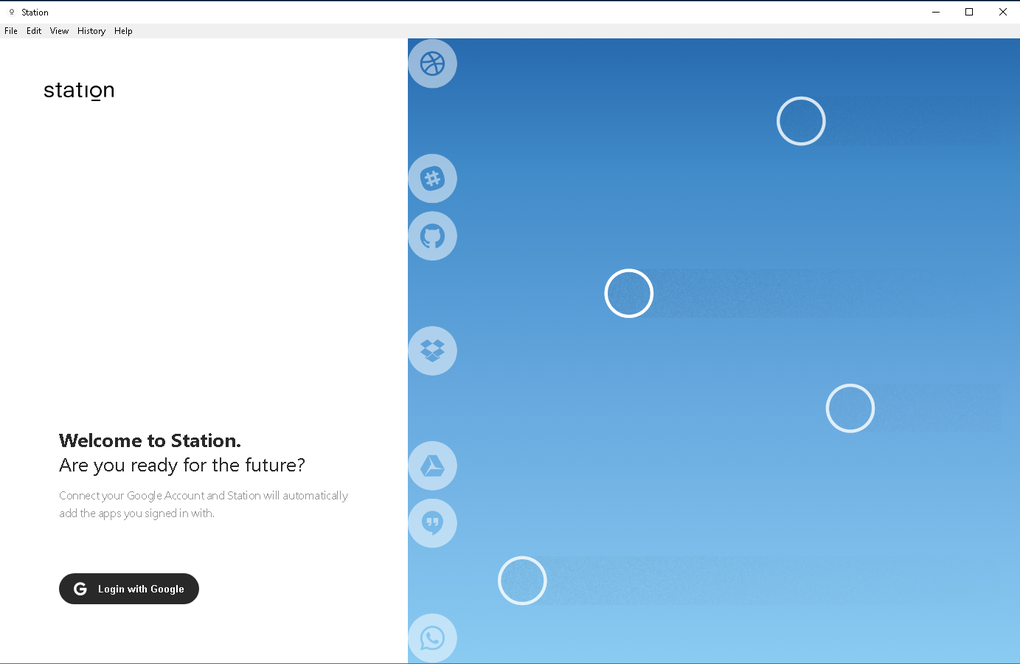
Station’s strength lies in its minimalist design. The interface is clean and intuitive, avoiding unnecessary complexities. The primary focus is on the chat window, allowing for quick and easy access to conversations. Users will find the app easy to navigate, even without prior experience with similar applications. The absence of overwhelming features ensures that even technologically less-savvy users can quickly grasp the fundamentals and begin communicating. This simplicity contributes significantly to the app’s efficiency, allowing users to focus on their conversations rather than navigating a cluttered interface.
The core functionality centers around text-based messaging, providing a reliable and efficient means of communication. Users can send and receive text messages, and engage in one-on-one or group conversations. While it currently lacks advanced features like file sharing, video calls, or voice notes, its simplicity is its key selling point for users prioritizing straightforward text-based communication. This streamlined approach ensures that the app remains lightweight and resource-efficient, avoiding the performance issues that can arise from more feature-rich applications.
Performance and Reliability
Station’s performance is commendable, particularly considering its lightweight design. The app loads quickly, and message delivery is generally prompt and reliable. During testing, there were no noticeable delays or lag issues, even during periods of active use. This consistent performance makes Station a dependable communication tool, providing a reliable means of staying connected with contacts without the interruptions often experienced with other applications. Its efficiency also minimizes its impact on system resources, allowing users to run other applications concurrently without performance degradation. This makes it a suitable option for users with lower-spec computers who may experience performance bottlenecks with more demanding applications.
Security and Privacy
While the app description doesn’t explicitly detail specific security features, the focus on simplicity suggests a straightforward security approach. The absence of extensive features commonly associated with security vulnerabilities (such as end-to-end encryption) may raise concerns for users who prioritize robust security protocols. Further investigation into the app’s underlying security architecture is necessary to fully assess its capabilities in this area. Users concerned about data privacy should carefully review Station’s privacy policy and terms of service to understand how their data is collected, used, and protected. Transparent communication regarding data handling practices is crucial for building user trust and confidence. A comparison with competing apps regarding their security features and privacy policies would provide a clearer picture of Station’s standing in this vital aspect of app functionality.
Comparison with Other Chat and Messaging Apps
Station occupies a unique niche in the crowded field of chat and instant messaging applications. Unlike feature-rich platforms like Skype, Microsoft Teams, Telegram, or WhatsApp, Station doesn’t offer integrated voice calls, video conferencing, file sharing, or extensive customization options. This simplification, however, is a distinct advantage for users who value a focused and uncluttered communication experience. While these other applications excel in their versatility and broad feature sets, they can sometimes feel overwhelming, particularly for users who primarily need a simple, reliable text-messaging tool.
Skype, for example, is a well-established platform offering a comprehensive suite of communication features including voice and video calling, screen sharing, and file transfer. However, its abundance of features can lead to a less streamlined user experience. Similarly, Microsoft Teams, designed for workplace collaboration, provides robust features for team communication, including file sharing, project management tools, and integration with other Microsoft services. Its complexity may not be suitable for users who only require basic text messaging.
Telegram, known for its focus on security and privacy, offers end-to-end encryption for enhanced data protection. WhatsApp, another widely used platform, facilitates voice and video calls, group chats, and file sharing. However, these platforms often require more system resources and have a steeper learning curve compared to Station’s user-friendly interface. Therefore, Station’s simplicity makes it a practical alternative for users who prioritize ease of use and a direct text-based communication experience over a wider range of features. This target audience may find Station a refreshing change from the feature-heavy interfaces of competing applications.
Conclusion
Station presents itself as a lightweight, efficient, and easy-to-use chat and instant messaging app for Windows. Its minimalist design and focus on core functionality make it an attractive choice for users who prioritize simplicity and reliability. While it lacks the extensive features of more established platforms, this simplification contributes to a smooth and efficient user experience. The app’s performance is commendable, with prompt message delivery and minimal impact on system resources. However, users concerned about security and privacy should carefully review Station’s privacy policies and terms of service. Ultimately, Station’s value proposition rests on its commitment to streamlined communication, making it an excellent alternative for users who seek a straightforward and hassle-free messaging experience. The lack of advanced features may be a drawback for some users, but for those prioritizing simplicity and ease of use, Station proves to be a reliable and efficient communication tool. Its strength lies in its uncomplicated nature, fulfilling its intended purpose without unnecessary complexities.
File Information
- License: “Free”
- Version: “1.0.5”
- Latest update: “May 16, 2024”
- Platform: “Windows”
- OS: “Windows 10”
- Downloads: “340”
- Size: “155.14 MB”


