
STDU Viewer is a free, lightweight document viewer primarily designed for handling scientific and technical documentation formats. While not a universal solution capable of opening every file type, its strong performance with specific formats and its efficient resource usage make it a compelling option for users with particular needs. This review delves into the features, strengths, weaknesses, and overall usability of STDU Viewer, offering a comprehensive assessment to help potential users determine its suitability.
Supported Formats and Functionality
STDU Viewer excels in its ability to handle a range of document formats frequently encountered in scientific, technical, and academic settings. Its core strength lies in its robust support for TIFF, PDF, DjVu, XPS, JBIG2, and WWF files. These formats are commonly used for archiving high-resolution images, technical manuals, scientific publications, and other types of documents where image quality and fidelity are crucial. The application also supports various image file types, adding to its versatility. Furthermore, it provides compatibility with popular “comic book” formats like CBR and CBZ, making it useful for casual readers as well.
However, a significant limitation is its lack of support for widely used formats such as .DOC (Microsoft Word), .HTML, and .CHM (compiled HTML help files). This omission restricts its broader applicability as a general-purpose document viewer. While it can handle many image-based documents effectively, its inability to open these common file types might necessitate the use of supplementary software for a complete document viewing solution. Users should be aware of this limitation before committing to using STDU Viewer as their primary document viewer.
Beyond its format support, STDU Viewer offers a traditional and intuitive user interface. The main window displays the currently selected page, while a sidebar presents a content summary, providing quick navigation and an overview of the document’s structure. A bottom bar includes readily accessible navigational controls for easy page switching and browsing. The top menu bar provides access to various tools, including zoom functionality, text selection capabilities, and page adjustment options. These features, though standard, are implemented smoothly and efficiently within the program’s lightweight framework.
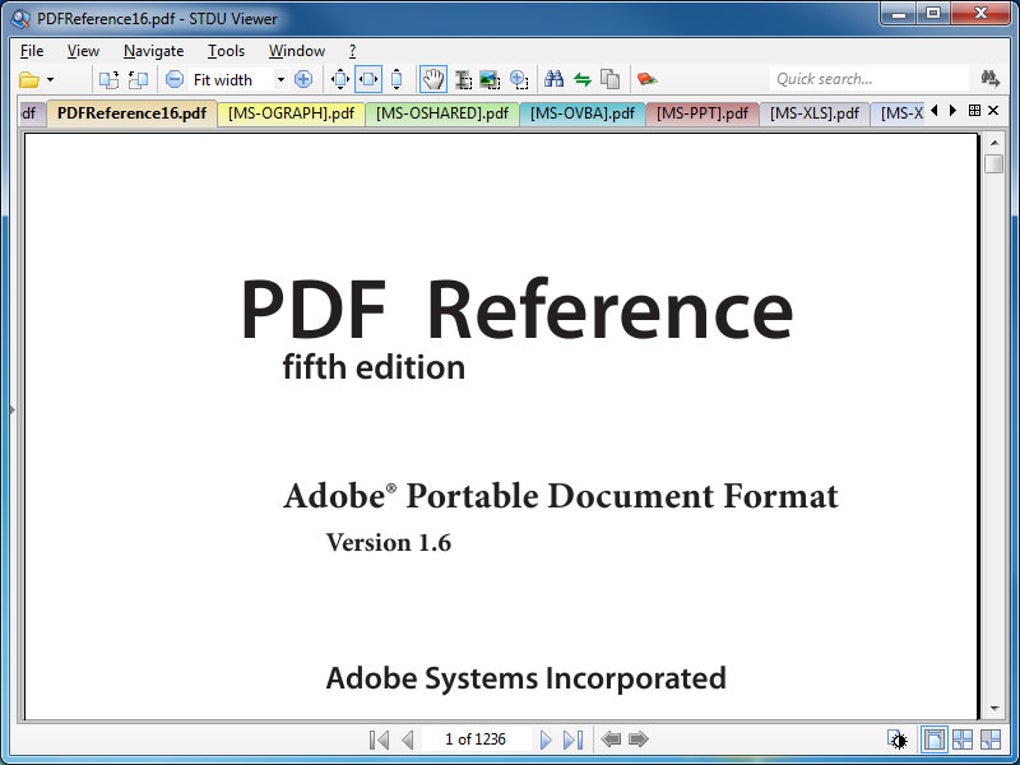
The software also allows for the simultaneous opening of multiple documents, streamlining workflow for users working with multiple files. This multi-document handling capacity is particularly useful for comparative analysis or when referencing several documents simultaneously. The application’s minimal system resource consumption ensures a smooth experience, even on systems with limited processing power or memory. The availability of a portable version caters to users requiring on-the-go document access, eliminating the need for installation on multiple devices.
User Interface and Experience
STDU Viewer boasts a clean and straightforward interface, prioritizing functionality over aesthetics. While this might not appeal to users seeking visually appealing software, the focus on efficiency makes for a user-friendly experience. The layout is intuitive, and the controls are logically placed, ensuring ease of navigation and interaction. The minimalist design minimizes distractions, allowing users to focus on the document content rather than the application’s visual elements.
The software’s simple design, while functional, may be considered lacking in advanced features found in more comprehensive document viewers. For instance, there’s no provision for annotation or highlighting within documents. Users requiring these functionalities would need to rely on other applications to add comments or annotations to their documents. This omission is a significant limitation for users needing a feature-rich document viewing and editing experience.
The lack of extensive customization options further contributes to the simple, streamlined design. While this minimalist approach minimizes complexity, it also limits the ability to personalize the application to individual preferences. Users accustomed to highly customizable software might find the lack of settings options restrictive. However, the trade-off is a highly efficient and lightweight application with minimal resource consumption.
Performance and Resource Usage
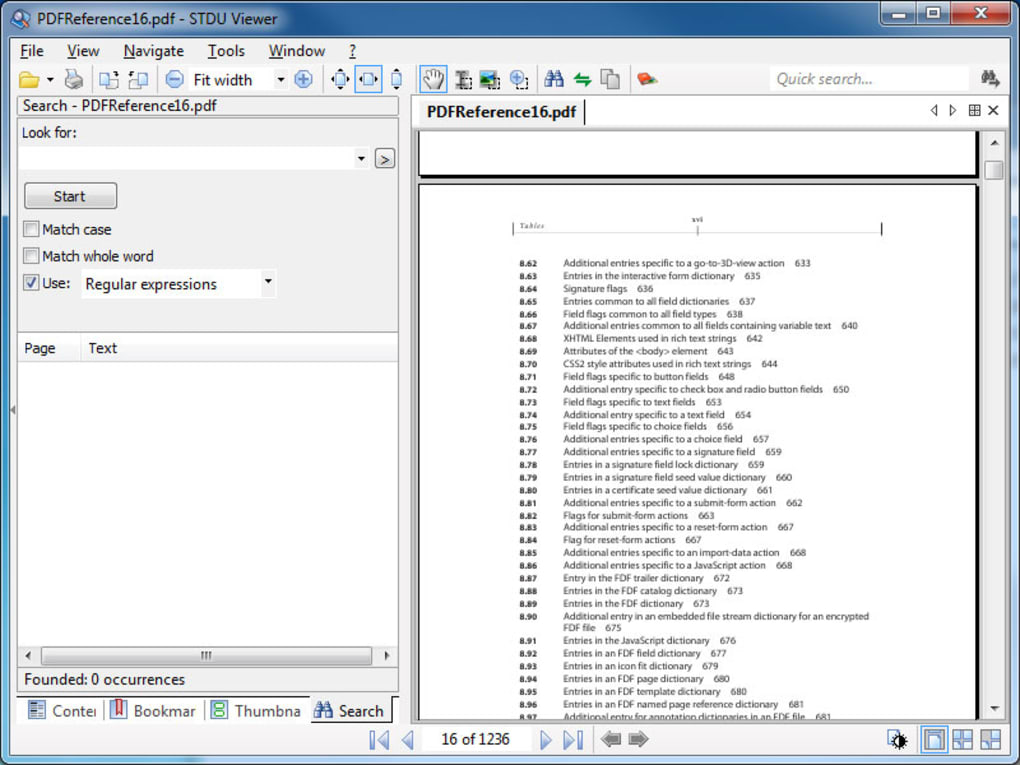
STDU Viewer consistently delivers a fast and responsive performance, even when handling large and complex documents. Its lightweight nature contributes significantly to its speed and efficiency. The application’s minimal system footprint ensures that it doesn’t noticeably impact the system’s performance, making it suitable for use on older hardware or systems with limited resources. Users can expect a fluid browsing experience with minimal lag or delays.
The speed advantage over other, more resource-intensive viewers is particularly noticeable when working with large files or multiple documents simultaneously. The efficient handling of resources allows for smooth operation without compromising performance, enhancing productivity. This efficient resource management is a critical strength of STDU Viewer, especially for users working on systems with limited processing power or memory.
Strengths and Weaknesses
Strengths:
- Efficient Resource Usage: STDU Viewer’s lightweight design minimizes system resource consumption, resulting in fast performance and smooth operation, even on less powerful machines.
- Specialized Format Support: Its excellent support for TIFF, PDF, DjVu, XPS, JBIG2, and WWF files makes it ideal for handling scientific and technical documentation.
- Intuitive Interface: The simple and straightforward interface prioritizes usability and minimizes distractions.
- Multi-Document Handling: The capability to open multiple documents simultaneously enhances productivity.
- Portable Version: The availability of a portable version allows for easy usage across multiple devices without installation.
Weaknesses:
- Limited Format Support: The lack of support for common file formats like .DOC, .HTML, and .CHM restricts its broader applicability.
- Absence of Annotation Features: The absence of annotation or highlighting capabilities limits its functionality for users who require these features.
- Minimal Customization Options: The limited customization options might not suit users who prefer highly customizable software.
- Lack of Documentation: The absence of comprehensive documentation might be a hindrance for new users.
Conclusion
STDU Viewer is a powerful and efficient document viewer specifically tailored for users who frequently work with scientific, technical, and academic documents. Its specialized format support, lightweight design, and responsive performance make it an excellent choice for those needing a fast and efficient document viewing solution. However, the lack of support for commonly used file types and the absence of annotation features limit its versatility. Therefore, STDU Viewer is best suited for users who prioritize speed, resource efficiency, and specialized format support over a comprehensive suite of features. If you primarily work with the formats STDU Viewer supports and don’t require annotation or extensive customization, then it’s a strong contender. Otherwise, users might find more comprehensive solutions better suited to their needs.
File Information
- License: “Free”
- Latest update: “May 23, 2023”
- Platform: “Windows”
- OS: “Windows 2000”
- Language: “English”
- Downloads: “151.1K”
- Size: “2.63 MB”


