
In today’s digitally-driven world, where content consumption is increasingly diverse and device-specific, the ability to seamlessly convert and manage multimedia files has become indispensable. From professional content creators to casual users looking to optimize their personal media libraries, the demand for robust, reliable, and user-friendly conversion tools continues to grow. Enter Stellar Audio Video Converter – a powerful and versatile software solution designed to meet these evolving needs. This comprehensive application transcends mere format conversion, offering a suite of features that empowers users to transform, edit, and optimize their audio and video files with unparalleled ease and precision.
Stellar Audio Video Converter stands out as a simple yet sophisticated tool that bridges the gap between various media file formats and the myriad devices they need to play on. Whether you’re dealing with incompatible video files, extracting audio from a beloved clip, or looking to fine-tune your footage before sharing, Stellar provides an all-in-one platform. Its intuitive interface belies the depth of its capabilities, making advanced media manipulation accessible to everyone, regardless of their technical expertise. This introduction will explore why Stellar Audio Video Converter is an essential utility for anyone serious about managing their digital media, laying the groundwork for a detailed dive into its impressive feature set.
Unlocking Unrivaled Media Versatility: Core Conversion Capabilities
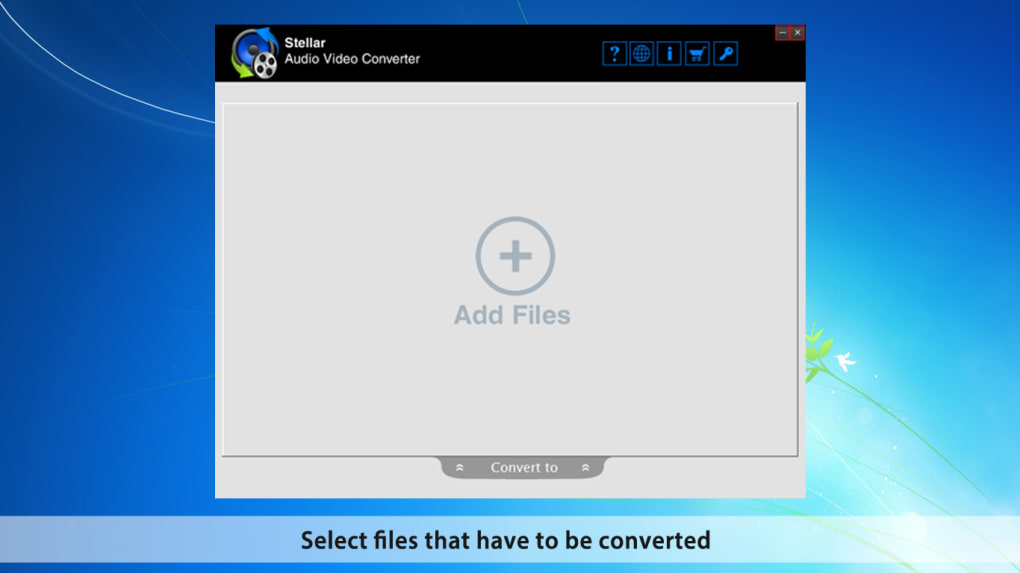
The fundamental strength of Stellar Audio Video Converter lies in its exceptional ability to handle a vast array of media formats, ensuring that your content is always playable, editable, and shareable across any platform or device. This versatility is not just about quantity of supported formats, but also about the quality and integrity maintained throughout the conversion process.
Comprehensive Video-to-Video Conversion
One of the primary functions of Stellar Audio Video Converter is its robust video-to-video conversion capability. In an ecosystem teeming with different codecs, containers, and resolutions, encountering an incompatible video file is a common frustration. Stellar eliminates this problem by supporting an extensive range of popular video formats. Users can effortlessly convert between formats such as MP4, MPEG, MOV, MKV, M4V, AVI, 3GP, 3G2, and many more. This broad support ensures that whether you’ve downloaded a video in a niche format or need to prepare one for a specific playback environment, Stellar has you covered.
The conversion process is designed to be straightforward. Users simply import their source video file, select the desired output format, and initiate the conversion. Crucially, Stellar is engineered to preserve the original video quality as much as possible, even allowing for customization of parameters like resolution, bitrate, and frame rate. This granular control means you can optimize files for specific screen sizes or bandwidth constraints without sacrificing visual fidelity more than necessary. For example, converting a high-resolution MKV file to a more universally compatible MP4 can significantly reduce file size while retaining excellent quality for web streaming or mobile device playback. Similarly, preparing a video for an older device that only supports 3GP or AVI is just as simple.
Elevating Quality: HD Video and Audio Conversions
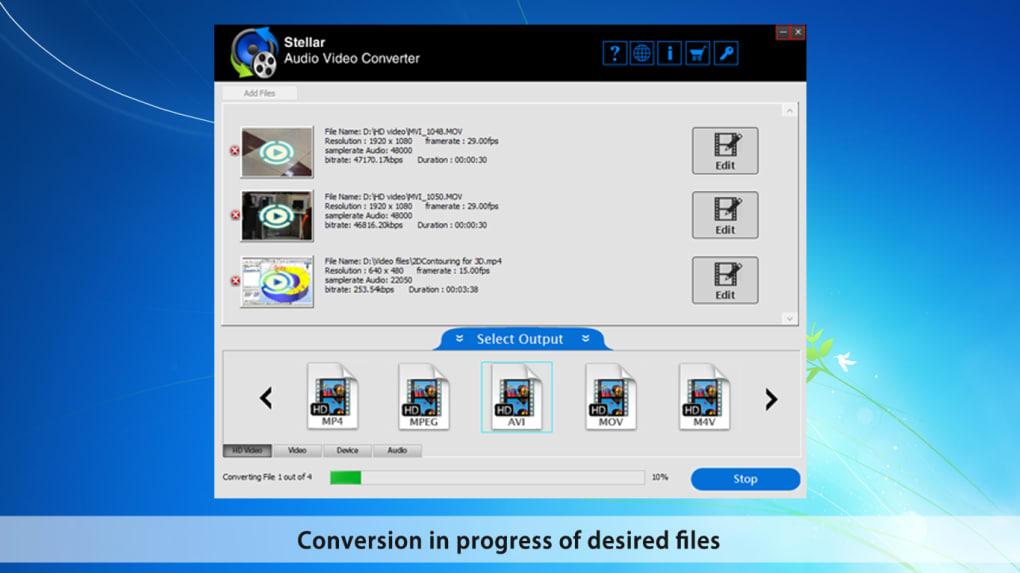
Beyond standard definition conversions, Stellar Audio Video Converter offers the crucial ability to convert video files to High Definition (HD) video or extract them as high-quality audio files. This feature is particularly valuable for those looking to upgrade their viewing experience or capture pristine audio tracks. Converting existing video content into HD formats can breathe new life into older footage, making it suitable for modern HD or even 4K displays. The software meticulously processes the video data, upscaling or maintaining the resolution as required, ensuring crisp visuals and vibrant colors.
Furthermore, the capability to convert video files directly into various audio formats, including popular ones like MP3, is a game-changer for music lovers and podcast enthusiasts. Imagine having a favorite live concert recorded as a video, but you wish to listen to the audio on your portable music player. Stellar allows you to strip the video component, leaving you with a high-fidelity audio track. This isn’t limited to MP3; the software typically supports a range of audio formats, offering flexibility based on your specific needs for quality, file size, or device compatibility. This feature essentially transforms your video library into an audio archive, opening up new possibilities for how you engage with your multimedia.
Seamless Device Compatibility
The modern user operates across a multitude of devices – smartphones, tablets, smart TVs, gaming consoles, and various portable media players. A common headache is creating content that plays flawlessly on all of them. Stellar Audio Video Converter addresses this challenge head-on by ensuring that converted audio and video files are compatible with almost all popular devices. This includes major brands like Samsung, Sony, Moto G, HTC, Apple devices such as iPod, iPhone, and iPad, among others.
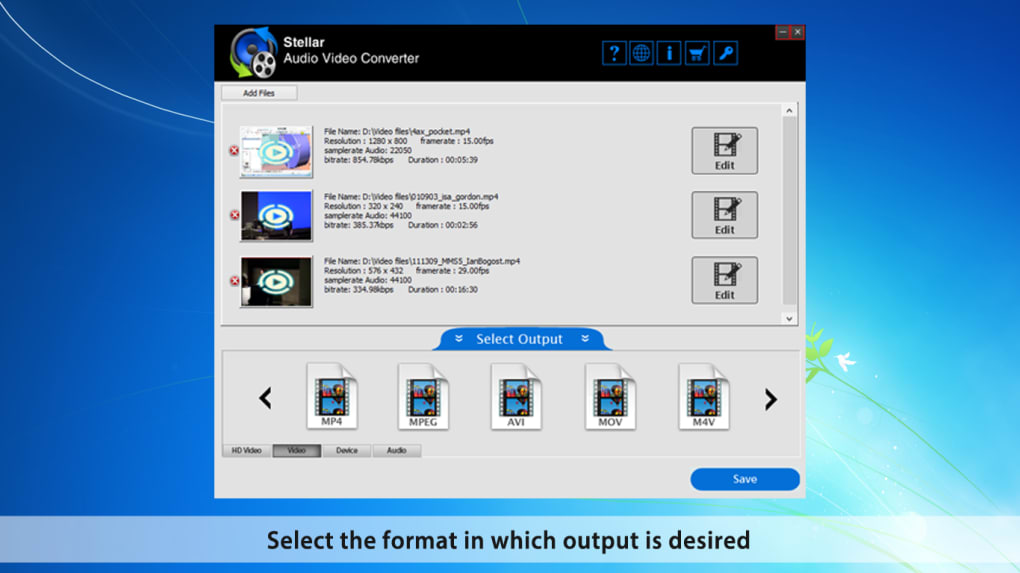
The software often includes pre-configured profiles for specific devices, simplifying the conversion process further. Instead of needing to understand complex technical specifications, users can simply select their target device (e.g., “iPhone 15” or “Android Tablet”), and Stellar will automatically apply the optimal settings for resolution, codec, and bitrate. This eliminates guesswork and ensures that your converted media will play back smoothly, without glitches or errors, providing a truly seamless cross-device media experience. This universal compatibility is a cornerstone of Stellar’s appeal, making it an indispensable tool for anyone with a diverse digital ecosystem.
Beyond Conversion: Powerful Built-in Video Editing Tools
While its conversion capabilities are robust, Stellar Audio Video Converter distinguishes itself by integrating a suite of powerful, yet user-friendly, video editing tools. These features transform the software from a mere converter into a comprehensive media management utility, allowing users to refine their videos directly within the application without needing to export to separate editing software. This integrated approach saves time and streamlines the workflow for quick adjustments and enhancements.
Essential Video Transformations: Crop, Rotate, Trim, and Flip
The core editing functionalities offered by Stellar cover the most frequently needed adjustments for video files. These tools are designed for simplicity and effectiveness, making them accessible even for those new to video editing.
- Crop: This feature is invaluable for removing unwanted borders, black bars, or irrelevant sections from the edges of your video frame. Cropping allows you to focus on the most important parts of your video, improving composition and eliminating distractions. It’s particularly useful when adapting videos for different aspect ratios, such as preparing a widescreen video for a square social media post or vice versa.
- Rotate: Videos can sometimes be recorded in the wrong orientation, especially when using mobile devices. The rotate feature in Stellar allows you to quickly correct the video’s orientation, rotating it by 90, 180, or 270 degrees clockwise or counter-clockwise. This ensures your viewers don’t have to tilt their heads or devices to watch your content comfortably.
- Trim: Also known as cutting, trimming is a fundamental editing tool that allows you to remove unwanted segments from the beginning or end of your video. This is perfect for snipping out awkward intros, long pauses, or uninteresting footage, leaving only the highlights. Users can precisely define the start and end points, ensuring that only the desired portion of the video is retained. This tool is especially useful for creating shorter, more impactful clips for social media or presentations.
- Flip: The flip feature provides horizontal and vertical mirroring of your video. While less frequently used than crop or trim, it can be useful for creative effects or correcting videos that appear mirrored due to front-facing camera settings or specific recording orientations.
Enhancing Visuals: Contrast, Brightness, and Other Adjustments
Beyond basic structural changes, Stellar Audio Video Converter also includes tools for visual enhancement, allowing users to improve the aesthetic quality of their videos. The reference mentions “contrast etc. features,” which typically implies a range of color and light adjustments.
- Contrast: Adjusting the contrast can significantly impact the visual punch of a video. Increasing contrast can make colors more vibrant and blacks deeper, adding a dramatic effect. Conversely, reducing contrast can create a softer, more subdued look.
- Brightness: This control allows you to lighten or darken your video. If a video was shot in dimly lit conditions or appears overexposed, adjusting the brightness can help correct these issues, making the footage more visible and appealing.
- Saturation (Implied by “etc. features”): Often bundled with contrast and brightness, saturation controls the intensity of colors. Boosting saturation can make colors pop, while desaturating can create a muted or even monochrome effect.
- Hue (Implied): Hue adjustment allows you to shift the overall color tint of your video, which can be useful for correcting color casts or creating specific stylistic looks.
These integrated editing features mean that users can perform quick fixes and enhancements without ever leaving the Stellar interface. This seamless workflow is a significant advantage, particularly for individuals who need to convert and prepare media regularly. The ability to make these adjustments in a single application streamlines the entire process, making media preparation efficient and hassle-free.
Enhanced Efficiency and Unique Features for Media Enthusiasts
Stellar Audio Video Converter isn’t just about offering a broad range of features; it’s also about optimizing the user experience through efficiency and specialized functionalities. Two key areas where it excels are its batch conversion capabilities and a unique feature for ripping audio CDs, catering to both productivity-focused users and dedicated media enthusiasts.
Streamlined Productivity with Batch Conversion
For anyone dealing with a large volume of multimedia files, the prospect of converting them one by one can be daunting and incredibly time-consuming. Stellar Audio Video Converter addresses this challenge head-on with its robust batch conversion feature. This allows users to process multiple audio and video files simultaneously, drastically improving efficiency and saving invaluable time.
Here’s how batch conversion elevates the user experience:
- Time-Saving: Instead of manually selecting and converting each file, users can load an entire folder or a list of files into the converter. Stellar processes them in sequence or parallel (depending on system resources and configuration), freeing up the user to attend to other tasks.
- Consistency: Batch conversion ensures that all files receive the same conversion settings, maintaining uniformity across an entire collection. This is particularly useful for preparing a series of videos for a specific platform or device where consistent quality and format are crucial.
- Simplicity: The process remains simple. Users select all the files they wish to convert, choose their desired output format and settings once, and then initiate the batch process. The software handles the rest, often displaying progress for each file or the overall batch.
- Use Cases: This feature is invaluable for professionals archiving footage, content creators preparing multiple clips for a project, or individuals digitizing extensive personal media libraries. Converting an entire album of music videos to MP3s or reformatting a collection of vacation videos to a more compatible format becomes a quick, effortless operation.
A Niche Gem: Ripping Audio CDs for Track Extraction
Among its comprehensive feature set, Stellar Audio Video Converter boasts a truly unique and valuable capability: the ability to rip Audio CDs for extracting specific audio tracks. In an age dominated by digital downloads and streaming, many still possess extensive collections of physical audio CDs. Ripping these CDs into digital formats is essential for preserving the music, making it playable on modern devices, and integrating it into digital libraries.
What makes Stellar’s approach special is its focus on extracting specific tracks rather than requiring a full CD rip every time. While most software can rip an entire CD, Stellar provides granular control:
- Selective Extraction: Users can choose precisely which tracks they want to convert, avoiding the need to process an entire album if only a few songs are desired. This saves disk space and processing time.
- Quality Preservation: When ripping, Stellar ensures that the audio quality of the extracted tracks is maintained at a high fidelity, converting them into standard digital audio formats like MP3, WAV, or AAC (depending on software capabilities).
- Digital Archiving: This feature is a boon for audiophiles and collectors who want to digitize their physical music library. It safeguards against CD degradation and provides easy access to their music on any digital device.
- Ease of Use: The process involves inserting an audio CD, and Stellar typically presents a list of tracks, allowing users to select their desired ones and specify the output format and destination. The interface is designed to be intuitive, guiding users through the ripping process effortlessly.
This distinctive CD ripping functionality elevates Stellar Audio Video Converter above many competitors that focus solely on file-to-file conversions. It demonstrates a commitment to providing a holistic media solution that addresses both contemporary digital conversion needs and the enduring value of physical media collections. Coupled with its efficient batch processing, Stellar provides a powerful toolkit for comprehensive media management.
Technical Specifications and System Compatibility
Understanding the technical specifications and system compatibility of any software is crucial for ensuring it runs smoothly on your machine and meets your operational needs. Stellar Audio Video Converter is developed by Stellar Information Technology Pvt. Ltd., a reputable name in data recovery and utility software, which speaks to its reliability and professional development.
Platform and Operating System Support
Stellar Audio Video Converter is primarily designed for the Windows operating system. Its broad compatibility spans a wide range of Windows versions, ensuring that a vast majority of PC users can leverage its features without compatibility concerns. The software is compatible with:
- Windows 10
- Windows 8.1
- Windows 8
- Windows 7
- Windows Vista
- Windows XP
This extensive support, from the latest Windows 10 down to the venerable Windows XP, highlights the developer’s commitment to accessibility across different generations of PC hardware and software environments. This means users on older systems can still benefit from modern conversion capabilities, while those on newer machines can expect optimal performance.
Version, Update, and File Details
Keeping software updated is essential for security, performance, and accessing the latest features. The reference indicates a specific version and update frequency:
- Version: The software has been noted with versions such as V3.03.9(17) and V3.02.01. This suggests ongoing development and refinement of the application.
- Latest Update: As of January 31, 2024, the software received an update. Regular updates are a positive sign, indicating that the developers are actively maintaining the software, addressing bugs, improving performance, and potentially adding new features or supported formats.
- File Size: The installation file size is approximately 31.91 MB. This is a relatively compact size for a feature-rich multimedia tool, ensuring quick downloads and minimal impact on system storage.
- Language: The software is available in English, making it accessible to a global user base. The reference also indicates availability in many other languages (e.g., Arabic, German, Spanish, French, Italian, Japanese, Korean, Dutch, Polish, Portuguese, Russian, Thai, Turkish, Vietnamese, Chinese), suggesting a localized experience for a diverse international audience.
Availability and Licensing
Stellar Audio Video Converter is available as a Demo version, allowing potential users to experience its capabilities before committing to a purchase. This “try before you buy” model is beneficial, enabling users to test the software’s functionality with their specific files and workflows.
- Demo Version: The demo provides a glimpse into the full software’s power, allowing users to understand its interface and core features. Typically, demo versions might have limitations, such as watermarks on converted files, restrictions on conversion length, or a limited number of files that can be processed. This encourages users to upgrade to the full version for unrestricted use.
- Download and Purchase: The software can be downloaded for Windows directly from its dedicated page on PhanMemFree.org. For full, unrestricted access, users have the option to “Buy now” from a trusted partner, indicating a clear path from trial to full ownership.
- Downloads: The reference shows considerable download activity, with 3.7K downloads and 33 downloads in the last month (as of the reference data), suggesting a steady interest in the product.
In conclusion, Stellar Audio Video Converter presents itself as a well-supported, actively developed, and widely compatible solution for Windows users. Its reasonable file size, regular updates, and clear licensing model, starting with a demo, make it an attractive option for anyone seeking reliable media conversion and editing capabilities.
Why Choose Stellar Audio Video Converter? The Ultimate Media Solution
In a crowded market of multimedia tools, Stellar Audio Video Converter distinguishes itself through a combination of powerful features, user-centric design, and reliable performance. Choosing the right software for your media needs can significantly impact your productivity and enjoyment of digital content. Here’s a comprehensive look at why Stellar stands out as an ultimate media solution.
Unparalleled Versatility and Format Support
The cornerstone of Stellar Audio Video Converter’s appeal is its ability to handle an extensive array of audio and video formats. This isn’t just about converting between common files like MP4 and MP3; it encompasses a broad spectrum of codecs and containers, ensuring compatibility across virtually all scenarios. Whether you’re working with obscure video formats from old cameras, high-definition MKV files, or legacy AVI formats, Stellar offers the flexibility to convert them into universally playable files. This wide-ranging support means you spend less time troubleshooting format errors and more time enjoying your media. The seamless conversion between video formats, extraction of audio from video, and conversion of audio-to-audio formats cover almost every possible media conversion need.
Integrated Editing for Quick Enhancements
Many converters offer just that: conversion. Stellar, however, integrates essential video editing tools directly into its interface. Features like cropping, rotating, trimming, flipping, and adjusting contrast (and likely brightness/saturation) mean that you don’t need to switch between multiple applications for basic modifications. This integrated workflow is a massive time-saver for content creators, social media enthusiasts, or anyone wanting to quickly refine a video before sharing. You can convert a video, snip out an unwanted segment, correct its orientation, and enhance its visual appeal all within a single, intuitive environment. This holistic approach makes the software far more than a simple file transformer.
Efficiency Through Batch Processing
For users with extensive media libraries or those who frequently deal with multiple files, the batch conversion feature is a game-changer. The ability to queue up numerous audio and video files and convert them simultaneously, often with the same settings, drastically improves productivity. Imagine digitizing an entire collection of concert videos or converting multiple podcast episodes – batch processing handles this effortlessly, allowing you to set it and forget it, rather than manually initiating each conversion. This focus on efficiency makes Stellar an ideal tool for managing large volumes of media, saving precious time and effort.
Unique Audio CD Ripping Capability
In an era where physical media might seem secondary, Stellar acknowledges the enduring value of audio CD collections. Its unique feature to rip specific audio tracks from CDs sets it apart. This is invaluable for music lovers who wish to digitize their CD collection without converting entire albums. It provides a precise, high-quality way to transfer cherished music from physical discs to digital formats, making it accessible on modern devices and safeguarding it for the future. This thoughtful inclusion caters to a specific, yet significant, user need often overlooked by other converters.
User-Friendly Interface and Device Compatibility
Despite its powerful feature set, Stellar Audio Video Converter maintains a simple and intuitive interface. This accessibility ensures that users of all technical skill levels can navigate the software with ease. The clear layout, straightforward controls, and logical workflow minimize the learning curve. Furthermore, the explicit support for a vast array of devices, from Samsung and Sony to iPods, iPhones, and iPads, simplifies the conversion process for specific playback environments. Pre-configured device profiles eliminate the guesswork, ensuring optimal settings for your target device, and guaranteeing smooth playback.
Reliability and Ongoing Support
Developed by Stellar Information Technology Pvt. Ltd., a company with a strong reputation in software utilities, the Audio Video Converter benefits from professional development and consistent support. Regular updates, as evidenced by its version history and recent update on January 31, 2024, ensure that the software remains current, compatible with the latest operating systems (Windows 10 down to XP), and free from bugs. The availability of a demo version on PhanMemFree.org allows users to thoroughly test the software before committing, building confidence in its capabilities and performance.
Conclusion
Stellar Audio Video Converter emerges as a powerful, versatile, and user-centric solution for anyone navigating the complexities of digital media. From its foundational strengths in comprehensive format conversion and seamless device compatibility to its integrated editing tools, efficient batch processing, and unique audio CD ripping capabilities, it offers a holistic approach to media management. It’s more than just a converter; it’s a robust toolkit that empowers users to take full control of their audio and video content.
Whether you’re a professional seeking to streamline your workflow, a content creator aiming for polished outputs, or simply an individual looking to organize and enjoy your personal media library across all your devices, Stellar Audio Video Converter provides the essential tools. Its blend of power, simplicity, and thoughtful features makes it an indispensable asset in today’s multi-format, multi-device world. For a reliable, efficient, and comprehensive media solution, look no further than Stellar Audio Video Converter, available for download and purchase via PhanMemFree.org.
File Information
- License: “Demo”
- Latest update: “January 31, 2024”
- Platform: “Windows”
- OS: “Windows 10”
- Language: “English”
- Downloads: “3.7K”
- Size: “31.91 MB”


