
Stellar Phoenix JPEG Repair is a powerful and user-friendly software application designed to restore damaged or corrupted JPEG and JPG image files. This comprehensive guide explores the software’s capabilities, functionality, and benefits, providing a detailed overview for users of all technical skill levels. We will delve into its features, ease of use, and limitations, offering a clear picture of whether this tool is the right solution for your image recovery needs.
Understanding JPEG Corruption and the Need for Repair
JPEG (Joint Photographic Experts Group) is a widely used image file format known for its efficient compression, resulting in smaller file sizes compared to other formats like PNG or TIFF. However, this compression can sometimes lead to file corruption due to various factors:
- Sudden Power Outages: Interruptions during image transfer or saving can disrupt the file structure, leading to corruption.
- Storage Media Issues: Faulty hard drives, memory cards, or USB drives can cause data loss and file corruption.
- Incomplete Downloads: Interrupted downloads of JPEG images often result in incomplete or damaged files.
- Virus or Malware Attacks: Malware can infect and corrupt files, including images, making them inaccessible.
- File System Errors: Issues with the file system can lead to file corruption, making the images unreadable.
- Camera Errors: Problems with the camera’s internal memory or file system can also result in corrupted images.
When a JPEG file becomes corrupted, it may manifest in various ways, including:
- Inability to Open: The image may not open at all, resulting in error messages.
- Visual Artifacts: The image may display visual distortions, such as pixelation, discoloration, or missing parts.
- File Size Discrepancies: The file size may be unexpectedly smaller or larger than normal for an image of that type and resolution.
Stellar Phoenix JPEG Repair addresses these issues by utilizing advanced algorithms to identify and fix the damaged portions of the JPEG file. It reconstructs the image data, restoring the visual integrity as much as possible.
Stellar Phoenix JPEG Repair: Key Features and Functionality
Stellar Phoenix JPEG Repair stands out due to its user-friendly interface and powerful repair capabilities. Here are some of its key features:
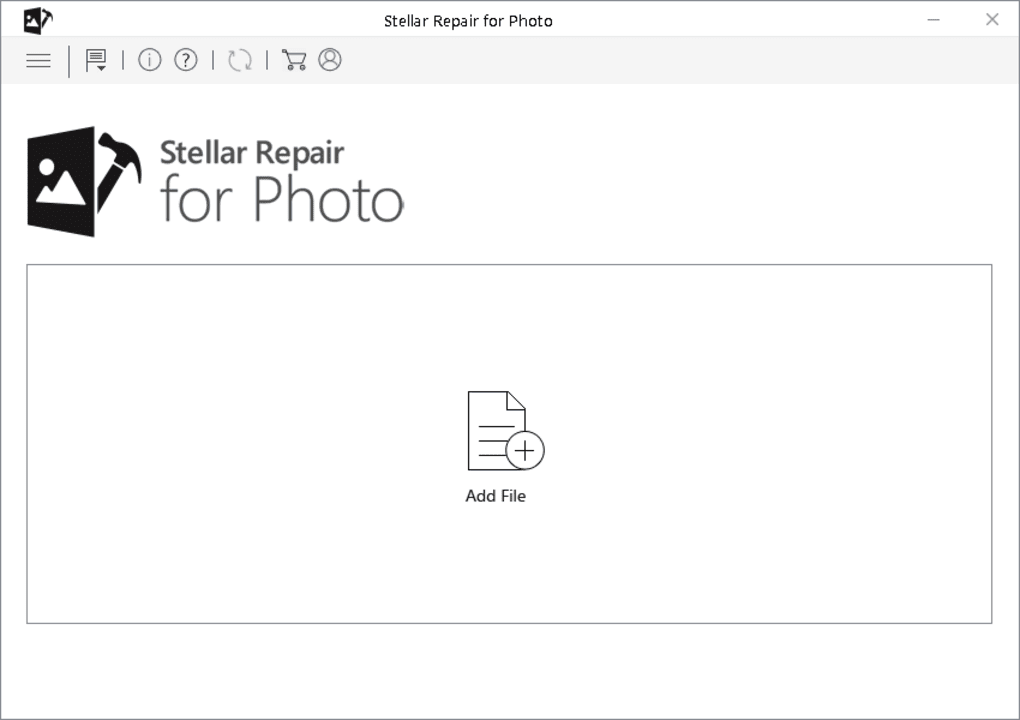
- Intuitive Interface: The software boasts a clean and straightforward interface, making it easy to navigate even for users with limited technical expertise. The steps involved in repairing damaged JPEG files are simple and clearly laid out.
- Batch Processing: Instead of processing images one at a time, the software allows for batch processing, enabling you to repair multiple JPEG files simultaneously. This significantly speeds up the recovery process when dealing with a large number of corrupted images.
- Advanced Scanning Engine: A sophisticated scanning engine quickly and efficiently identifies and analyzes corrupted JPEG files, locating the damaged areas and assessing the extent of the corruption. This engine ensures a comprehensive search for repairable data within the image files.
- Preview Functionality: Before initiating the repair process, the software provides a preview of the damaged image. After the repair is complete, a preview of the repaired image is also shown, allowing for a direct comparison and assessment of the restoration quality. This functionality allows users to assess the effectiveness of the repair before saving the changes.
- File Selection and Removal: The software provides tools for easily adding and removing files from the repair queue. Users can selectively choose specific images for repair or remove incorrectly added files, refining the repair process.
- Repair Progress Indication: The software provides a clear visual indicator of the repair process, displaying the progress of each file being repaired. This feature ensures transparency and provides users with constant feedback.
- Destination Selection: After the repair is successfully completed, users can select the destination folder for the repaired images. This ensures that the repaired files are stored in the desired location, providing flexibility and convenience to users.
- Support for Multiple Operating Systems: Stellar Phoenix JPEG Repair is compatible with a wide range of Windows operating systems, ensuring broad accessibility for users. The supported operating systems typically include Windows 10, Windows 8.1, Windows 7, Windows Vista, and Windows XP.
The Repair Process: A Step-by-Step Guide
Repairing damaged JPEG files with Stellar Phoenix JPEG Repair is a straightforward process. Follow these steps:
- Download and Install: Download the software from the official Stellar website and install it on your computer.
- Launch the Application: Open the Stellar Phoenix JPEG Repair application.
- Add Files: Click the “Add File” button to browse and select the damaged JPEG files you want to repair. You can add multiple files at once.
- Preview (Optional): Review the preview of the selected damaged images to confirm they are the correct files.
- Initiate Repair: Click the “Repair” button to start the repair process. The software will begin scanning and repairing the selected files.
- Monitor Progress: Observe the progress bar to track the repair process for each file.
- Preview Repaired Images: Once the repair is complete, preview the repaired images to assess the restoration quality.
- Save Repaired Files: Select the desired destination folder to save the repaired JPEG files.
Advantages and Limitations of Stellar Phoenix JPEG Repair
While Stellar Phoenix JPEG Repair offers significant benefits, it’s essential to understand its limitations:
Advantages:
- Ease of Use: The software’s intuitive interface makes it incredibly easy to use, regardless of technical expertise.
- Effective Repair: The software effectively repairs a wide range of JPEG corruption issues, restoring many images to a usable state.
- Batch Processing: The ability to repair multiple files simultaneously significantly reduces processing time.
- Preview Functionality: The preview feature allows users to assess repair results before saving changes.
- Free Trial: A free trial version is available, allowing users to test the software’s capabilities before purchasing.
Limitations:
- JPEG-Only Support: The software only supports JPEG and JPG file formats. It cannot repair other image formats like PNG, TIFF, or GIF.
- Free Version Restrictions: The free trial version has limitations, such as the inability to save repaired images. Full functionality requires a paid license.
- Severity of Damage: While effective for many types of corruption, severely damaged files may not be fully repairable. The success rate depends on the extent of the damage.
Conclusion: Is Stellar Phoenix JPEG Repair Right for You?
Stellar Phoenix JPEG Repair is a valuable tool for recovering damaged JPEG images. Its user-friendly interface, efficient repair process, and batch processing capabilities make it a practical solution for both casual users and professionals dealing with corrupted image files. However, the limitation to JPEG files and the restrictions of the free version should be considered. If you primarily work with JPEG images and need a reliable and easy-to-use recovery solution, Stellar Phoenix JPEG Repair is a strong contender. Weighing the pros and cons based on your specific needs will help determine if this software is the right choice for you.
File Information
- License: “Demo”
- Latest update: “July 12, 2023”
- Platform: “Windows”
- OS: “Windows 11”
- Language: “English”
- Downloads: “49.7K”
- Size: “50.24 MB”


