
Stellar Repair for Video is a powerful software application designed to repair corrupted or damaged video files from various sources, including DSLRs, smartphones, and other recording devices. This comprehensive guide will explore its features, capabilities, and limitations, helping you determine if it’s the right solution for your video recovery needs.
Understanding Stellar Repair for Video’s Capabilities
Stellar Repair for Video boasts a wide range of features aimed at recovering even severely damaged video files. Its core functionality revolves around its ability to identify and correct various video anomalies and defects across numerous file formats. The software supports popular formats like MP4, MOV, and AVI, ensuring compatibility with a broad spectrum of video content. This broad format support is a key advantage, making it a versatile tool for users with diverse video collections.
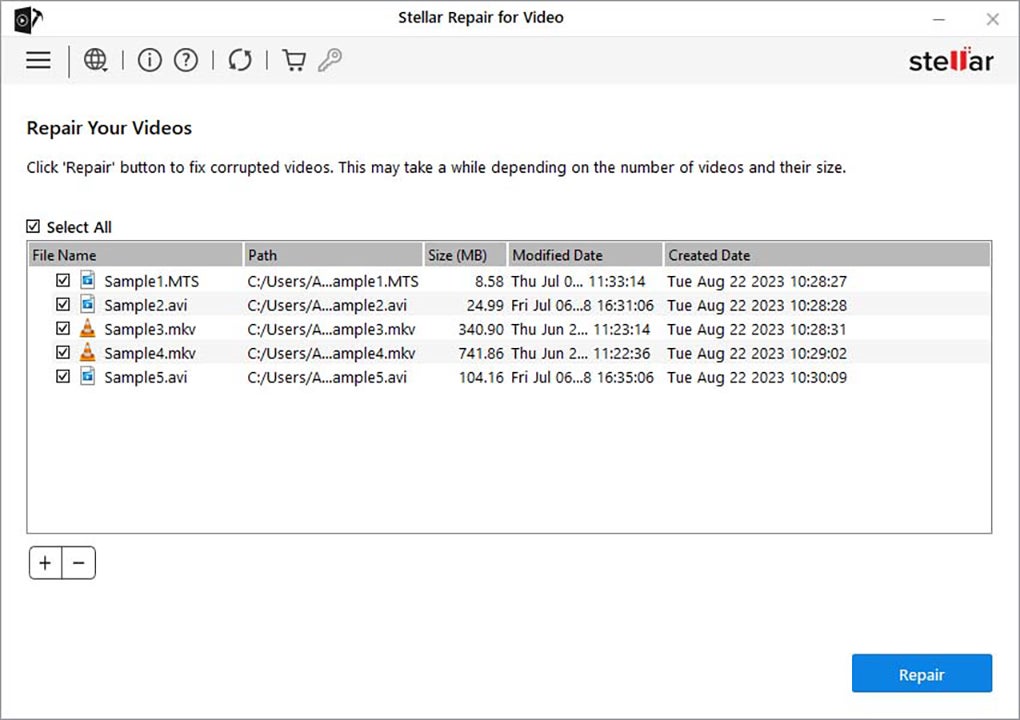
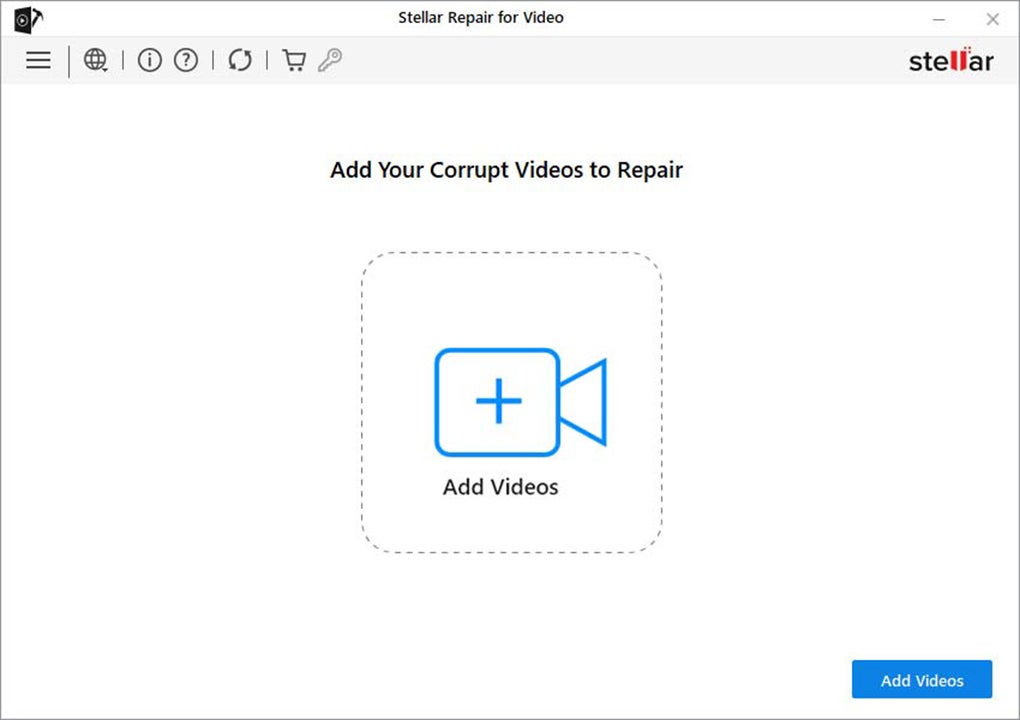
The repair process itself is remarkably straightforward. Users can add video files via a simple “Add Videos” button or by using drag-and-drop functionality. Batch processing is also supported, allowing users to repair multiple files simultaneously, saving considerable time and effort. This streamlined approach prioritizes user convenience, making the software accessible to both novice and experienced users alike.
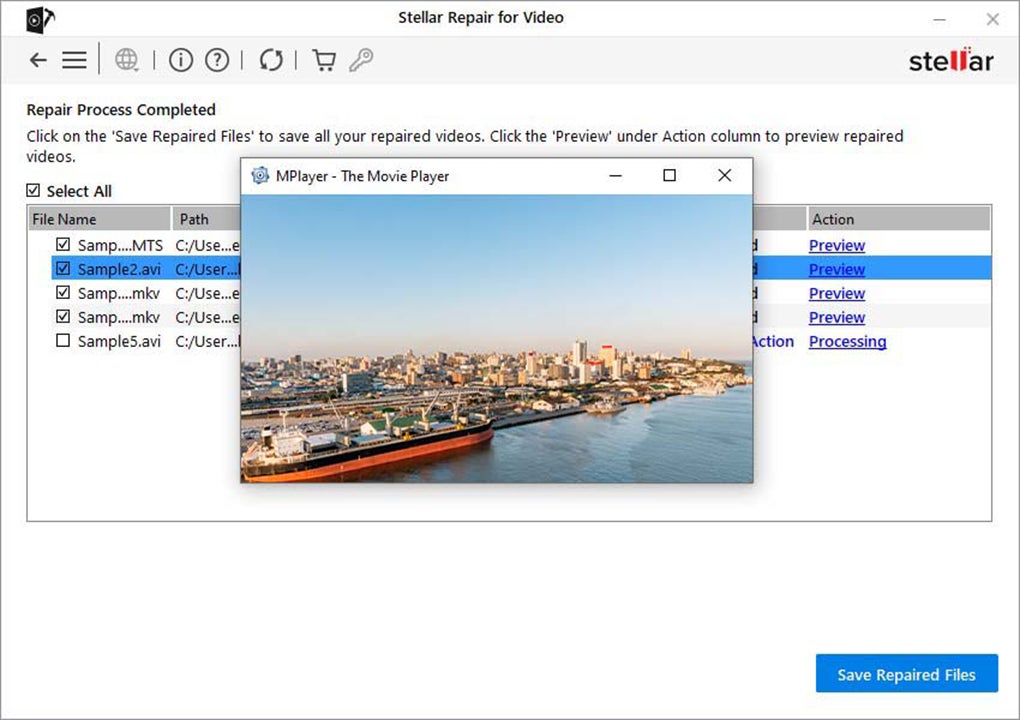
A crucial feature that sets Stellar Repair for Video apart is its integrated preview functionality. Before committing to saving the repaired video, users can preview the results to assess the quality and integrity of the repair. This allows for verification and ensures that the restored video meets expectations before overwriting the original file. This thoughtful design minimizes the risk of data loss and ensures user satisfaction.
Beyond its basic repair capabilities, Stellar Repair for Video offers advanced features to address severely corrupted files. For videos exhibiting significant damage, the software incorporates an “Advanced Repair” feature. This advanced mode utilizes a healthy video file from the same device and format as a reference, guiding the repair process and significantly enhancing the chances of successful recovery. This approach leverages the information from a known good file to assist in reconstructing the damaged portions of the corrupted video.
The software’s prowess extends beyond common video players. It’s specifically designed to repair videos that fail to play correctly in popular media players such as VLC, Windows Media Player, and QuickTime. This versatility is especially valuable when dealing with videos exhibiting playback errors across multiple platforms.
File Format Compatibility and Codec Support
Stellar Repair for Video’s extensive file format support extends to a broad range of codecs, further enhancing its versatility. The software’s compatibility includes popular codecs such as H.263, H.264, H.265, HEVC, and MPEG4, among others. This comprehensive codec support allows it to effectively handle videos encoded using various compression techniques, catering to a wide range of video sources and production methods. The software’s ability to work with diverse codecs is a significant strength, ensuring compatibility across different video types and origins.
Advanced Repair and Processing Times
While Stellar Repair for Video excels in handling a wide variety of video repair scenarios, it’s essential to understand that the processing time can vary significantly. Several factors influence the duration of the repair process, including the file size, video length, and the severity of the damage. The hardware specifications of the user’s computer also play a critical role, with more powerful systems generally completing repairs faster. Users should be prepared for potentially lengthy processing times, particularly when dealing with large, severely damaged files on less powerful machines. This is a crucial aspect to consider when selecting a repair tool and managing expectations.
Furthermore, the software’s “Advanced Repair” feature, while powerful, requires a healthy video file as a reference. This implies that users must have access to a similar video file recorded on the same device and in the same format as the damaged one. This requirement is a significant limitation if such a reference file is unavailable, potentially restricting the software’s usefulness in specific scenarios.
Beyond Video Repair: Extended Functionality in Other Versions
While the core functionality of Stellar Repair for Video focuses on video repair, higher-tier versions of the software offer extended capabilities. Some advanced versions include the ability to repair corrupted photo files, mirroring the functionality for videos. Furthermore, the most comprehensive versions also offer data recovery features, allowing users to recover deleted media files, thereby expanding the software’s utility beyond simple repair. This bundled approach is cost-effective for users requiring both video and photo repair or data recovery capabilities.
This tiered approach to software functionality allows users to select a version that best fits their needs and budget. Users requiring only video repair capabilities can opt for the basic version, while those needing additional functionalities can upgrade to more comprehensive packages.
User Interface and Ease of Use
Stellar Repair for Video is designed with user-friendliness in mind. The intuitive interface makes it easy to navigate, even for users without extensive technical expertise. The simple drag-and-drop functionality for adding files and the clear visual cues throughout the repair process contribute to its user-friendly design. The preview function further enhances user experience by allowing verification of repair quality before saving changes. This straightforward design prioritizes accessibility and minimizes the learning curve for users.
Stellar Repair for Video: Pros and Cons
Pros:
- Intuitive and user-friendly interface: Easy to navigate and use, even for beginners.
- Wide file format support: Supports a broad range of video formats and codecs.
- Batch processing capability: Allows simultaneous repair of multiple video files.
- Integrated preview functionality: Enables users to verify repair quality before saving.
- Advanced repair option: Provides a more robust solution for severely damaged files.
- Higher-tier versions offer extended features: Photo repair and data recovery options are available in upgraded versions.
Cons:
- Processing times can be lengthy: Repair times can be significant depending on file size, damage severity, and system hardware.
- Advanced repair requires a reference file: The advanced repair feature necessitates a healthy video file from the same source and format.
- Cost: While a free trial is available, full functionality requires a purchase.
Conclusion: Is Stellar Repair for Video Right for You?
Stellar Repair for Video offers a robust and user-friendly solution for repairing damaged video files. Its wide format support, intuitive interface, and advanced repair capabilities make it a valuable tool for both casual users and professionals. However, the potential for lengthy processing times and the requirement of a reference file for advanced repairs should be considered. The availability of higher-tier versions with extended features allows users to tailor their choice to their specific needs and budget. Overall, Stellar Repair for Video is a compelling option for recovering damaged video files, but users should carefully weigh the pros and cons based on their individual requirements and expectations.
File Information
- License: “Demo”
- Latest update: “May 31, 2024”
- Platform: “Windows”
- OS: “Windows 8.1”
- Language: “English”
- Downloads: “14.2K”
- Size: “70.24 MB”


