
Stellarium is a free, open-source planetarium software that allows users to explore the night sky from anywhere on Earth, and even from beyond. While less well-known than similar software like Google Earth, Stellarium offers a unique perspective, placing you on the ground looking up at the celestial expanse instead of orbiting the planet. It provides a realistic and immersive experience, simulating the movement of stars, planets, and other celestial bodies in real-time, making it a valuable tool for amateur astronomers, educators, and anyone fascinated by the cosmos. This detailed exploration delves into Stellarium’s features, strengths, weaknesses, and overall usability.
Exploring the Depths of Space: Stellarium’s Core Functionality
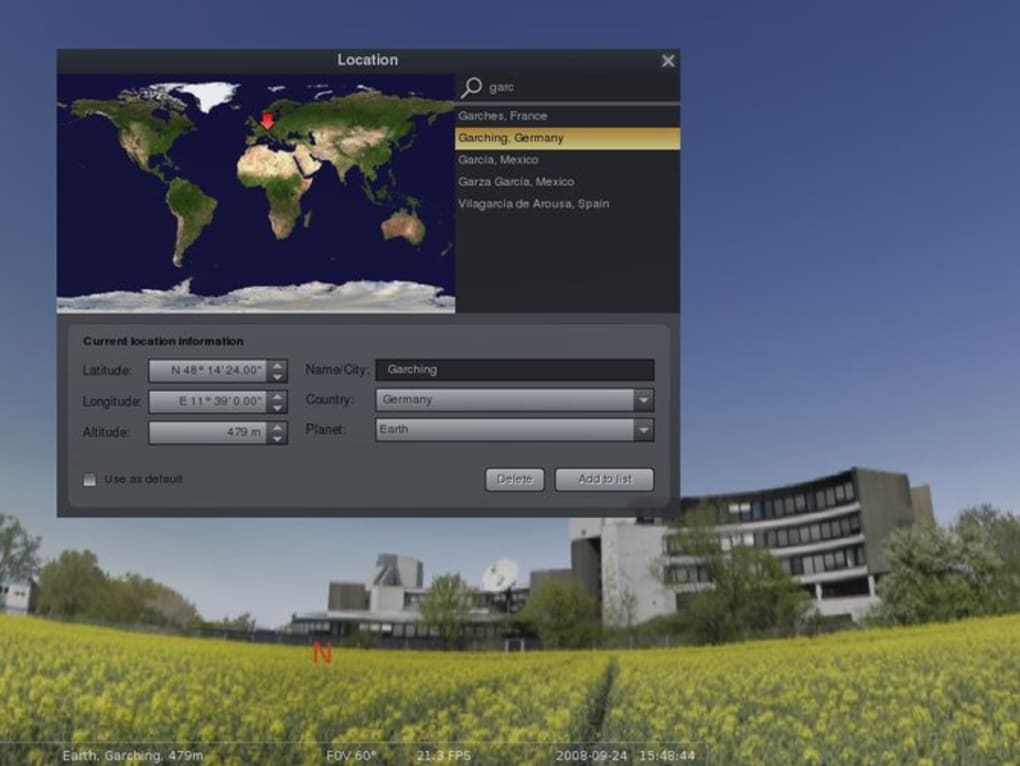
At its heart, Stellarium functions as a highly accurate virtual planetarium. It boasts a vast database of over 120,000 stars, meticulously plotted to represent their accurate positions and magnitudes. This impressive detail extends beyond stars, encompassing planets, moons, comets, nebulae, and even constellations, all rendered with remarkable precision. Users can adjust the time and location to observe the night sky from any point on Earth, at any moment in time, past or future. This allows for the simulation of celestial events, such as eclipses, meteor showers, and the changing positions of planets across the sky.
One of Stellarium’s most captivating features is its realistic depiction of astronomical phenomena. Sunrises and sunsets are beautifully rendered, showcasing the gradual transition of light and shadow, adding a touch of realism often missing in other simulation software. Constellations are elegantly traced out, clearly indicating their boundaries and helping users identify them. The software also incorporates various visual effects, such as atmospheric rendering, which enhances the realism by simulating atmospheric effects like twilight and airglow. These effects can be toggled on or off, allowing users to customize their viewing experience. Users can zoom in on planets to observe details of their surfaces, though the level of detail is not as high as that achieved in dedicated planetary exploration software.
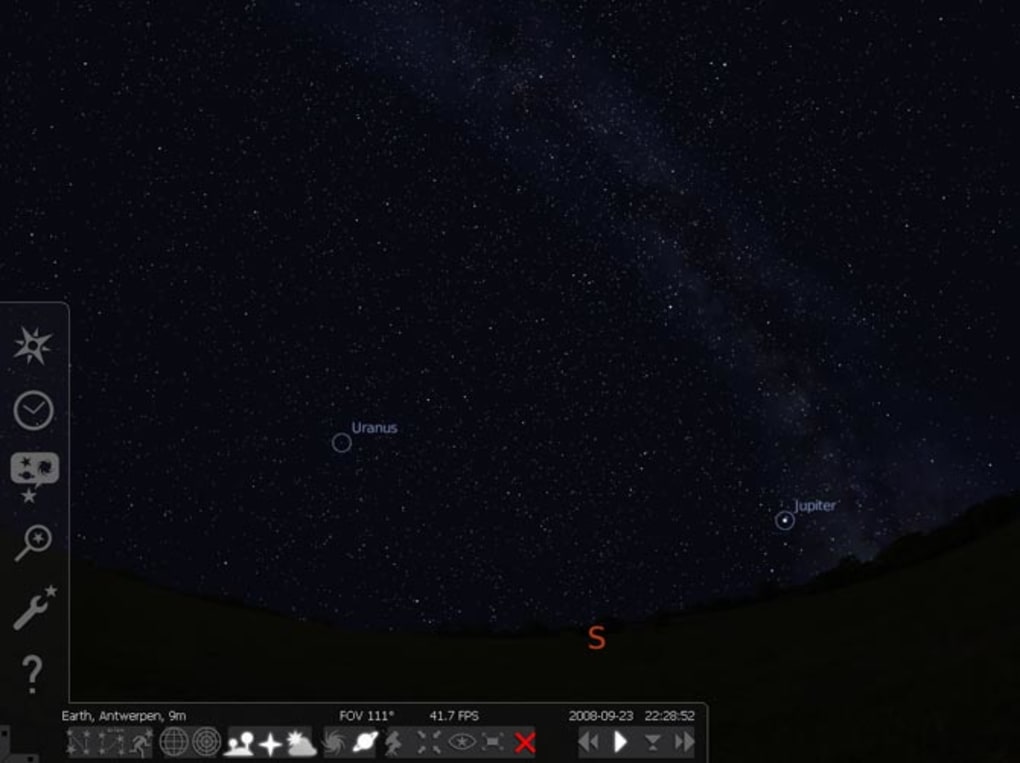
Stellarium also facilitates exploration beyond the confines of Earth. Users can seamlessly transition to observing the night sky from other celestial bodies, offering a unique perspective on the solar system and beyond. This feature allows for a true appreciation of the scale and vastness of the universe, placing the user in a context that is both humbling and inspiring.
Beyond the Stars: Stellarium’s Additional Features and Capabilities
While its core function is a highly accurate celestial simulation, Stellarium incorporates several additional features that broaden its appeal and usability. These features cater to diverse needs, from educational use to simply enjoying the aesthetic beauty of the night sky. Stellarium offers a variety of customization options, enabling users to tailor their experience to their specific preferences. This includes adjustments to the field of view, the level of detail, and the display of various celestial objects.
Furthermore, Stellarium integrates a comprehensive search function. Users can easily search for and locate specific celestial objects, whether it’s a distant galaxy, a particular constellation, or a planet within the solar system. The software displays detailed information about the selected object, including its name, type, coordinates, and other relevant data. This feature is especially useful for educational purposes, allowing users to learn about different celestial bodies and their properties.
User Experience and Limitations: A Critical Perspective
While Stellarium provides an impressive array of features, its user interface isn’t always intuitive, particularly for users without a strong background in astronomy. The abundance of options and settings can feel overwhelming at first, requiring some time to become accustomed to the software’s functionality. The learning curve can be somewhat steep for novice users, who might find themselves lost amidst the multitude of features. However, the extensive online documentation and community support often helps bridge the gap, enabling users to effectively navigate the software’s capabilities.
A significant limitation of Stellarium is the relatively low resolution of planetary imagery. While the positions of planets are accurately rendered, the details of their surfaces lack the level of clarity achievable in specialized planetary mapping software. Similarly, stars are displayed as simple white dots, lacking the complex textures and colors that might be expected in more advanced astronomy applications. This limitation doesn’t necessarily detract from the software’s overall function, especially for users focusing on the broader context of the night sky, but it is a point to consider for users interested in highly detailed views of individual celestial bodies.
The software’s design initially prioritized planetarium use; hence, its optimal experience might not be fully realized on a standard computer screen. The immersive experience is magnified considerably in a planetarium dome environment, where the panoramic view maximizes its impact. While entirely functional on individual screens, users should anticipate a difference in immersion compared to a dedicated planetarium setting.
Stellarium’s Strengths and Weaknesses: A Balanced Assessment
Stellarium’s strength lies in its accuracy, comprehensiveness, and versatility. It offers an impressive level of detail in simulating the night sky, making it an invaluable tool for educational purposes, amateur astronomy, and anyone fascinated by the celestial sphere. The software’s ability to model time and location provides unique insights into celestial phenomena and their dynamics. Stellarium’s open-source nature ensures community-driven development and continuous improvement, guaranteeing access to a perpetually updating application, free of charge. It offers an unparalleled amount of detailed information regarding astronomical objects, making it a great resource for learning and exploration.
However, its interface could benefit from further refinement to enhance user-friendliness. The lack of high-resolution planetary imagery and simplified star representations may limit its appeal to users seeking more visually detailed astronomical simulations. The initial design geared towards planetariums might result in a slightly less optimal experience for home computer users. Nevertheless, Stellarium’s strengths significantly outweigh its weaknesses, cementing its position as a valuable and widely used resource within the astronomical community.
Conclusion: Who Should Use Stellarium?
Stellarium is an exceptionally versatile piece of software with a wide range of applications. It’s particularly well-suited for:
- Amateur Astronomers: Its accuracy and comprehensive database make it ideal for planning observations and identifying celestial objects.
- Educators: Stellarium offers a powerful tool for teaching astronomy concepts and engaging students with interactive visuals.
- Planetarium Operators: The software’s design and features are well-suited for use in planetarium dome environments, providing a visually stunning and informative presentation.
- Anyone Interested in Space: Even those without a specific scientific interest can find Stellarium captivating, simply enjoying the realistic simulations and the beauty of the night sky.
While not perfect, Stellarium remains a remarkable achievement in astronomical software, providing a powerful and accessible window into the universe for a broad audience. Despite some usability limitations, its accuracy, extensive database, and versatility firmly establish its place as a valuable and widely appreciated resource for exploring the cosmos.
File Information
- License: “Free”
- Latest update: “March 26, 2025”
- Platform: “Windows”
- OS: “Windows 10”
- Language: “English”
- Downloads: “291.2K”
- Size: “380.03 MB”


