
Stick Nodes Pro – Stickfigure Animator is a powerful and user-friendly animation application designed for both novice and experienced animators. This Android-based software simplifies the animation process, making it accessible to a wider audience, regardless of their prior experience in animation. This detailed guide will explore the key features, benefits, and potential drawbacks of Stick Nodes Pro, offering a thorough understanding of its capabilities and suitability for your animation needs.
Intuitive Interface and User-Friendly Design
One of the most appealing aspects of Stick Nodes Pro is its intuitive interface. While the initial learning curve might feel slightly steep for complete beginners, the app is designed to be user-friendly and easily navigable. The layout effectively organizes tools and features, allowing users to quickly access and utilize the various functions necessary for creating animations. This efficient design minimizes distractions and allows animators to concentrate on the creative process. The app’s straightforward approach significantly lowers the barrier to entry for those unfamiliar with animation software, enabling even beginners to produce professional-looking animations with relative ease. The availability of comprehensive tutorials and online communities further enhances the learning experience, providing support and guidance whenever needed.
Comprehensive Toolset for Animation Creation
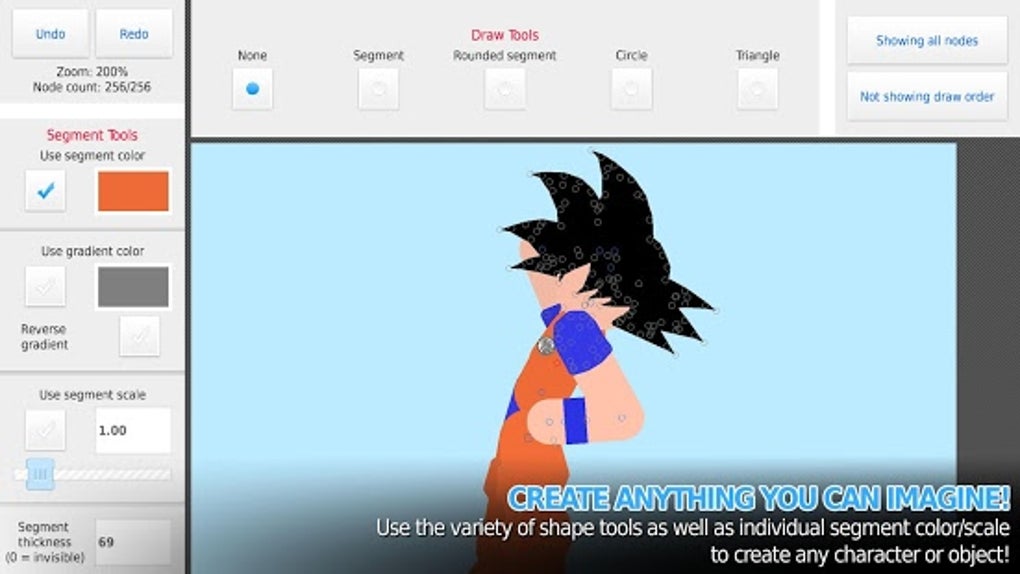
Stick Nodes Pro boasts a wide array of tools to assist in every stage of the animation workflow. The app provides a diverse collection of pre-made stick figures, offering a head start for users wanting to dive straight into animation. This eliminates the need to create stick figures from scratch, freeing up time for focusing on the animation itself. However, the app also allows for substantial customization of these stick figures, providing flexibility to tailor characters to specific needs and aesthetic preferences. Users can modify proportions, add details, and adjust various aspects to achieve a unique visual style.
Beyond the stick figures themselves, the app offers a sophisticated virtual camera system, mirroring the capabilities found in professional-grade animation software. This system allows for precise control over camera movement, including panning, zooming, and rotation. These cinematic tools add depth and dynamism to animations, enhancing the overall viewing experience. The ability to fine-tune camera angles and perspectives allows for creative storytelling and visual effects that are usually only attainable with more complex software.
The inclusion of robust editing capabilities, such as the undo and redo functions, is another key strength. These features allow for error correction without the frustration of starting over completely. This capability is especially important for novice animators, who might make mistakes frequently as they learn the ropes. The ability to revert to previous versions of the work drastically shortens the overall production time and reduces stress, making the animation process more efficient and enjoyable.
Export Options and File Compatibility
Stick Nodes Pro offers flexibility in exporting completed animations. Users can export their creations in popular video formats like MP4, ensuring broad compatibility across different devices and platforms. Additionally, the app supports GIF export, a convenient format for sharing animations across various online channels. The versatility in export options makes sharing and distributing the finished animations seamless, maximizing the potential audience for the creative work. The support for these widely used formats eliminates the need for format conversion, simplifying the workflow and saving valuable time.
Limitations and Potential Drawbacks
While Stick Nodes Pro offers many advantages, it is essential to acknowledge some potential drawbacks. Some users report that the interface, while generally intuitive, can become confusing for beginners, especially when navigating the more advanced features. The sheer number of options and functionalities might initially overwhelm new users, requiring a period of adjustment and exploration to become fully proficient. Although the app provides helpful tutorials, a steeper initial learning curve compared to other simpler animation apps should be expected.
Another minor point of contention could be the lack of built-in sound effects or music integration. While users can import their own audio files, the absence of a dedicated sound library within the app might be inconvenient for some users. However, this limitation can be easily overcome by utilizing external audio editing software and incorporating custom soundtracks into the animation process.
Stick Nodes Pro versus Stick Nodes: A Comparison
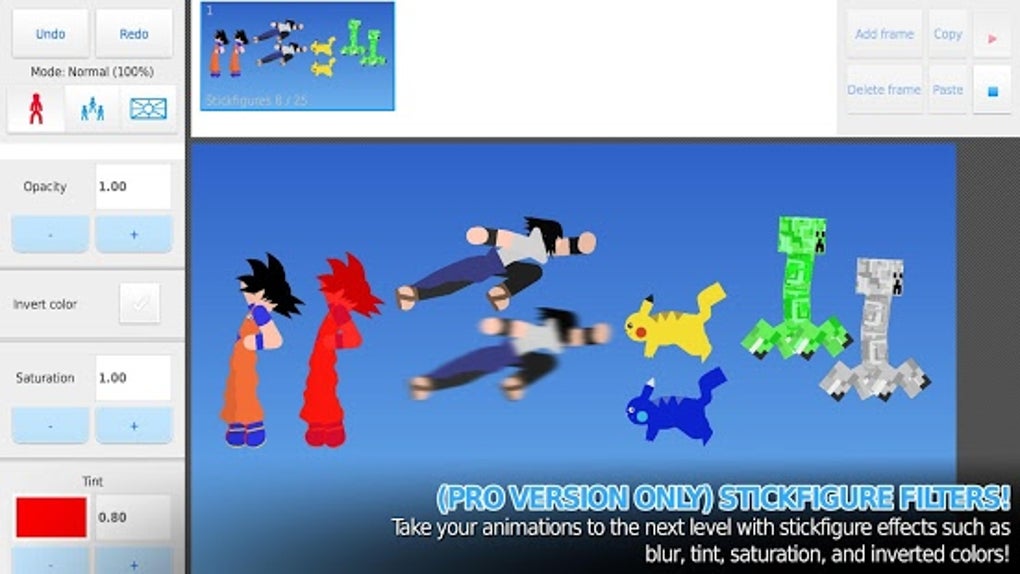
It is important to distinguish between Stick Nodes Pro and its free counterpart, Stick Nodes: Stickman Animator. Stick Nodes Pro is a paid application with enhanced features and functionalities not found in the free version. Stick Nodes Pro offers a wider range of tools, expanded export options, and generally a more refined user experience. The free version serves as an excellent introduction to the platform, allowing potential users to explore its core capabilities before committing to the paid version. Choosing between the free and paid versions depends largely on the individual’s animation needs and budget. While the free version offers a solid foundation, Stick Nodes Pro provides a more robust and feature-rich environment suitable for advanced animation projects.
Conclusion: Is Stick Nodes Pro Right for You?
Stick Nodes Pro – Stickfigure Animator is a powerful and accessible animation tool suitable for a wide range of users, from beginners to experienced animators. Its intuitive interface, comprehensive toolset, and flexible export options make it a compelling choice for anyone looking to create impressive stickfigure animations. While minor drawbacks such as the potential for initial interface confusion exist, the overall benefits outweigh the limitations. The ease of use combined with the advanced features makes Stick Nodes Pro a versatile and highly recommended tool for both casual and professional stickfigure animation. Its affordability and accessibility make it an ideal choice for individuals exploring the world of animation, and its capability and robustness provide the tools for creating high-quality animations suitable for diverse applications and audiences. The app’s continuous updates and improvements further enhance its appeal, solidifying its position as a leading application in the stickfigure animation landscape. Whether you are creating short animations for social media, developing more complex projects, or simply exploring your creative potential, Stick Nodes Pro offers a comprehensive solution for bringing your stickfigure animation ideas to life.
File Information
- License: “Full”
- Version: “4.2.3”
- Latest update: “October 15, 2024”
- Platform: “Android”
- OS: “Android 13.0”
- Language: “English”
- Downloads: “40.5K”
- Download Options: “Google Play”


