
Stickies is a free, lightweight, and versatile digital sticky note application for Windows. It provides a user-friendly interface to create, manage, and organize digital reminders and notes, effectively replacing traditional physical sticky notes with a more eco-friendly and efficient alternative. This comprehensive review explores the features, functionality, and overall user experience of Stickies, comparing it to similar applications and highlighting its strengths and weaknesses.
A Digital Upgrade to Traditional Sticky Notes
Everyone is familiar with the humble sticky note – those small, brightly colored squares that serve as quick reminders, jot-down spaces for fleeting thoughts, or even simple to-do lists. Stickies takes this familiar concept and transfers it to the digital realm, offering a convenient and customizable alternative to the physical counterpart. The program seamlessly integrates into your Windows desktop, allowing you to “pin” digital notes directly onto your screen, always within easy view.
Unlike simple text editors or basic note-taking applications, Stickies offers a far richer feature set. You’re not limited to simple text entries; the application empowers you to personalize the appearance of each note with a wide range of customizable options. Change the background color to match your mood or workflow, select from various text fonts to enhance readability, and tailor the note’s overall aesthetic to fit your individual preferences. This level of customization allows for a more personalized and engaging note-taking experience, unlike the limited visual options of physical sticky notes.
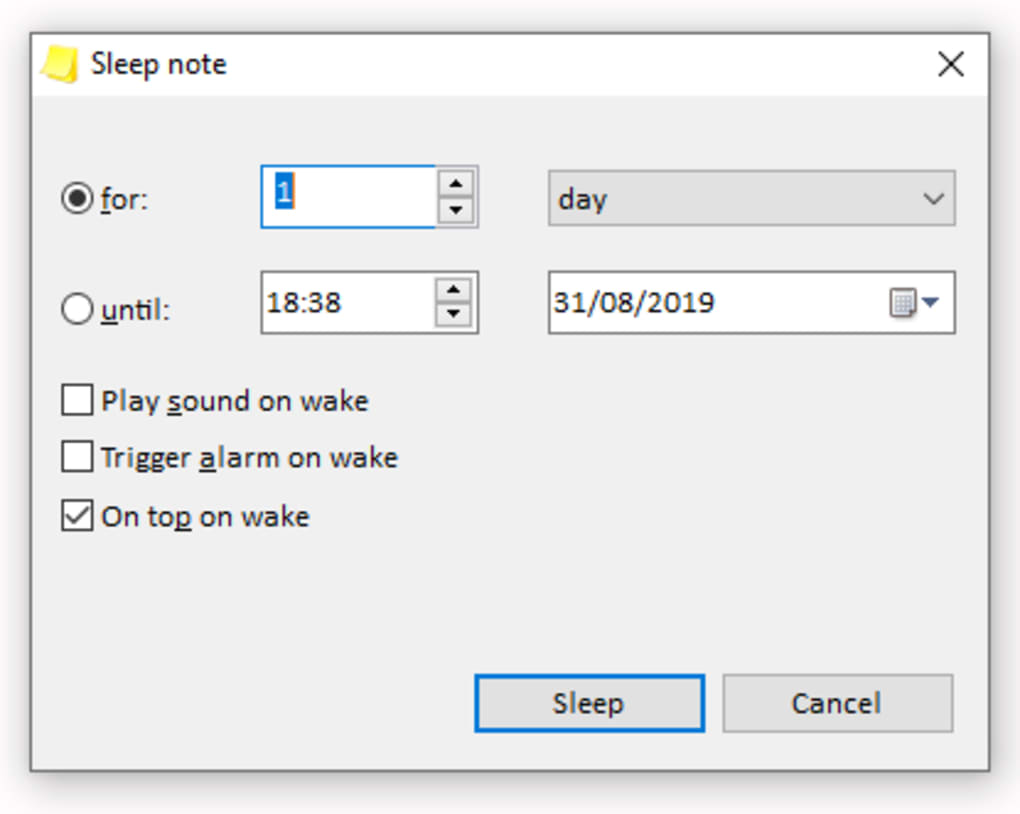
Beyond simple text, Stickies introduces significant functionality enhancements. The ability to attach files to notes is particularly useful for referencing supporting documents or images directly within the note itself. This eliminates the need for separate file management and keeps all related information conveniently organized in a single location. Furthermore, the inclusion of alarm functionality transforms Stickies into a powerful reminder system. Setting alarms on specific notes ensures you won’t miss important deadlines or appointments, providing a convenient organizational tool for both personal and professional tasks.

Seamless Integration and System Performance
Stickies is designed with efficiency and minimal system impact in mind. It runs unobtrusively in the background, consuming minimal system resources and ensuring your computer remains responsive even with numerous notes active. The application’s system tray icon provides quick access to its key functions, without cluttering your desktop with unnecessary windows or dialog boxes. This subtle yet effective integration ensures that Stickies remains a helpful tool without becoming an intrusive presence.
The application’s developers have clearly prioritized user experience. The intuitive interface makes creating and managing notes a straightforward process, requiring minimal learning curve. Even users unfamiliar with similar applications will find Stickies easy to navigate and use effectively. This ease of use makes it suitable for a broad range of users, from casual note-takers to those requiring more sophisticated organizational tools.
Advanced Features: Collaboration and Data Management
Stickies goes beyond basic note-taking functionality by incorporating features that enhance collaboration and data management. The ability to share notes via email allows for seamless communication and collaboration with colleagues, friends, or family. Similarly, the option to share notes within a local network provides a convenient method for information sharing within a confined environment. These collaboration features extend Stickies’ utility beyond individual usage, making it a valuable tool for team projects or shared workspaces.
Data security and backup options are also critical features in any note-taking application. Stickies addresses these concerns by providing a robust backup feature, allowing users to regularly save their notes to prevent data loss due to unforeseen circumstances such as system crashes or hardware failures. This feature is vital for ensuring the safety of important information and providing users with peace of mind knowing their data is secure. The ability to remember the last used backup directory further streamlines this process, making backing up your notes quick and hassle-free.
Recent Updates and Improvements
The developers of Stickies consistently update the software with new features and improvements, demonstrating a commitment to enhancing the user experience and addressing any identified issues. Recent updates have included significant enhancements to the application’s API, introducing commands for improved note management and manipulation. These API enhancements are aimed at providing developers with greater control and flexibility when integrating Stickies into other applications or systems. The updates also include improvements to the pen cursor functionality, enhancements to the handling of recurring stickies, and various bug fixes that enhance the application’s stability and reliability.
Specific improvements in recent versions include:
- API Enhancements: The addition of the “get snap” command and the “do new encoded” command (replacing “do new sleeping encoded”) provides expanded control over note manipulation within the application’s programming interface.
- Pen Cursor Improvements: The pen cursor in image stickies now accurately updates with changes in color and size, offering a more precise and responsive drawing experience.
- Improved Stability and Bug Fixes: A significant number of bug fixes address issues related to application shutdown, Google list column sizing in the options menu, font management, pen color updates, periodic sync controls, menu navigation in the Manage dialog, tooltip behavior, and various other aspects of the application’s functionality. These fixes significantly improve the overall stability and reliability of the application.
Comparison with Alternative Applications
While Stickies offers a compelling solution for digital note-taking, several alternative applications provide similar functionalities. Evernote Sticky Notes, for example, integrates tightly with the broader Evernote ecosystem, offering seamless syncing across multiple devices. Simple Sticky Notes provides a minimalist approach, prioritizing ease of use over extensive feature sets. PNotes presents a more advanced option with features like powerful search capabilities and enhanced customization options.
However, Stickies differentiates itself through its lightweight design, intuitive interface, and the comprehensive feature set offered within a compact and easy-to-use package. While other applications might offer more specialized features or extensive integration capabilities, Stickies excels in its balanced approach, offering a strong core set of features without sacrificing performance or ease of use. Its focus on stability and reliability, evident through the continuous bug fixes and updates, sets it apart from some of its competitors.
Conclusion: A Valuable Tool for Everyday Organization
Stickies is a highly effective digital sticky note application that effectively modernizes the traditional sticky note experience. Its intuitive interface, customizable options, and advanced features such as file attachments and alarms make it a valuable tool for managing reminders, organizing thoughts, and facilitating collaboration. The application’s lightweight nature ensures it remains unobtrusive, while its consistent updates and bug fixes demonstrate a commitment to providing a stable and reliable user experience. Whether you’re a casual user looking for a simple note-taking solution or a power user seeking a versatile tool for enhanced organization, Stickies deserves strong consideration. Its combination of user-friendliness, robust features, and efficient performance makes it a highly recommendable digital note-taking application.
File Information
- License: “Free”
- Latest update: “May 24, 2023”
- Platform: “Windows”
- OS: “Windows 7”
- Language: “English”
- Downloads: “132.2K”
- Size: “2.94 MB”


