
Stickies for Windows is a free, lightweight application that replicates the functionality of the popular macOS sticky notes feature, bringing the convenience of virtual note-taking directly to your Windows desktop. This review delves into its features, ease of use, and overall effectiveness as a productivity tool.
Key Features and Functionality
Stickies for Windows offers a remarkably straightforward yet customizable experience. Its core function is the creation and management of digital sticky notes, mimicking the familiar yellow post-it notes found on many physical desks. However, Stickies goes beyond a simple imitation, offering a range of features that enhance its usability and adaptability to individual needs.
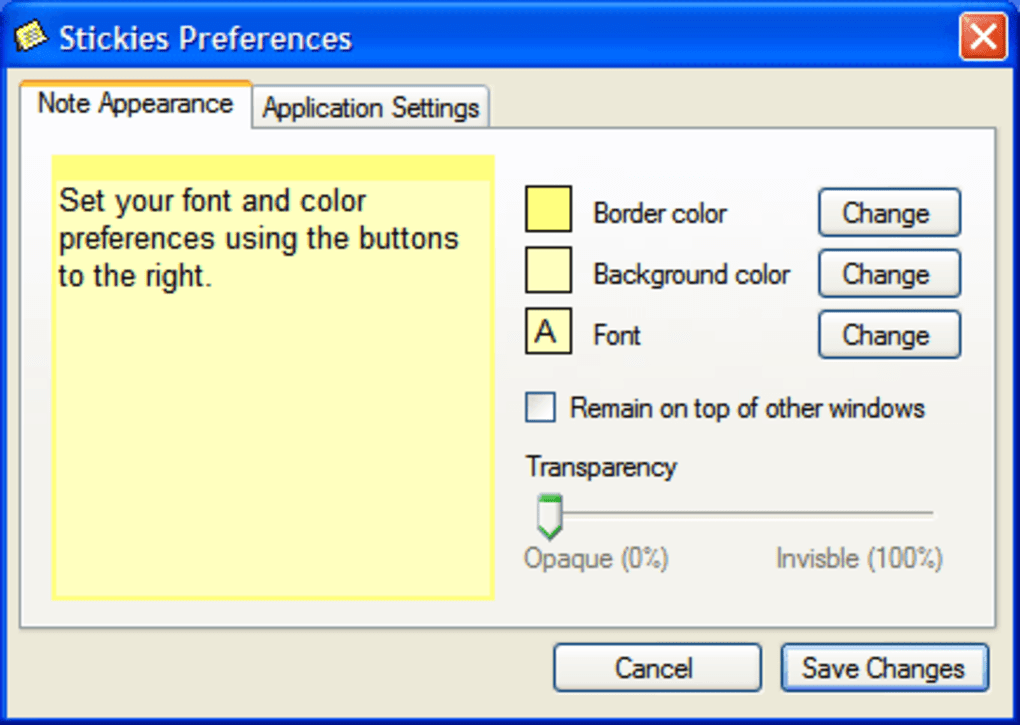
Customization: The application boasts extensive customization options, allowing users to personalize virtually every aspect of the interface. This granular control extends to individual notes, enabling users to tailor the color, font, and even the transparency of each note. This level of customization allows for a highly personalized and visually appealing note-taking experience, enhancing the overall user satisfaction and making the application more conducive to individual workflows. The ability to change note settings individually or globally provides flexibility for users with diverse needs and preferences.
Ease of Use: Stickies is designed with simplicity and intuitive operation in mind. Its user-friendly interface eliminates the learning curve often associated with more complex applications. The automatic saving of notes and settings ensures that your work is preserved even after restarting the computer or the application itself. This feature is particularly valuable for users who frequently switch tasks or experience unexpected system shutdowns. It eliminates the frustration and potential loss of work associated with unsaved data, promoting uninterrupted productivity.
Convenient Shortcuts: The implementation of a keyboard shortcut (Ctrl-Shift-N) for creating new notes directly under the cursor provides rapid note creation, minimizing interruptions to the user’s workflow. This shortcut is a testament to the program’s focus on efficiency and seamless integration into the user’s existing work patterns. The speed and convenience offered by this shortcut allows for quick jotting down of ideas or reminders without disrupting the ongoing process.
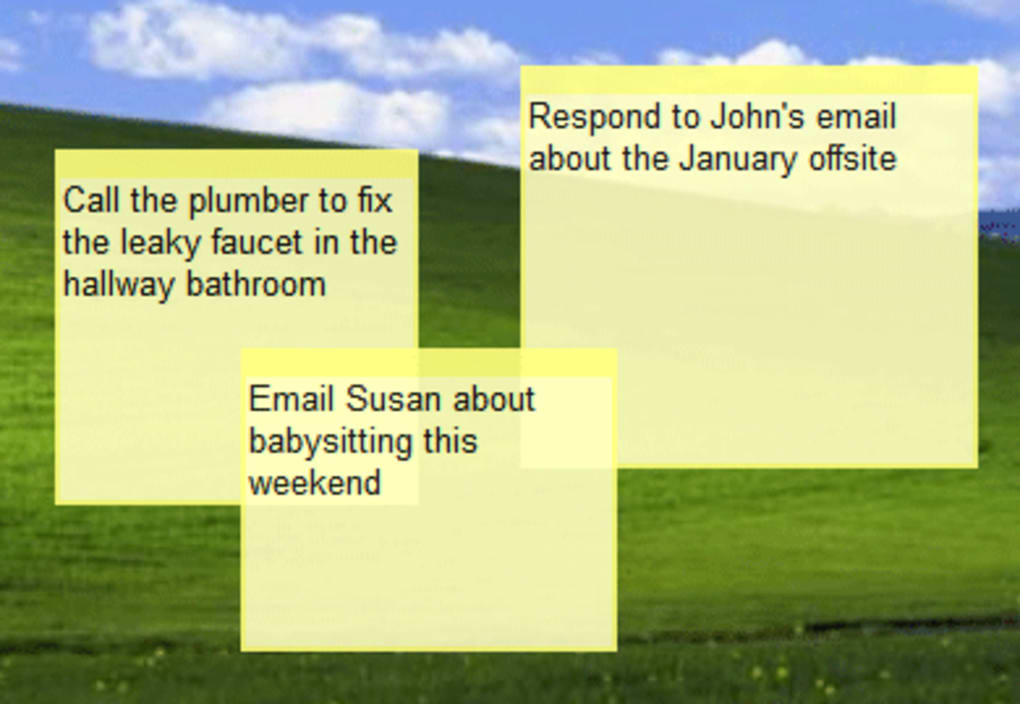
Window Management: Stickies allows users to control how their notes interact with other windows. Notes can be configured to behave like standard windows, allowing them to be minimized, maximized, and resized like any other application window. Alternatively, they can be set to “float” above all other windows, ensuring they remain consistently visible regardless of the active application. This feature enhances visibility and prioritization, ensuring crucial information remains prominently displayed even amidst multitasking.
Intuitive Interactions: The user interface is designed for intuitive interactions. Moving notes involves a simple click-and-drag mechanism anywhere on the note, dispensing with the need to click specifically on the window title bar. Double-clicking a note directly initiates editing, further streamlining the note-taking process. This design choice enhances user experience, reducing the cognitive load required to interact with the application and making it more accessible to users of all technical skill levels.
Standards Compliance: Stickies adheres to Windows XP/Vista standards, ensuring compatibility with a wide range of Windows operating systems. Its adherence to proper file and registry locations for saving settings promotes stability and prevents conflicts with other applications. This compatibility is crucial for ensuring broader user adoption and avoiding potential technical issues that can arise from incompatibility with existing software or system configurations. The program’s robust design considers the diverse range of Windows environments and user configurations.
App Specs and Technical Details
- License: Free
- Version: 3.0.7
- Latest Update: March 15, 2007
- Platform: Windows (Windows 2000 and later)
- Language: English
- Size: 875.01 KB
While the last update was in 2007, the application’s core functionality remains relevant and useful. Its simplicity and lack of unnecessary features contribute to its stability and efficient performance, even on older systems. The minimal resource usage is a significant advantage, especially for users with less powerful computers.
User Experience and Review
While user reviews for Stickies are limited due to the age of the software and the lack of an active online community dedicated to its use, its simplicity and straightforward functionality are inherently user-friendly. The absence of complex settings or confusing interfaces makes it accessible to both novice and experienced computer users. The core functionality delivers on its promise: to provide a convenient and customizable sticky notes system for the Windows desktop. The ease of creating, editing, and organizing notes makes it a practical tool for quick note-taking and task management.
The application’s strength lies in its ease of use and stability. Its lack of advanced features, while potentially limiting to some users seeking more complex note-taking functionalities, is also a major advantage in terms of stability and efficient resource consumption. For users simply needing a reliable and unobtrusive way to manage small pieces of information on their desktop, Stickies excels. The focus on core functionality without the bloat of unnecessary features leads to an efficient and dependable application.
The lack of recent updates could be a concern for some users, especially those who value the latest security patches and features. However, the simplicity of the application minimizes the potential risks associated with outdated software. For users who prioritize basic functionality and stability over cutting-edge features, Stickies remains a viable option.
Comparison with Alternatives
Numerous alternative sticky note applications are available for Windows. Some offer more advanced features such as syncing across multiple devices, richer formatting options, and integration with other productivity tools. However, these often come with increased complexity and potentially higher resource consumption. Stickies’ simplicity and lightweight nature distinguishes it from these alternatives. It caters specifically to users who prioritize ease of use and minimal resource impact over advanced features.
The choice between Stickies and alternative applications hinges on individual needs and priorities. Users who require advanced features such as cloud syncing or collaborative note-taking might find more suitable options elsewhere. However, for users who need a simple, reliable, and lightweight sticky note application that requires minimal setup and configuration, Stickies remains a competitive contender. Its core functionality is delivered efficiently and effectively without compromising on usability or system resources.
Conclusion
Stickies for Windows provides a straightforward and highly customizable solution for managing digital sticky notes on the Windows desktop. Despite its age, the application remains a reliable and practical tool for quick note-taking and task management. Its simplicity, ease of use, and minimal resource consumption make it a compelling choice for users who prioritize functionality and stability over advanced features and frequent updates. While users seeking more sophisticated features may need to explore alternative applications, Stickies occupies a valuable niche for users who value straightforwardness and efficiency. It’s a testament to the fact that sometimes the most effective tools are the simplest ones.
File Information
- License: “Free”
- Version: “3.0.7”
- Latest update: “March 15, 2007”
- Platform: “Windows”
- OS: “Windows 2000”
- Language: “English”
- Downloads: “29K”
- Size: “875.01 KB”


