
Streamlabs is a widely used, free streaming application designed to simplify the process of live broadcasting for both novice and professional streamers. This comprehensive review delves into its features, functionalities, pros and cons, and compares it to alternative software options available in the market. We’ll explore its ease of use, compatibility with various platforms, and overall effectiveness in enhancing the streaming experience.
Streamlabs’ Core Features and Functionality
Streamlabs offers a robust suite of features aimed at optimizing the streaming workflow. At its core, it’s a powerful platform for broadcasting live content across major platforms like Twitch, YouTube, and Facebook. This versatility makes it accessible to a broad range of streamers, regardless of their chosen streaming service. Beyond basic broadcasting, Streamlabs integrates several tools designed to enhance the viewer experience and streamline the streamer’s workflow.
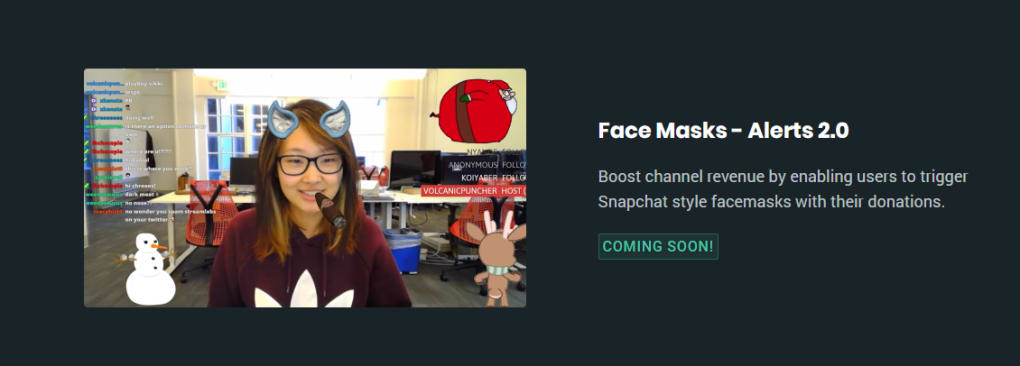
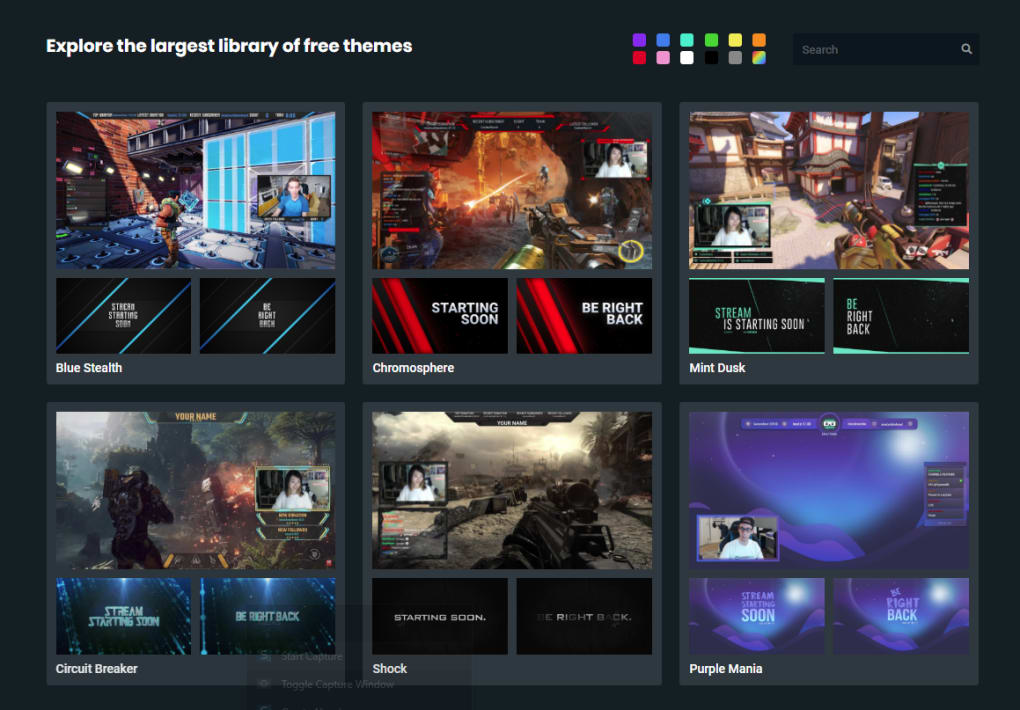
One key feature is its support for custom overlays. These are customizable graphical elements displayed on top of the stream, adding a professional touch and branding to the broadcast. Streamers can incorporate logos, alerts for donations and subscriptions, and other visual elements to personalize their stream and engage their audience. The intuitive interface allows for easy creation and modification of these overlays, even for users with minimal design experience.
Another vital aspect is its seamless integration with donation platforms. Streamlabs facilitates the acceptance of donations from viewers, a crucial element for many streamers seeking to monetize their content. This integration simplifies the donation process, providing viewers with straightforward methods to support their favorite streamers. The platform handles the payment processing, allowing streamers to focus on their broadcasts rather than managing financial transactions.
Furthermore, Streamlabs boasts a unique feature allowing users to import settings from OBS (Open Broadcaster Software), a popular open-source streaming application. This one-click import feature significantly simplifies the transition for streamers already familiar with OBS. It allows for a relatively smooth transfer of existing settings and configurations, minimizing the learning curve and reducing setup time. This feature is particularly appealing to streamers already invested in the OBS ecosystem.
The ability to combine multiple windows into a single view is another notable advantage. This functionality is particularly beneficial for streamers using multiple applications simultaneously, such as gameplay, chat, and alerts. By consolidating these windows into a single view, Streamlabs reduces the need for multiple monitors, saving on GPU resources and simplifying the streaming setup. This feature contributes to a cleaner, more efficient workflow.
Platform Compatibility and System Requirements
While Streamlabs is primarily known for its robust Windows application, it also offers versions for macOS and Linux, albeit with a more limited feature set compared to its Windows counterpart. This limited functionality on macOS and Linux might be a drawback for users on these operating systems who require the full suite of features available in the Windows version. However, for basic streaming needs, the Mac and Linux versions provide a functional alternative.
Currently, Streamlabs lacks console support, meaning it cannot be used directly with game consoles like Xbox or PlayStation. This is a significant limitation for console streamers who are accustomed to using streaming software directly on their consoles. They would need to explore alternative software or solutions to stream from their consoles, representing a key area for potential future development.
The system requirements for Streamlabs are generally modest, ensuring compatibility with a wide range of PC configurations. However, for optimal performance, especially when streaming high-resolution gameplay, a more powerful system is recommended. The software’s performance can be heavily dependent on the system’s processing power and graphics card capabilities. Streamers utilizing resource-intensive games should ensure their system can handle both the game and the streaming software concurrently.
Streamlabs’ Ease of Use and User Interface
Streamlabs excels in its intuitive and user-friendly design. The interface is clearly laid out, making it easy to navigate even for beginners with no prior experience with streaming software. The core functionalities are readily accessible, and the overall design encourages efficient workflow management. This ease of use is a considerable advantage, especially for new streamers looking for a simple and straightforward solution to begin broadcasting.
The customizability of the interface and overlays contributes to its overall user-friendliness. Streamers can personalize the appearance and layout to suit their individual preferences and branding. This allows for a highly customized experience, enhancing the overall streaming experience for both the streamer and the viewer. The ability to tailor the interface to one’s specific needs is a critical element in maintaining long-term engagement.
Comparing Streamlabs to Other Streaming Software
Compared to other free streaming alternatives, Streamlabs holds its own quite well. While other free software options exist, Streamlabs often distinguishes itself through its comprehensive feature set, intuitive design, and excellent support for multiple streaming platforms. Paid options, while often offering advanced features, might not be necessary for many users, especially those starting out, making Streamlabs a compelling free alternative.
For example, OBS Studio, a popular open-source option, is highly customizable and powerful, but its complexity can be daunting for beginners. Streamlabs provides a streamlined, more user-friendly experience while retaining many of the essential features. This balance between ease of use and functionality makes Streamlabs a great entry point for new streamers or those seeking a less technically demanding option.
Other paid options, like XSplit Broadcaster, often come with more advanced features and professional tools, but come at a considerable cost. Streamlabs offers a compelling alternative for users who don’t require these advanced features but want a robust and feature-rich free solution. The cost-effectiveness of Streamlabs is a significant advantage, making it accessible to a wider audience.
Conclusion: Is Streamlabs Right for You?
Streamlabs provides a powerful and versatile solution for streaming, particularly for PC users. Its user-friendly interface, comprehensive feature set, and excellent platform compatibility make it a strong contender in the streaming software market. The free price point is an undeniable advantage, making it accessible to a vast audience. However, the lack of console support might be a significant drawback for console gamers, and the limited functionality on macOS and Linux compared to Windows could also deter some users. Ultimately, Streamlabs’ suitability depends on individual needs and preferences. For PC users seeking a user-friendly, feature-rich, and free streaming solution, Streamlabs is a highly recommended option. However, users on other platforms or those requiring console support might need to explore alternative options.
File Information
- License: “Free”
- Version: “0.27.1”
- Latest update: “May 23, 2023”
- Platform: “Windows”
- OS: “Windows 10”
- Language: “English”
- Downloads: “28.1K”
- Size: “240.96 MB”


