
StuffIt Expander, long a staple for Mac users needing to unpack compressed files, has made its way to the Windows platform. This free utility provides a straightforward and efficient solution for extracting files from a wide array of compression formats, offering a compelling alternative to established Windows-based competitors like WinZip. This review delves into the functionality, advantages, disadvantages, and overall user experience of StuffIt Expander for Windows.
Functionality and Features
At its core, StuffIt Expander is a file extraction tool. Unlike some competitors which offer both compression and decompression, this free version focuses solely on expansion. This specialization allows for a streamlined, easy-to-use interface and robust support for various compression formats. The program seamlessly handles common formats like RAR and TAR, significantly expanding its utility compared to some more limited extraction programs.
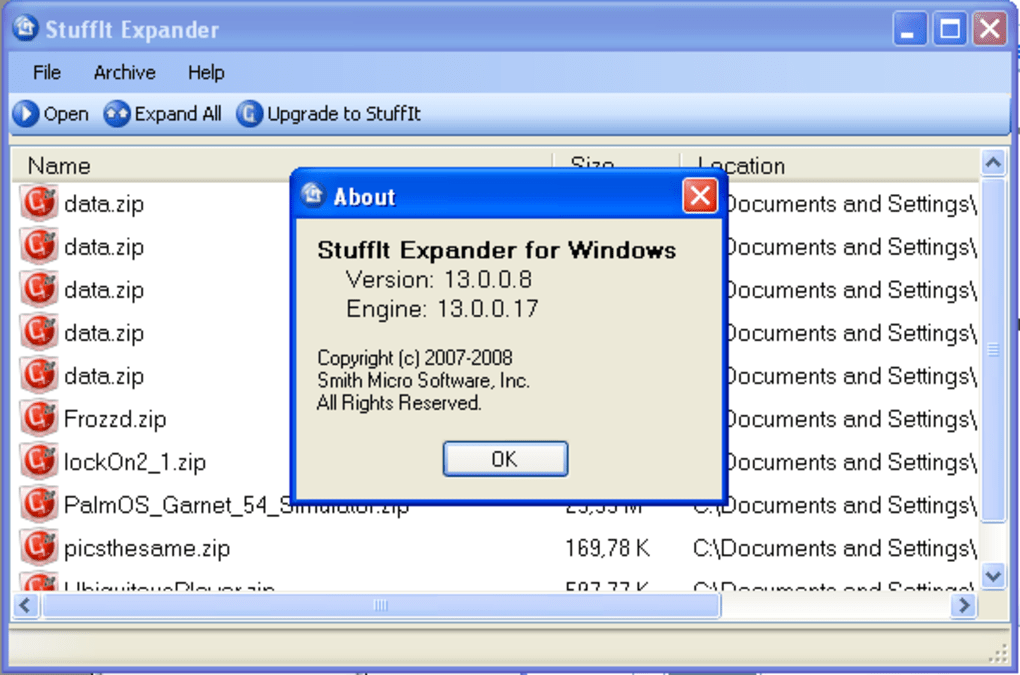
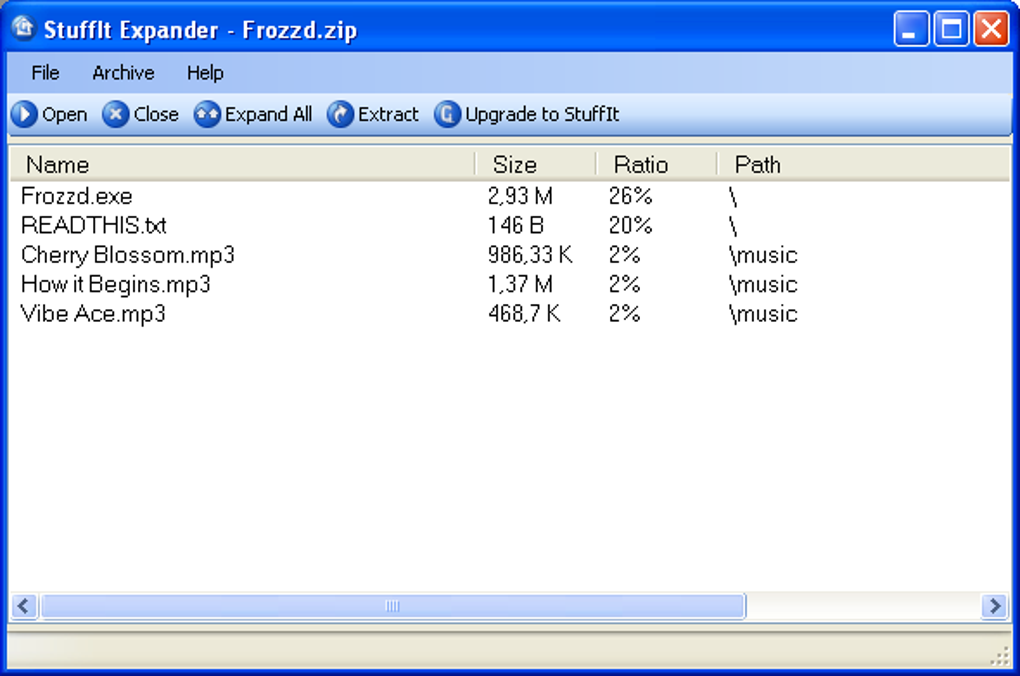
The interface is remarkably simple. Users are presented with clear buttons for selecting individual files or entire groups for extraction. Choosing a destination folder for the extracted files is intuitive and straightforward, following standard Windows file management conventions. This simplicity ensures ease of use, even for users with limited experience with file compression and decompression tools. The lack of compression capabilities, a deliberate design choice in this free version, ensures the program remains lightweight and focused on its primary function. Users needing compression features would need to upgrade to the paid StuffIt Deluxe version.
Advantages and Disadvantages
StuffIt Expander’s strengths lie in its speed, compatibility, and intuitive design. Its ability to quickly and efficiently handle a wide range of compression formats is a major advantage. This broad compatibility makes it a valuable tool for users who regularly receive files compressed using various methods, eliminating the need for multiple extraction utilities. The simple, uncluttered interface contributes significantly to its ease of use. This is particularly beneficial for users who are not technically inclined or prefer straightforward software.
However, the free version’s limitations are also apparent. The lack of compression functionality is a significant drawback for users who need a comprehensive solution encompassing both compression and decompression. While the focus on extraction enhances speed and simplicity, it restricts the overall functionality compared to full-featured alternatives. The absence of advanced features, such as password protection for archived files or options for self-extracting archives, might be a deterrent for power users. Furthermore, the limited customization options may not appeal to users seeking a highly configurable file extraction tool.
Comparison to Competitors
Compared to WinZip, a long-standing dominant player in the Windows file compression and decompression market, StuffIt Expander offers a different approach. WinZip boasts extensive compression and decompression capabilities, including advanced features like password protection and self-extracting archives. However, it’s often considered more resource-intensive and has a steeper learning curve compared to StuffIt Expander. StuffIt Expander excels in speed and ease of use for simple extraction tasks, potentially making it preferable for users prioritizing speed and simplicity over comprehensive features.
Other competitors, such as 7-Zip and PeaZip, provide free, open-source options that offer a broad range of compression and decompression formats. They often include features like command-line support and advanced compression algorithms not found in StuffIt Expander. However, these alternatives might have more complex interfaces that require more time to master. StuffIt Expander strikes a balance by offering an intuitive user experience, excellent compatibility with various formats, and a focus on speed. This makes it a strong competitor for those who value user-friendliness and efficiency in extracting files.
Performance and User Experience
StuffIt Expander’s performance is noteworthy. The extraction process is remarkably fast, even with large or complex archives. This speed is a significant advantage over some more resource-intensive competitors. The software’s low memory footprint makes it suitable for systems with limited resources.
The program’s user interface is intuitive and uncluttered, making it accessible to users of all technical skill levels. The simple layout eliminates unnecessary complications, allowing users to focus on the task of extracting files without encountering confusing menus or options. The program efficiently handles both single files and multiple files, batch processing without any apparent performance degradation.
While the program lacks advanced features, the trade-off for speed and simplicity is clear. For users whose primary need is swift and reliable file extraction, this trade-off is highly advantageous. Those seeking a more feature-rich tool would be better served by exploring alternative options.
Security and Stability
As with any software, security considerations are paramount. The downloaded installer should be from a reputable source, like the official StuffIt Expander website or a trusted software download platform. Regularly checking for software updates ensures access to the latest security patches and bug fixes.
In testing, StuffIt Expander proved to be stable and reliable. The program ran consistently without any crashes or unexpected errors. The lack of advanced features reduces the potential attack surface, making it arguably a more secure option compared to more feature-laden competitors. However, maintaining good security hygiene, such as regularly updating the anti-virus software and exercising caution when downloading files, remains crucial, regardless of the software used.
Overall Assessment
StuffIt Expander for Windows offers a solid, efficient, and user-friendly solution for extracting compressed files. Its strengths lie in its speed, broad compatibility with various compression formats, and exceptionally straightforward interface. The lack of compression capabilities in the free version is a notable limitation, but this is a conscious design choice that significantly contributes to the program’s speed and ease of use.
For users who prioritize speed and simplicity in file extraction, without requiring compression features, StuffIt Expander is an excellent choice. Its intuitive interface and robust performance make it a valuable tool for both novice and experienced users. Those requiring comprehensive compression and decompression functionality, along with advanced features, would likely benefit more from exploring other, more feature-rich alternatives. However, for the task of extracting compressed files, StuffIt Expander delivers a high level of efficiency and user-friendliness.
File Information
- License: “Free”
- Version: “15.0.1.17”
- Latest update: “September 18, 2020”
- Platform: “Windows”
- OS: “Windows 2000”
- Language: “English”
- Downloads: “54.7K”
- Size: “11.35 MB”


