
SubDownloader is a free, open-source tool designed to simplify the process of finding and downloading subtitles for your video files. Whether you’re a movie enthusiast, a language learner, or simply someone who appreciates the convenience of subtitles, SubDownloader offers a streamlined solution for accessing a vast library of subtitle files. This detailed guide explores its functionality, features, advantages, and limitations, providing a complete overview for potential users.
Understanding SubDownloader’s Core Functionality
SubDownloader operates by leveraging a fast hashing algorithm to efficiently search online repositories for subtitle files compatible with your video files. This contrasts with many other subtitle search tools that rely on textual matching of titles, potentially leading to inaccurate or irrelevant results. SubDownloader’s unique approach offers several key benefits, primarily increased speed and accuracy in matching subtitles to their corresponding video files. The program’s efficiency is particularly notable when dealing with large video files or entire seasons of TV shows, significantly reducing the time spent searching for subtitles. It supports a wide variety of video formats, including (but not limited to) DivX, MPEG, AVI, and DVD movies.
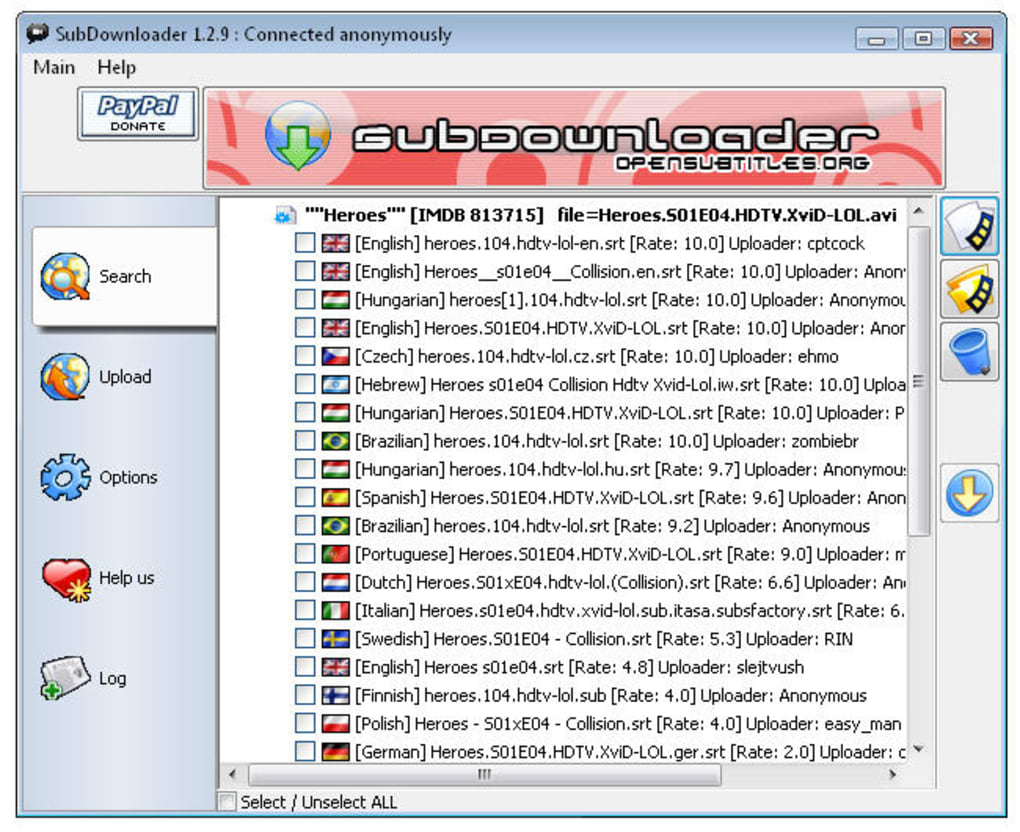
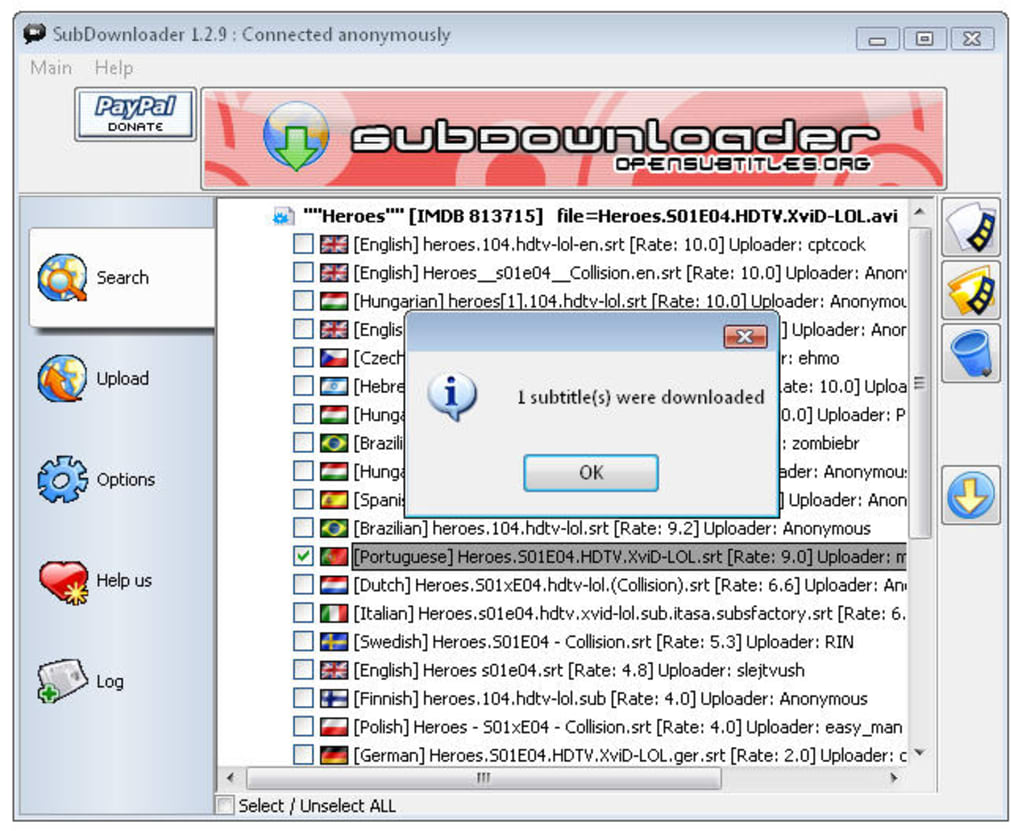
The process generally involves selecting the video file(s) for which you need subtitles. SubDownloader then automatically searches its extensive online database, cross-referencing hashes to identify a matching subtitle file. Upon locating a suitable match, the subtitle file is downloaded and typically integrated with your video player. This automated process eliminates the need for manual searching, comparing file names, or manually aligning subtitles with video timestamps. Its speed, even with large video files (reportedly processing 27 GB movies in around 7 seconds), is a significant advantage compared to alternative methods.
Key Features and Advantages
SubDownloader stands out from other subtitle downloaders due to its unique features and advantages:
- Speed and Efficiency: The core strength of SubDownloader is its speed. Its implementation of a fast hashing algorithm allows it to quickly identify matching subtitle files, even for large video libraries. This makes it particularly useful for users with extensive collections of movies and TV shows.
-
Automated Subtitle Download: The tool automates the entire subtitle download process, from identifying the video file to locating and downloading compatible subtitles. This significantly streamlines the workflow, particularly beneficial when dealing with multiple files.
-
Support for Multiple Languages: SubDownloader supports a diverse range of languages, ensuring that users can find subtitles in their preferred language, regardless of the movie or TV show’s origin.
-
Batch Processing: One of the most valuable features of SubDownloader is its ability to search for and download subtitles for multiple video files simultaneously. This capability is particularly helpful when dealing with entire seasons of TV series or large movie collections. Users can add multiple video files at once, and SubDownloader will handle the search and download process concurrently, saving considerable time.
-
Open Source and Free: SubDownloader is a free and open-source software (FOSS). This transparency allows users to inspect the codebase, ensuring the absence of spyware, adware, or other malicious components. The availability of the source code also empowers users to contribute to its development and potentially customize its functionality.
-
User Contribution: SubDownloader encourages user participation by allowing users to upload their own subtitle files. This collaborative aspect helps maintain and expand the program’s database, continuously enriching the collection of available subtitles. This community-driven approach allows for a broader range of content and enhances the likelihood of finding subtitles for niche or less-popular video files.
-
Recursive Search: The software can search for subtitles recursively across subfolders, making it easier to find subtitles for movies stored in complex directory structures. Users can specify the root folder, and SubDownloader will automatically search for video files and matching subtitles within that folder and its subdirectories, saving the user from having to manually navigate through multiple folders.
Limitations and Potential Drawbacks
While SubDownloader offers several advantages, it’s essential to acknowledge some limitations:
-
Unusual Search Method: The program’s method of selecting the video file for subtitle searching, instead of entering the title, can seem counterintuitive to some users. While efficient, this design choice may require a slight adjustment in workflow for those accustomed to title-based subtitle searches.
-
Reliance on Online Databases: SubDownloader’s functionality depends on the availability and accuracy of online subtitle databases. The program’s success is directly correlated with the comprehensiveness and reliability of these external resources. If a database is incomplete or inaccurate, SubDownloader may fail to locate appropriate subtitle files, leading to user frustration.
-
No Subtitle Editing Features: SubDownloader is solely focused on searching and downloading subtitles. It does not include any features for editing, modifying, or synchronizing subtitles. Users needing to adjust subtitle timings, translations, or formatting will require separate subtitle editing software.
-
Potential for Inconsistent Results: Due to the variability of online subtitle repositories, the accuracy and quality of downloaded subtitles might not always be consistent. The program does not guarantee perfect matches or error-free subtitles. Users might occasionally need to check for inaccuracies or download alternative subtitles if the initial download is inadequate.
-
Dependence on Internet Connection: An active internet connection is mandatory for SubDownloader to function correctly. The program cannot operate offline, limiting its usability in environments with limited or no internet access.
Comparing SubDownloader with Alternative Solutions
Several alternative subtitle downloaders exist, each offering varying features and capabilities. Some focus on simple title-based searches, while others provide advanced features such as subtitle editing or synchronization tools. The best choice depends on individual needs and preferences. When considering alternatives, factors like speed, ease of use, supported formats, and additional features should be taken into account. Comparing SubDownloader to other options requires a careful evaluation of these aspects, considering the advantages and drawbacks of each program.
Conclusion
SubDownloader provides a fast, efficient, and largely automated solution for downloading subtitles for video files. Its unique hashing algorithm, support for multiple languages and video formats, and batch processing capabilities make it a powerful tool for users with large video collections or a need for quick and easy subtitle acquisition. While its non-traditional search method and dependence on online databases might pose minor limitations, these drawbacks are often outweighed by its speed and efficiency. The program’s open-source nature and user-contribution model further enhance its value and long-term sustainability. Whether SubDownloader is the ideal solution ultimately depends on individual user requirements and preferences; however, it undoubtedly represents a valuable option within the realm of subtitle downloaders.
File Information
- License: “Free”
- Latest update: “July 10, 2023”
- Platform: “Windows”
- OS: “Windows 98 SE”
- Language: “English”
- Downloads: “22.4K”
- Size: “10.13 MB”


