
Sumatra PDF is a free and open-source PDF viewer designed for speed and efficiency. Unlike many other PDF readers that boast a plethora of features, often at the cost of performance, Sumatra PDF prioritizes rapid loading and minimal resource consumption. This makes it an ideal choice for users who primarily need a quick and reliable way to view PDF documents without the bloat of unnecessary tools. Its focus on core functionality allows for impressively fast loading times, even with large or complex files, a feature frequently praised by users. This streamlined approach, however, means that Sumatra PDF lacks advanced features like editing capabilities or document creation functionalities. If your primary need is simply viewing PDFs, Sumatra PDF excels; however, those seeking more robust editing tools should look elsewhere.
Speed and Efficiency: The Core Strengths of Sumatra PDF
The defining characteristic of Sumatra PDF is its speed. It opens PDF files with remarkable quickness, a stark contrast to many heavier PDF readers that can take considerable time to load, especially with larger documents. This speed advantage stems from its minimalist design. By eschewing many of the bells and whistles found in other viewers, Sumatra PDF prioritizes efficiency. This results in a lean application that demands minimal system resources, ensuring smooth performance even on older or less powerful machines. This makes it particularly well-suited for users who regularly handle large PDF files, such as research papers, technical manuals, or extensive ebooks. The rapid loading times significantly enhance the user experience, allowing for a more productive workflow.
Furthermore, the program’s efficiency extends beyond just initial loading. Navigating through documents is also remarkably smooth. Scrolling, zooming, and searching are all highly responsive, ensuring a frustration-free experience, even with very large files. This fluidity is particularly noticeable when compared to other PDF readers that can become sluggish when dealing with complex layouts or high-resolution images. Sumatra PDF maintains its responsiveness regardless of the file’s size or complexity, providing a consistent and efficient user experience.
The program’s lightweight nature also translates to lower system demands. It consumes minimal RAM and CPU resources, resulting in less strain on the computer’s processing power. This is especially advantageous for users with older hardware or those running multiple applications simultaneously. The program’s light footprint allows for smoother multitasking without impacting the responsiveness of other running applications. This efficiency contributes to improved overall system performance, a crucial factor for users who value a smooth and responsive computing environment.
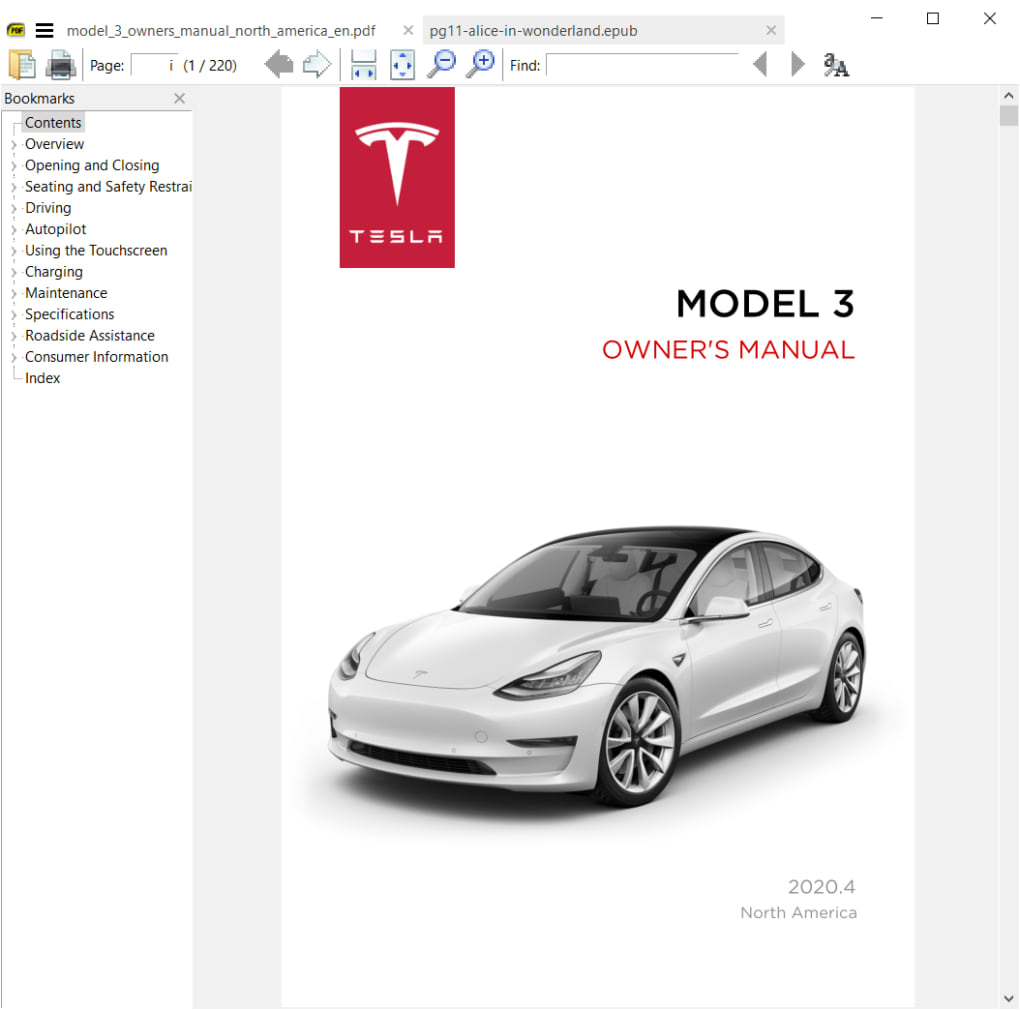
Minimalist Design: A Trade-off for Enhanced Performance
While the minimalist approach is responsible for Sumatra PDF’s speed and efficiency, it also means sacrificing some features found in more comprehensive PDF readers. There’s no built-in editing functionality. You cannot annotate, edit text, or add comments directly within the application. Similarly, it does not support the creation of new PDF documents. This limitation restricts its usability for users who require extensive editing or document creation features. This focused functionality is a deliberate design choice to optimize performance, making it a clear trade-off between functionality and speed.
The minimalist design also extends to the user interface, which is intentionally simple and uncluttered. While this results in ease of use for basic tasks, it might lack the advanced customization options that some users desire. The options menu provides only essential settings, and extensive customization is not available. This straightforward design might be appreciated by some, but others might find it lacking in flexibility compared to the more feature-rich interfaces of competing software. The lack of complex features contributes to the overall simplicity and ease of use, but also limits advanced capabilities.
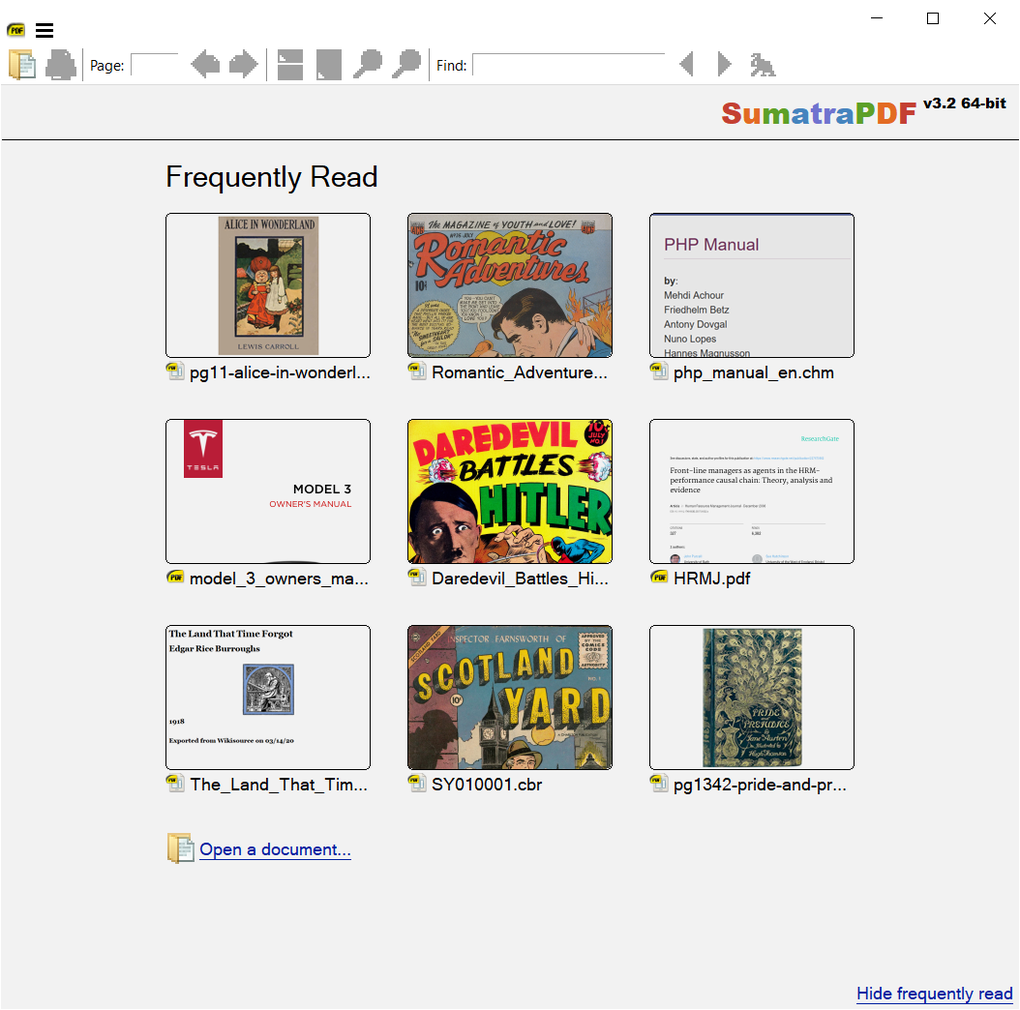
Supported File Formats and Functionality Beyond PDFs
Beyond its primary function as a PDF viewer, Sumatra PDF offers support for additional file types, expanding its utility beyond just PDF documents. It is also capable of opening and rendering EPUB, MOBI, CBR, and CBZ files. This expanded support makes it a versatile tool for reading various digital document formats. This multi-format capability eliminates the need for multiple readers, streamlining the reading experience for users who handle different electronic document types. The compatibility with ebook formats like EPUB and MOBI makes it a suitable option for those who enjoy reading ebooks on their computers.
While the program excels at displaying these files, its functionalities remain largely focused on viewing. The features for handling these non-PDF formats are limited to viewing and basic navigation. Editing capabilities are not extended to these alternative formats. The program’s core strength remains in its speed and efficiency in displaying documents, rather than providing advanced editing functionalities across all supported formats. This consistent approach prioritizes performance across all supported document types, maintaining the program’s signature speed and efficiency.
User Experience and Accessibility
Sumatra PDF’s user experience is characterized by its simplicity and ease of use. The interface is intuitive and straightforward, requiring minimal learning curve for new users. The straightforward navigation and essential features are easily accessible, minimizing confusion for users of all levels. The intuitive interface, coupled with the program’s speed, results in a productive and efficient reading experience.
The program includes features such as zoom and search functions that enhance the user experience. The zoom functionality allows for comfortable reading regardless of screen size or visual preferences. The search function facilitates quick navigation within lengthy documents. These features contribute to a smoother and more convenient reading process. Sumatra PDF also offers a range of keyboard shortcuts, allowing for efficient document navigation and interaction.

Sumatra PDF is available in multiple languages, making it accessible to a wider user base. This multilingual support caters to a global audience, enhancing its usability and appeal across various regions. The availability of multiple language options increases inclusivity and convenience for users who prefer their software in their native tongue. This feature enhances the accessibility of the program for a diverse user base.
Conclusion: A Niche but Effective Tool
Sumatra PDF occupies a specific niche in the PDF reader landscape. It is not intended to replace feature-rich, multi-functional PDF editing suites. Rather, it serves as a highly effective solution for users whose primary need is quick and efficient viewing of PDF and ebook files. Its focus on speed and minimal resource consumption makes it an excellent choice for users who value performance over extensive features. The trade-off between functionality and speed is a deliberate design choice that caters to a particular user profile.
While lacking in editing capabilities and advanced features, Sumatra PDF’s strengths lie in its rapid loading times, responsive navigation, and lightweight nature. Its simple, uncluttered interface ensures ease of use and accessibility for users of all technical levels. For users who prioritize speed and efficiency in viewing PDF and ebook files, Sumatra PDF remains a highly competitive and effective option. The program successfully fulfills its intended purpose of providing a fast and efficient PDF and ebook viewing experience, making it a valuable tool for users with specific needs.
File Information
- License: “Free”
- Latest update: “November 26, 2024”
- Platform: “Windows”
- OS: “Windows Vista”
- Language: “English”
- Downloads: “357.2K”
- Size: “9.95 MB”


