
SuperSU is a free Android application that provides users with comprehensive root management capabilities. Developed by Chainfire, this powerful utility has become a staple for Android users seeking advanced control over their devices. Its user-friendly interface and robust functionality have cemented its position as a leading root management solution. This in-depth exploration delves into the features, functionality, and significance of SuperSU within the Android ecosystem.
Understanding Root Access and SuperSU’s Role
Before delving into the specifics of SuperSU, it’s crucial to understand the concept of root access on Android devices. Android, like many other operating systems, employs a hierarchical structure of permissions. At the top of this hierarchy is the “root” user, possessing absolute control over the entire system. Regular Android users operate with limited privileges, preventing them from accessing and modifying system files or settings. This limitation is primarily designed for security, preventing accidental or malicious changes that could compromise the device’s stability or security.
Rooting, on the other hand, grants users elevated privileges, effectively transforming them into the root user. This elevated access empowers users to perform a wide range of customizations and modifications, such as installing custom ROMs (modified operating systems), uninstalling pre-installed bloatware (unwanted applications), overclocking the processor for improved performance, and gaining access to advanced system settings.
.jpg)
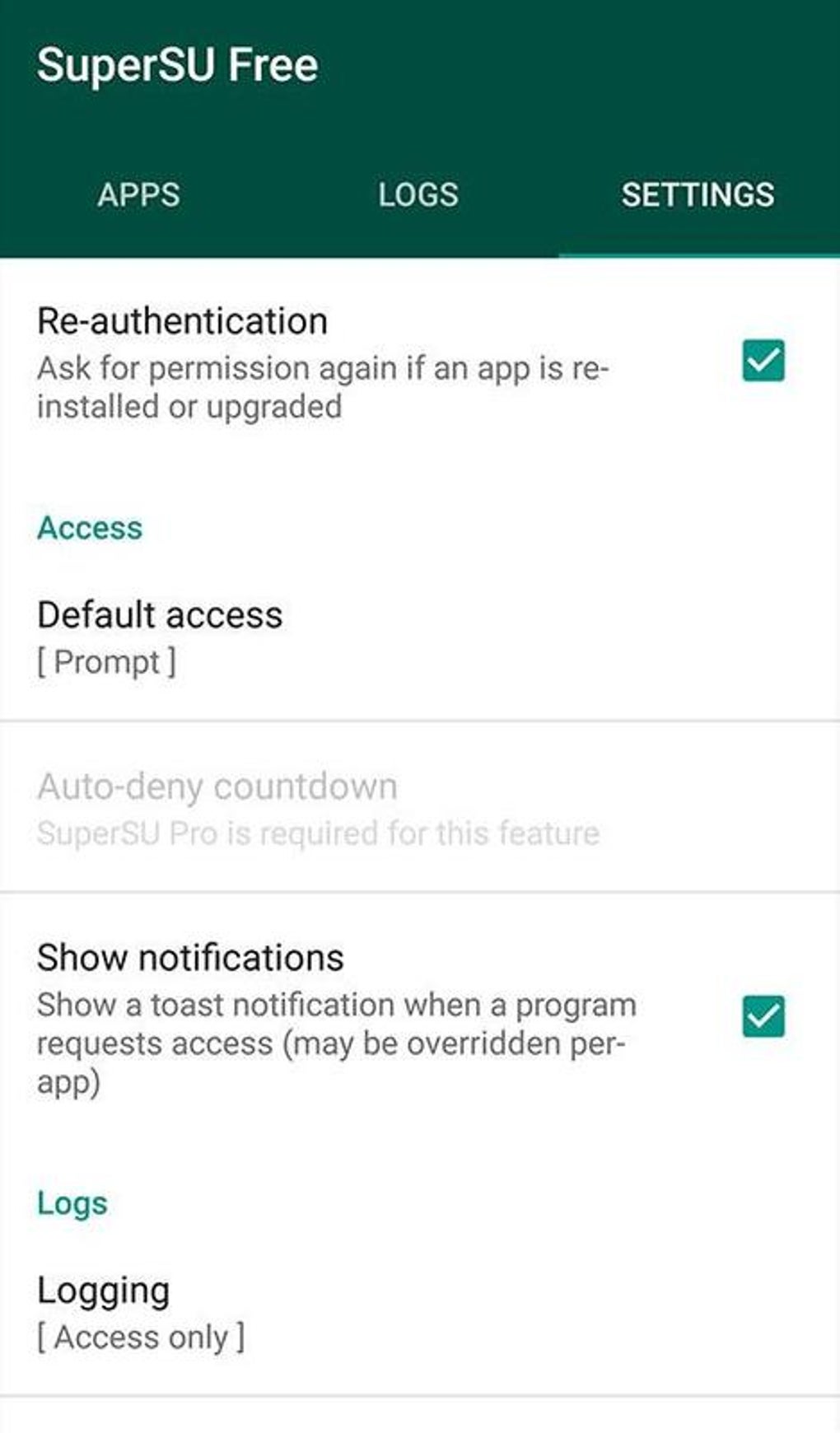
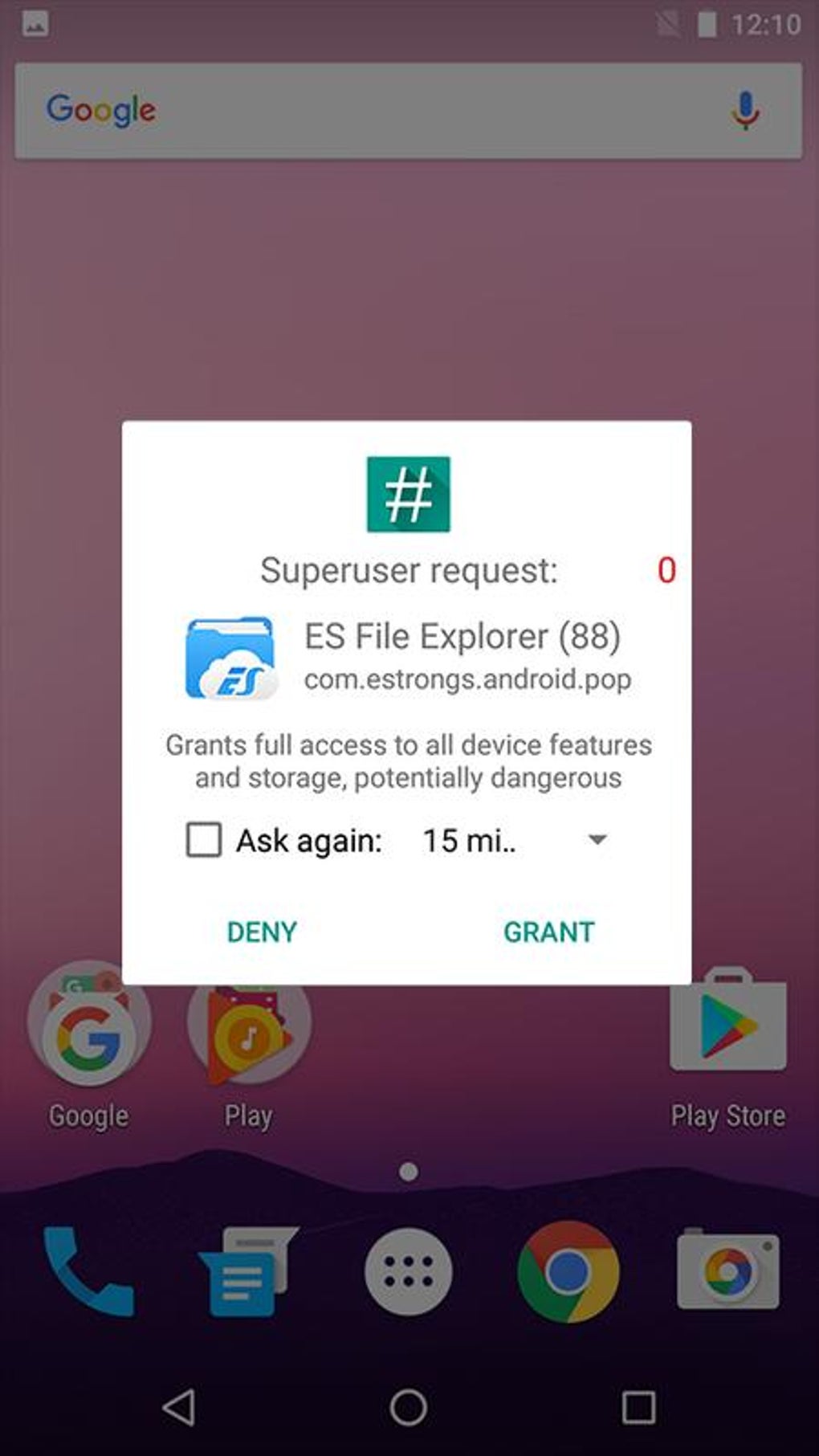
SuperSU acts as the gatekeeper for this elevated access. It doesn’t directly grant root access itself but instead provides a controlled environment for managing it. Applications requiring root permissions must request access through SuperSU, allowing the user to grant or deny these requests on a per-application basis. This fine-grained control minimizes the risk associated with unrestricted root access, protecting the device from potential damage or instability caused by poorly designed or malicious applications.
Key Features and Functionality of SuperSU
SuperSU offers a comprehensive set of features designed to streamline the root management process and enhance user control:
-
Granular Permission Control: SuperSU allows users to selectively grant or deny root permissions to individual applications. This granular control is a crucial security feature, ensuring that only trusted applications have access to the elevated privileges of the root user. Users can easily manage the permissions granted to each application, providing a flexible and secure approach to root access.
-
Temporary Root Access: For applications requiring root access only for specific tasks, SuperSU allows the user to grant temporary permissions. Once the task is complete, the root privileges are automatically revoked, adding another layer of security. This feature is especially beneficial when dealing with untested or potentially risky applications.
-
Automatic Updates: SuperSU automatically checks for updates and prompts the user to install them, ensuring that the application remains current and compatible with the latest Android versions and security patches. This ensures optimal functionality and security.
-
Log Management: SuperSU maintains a detailed log of all root access requests, offering users transparency and insight into the activities performed by rooted applications. This log can be invaluable for troubleshooting issues or identifying potential security threats.
-
Compatibility: SuperSU has a strong track record of compatibility with a wide range of Android devices and versions. Its ongoing development and active community support ensure that it remains functional even with the introduction of new Android versions and device models.
-
User-Friendly Interface: Despite its powerful capabilities, SuperSU boasts an intuitive and user-friendly interface, making it accessible to both novice and experienced users. The clean design simplifies root management, eliminating unnecessary complexities.
SuperSU: Advantages and Disadvantages
While SuperSU offers significant benefits for Android users, it’s essential to acknowledge both its advantages and potential drawbacks.
Advantages:
- Enhanced Customization: Root access, managed by SuperSU, empowers users to fully customize their Android experience, installing custom ROMs, themes, and applications, and modifying system settings.
-
Improved Performance: Overclocking the processor or optimizing system settings through root access can lead to noticeable performance improvements.
-
Removal of Bloatware: Root access allows users to uninstall pre-installed applications that consume storage space and resources, leading to a cleaner and more efficient Android environment.
-
Advanced System Control: SuperSU provides granular control over all aspects of the Android system, allowing users to fine-tune the device to their preferences.
-
Access to Advanced Tools: Root access opens up the possibility of utilizing a vast array of specialized applications and tools designed to enhance device functionality and management.
Disadvantages:
-
Voiding Warranty: Rooting an Android device often voids its warranty, meaning that the manufacturer may not provide support or repair services in case of malfunctions.
-
Security Risks: Incorrectly managing root access can lead to security vulnerabilities, making the device susceptible to malware and other threats.
-
Device Instability: Incorrect modification of system files or settings can result in device instability or even complete failure.
-
Bricking the Device: In extreme cases, improper root management can “brick” the device, rendering it unusable.
-
Compatibility Issues: Certain applications and services may not function correctly on rooted devices.
SuperSU Alternatives and Competitors
While SuperSU holds a dominant position in the market, several alternative root management applications exist. Each application offers varying degrees of functionality, usability, and compatibility, and the best option often depends on specific needs and preferences. Choosing a reputable alternative is critical to ensure secure and effective root management. Careful research and reviews are essential before opting for an alternative to SuperSU.
Conclusion: SuperSU’s Enduring Legacy
SuperSU has played a pivotal role in shaping the Android customization landscape, empowering users to take control of their devices. Its continued popularity testifies to its effectiveness, reliability, and user-friendly interface. While the decision to root a device requires careful consideration, SuperSU has provided a safe and user-friendly way for millions of Android users to achieve advanced control over their devices. However, users must understand the inherent risks associated with root access and always proceed cautiously, choosing reputable applications and following best practices to ensure the safety and stability of their devices. The future of SuperSU remains to be seen, as the Android landscape continues to evolve, but its impact on the Android community is undeniable.
.jpg)
File Information
- License: “Free”
- Version: “2.82”
- Latest update: “May 23, 2023”
- Platform: “Android”
- OS: “Android 4.2”
- Language: “English”
- Downloads: “96.2K”
- Size: “6.20 MB”
- Download Options: “APK, Google Play”
- Filename: “SuperSU_v2.82.apk”


