Surfshark VPN, a prominent player in the virtual private network (VPN) market, offers a robust and feature-rich application for Windows users. This review delves into the various aspects of Surfshark VPN for Windows, examining its performance, security features, ease of use, and overall value proposition. We’ll explore its strengths and weaknesses to help you determine if it’s the right VPN for your needs.
Security and Privacy Features: A Multi-Layered Approach
Surfshark VPN prioritizes user security and privacy through a multi-layered approach, incorporating several key features to protect your online activity. At the core of its security is the implementation of industry-leading AES-256-GCM encryption. This robust encryption method ensures that your data remains confidential and inaccessible to unauthorized parties, including hackers and cybercriminals. The encryption process scrambles your data, making it unreadable without the correct decryption key, which only Surfshark possesses.
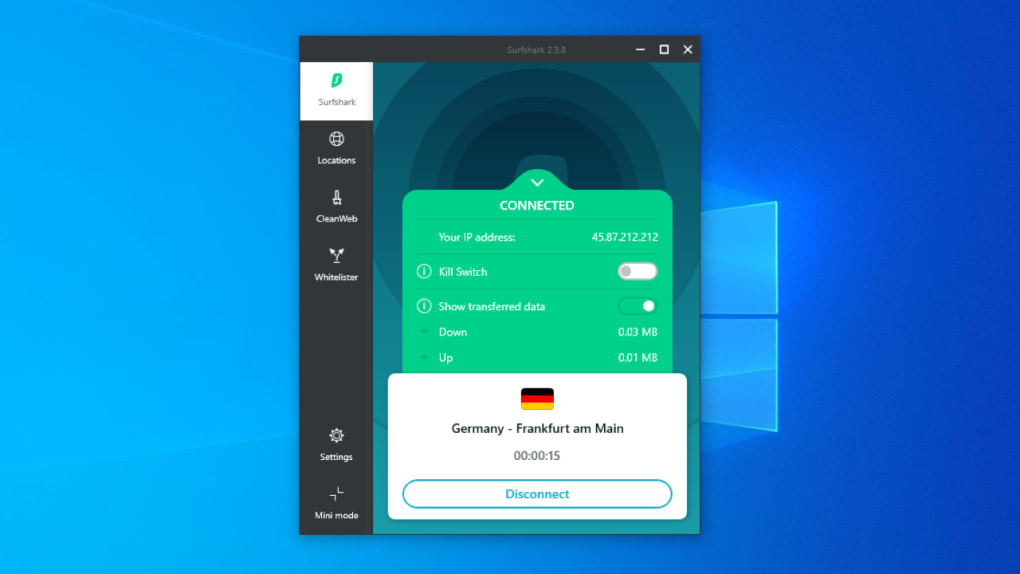
Beyond encryption, Surfshark offers a range of features designed to enhance your online privacy and anonymity. The app utilizes IKEv2/IPsec as its default protocol, known for its balance of speed and security. This protocol is complemented by a kill switch, a critical feature that automatically cuts off your internet connection if the VPN connection drops, preventing any potential data leaks or exposure of your real IP address.
Surfshark also employs a strict no-logs policy, meaning they do not store any data about your online activities. This commitment to user privacy is further reinforced by their location in the British Virgin Islands, a jurisdiction with less stringent data retention laws compared to many other countries. While they do collect your email address and billing information for account management purposes, this data is kept separate from your browsing activity.
The inclusion of a private DNS on each server adds an extra layer of security, preventing your DNS requests from being intercepted and analyzed by third parties. This feature ensures that your online activity remains private, even from your internet service provider (ISP). Further bolstering privacy, Surfshark includes a Camouflage Mode, which masks the fact that you’re using a VPN, even from your ISP. This is particularly useful in regions where VPN usage is restricted or monitored.
Finally, Surfshark’s CleanWeb feature acts as an integrated ad blocker and malware blocker, actively filtering out intrusive advertisements, malicious websites, and trackers. This enhances your browsing experience while further protecting you from potential online threats.
Performance and Speed: Global Network and Optimized Servers
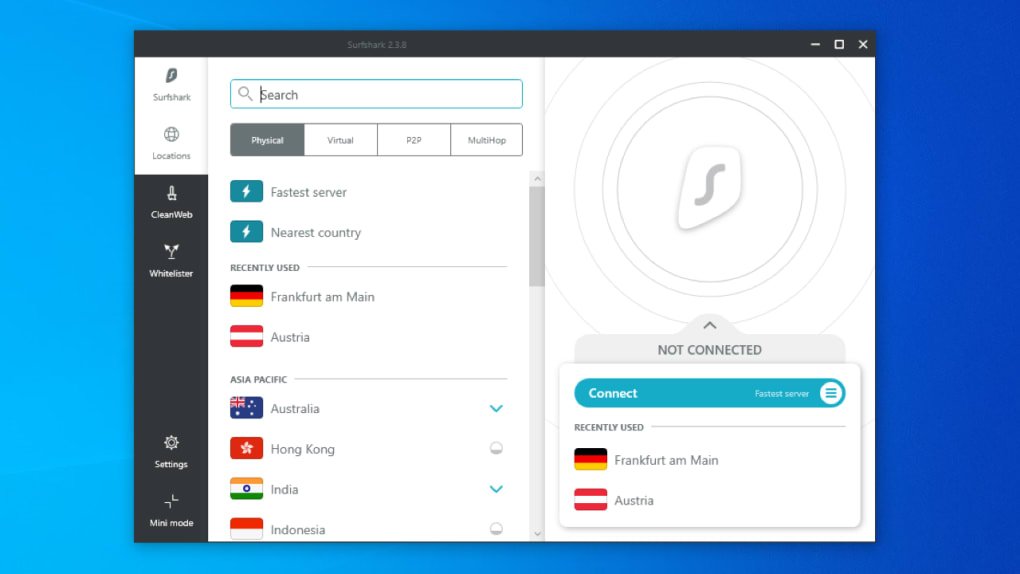
Surfshark VPN boasts a vast network of over 3,200 servers spread across 100 locations and six continents. This extensive network provides users with numerous server options, allowing them to choose a server closest to their geographical location for optimal speed and performance. The company also leverages 10 Gbps infrastructure for many of its servers, resulting in faster connection speeds compared to older 1Gbps connections. This upgraded infrastructure directly translates to improved streaming capabilities, online gaming performance, and faster download speeds.
Furthermore, Surfshark has optimized its servers specifically for P2P (peer-to-peer) file sharing, making it an excellent choice for torrenting. This optimization ensures that users can download files securely and efficiently without experiencing any significant speed limitations. The VPN seamlessly integrates with various torrent clients, such as BitTorrent and uTorrent, providing a smooth and secure experience for users who frequently engage in P2P activities.
The app’s performance is further enhanced by its ability to support unlimited simultaneous connections. This unique feature allows users to connect an unlimited number of devices simultaneously using a single account, a substantial advantage over many competitors who typically impose connection limits.
While generally fast, individual server performance can vary depending on factors like server load and geographical distance. However, Surfshark’s extensive server network and 10Gbps infrastructure generally ensures a positive user experience for most users.
Features and Functionality: Beyond the Basics
Surfshark offers a range of additional features designed to enhance usability and cater to diverse user needs. The Whitelister feature provides split-tunneling functionality, allowing users to selectively route specific apps or websites through the VPN while others bypass it. This is particularly useful for accessing region-locked content while maintaining regular access to local services or applications that require a local IP address.
The NoBorders mode is a valuable addition for users in countries with strict internet censorship. This feature helps bypass geo-restrictions and firewalls, enabling access to blocked websites and content. It’s designed to circumvent government censorship and provide unrestricted access to the internet.
Surfshark also provides a Multi-Hop feature, which connects you through multiple servers in different locations. This enhances your anonymity by masking your IP address through multiple layers of encryption and routing. It offers a higher level of privacy compared to a single-hop connection, effectively obscuring your online footprint.
In addition to its core VPN functionalities, Surfshark provides 24/7 live chat support, allowing users to promptly resolve any technical issues or address their queries. This readily available customer support adds significant value, particularly for users who require immediate assistance. The dedicated IP service, while not a standalone feature, is available to paying customers and offers additional security by providing a consistent IP address, reducing the chance of being flagged or encountering CAPTCHA challenges.
The improved onboarding process for new users simplifies the setup and initial configuration of the VPN, making it user-friendly even for those unfamiliar with VPN technology.
User Interface and Ease of Use: Intuitive and Accessible
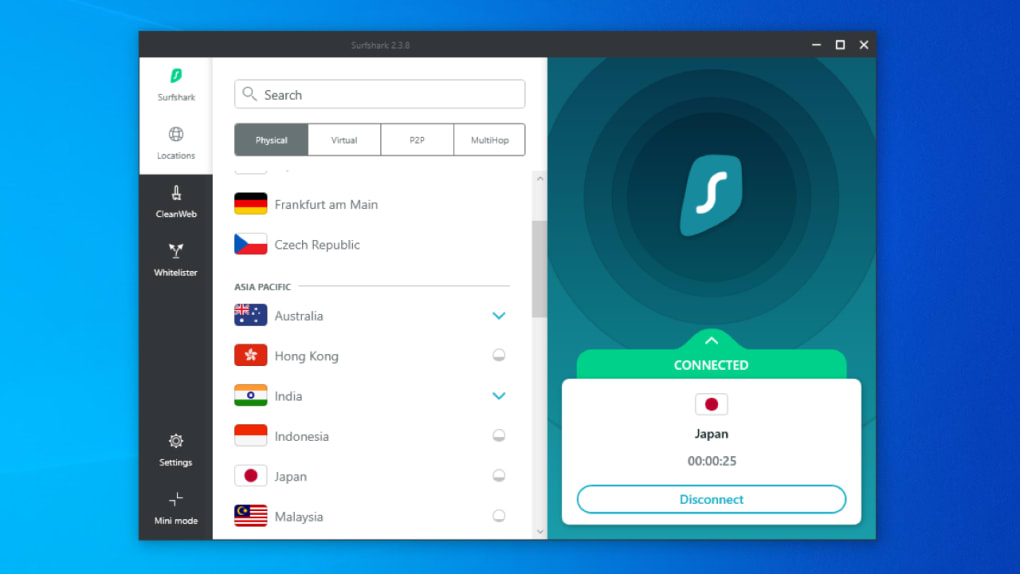
Surfshark’s Windows application features a clean, intuitive user interface. The app is straightforward to navigate, even for less technically-inclined users. The main dashboard clearly displays the connection status, allowing users to quickly connect or disconnect from the VPN with a single click. The interface is uncluttered and presents the key functionalities in a user-friendly manner.
Conclusion: A Strong Contender in the VPN Market
Surfshark VPN for Windows delivers a comprehensive VPN experience, blending robust security features with high speeds and extensive functionality. The combination of AES-256-GCM encryption, a kill switch, a strict no-logs policy, and a wide range of additional features positions it as a strong contender in the competitive VPN market. While no VPN service is perfect, Surfshark offers a compelling blend of security, performance, and ease of use, making it a worthwhile option for individuals and businesses alike. The unlimited simultaneous connections, combined with the extensive server network and 10Gbps infrastructure, further enhances its appeal. While a free version is absent, the robust features and money-back guarantee mitigate this limitation.
Pros:
- Unlimited simultaneous device connections
- Strict no-logs policy
- Optimized servers for torrenting
- Strong security protocols (AES-256-GCM)
- 24/7 live chat support
- Money-back guarantee
- Multi-Hop functionality
- CleanWeb (ad blocker and malware blocker)
- Whitelister (split-tunneling)
- NoBorders mode (bypasses geo-restrictions)
- User-friendly interface
Cons:
- No free version offered
- Dedicated IP not available as a standalone option (requires a subscription upgrade)
Overall, Surfshark VPN for Windows provides a compelling VPN solution that effectively balances security, performance, and usability. Its comprehensive feature set and commitment to user privacy make it a strong choice for users seeking a reliable and versatile VPN service.
File Information
- License: “Full”
- Latest update: “November 18, 2024”
- Platform: “Windows”
- OS: “Windows 7”
- Language: “English”
- Downloads: “81.4K”
- Size: “16.44 MB”