
In the ever-evolving landscape of digital media, technologies rise and fall, leaving behind a trail of innovation and, sometimes, forgotten formats. Among these, Adobe Flash stands out as a pioneering platform that once dominated the web, enabling rich interactive experiences, animations, games, and streaming video. While Flash itself has largely been phased out by major web browsers and operating systems, a vast trove of content created in its proprietary .swf format still exists. For individuals, educators, archivists, and enthusiasts who wish to access this legacy content without an internet connection or the need for browser plugins, a dedicated solution is essential. This is where SWF Player steps in – a free, portable, and straightforward program designed to breathe new life into your cherished Flash files.
SWF Player offers a simple yet robust answer to the challenge of Flash content accessibility in an era where native Flash support has all but vanished. It’s a specialized tool that focuses exclusively on playing .swf files quickly and efficiently, bypassing the need for web browsers or active internet connections. More than just a playback utility, it also provides valuable insights by reading metadata tags directly from the file header, offering users a deeper understanding of the content they are engaging with. As a standalone application, SWF Player serves as an indispensable replacement for devices that no longer support proprietary Flash players, ensuring that a significant part of digital history and entertainment remains within reach.
Understanding the SWF Format: A Glimpse into Web History
To truly appreciate the value of SWF Player, it’s important to understand the context of the .swf file format and the Adobe Flash platform it originated from. .swf, often pronounced “swiff,” stands for Small Web Format, though it was originally an acronym for ShockWave Flash. These files were the primary output of Adobe Flash (formerly Macromedia Flash) development environments, designed to deliver vector graphics, text, video, and audio over the internet with relatively small file sizes.
During its heyday, roughly from the late 1990s through the 2000s, Flash was ubiquitous. It was the de facto standard for interactive website elements, online games (the “Flash game” era on sites like Newgrounds and Kongregate), animated web series, and even early video streaming. Its ability to create rich, dynamic content that ran consistently across different web browsers was revolutionary. Developers flocked to Flash to build engaging experiences that HTML and JavaScript of the time simply couldn’t replicate.
However, Flash’s dominance began to wane in the early 2010s. Criticisms mounted regarding its performance, resource consumption, security vulnerabilities, and proprietary nature. Apple’s decision not to support Flash on its iOS devices (iPhones and iPads) was a significant turning point, pushing the industry towards open standards like HTML5, CSS3, and JavaScript, which could deliver similar interactive and multimedia capabilities natively in browsers without plugins. By 2017, Adobe announced the end-of-life for Flash Player, officially ceasing support and distribution at the end of 2020. Major browsers subsequently removed Flash support, effectively making it impossible to play .swf files directly in a web browser without specialized tools or older, unsupported software.
Despite this obsolescence, the legacy of Flash lives on in countless .swf files. These might include:
- Archived educational content: Many interactive learning modules, simulations, and teaching aids were developed in Flash.
- Classic Flash games: A vibrant community of gamers and developers still cherishes the thousands of unique and innovative games created during Flash’s peak.
- Animated shorts and web series: A significant portion of early web animation found its home in Flash.
- Legacy corporate presentations and interactive product demonstrations: Businesses often relied on Flash for engaging internal and external communications.
- Personal projects and portfolios: Many designers and developers used Flash to showcase their creativity.
For those who wish to preserve and interact with this invaluable digital heritage, a dedicated, offline player like SWF Player becomes indispensable. It allows users to bypass the browser limitations and the need for an internet connection, directly accessing the content as it was originally intended, providing a crucial bridge to a bygone era of web development.
Key Features and Uncomplicated Functionality
SWF Player distinguishes itself through its dedication to a singular purpose: playing .swf files with minimal fuss. This focused approach results in a highly efficient and reliable application that prioritizes functionality and portability above all else. Its design choices, though seemingly “dull” at first glance, are intentional, contributing to its effectiveness as an offline Flash player.
One of the primary benefits of SWF Player is its ability to operate entirely without an internet connection. This is a critical distinction from how Flash content was traditionally consumed, which often required a browser and an active internet link to load .swf files from web servers. With SWF Player, once the file is on your local machine, you’re free to access it anytime, anywhere. This makes it an ideal solution for a variety of scenarios:
- Educational settings: Teachers can utilize archived interactive lessons or simulations even in environments with limited or no network access.
- Business presentations: Professionals can rely on Flash-based content for boardroom discussions or client pitches without concerns about Wi-Fi availability.
- Personal enjoyment: Users can delve into their favorite old Flash games or watch animated shorts during travel or in remote locations.
- Digital preservation: Archivists and enthusiasts can ensure that legacy content remains playable for future generations.
The software’s design philosophy emphasizes portability and a small footprint. The aesthetics of SWF Player are intentionally simple and straightforward. This minimalist approach directly contributes to a smaller file size, making the application quick to download, easy to install on new systems, and highly portable. It can be stored on a USB drive and run on compatible Windows machines without a lengthy setup process. This “lightweight” nature is a deliberate trade-off for advanced functions, but it perfectly serves its core purpose: delivering Flash content reliably and efficiently.
Beyond mere playback, SWF Player offers valuable metadata reading capabilities. When you open an .swf file, the software doesn’t just play it; it also displays crucial information about the file in a message box. SWF Player can read six types of metadata tags:
- Signature tags: These indicate whether the SWF file is uncompressed (FWS) or compressed (CWS), a detail relevant for understanding file structure.
- Version number: The Flash player version required to run the content.
- File length: The total size of the SWF file in bytes.
- Frame rate: The speed at which frames are displayed per second, impacting animation smoothness.
- Total frame count: The total number of frames in the animation or movie.
Knowing these details can be incredibly useful for developers, educators, or anyone needing to understand the technical specifications of their Flash content. It’s an added layer of utility that goes beyond basic playback, helping users manage and categorize their
.swflibraries more effectively.
Compatibility and system requirements are also designed to be as accessible as possible. While Flash is an older technology, SWF Player itself requires a modern Windows environment with two common components:
- .NET Framework: A software framework developed by Microsoft that runs on Windows. Many applications rely on it.
- Shockwave Flash Object: Despite Flash’s end-of-life, the underlying components might still be present on many systems, especially those that had Flash Player installed at some point. For most users, these prerequisites are already met, making the installation and initial use of SWF Player a seamless experience. The application focuses on playing flash video and games, and it performs this task commendably well. As freeware, it comes with the added advantage of being available for download and use at no cost, making it an attractive option for anyone in need of its specific functionalities.
Navigating the SWF Player: Interface, Usability, and Technical Insights
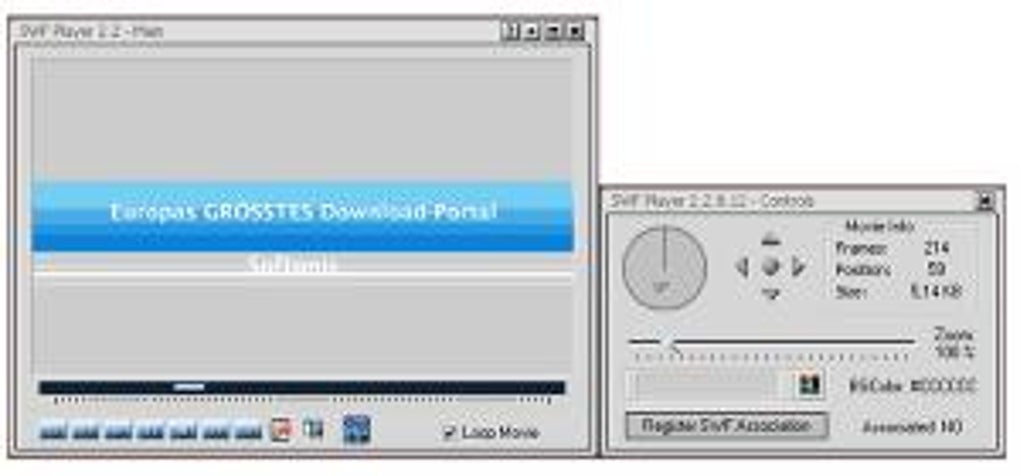
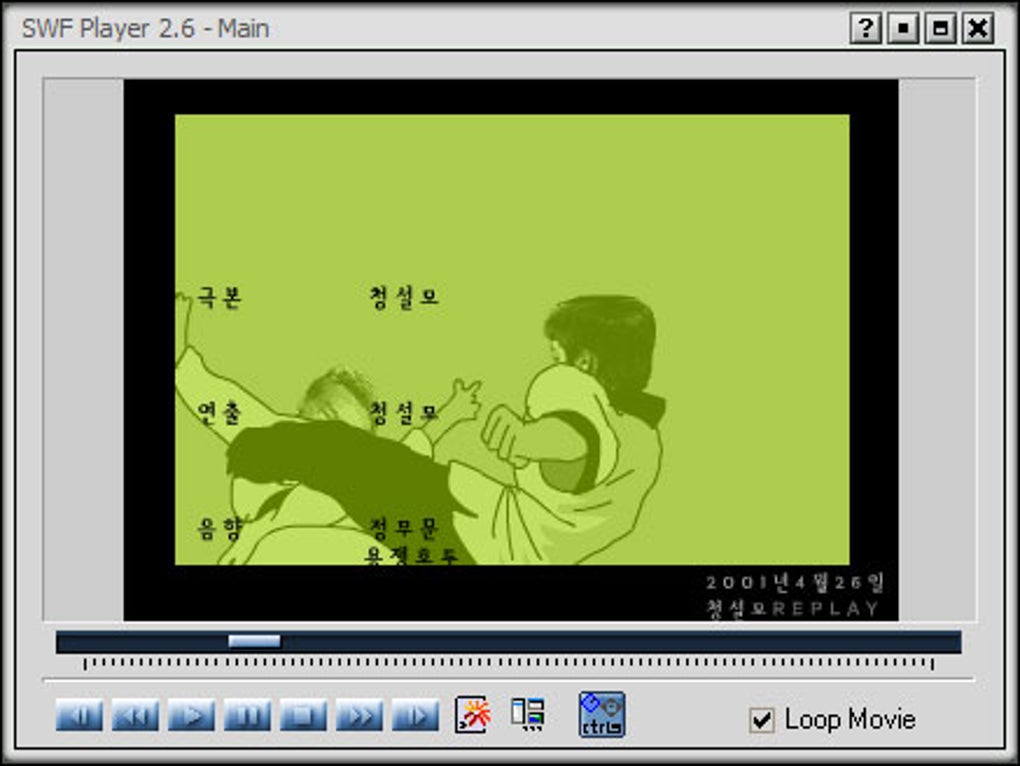
The user experience with SWF Player is characterized by its stark simplicity and directness. In an age of sleek, feature-rich interfaces, SWF Player opts for a utilitarian design that, while not visually captivating, is incredibly effective for its intended function. This intentional lack of aesthetic embellishment contributes to the application’s lightweight nature and rapid performance.
Upon launching SWF Player, users are greeted with an interface that is immediately understandable, even for those with minimal technical proficiency. There are no complex menus, hidden settings, or overwhelming options. The primary method of interacting with the player revolves around a fundamental principle: “Open and Play.”
Getting Started is Simple: Once you’ve downloaded and installed the freeware, getting your Flash content up and running is a breeze. The process is intuitive:
- Access the “File” menu: Located at the top of the player window, this is your gateway to opening files.
- Select “Open”: A standard dropdown option that prompts you to browse your computer.
- Choose your
.swffile: Navigate to the location where your desired Flash file is stored and select it.
As soon as you select a .swf file, SWF Player doesn’t just load it silently. In a thoughtful design choice that enhances usability, the software presents a message box displaying the previously mentioned metadata tags. This immediate feedback provides you with crucial details such as whether the file is compressed or uncompressed (FWS/CWS signature), its version number, total length, frame rate, and the total count of frames. This information is invaluable for various reasons:
- Verification: Confirming the file’s integrity and specifications.
- Archiving: Adding accurate descriptive data to a collection of Flash files.
- Troubleshooting: Understanding the technical requirements if a file behaves unexpectedly.
Once you’ve reviewed the metadata, a simple click on the “Play” button or a similar prompt initiates the playback of your SWF file. Whether it’s an interactive Flash game, a captivating animation, or a full-length Flash movie, SWF Player handles it with ease. For interactive content like games, you can immediately begin playing. For movies, you can sit back and enjoy the show, free from the distractions of browser pop-ups or internet connection woes.
Full-Screen Mode for an Immersive Experience: Despite its minimalist interface, SWF Player includes an essential feature for optimal viewing: full-screen mode. For those who want to fully immerse themselves in a Flash movie or game without window borders or other desktop elements, this is easily accessible. The application provides a simple hotkey: pressing F11 will toggle full-screen mode on or off. This ensures that the content can be enjoyed without distractions, enhancing the overall user experience.
The intentional simplicity of SWF Player extends to its technical requirements, making it widely compatible with a range of Windows systems. As previously noted, the need for the .NET Framework and the Shockwave Flash Object are standard prerequisites. These components are often pre-installed or easily obtainable, minimizing barriers to entry. This thoughtful approach to both interface design and technical specifications ensures that SWF Player remains a highly accessible and practical tool for anyone looking to engage with legacy Flash content on their Windows PC. Its straightforward nature means that using this app doesn’t get any more complicated than a few clicks and a single hotkey, making it a truly user-friendly solution.
Beyond Obsolescence: The Enduring Value of SWF Player
In the grand narrative of technological progress, some platforms, despite their initial widespread adoption, eventually become “relics of tech’s past.” Adobe Flash is undoubtedly one such example. Its decline was swift and definitive, marked by security concerns, performance issues, and the rise of more modern, open web standards like HTML5. Consequently, the general unpopularity of dedicated Flash players today is rooted in the simple fact that Flash content is considered obsolete by mainstream internet usage. Yet, to dismiss SWF Player entirely would be to overlook its very specific, and still incredibly valuable, niche.
While it’s true that the interface might be described as “boring” or even “ugly gray” compared to the slick designs of contemporary media players, this is a conscious design choice that contributes to its core strengths. Unlike multi-purpose media players that strive for universal compatibility and cutting-edge features, SWF Player is hyper-focused. Its singular job is to play .swf files, and it does so remarkably well, embodying the principle of “doing one thing and doing it right.”
For a particular demographic, SWF Player is not merely a nostalgic curiosity but a genuinely functional and indispensable tool. These users include:
- Archivists and Digital Historians: Preserving the interactive web content of the past is crucial for understanding digital culture and technological evolution. SWF Player provides a stable platform for accessing these archives.
- Educators: Many interactive learning modules, simulations, and teaching materials were developed in Flash. SWF Player allows educators to continue using these resources offline, bypassing browser restrictions.
- Gamers and Enthusiasts: The “Flash game” era produced thousands of unique, creative, and often influential titles. SWF Player offers a direct way to revisit these classics without relying on emulators or outdated browsers.
- Businesses with Legacy Content: Some organizations may still have internal training modules, presentations, or interactive product demos created in Flash. SWF Player offers a simple solution for accessing these materials without redevelopment costs.
- Users in Offline Environments: For anyone needing to access Flash content without a reliable internet connection (e.g., during travel, in rural areas, or secure environments), SWF Player is the only practical option.
The pros of SWF Player, as highlighted in the original content, strongly underscore its enduring relevance:
- Portable: Its small file size and standalone nature make it easy to carry and run on various Windows machines.
- Plays any
.swffile: Its dedicated design ensures broad compatibility with the Flash format. - Simple and straightforward user experience: No learning curve, just open and play.
- Reads metadata tags of files: Provides valuable technical insights into the content.
- Watch movies or play games: Versatile for both passive consumption and interactive engagement.
The only significant “con” listed is the “boring interface.” However, for its target audience, functionality often trumps aesthetics. The trade-off for a lightweight, efficient, and free player that simply works is often well worth a less flashy (pun intended) appearance.
While alternatives like VLC media player (a robust, multi-format player) or SWF Player HD (a paid option with potentially a more modern interface) exist, they may not offer the same focused simplicity or the critical offline, browser-independent functionality that SWF Player provides for free. VLC, for instance, can play some .swf files, but its primary focus is broader video formats, and its Flash support might not be as consistent or feature-rich (e.g., in terms of metadata display or interactive game support) as a dedicated Flash player. SWF Player HD, while offering a potentially updated user experience, comes with a cost, which might deter users seeking a free solution.
In conclusion, SWF Player, offered by PhanMemFree, serves as a testament to the idea that even deprecated technologies can find new life through specialized tools. It acknowledges the end of Flash’s mainstream reign but provides a crucial lifeline for those who still hold onto or need to access content from that era. For individuals who require dependable access to Flash videos, animations, or games without an internet connection or native browser support, SWF Player remains a free, functional, and surprisingly effective solution, preserving a slice of internet history for current and future enjoyment. Its value is not in its modernity, but in its unwavering commitment to its intended purpose, making it a quiet hero in the world of digital preservation and legacy media playback.
File Information
- License: “Free”
- Version: “2.6”
- Latest update: “February 23, 2022”
- Platform: “Windows”
- OS: “Windows 7”
- Language: “English”
- Downloads: “822.2K”
- Size: “853.36 KB”


