
Switch Audio File Converter is a free, readily available audio conversion tool designed for Windows users. This review delves into its functionality, ease of use, strengths, weaknesses, and places it within the context of similar applications. We will examine its capabilities, performance, and user experience, helping you determine if it’s the right audio conversion solution for your needs.
Feature Set and Functionality
Switch Audio File Converter boasts a robust feature set for a free application. Its primary function, as the name suggests, is converting audio files between a wide array of formats. It handles both common formats like MP3, WAV, WMA, and AAC, and less frequently encountered ones such as OGG, FLAC, AMR, and even video files containing audio tracks (like AVI and MOV). This broad support eliminates the need to search for multiple converters to handle different file types.
Beyond basic conversion, Switch offers several advanced options. Users can batch convert multiple files simultaneously, significantly improving efficiency when dealing with large collections. The ability to convert audio streams directly is a noteworthy feature, particularly useful for extracting audio from online broadcasts or other digital sources. Moreover, Switch allows for the import and conversion of playlists (M3U and PLS), ensuring seamless conversion of entire music libraries without manual selection. Its WAV encoder supports an impressive range of sample rates, from 6000 Hz to 196000 Hz, catering to high-fidelity audio enthusiasts.
A further enhancement is the automatic audio normalization feature, which adjusts the volume levels of converted tracks for consistent listening. This is particularly helpful for dealing with audio files with varying loudness. The program even offers integration with an online database, allowing users to automatically add song information (title, artist, album, etc.) to the converted files, maintaining metadata integrity. Finally, command-line operation is supported, making it suitable for integration with automated workflows and scripting.
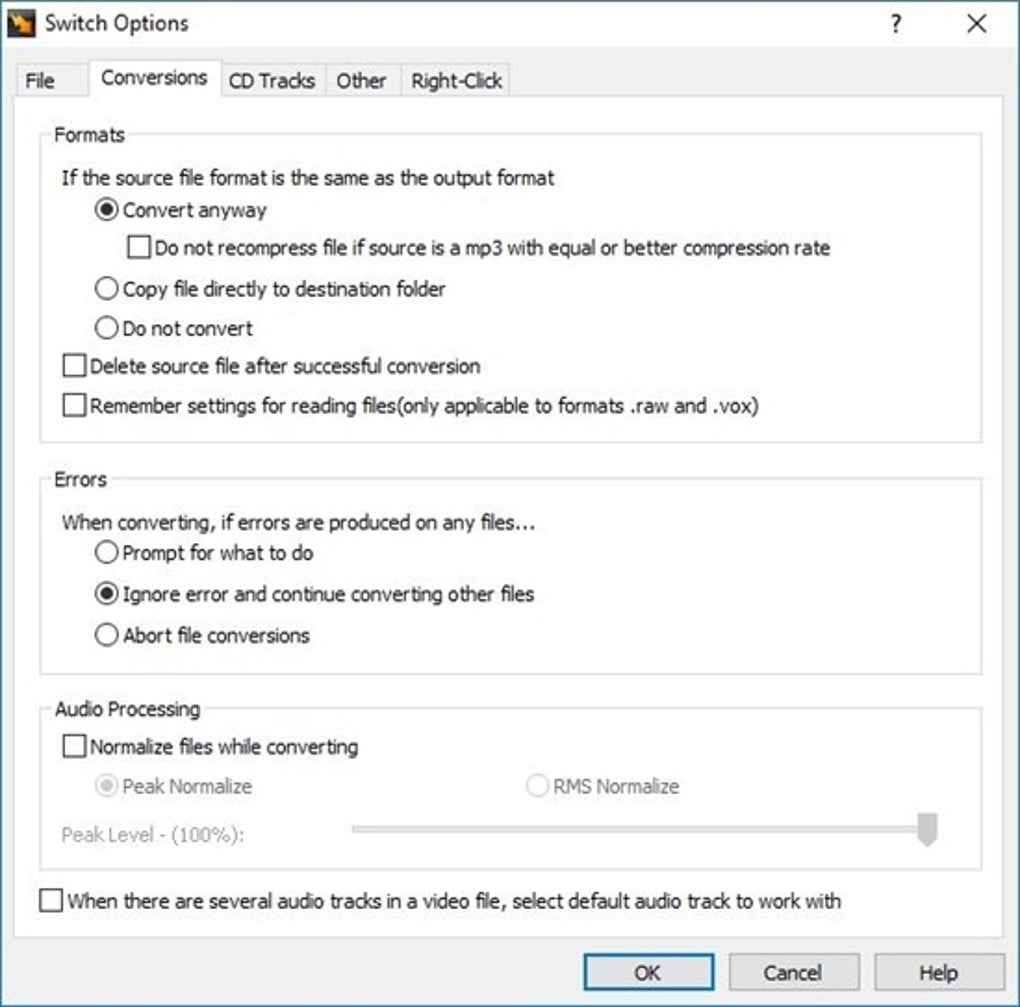
User Interface and Experience
Switch Audio File Converter’s user interface is notable for its simplicity and intuitive design. Even novice users should find it easy to navigate. The primary window presents a straightforward layout, with clear options for selecting input and output formats, adding files to the conversion queue, and initiating the conversion process. The settings panel provides access to customizable options, allowing users to fine-tune the conversion process according to their specific requirements. However, while the interface is user-friendly, it lacks the polish and visual appeal of some commercial alternatives. The design feels functional but could benefit from a modern aesthetic update.
Performance and Efficiency
Switch Audio File Converter generally demonstrates good performance. Conversion speeds are reasonable, although they can vary depending on the factors like file size, input and output formats, and the processing power of the user’s computer. The efficient code and optimized CPU usage contribute to relatively fast conversion times, especially considering it’s a free application. However, users with extremely large batches of files might experience some noticeable processing delays. The program’s resource management is generally efficient, not overly taxing the system’s CPU and RAM during conversions.
Limitations and Drawbacks
Despite its strengths, Switch Audio File Converter is not without its limitations. A significant drawback is that commercial use is restricted in the free version. Users intending to employ it for commercial purposes, such as large-scale audio processing or professional audio production, will need to purchase a license. While the free version is suitable for personal use, this restriction might deter some potential users. Additionally, although the application handles numerous formats, it may not be the absolute fastest converter available, particularly when compared to commercial counterparts that often leverage advanced hardware acceleration techniques.
While the user interface is intuitive, it’s not overly sophisticated. It lacks some advanced features found in paid software packages, such as real-time waveform visualization or more granular control over encoding parameters. The program’s support documentation could also be improved. While the interface is generally self-explanatory, more comprehensive help files or tutorials would be beneficial for resolving any uncommon issues.
Comparison with Alternative Applications
The market for audio converters is crowded, with numerous free and commercial options available. Switch Audio File Converter competes with several other free tools, each possessing its own strengths and weaknesses. Some alternatives include Free Audio Converter, Hamster Free Audio Converter, and MP3Gain. Commercial options, such as Total Audio Converter, often provide enhanced features, such as more extensive format support, advanced editing tools, and faster conversion speeds. However, these commercial programs come with a price tag.
The choice between Switch and alternative solutions depends on individual needs and priorities. Users primarily requiring a simple, free, and reliable converter for personal use will likely find Switch perfectly adequate. Those needing advanced features, higher conversion speeds, or commercial usage capabilities may find commercial alternatives more suitable.
Conclusion
Switch Audio File Converter provides a solid solution for those needing a free audio conversion tool for Windows. Its wide format support, batch processing capability, audio stream conversion, and straightforward user interface make it an excellent choice for casual users. While some limitations exist, particularly regarding commercial use and the lack of advanced features, these are offset by its accessibility and ease of use. Overall, Switch Audio File Converter remains a valuable and dependable tool in the audio conversion landscape, earning it a respectable place among its peers. It’s a practical option for personal use, offering a decent balance of features and performance without the cost of a commercial license. Users weighing their options should consider their specific requirements and prioritize accordingly: ease of use, extensive format support, speed, or the need for commercial compatibility.
File Information
- License: “Free”
- Latest update: “July 30, 2025”
- Platform: “Windows”
- OS: “Windows 8.1”
- Language: “English”
- Downloads: “298.9K”
- Size: “2.13 MB”


