
System Ninja is a free Windows utility designed to clean and optimize your computer system. While not as feature-rich as some competitors like CCleaner, it provides a straightforward approach to removing junk files, managing startup programs, and monitoring active processes. This review will delve into its functionality, ease of use, pros and cons, and compare it to alternative solutions available in the market.
Core Functionality: Cleaning and Optimization
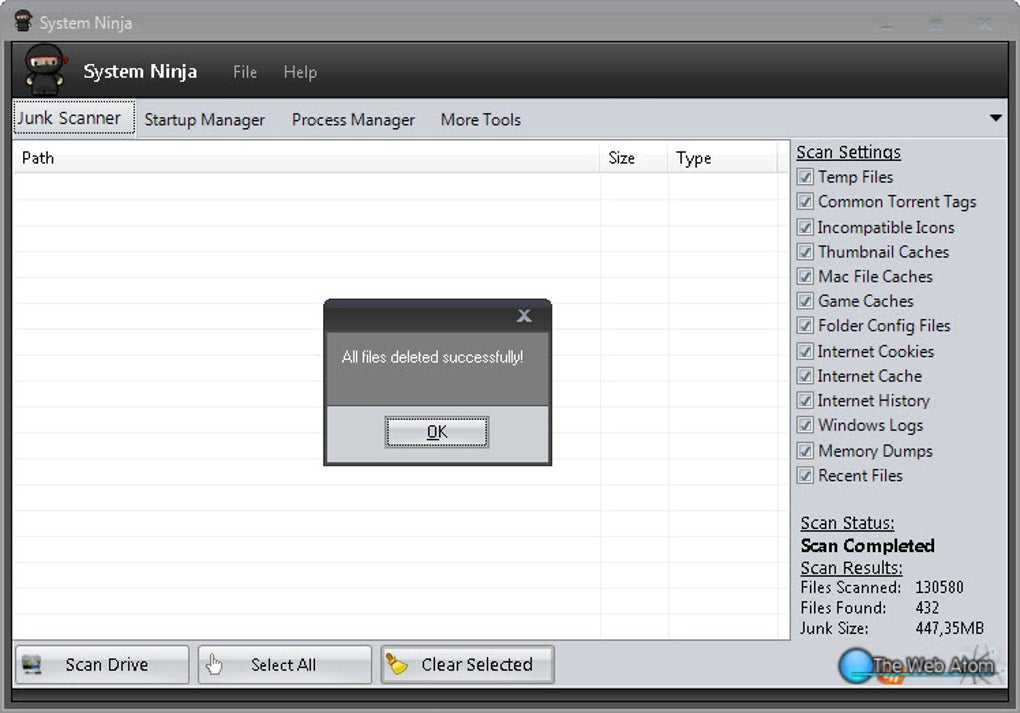
System Ninja’s primary function revolves around identifying and removing unwanted files cluttering your hard drive. These files, often categorized as temporary files, internet history, cookies, and recently opened documents, accumulate over time, consuming valuable storage space and potentially slowing down your system performance. The process is remarkably simple: launch the application, click the “Scan Drive” button, and allow System Ninja to meticulously search for deletable files. Once the scan completes, a comprehensive list appears, allowing you to selectively choose which items to remove. It’s crucial to note that System Ninja does not create a backup of the files before deletion; therefore, users should exercise caution and ensure they are comfortable with the potential loss of data before proceeding. The application’s focus remains on speed and simplicity, providing a quick solution for reclaiming disk space without complex configurations or advanced options.
Beyond Cleaning: Startup and Process Management
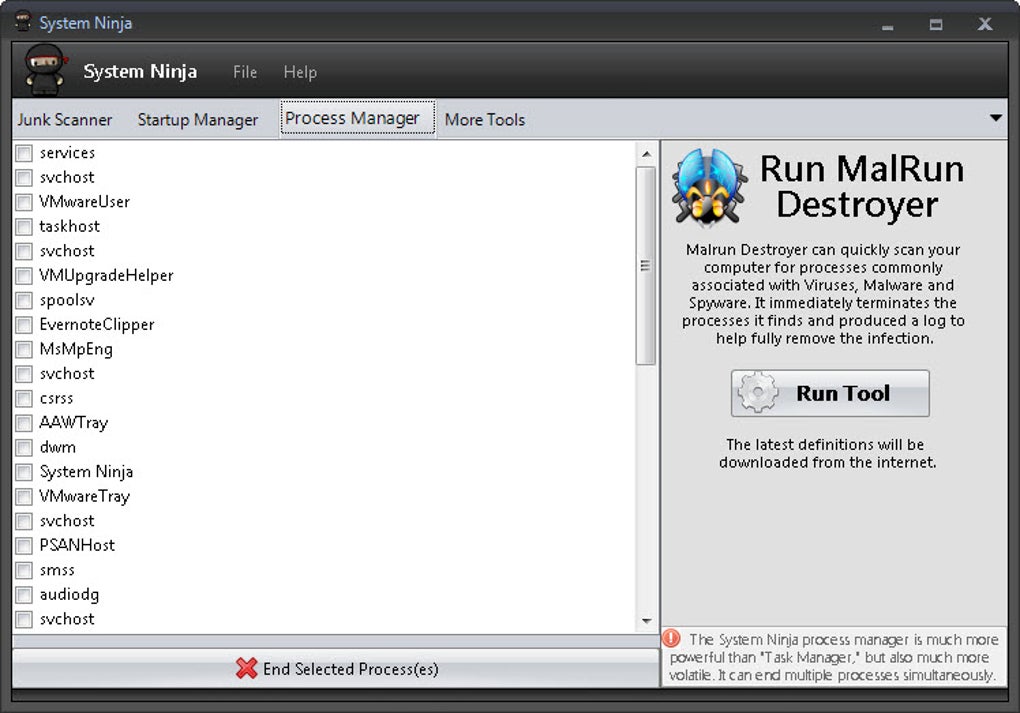
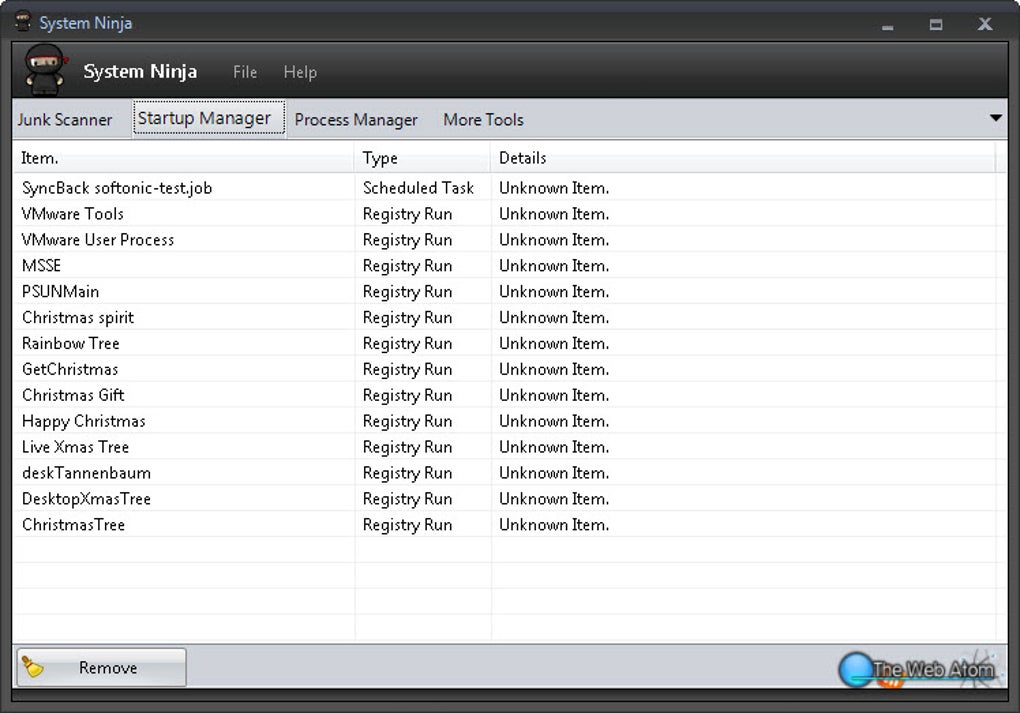
Beyond its core cleaning capabilities, System Ninja offers additional utilities that enhance system optimization. A built-in startup manager allows users to manage applications that automatically launch during system startup. This feature empowers users to disable unnecessary programs, reducing boot times and freeing system resources. Similarly, the integrated process manager provides a real-time view of currently active processes, offering insights into resource consumption. While not as comprehensive as dedicated task managers, this integrated functionality provides a convenient overview, enabling users to identify and potentially terminate resource-intensive processes affecting system performance. These supplementary features add value, extending System Ninja’s utility beyond mere disk cleanup.
User Interface and Ease of Use
System Ninja prioritizes simplicity and ease of use. Its interface is clean, intuitive, and user-friendly, requiring minimal technical expertise. The primary functions are clearly labeled and easily accessible, minimizing the learning curve. The scan process is quick and efficient, with results displayed in a clear and organized manner. Even novice users should find navigating the application’s features straightforward and hassle-free. This focus on usability makes System Ninja accessible to a broad audience, regardless of their technical proficiency. The absence of complex settings or advanced options, while potentially limiting for power users, contributes significantly to its overall simplicity and ease of use.
Comparison with Alternative Solutions
While System Ninja effectively addresses common system cleaning needs, it lacks the extensive feature set of more comprehensive solutions like CCleaner or BleachBit. CCleaner, for instance, provides more granular control over cleaning options, including the ability to customize cleaning targets and schedules. BleachBit offers similar advanced features, along with support for a wider range of applications and operating systems. System Ninja’s strength lies in its simplicity and ease of use, making it an ideal choice for users who prioritize a streamlined, hassle-free experience over extensive customization options. Choosing between System Ninja and its competitors hinges on the user’s technical expertise and their need for advanced features. Users comfortable with configuration and requiring highly specific cleaning options will likely prefer the more comprehensive alternatives. However, for users seeking a straightforward and user-friendly system cleaner, System Ninja remains an excellent choice.
System Ninja’s Strengths and Weaknesses
Strengths:
- Ease of use: The intuitive interface and straightforward workflow make System Ninja incredibly user-friendly. Even inexperienced users can quickly grasp its functionality.
- Efficiency: The cleaning process is fast and efficient, quickly identifying and removing unwanted files.
- Integrated utilities: The included startup manager and process manager add value and enhance overall system optimization.
- Free and lightweight: System Ninja is free to use and doesn’t require significant system resources.
Weaknesses:
- Limited features: Compared to competitors, System Ninja offers a more limited range of cleaning and optimization options.
- No backup: The absence of a backup mechanism before deleting files presents a potential risk of data loss. Users should always exercise caution.
- Lack of customization: Advanced users may find the limited customization options restrictive.
- Fewer supported file types: compared to competitors, System Ninja may not support as many different file types, resulting in a less thorough cleaning of the system
Conclusion: A Solid Choice for Basic System Cleaning
System Ninja offers a compelling solution for users seeking a simple, efficient, and user-friendly system cleaner. Its strengths lie in its ease of use, speed, and integrated utilities. While it may lack the advanced features and extensive customization options of competitors like CCleaner and BleachBit, its straightforward approach makes it ideal for users who prioritize simplicity and efficiency. The absence of a backup function before file deletion is a significant consideration; however, its streamlined workflow makes it a reliable tool for basic system maintenance. Ultimately, the suitability of System Ninja depends on the user’s individual needs and preferences. If you’re looking for a lightweight, easy-to-use system cleaner for basic maintenance tasks, System Ninja is a strong contender. However, if you require more advanced features and granular control over the cleaning process, exploring more feature-rich alternatives might be more suitable.
File Information
- License: “Free”
- Latest update: “July 12, 2023”
- Platform: “Windows”
- OS: “Windows 10”
- Language: “English”
- Downloads: “23.2K”
- Size: “3.73 MB”


