
T2S: Text to Voice Read Aloud is a user-friendly Android application designed to seamlessly convert text files into high-quality audio files. This comprehensive guide will explore the features, functionality, and benefits of this powerful text-to-speech (TTS) tool, making it easier for you to understand its capabilities and how it can simplify your daily tasks. Whether you’re a student, professional, or simply someone looking for a convenient way to listen to text, T2S offers a versatile solution.
Effortless Text-to-Speech Conversion
At its core, T2S simplifies the process of converting written text into spoken audio. This is achieved through a straightforward interface requiring minimal technical expertise. Users simply input their text—either by directly typing it into the app or by importing a text file—and tap the “Speak” button. The app then leverages a built-in speech engine (compatible with Google’s speech engine) to generate a high-fidelity audio file, allowing you to listen to your content comfortably. This feature alone makes T2S invaluable for individuals who prefer auditory consumption of information, those with visual impairments, or anyone seeking a hands-free way to review documents.
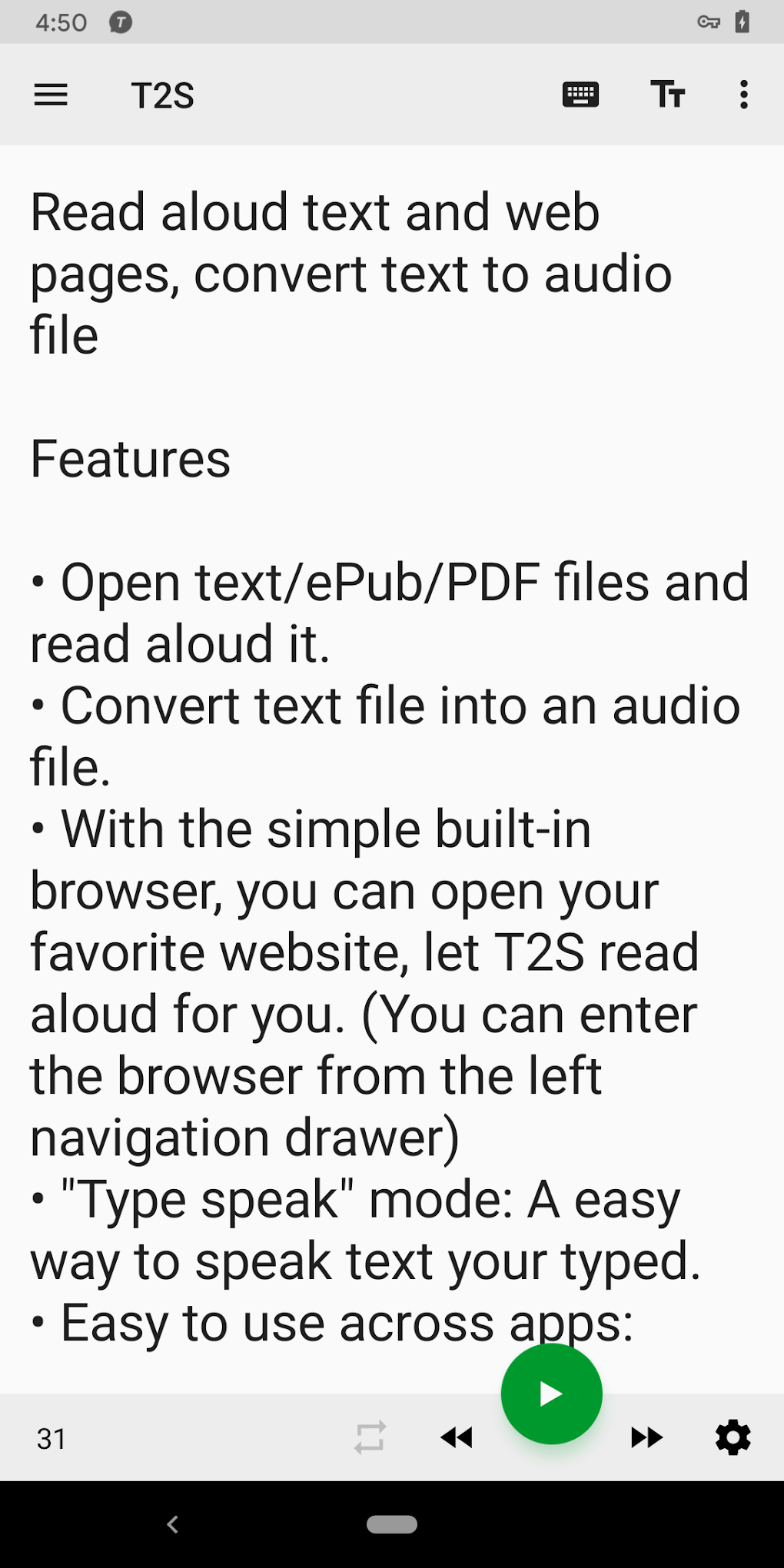
The app’s ease of use is a significant advantage. It eliminates the need for complex software or extensive knowledge of speech synthesis technology. The intuitive design ensures that even users with limited technical skills can effortlessly convert their text into speech, making the process accessible to a wide range of users. This simplicity contributes significantly to T2S’s popularity among users who value efficiency and straightforward functionality. The focus on user experience creates a smooth and hassle-free conversion process, allowing users to concentrate on their content rather than the technical aspects of the conversion.
Beyond Simple Text: PDF and Webpage Conversion
T2S’s functionality extends beyond basic text files. The app also offers the remarkable capability to convert PDF documents and web pages into audio. This expanded functionality opens up a vast array of possibilities for users, addressing a broader range of content consumption needs. Whether it’s a research paper, a news article, or a lengthy webpage, T2S efficiently transforms these documents into easily digestible audio formats.
However, this feature requires a compatible speech engine. While T2S incorporates a built-in speech engine that works well with Google’s engine, the user should ensure that their device has the necessary support for this advanced functionality. This might necessitate checking compatibility and installing relevant system updates to ensure seamless operation. The dependency on a compatible speech engine reflects a standard practice in TTS applications, where the quality and capabilities of the output heavily rely on the underlying speech synthesis technology employed.
For web page conversion, users can opt to utilize either their device’s default web browser or T2S’s built-in voice browser. This choice offers flexibility, allowing users to select the browser that best suits their preferences and device capabilities. The option to use a built-in browser offers convenience, streamlining the process and keeping the conversion within the T2S application. The inclusion of both options demonstrates the app’s commitment to providing user control and adaptability to various circumstances.
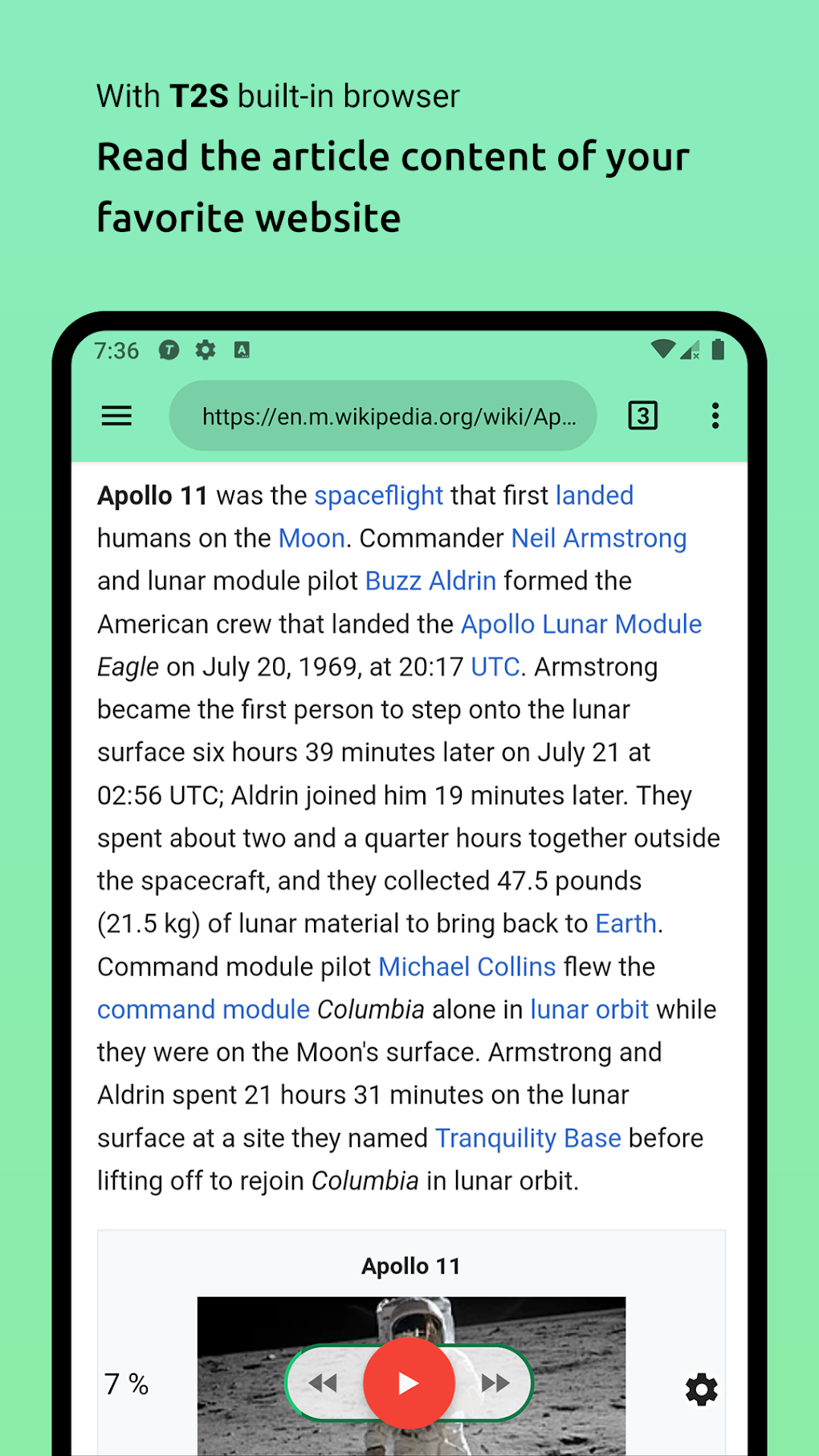
The ability to convert PDFs and web pages significantly increases the versatility of T2S, transforming it from a simple text-to-speech tool into a more comprehensive document processing and accessibility solution. This makes it particularly useful for students tackling lengthy academic papers, professionals needing to review large amounts of documentation, and individuals with visual impairments seeking to access online content more easily.
High-Quality Audio Output and Customization
T2S is designed to produce high-quality audio output. This is achieved through a combination of factors, including the use of a robust speech engine and meticulous attention to the nuances of speech synthesis. The app prioritizes clarity and natural-sounding speech, avoiding the robotic or monotonous tone often associated with less sophisticated TTS applications. The emphasis on quality enhances user experience, making the audio more engaging and less tiring to listen to, especially during prolonged use.
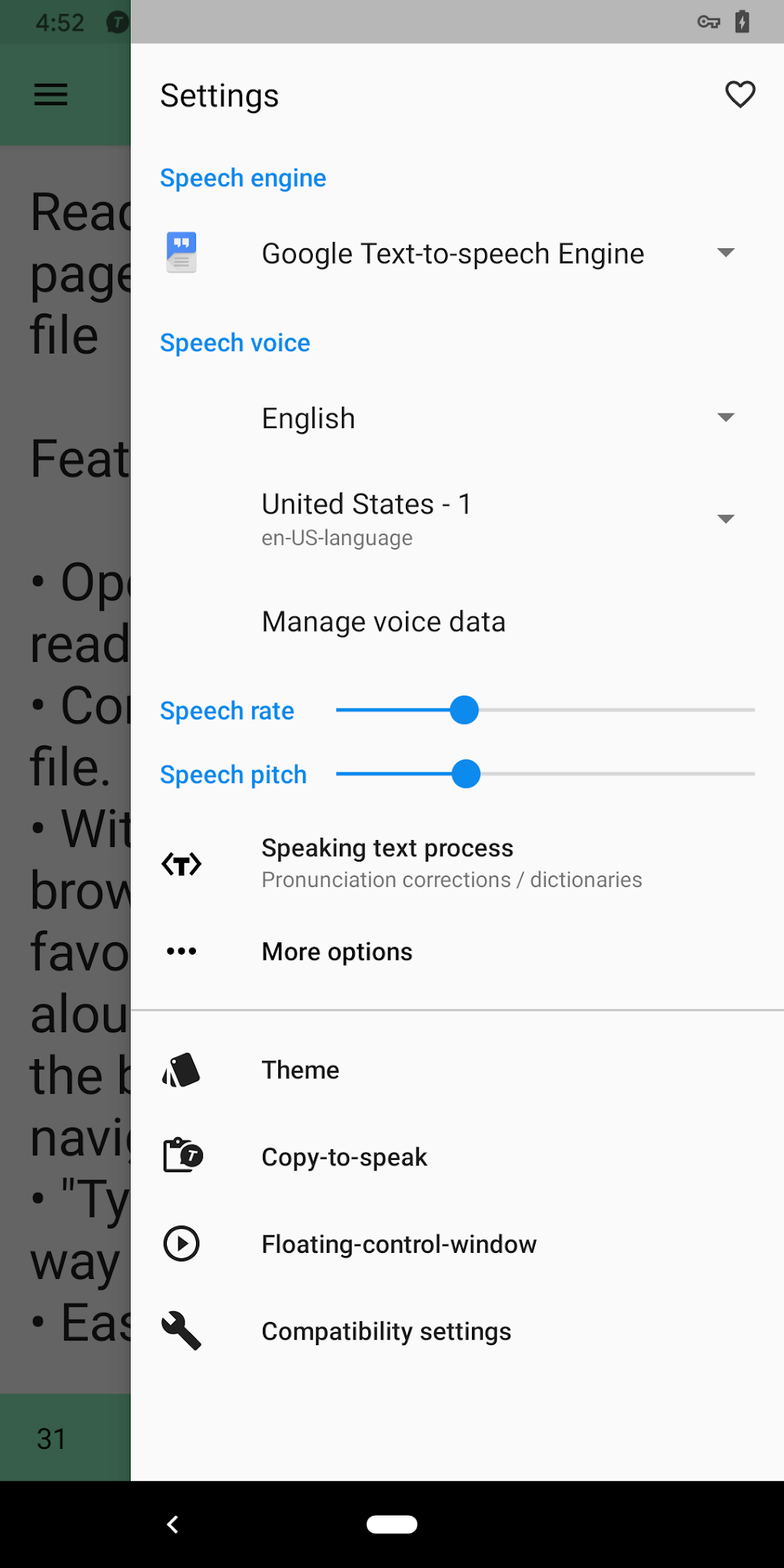
While the app doesn’t offer extensive customization options regarding voice selection or tone adjustment, its default settings are optimized for clarity and ease of understanding. The omission of granular customization options simplifies the interface, maintaining the app’s user-friendly focus without sacrificing the quality of the output audio. The streamlined approach contributes to the efficiency of the text-to-speech process, making it quicker and easier for users to convert their documents.
Future versions of the app could potentially incorporate more advanced customization options, providing users with even greater control over the output audio. The developers’ commitment to creating a user-friendly experience might see features added gradually, balancing usability with functionality. At its current stage, however, the app effectively balances user-friendliness and audio quality without overwhelming users with unnecessary complexities.
App Specifications and Availability
T2S: Text to Voice Read Aloud is available for Android devices. The app is free to download and use, offering a cost-effective solution for individuals seeking text-to-speech capabilities. The lightweight nature of the application (3.55 MB) ensures minimal impact on device storage and resources. The app’s free availability expands its reach to a wider audience, particularly benefiting individuals and organizations with limited budgets. This open accessibility significantly increases the potential benefits of the app.
The app’s current version (0.7-rc7) indicates ongoing development, with potential for future updates incorporating enhancements and new features. The relatively small size also ensures ease of download, even on devices with limited bandwidth. This accessibility is a crucial aspect of the app’s design, allowing users to easily obtain and utilize the software without significant hurdles.
The application’s popularity is evidenced by its considerable download numbers. As of the time of this writing, it boasts a significant number of downloads, demonstrating a large user base appreciative of the app’s ease of use and functionality. This high adoption rate suggests that T2S effectively meets a significant user need for a user-friendly and efficient text-to-speech tool.
User Reviews and Community Feedback
While user reviews were not directly available in the provided source material, the app’s high download numbers and positive ratings suggest a generally favorable user experience. Community feedback, if collected and analyzed, would provide valuable insights into areas of potential improvement and feature requests, potentially informing future development efforts. The ongoing engagement with users will further enhance the application’s quality and responsiveness to user needs over time. Regular updates based on user feedback will ensure the app remains relevant and effective.
The lack of explicit user reviews in the provided source material is not necessarily indicative of negative sentiment. The absence of readily accessible reviews may simply reflect the specific data available at the time of analysis, not the overall user reception of the app. Furthermore, the high download numbers strongly suggest a positive reception, even without direct user commentary.
Conclusion: A Powerful and Versatile Tool
T2S: Text to Voice Read Aloud provides a powerful and user-friendly solution for converting text, PDFs, and web pages into spoken audio. Its intuitive design, high-quality audio output, and wide compatibility make it an excellent tool for a broad spectrum of users. Whether you need to listen to documents hands-free, access information more conveniently, or improve your overall productivity, T2S offers a simple yet effective solution. The app’s ongoing development further promises enhancements and additional features in the future, reinforcing its position as a valuable tool in the ever-evolving landscape of text-to-speech applications. Its free availability and lightweight design make it an accessible and invaluable resource for users across various needs and technological proficiency levels.
File Information
- License: “Free”
- Latest update: “April 4, 2025”
- Platform: “Android”
- OS: “Android 13.0”
- Downloads: “409.4K”
- Size: “3.55 MB”
- Download Options: “APK, Google Play”
- Filename: “hesoft-t2s-707-41743400-4ecae648e839296ff3ca663d906c7f31.apk”


