
TalkIt, a free business and productivity app developed by Intra Darma, offers a simple yet powerful solution for converting text into high-quality audio. This versatile tool empowers users to save audio generated from their typed text, offering a convenient alternative for those with speech difficulties or for anyone needing to listen to written content hands-free. Whether you’re transcribing notes, creating audiobooks from articles, or simply need assistance with text-to-speech functionalities, TalkIt provides a readily accessible and customizable experience.
Seamless Text-to-Speech Conversion
At its core, TalkIt functions as a robust text-to-speech engine. Users can input any text—from short phrases to extensive documents—and the app efficiently converts it into an audio MP3 file. This audio file is then saved locally, allowing offline access anytime, anywhere. This independence from internet connectivity makes TalkIt particularly valuable for users in areas with unreliable network access. The app isn’t limited to just simple text input; it can also handle text copied directly from websites, allowing users to listen to the pronunciation of unfamiliar words or to have long passages read aloud while they perform other tasks. This feature is particularly beneficial for research, learning new languages, or catching up on lengthy articles without visually straining your eyes. Unlike some similar applications that may be integrated within a larger ecosystem of Google apps, TalkIt functions as a standalone tool, operating independently on pasted text.
Customization and Control: Tailoring Your Audio Experience
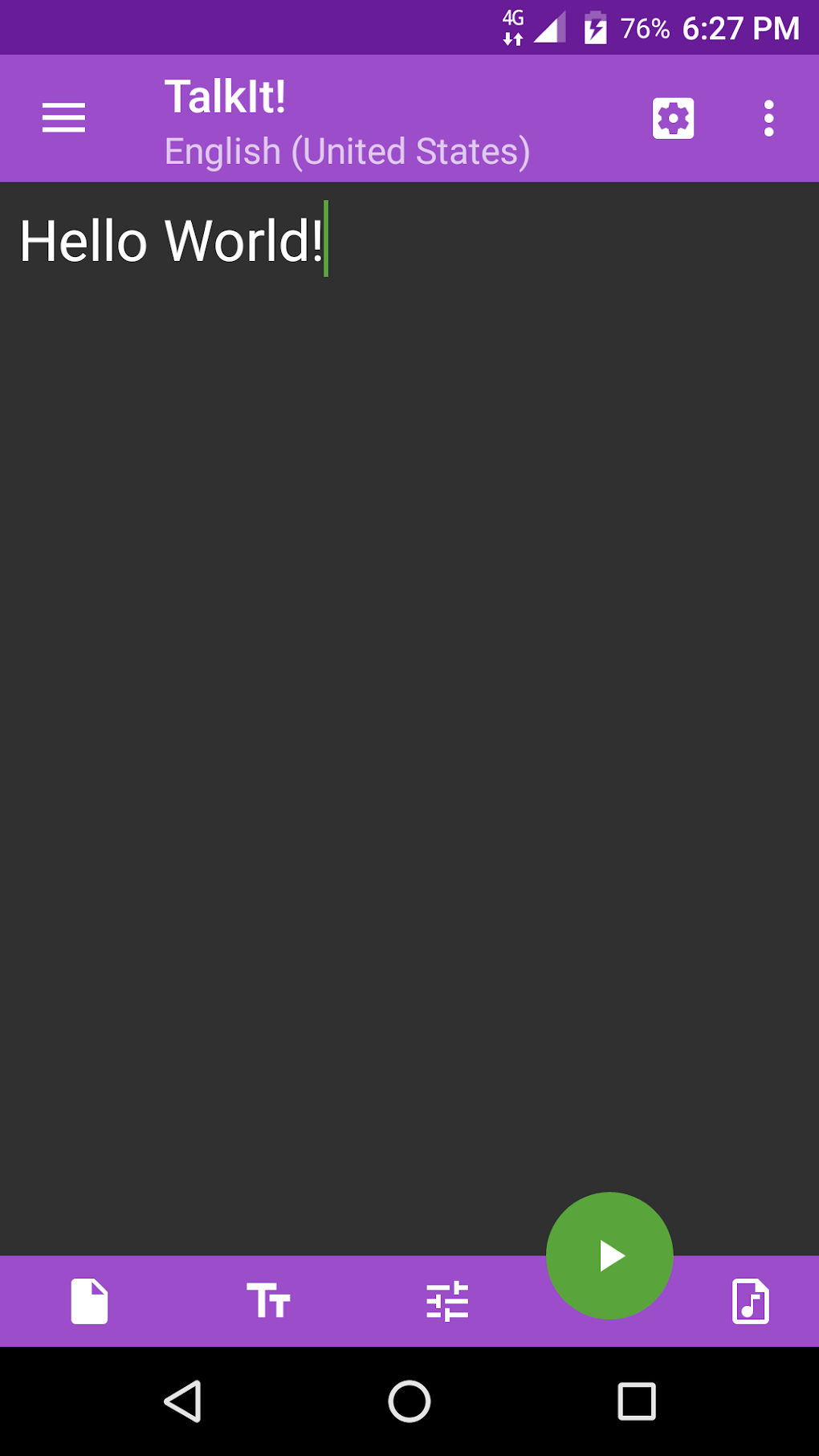
TalkIt prioritizes user control and customization, offering a range of options to personalize the audio output. Users can select from multiple voices, each with its unique characteristics, allowing them to find the best fit for their needs. This variety ensures a personalized listening experience, avoiding the monotonous feel of a single, limited voice. Moreover, the app allows for fine-tuning of several key parameters, including:
-
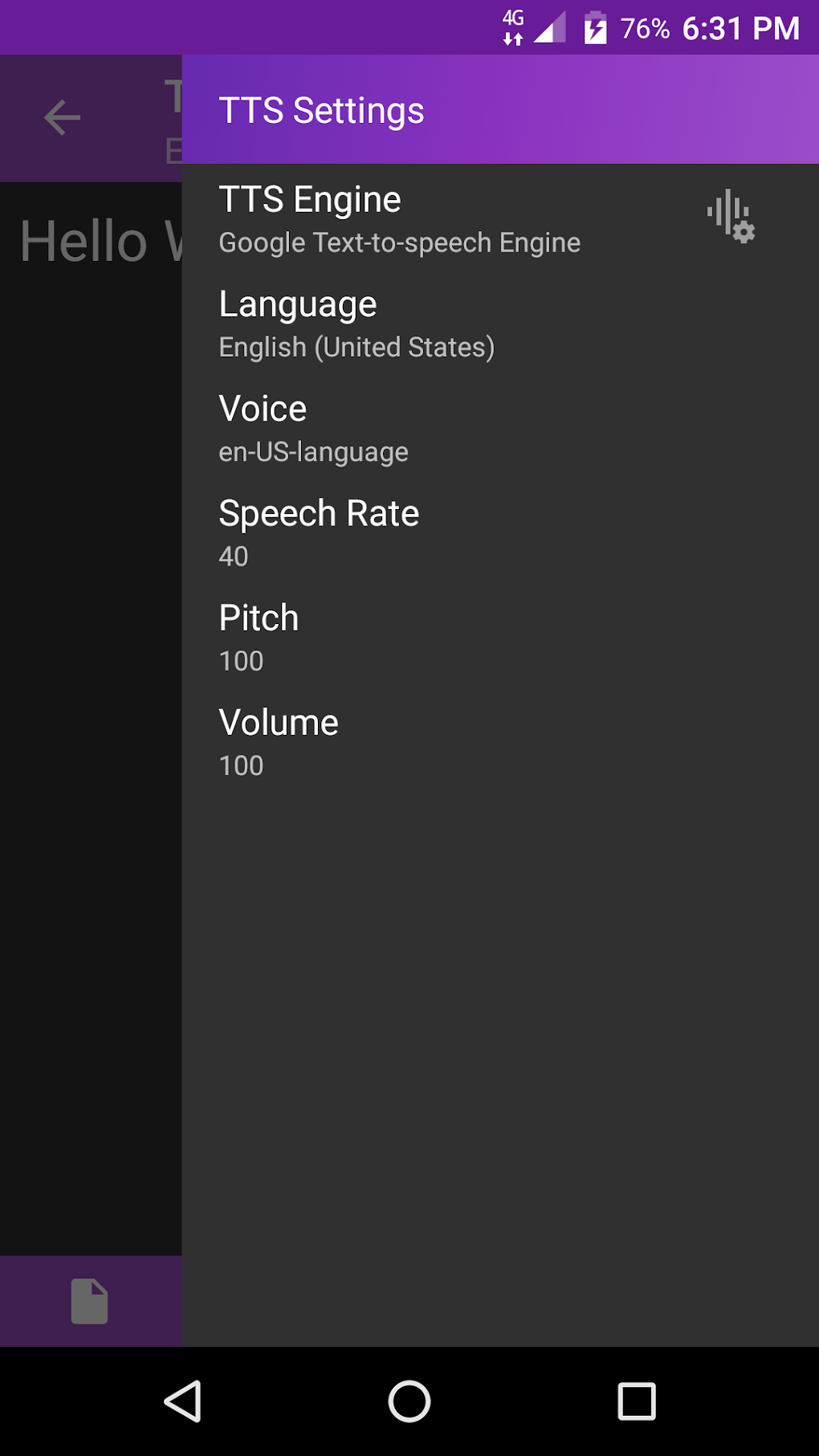
Speech Rate: Adjust the speed at which the text is converted to speech, catering to individual preferences and comprehension levels. This is particularly helpful for users who want to speed through material or need slower narration for better understanding.
-
Pitch: Modify the pitch of the voice, enhancing the overall tonality and expressiveness of the audio output. Experimentation with pitch variations can contribute significantly to a more natural and engaging listening experience.
-
Volume: Control the loudness of the audio, ensuring optimal audibility across different environments and devices. This basic yet essential adjustment is critical for comfortable listening in noisy or quiet surroundings.
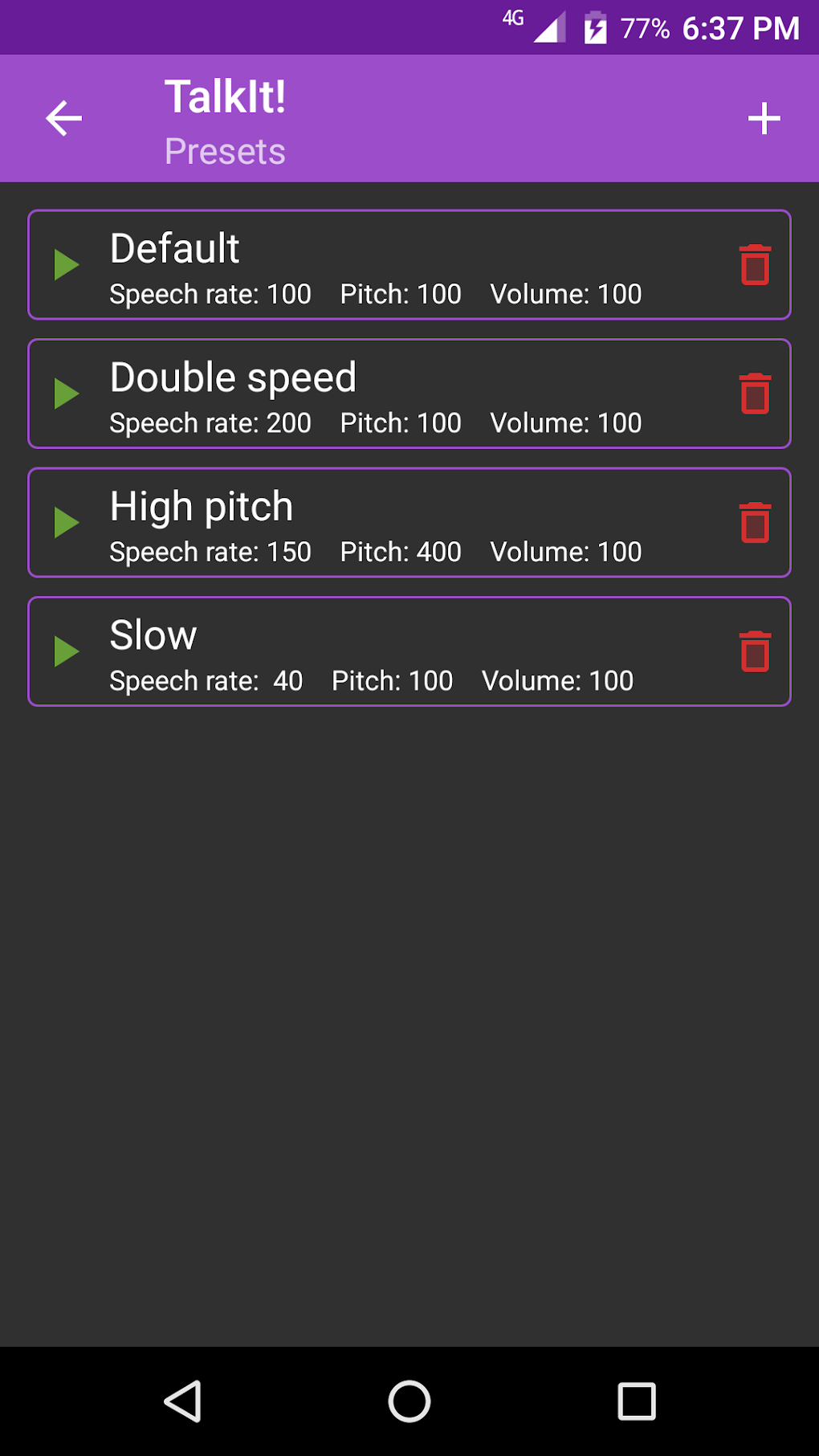
These customizable settings enable a level of personalization not always found in similar applications. While the app offers a selection of pre-set voice configurations, the ability to fine-tune parameters offers a broader range of options, giving users more control over the final audio product and allowing it to be adapted to a wider variety of personal preferences.
Testing and Experimentation: Finding the Perfect Sound
TalkIt recognizes the importance of finding the right voice and settings. Therefore, the app allows users to test the audio output with any preset or custom configurations before saving the final MP3 file. This testing feature saves storage space and avoids cluttering the device with unwanted audio files. Users can experiment with different voices, speech rates, pitch, and volume settings until they find the perfect combination that suits their preferences. This iterative approach ensures the generated audio aligns perfectly with the user’s needs and desires. The ability to preview the output without committing to saving it is a significant advantage, encouraging experimentation and refining the listening experience to optimal levels.
Strengths and Weaknesses: A Balanced Perspective
TalkIt offers several compelling advantages, positioning itself as a valuable tool for a diverse range of users. The ability to save audio as MP3 files for offline access, along with the comprehensive voice customization options, are clear strengths. The app’s intuitive interface also simplifies the process of converting text to speech, making it accessible to both tech-savvy and less experienced users.
However, the app does have limitations. The relatively small number of preset voice configurations is a notable drawback. While custom adjustments offer a high degree of personalization, a more extensive library of presets would cater to a wider range of preferences and reduce the need for extensive manual tweaking.
Beyond the Basics: Applications and Use Cases
TalkIt’s applications extend beyond the simple conversion of text to speech. Its versatility makes it suitable for various situations:
-
Accessibility: For individuals with speech impairments, TalkIt provides a valuable tool for communication, enabling them to easily share their thoughts and ideas.
-
Education: Students can use TalkIt to listen to textbooks, research papers, or lecture notes, enhancing their learning experience.
-
Productivity: Professionals can use TalkIt to convert meeting notes, emails, or reports into audio, allowing them to multitask and review information while performing other tasks.
-
Entertainment: Users can listen to articles, stories, or news reports on the go, freeing up their hands and eyes.
-
Language Learning: TalkIt facilitates language learning by allowing users to listen to the pronunciation of new vocabulary and phrases.
TalkIt: A Comprehensive Overview
TalkIt is a free, user-friendly Android application that excels at converting text into high-quality, customizable audio. Its offline functionality and personalized settings enhance its value. While the limited number of presets is a minor drawback, the app’s overall capabilities and ease of use outweigh this limitation. TalkIt offers a robust and accessible text-to-speech experience, making it a valuable tool for a wide range of users seeking to transform written content into audible form. Its ability to create offline, high-quality MP3s ensures that users can access their converted audio anytime, anywhere, providing a high level of convenience and functionality. The app’s potential for widespread use is high, appealing to diverse demographics and addressing multiple needs across various sectors.
User Reviews and Community Feedback (Placeholder)
This section would typically include user reviews and ratings gathered from platforms like PhanMemFree.org. However, as this is a generated response, we cannot provide actual user feedback. This space is reserved for future integration of real user reviews, offering valuable insights into the user experience.
Conclusion: A Valuable Addition to Your Mobile Toolkit
TalkIt proves to be a useful and adaptable text-to-speech application, providing a seamless and customizable experience for its users. While there’s room for improvement, particularly in expanding the number of preset voices, the app’s core functionality and ease of use make it a strong contender in the market of text-to-speech applications. Its accessibility and wide range of applications cement its place as a valuable addition to any Android user’s mobile toolkit. The ability to generate and save high-quality audio offline is particularly impressive and enhances the overall user experience, offering flexibility and convenience not always available in competing applications. The future potential of the app is bright, particularly with the incorporation of user feedback and the addition of features requested by the growing user base.
File Information
- License: “Free”
- Latest update: “July 3, 2024”
- Platform: “Android”
- OS: “Android 13.0”
- Language: “English”
- Downloads: “7.8K”
- Download Options: “Google Play”


