
Tapping Auto Clicker is a mobile automation tool designed to streamline repetitive tasks on Android devices. This review delves into its functionalities, ease of use, performance, and compares it to similar applications. We’ll explore its strengths and weaknesses to help you determine if it’s the right auto-clicker for your needs.
What is Tapping Auto Clicker?
Tapping Auto Clicker is a lightweight Android application that automates repetitive taps and clicks on your device’s screen. It’s primarily designed to assist users with mobile gaming and other tasks involving frequent, identical actions. Instead of manually performing the same clicks repeatedly, you can configure Tapping Auto Clicker to do it for you, freeing up your time and potentially improving your efficiency in games or other applications. The app operates as a background process, seamlessly executing the defined actions without significant impact on your device’s performance.
Functionality and Features
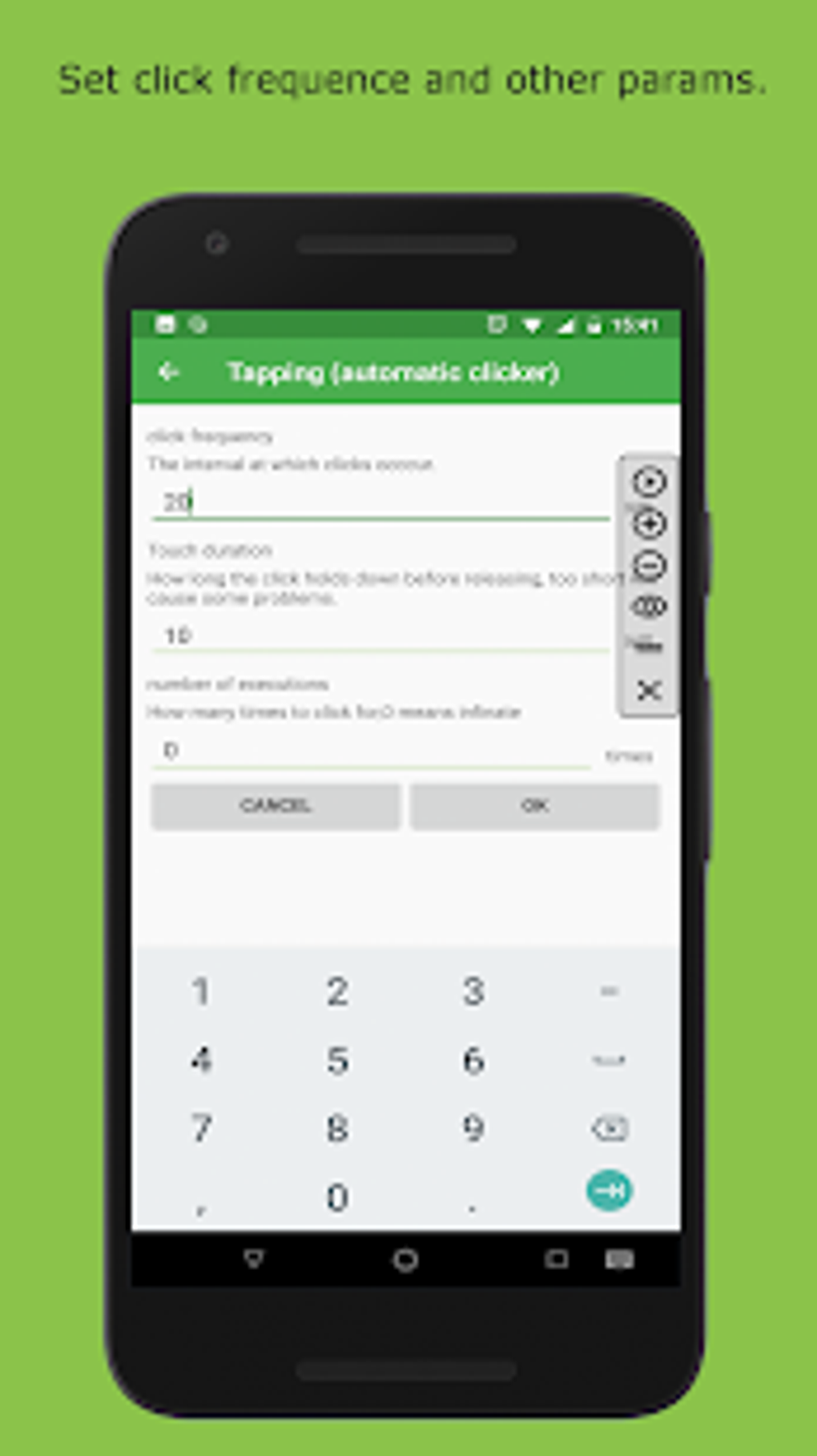
Tapping Auto Clicker offers a surprisingly robust set of features for its compact size. The core functionality centers around creating and executing automated tap sequences. Users can specify the location of the tap on the screen, the frequency (clicks per minute or clicks per interval), and whether to perform single or double clicks. This simple but effective approach makes it easy to automate a wide range of tasks.
One notable feature is its “Cross-App Tapping” capability. This allows the auto-clicker to function across different applications, not just within a single app. This greatly expands its usefulness, as you aren’t restricted to automating actions only within one game or program. This cross-app functionality makes it a versatile tool for handling tasks that span multiple applications.
The app’s interface is intentionally straightforward, prioritizing ease of use over complex configuration options. The main screen provides immediate access to all core functionalities, minimizing the learning curve for new users. While simplicity is a major strength, it also means users wanting highly advanced features, such as complex scripting or conditional actions, might find it limited.
Performance and Ease of Use
The app’s performance is generally praised for its smoothness and efficiency. It runs in the background without noticeable lag or crashes, a testament to its lightweight design and optimized code. The installation process is quick and straightforward, requiring minimal technical expertise. Even users unfamiliar with auto-clicker applications will find it easy to set up and start using.
The app’s intuitive interface contributes significantly to its user-friendliness. Configuration options are readily accessible, and the instructions are clear and concise, even for users new to such applications. The straightforward nature of the app means that most users will be able to set up automated clicks within minutes of downloading it. However, while the basic functionality is user-friendly, more advanced configurations might require some experimentation.
Advantages and Disadvantages
Pros:
- Lightweight and Efficient: The app consumes minimal resources and operates smoothly without significant impact on device performance.
- Easy to Use: The simple interface and straightforward configuration make it accessible to users of all technical skill levels.
- Cross-App Functionality: Allows for automation across multiple applications, expanding its versatility.
- Customizable Click Frequency: Users can precisely control the frequency of clicks, adapting it to specific tasks.
- Regular Updates: The developers consistently release updates, suggesting ongoing maintenance and improvement.
- Quick Installation: The installation process is exceptionally fast and straightforward.
Cons:
- Limited Advanced Features: The app lacks advanced features found in some competing applications, such as complex scripting or conditional logic. Power users who require intricate automation might find it restrictive.
- Potential for Redundant Functions: Some users have reported the presence of redundant functions, which could be streamlined for improved efficiency.
- Occasional System Interference: In some instances, the app’s automated actions might interfere with system processes, requiring manual intervention or adjustments. This might be less a problem with the app itself and more a consequence of interacting with poorly coded apps or games.
Comparison with Alternative Auto-Clicker Apps
The Android market offers several alternative auto-clicker applications. Comparing Tapping Auto Clicker to competitors reveals both strengths and weaknesses. Some alternatives might provide more advanced features, like scripting capabilities or macro recording, but often come with more complex interfaces and higher resource consumption. Tapping Auto Clicker excels in its simplicity and ease of use, making it ideal for users who need straightforward automation without the complexity of advanced features. The choice of app ultimately depends on the user’s specific needs and technical expertise. Some potential alternatives include:
- Automatic Tap Auto Clicker: Similar in functionality but potentially with a different interface and feature set.
- Auto Clicker - Automatic tap: Another option focusing on automated tapping, which may offer unique advantages or disadvantages compared to Tapping Auto Clicker.
- Automatic Clicker: A general-purpose auto-clicker application, offering a broader range of features but potentially at the cost of increased complexity.
- Ultra AutoClicker: This competitor might offer a more extensive feature set or a different approach to automation.
- Auto Tapper Auto Clicker: Another contender in the auto-clicker arena, likely with its own strengths and weaknesses.
- FastTap automatic clicker ROOT or ADB: This requires root access or ADB, significantly increasing the technical requirements. It might provide advantages for experienced users who can utilize these methods.
- Volume Key Auto Clicker: A specialized auto-clicker that leverages volume buttons, potentially offering advantages or disadvantages depending on the specific task.
Conclusion
Tapping Auto Clicker is a practical and user-friendly auto-clicker application ideal for users seeking simple, efficient automation of repetitive tasks on their Android devices. Its straightforward interface, lightweight design, and cross-app functionality make it a solid choice for both beginners and experienced users requiring basic automation capabilities. While it lacks advanced features found in some competitors, its ease of use and reliable performance outweigh these limitations for many users. If you’re looking for a simple and effective way to automate repetitive taps and clicks on your Android device, Tapping Auto Clicker is a worthy contender. However, if you require sophisticated automation features such as scripting, macro recording, or complex conditional actions, you might need to explore more feature-rich alternatives. Remember to always be mindful of the legal implications of using auto-clickers in various contexts, including online games. Misuse can lead to account bans or other penalties.
File Information
- License: “Free”
- Version: “1.3.4.3”
- Latest update: “May 22, 2023”
- Platform: “Android”
- OS: “Android 9.0”
- Language: “English”
- Downloads: “46.4K”
- Size: “2.87 MB”
- Download Options: “APK, Google Play”
- Filename: “com.autoclicker.clicker-1.3.4.3.apk”


