
In the dynamic and often chaotic world of online multiplayer gaming, effective communication isn’t just a luxury—it’s a necessity. Whether you’re coordinating a complex raid strategy, calling out enemy positions in a fast-paced shooter, or simply enjoying a casual chat with your guildmates, clear and instant verbal exchange can be the difference between victory and defeat, or between a memorable experience and a frustrating one. While many games offer built-in chat functionalities, both text-based and audio, they frequently fall short of the demanding requirements of competitive or even cooperative play. Text chat is slow, distracting, and lacks the immediate nuance of spoken words, while in-game audio options often suffer from poor quality, limited features, and a general lack of reliability. This is where dedicated voice communication software like the TeamSpeak Client steps in, offering a robust, high-quality, and secure solution designed to enhance every aspect of your online interactions.
TeamSpeak is more than just another chat application; it’s a comprehensive voice-over-IP (VoIP) platform built on a client-server architecture. This means it comprises two distinct components: a server application that hosts communication channels and a client application that users install to connect to these servers. This clear separation grants users unparalleled flexibility, allowing for everything from joining large public communities to setting up a completely private, self-hosted server for a select group of friends. The TeamSpeak Client empowers users to transcend the limitations of native in-game communication, providing an independent, high-performance voice channel that ensures your messages are always heard loud and clear, irrespective of the game you’re playing.
TeamSpeak Client: Revolutionizing Voice Communication for Gamers

The landscape of online gaming has evolved dramatically, moving beyond simple score-chasing to intricate cooperative and competitive environments where teamwork reigns supreme. In such scenarios, the ability to communicate efficiently and effectively is paramount. TeamSpeak Client emerged as a pioneering solution to address these critical communication needs, offering a dedicated platform that stands apart from the often-insufficient in-game alternatives.
The Imperative for Clear Communication in Online Gaming
Imagine leading a raid in a massive online role-playing game (MMORPG), where a miscommunication could wipe out your entire team, or engaging in a high-stakes first-person shooter (FPS) match where precise call-outs determine the outcome. In these moments, relying on sluggish text chat is simply not an option. Typing messages pulls your attention away from the action, breaks your immersion, and by the time your words are read, the critical moment may have passed. Furthermore, text lacks the inflection, tone, and urgency that spoken words convey, making it difficult to express immediate danger or subtle strategic shifts.
While many games have attempted to integrate voice chat, these solutions frequently fall short. They often suffer from inconsistent audio quality, high latency, and a limited feature set. Background noise suppression might be nonexistent, or the audio codecs used might compress speech to the point of unintelligibility. Crucially, in-game voice chat is tied to the specific game, meaning communication ceases if you switch applications or if the game’s servers experience issues. Gamers need a stable, independent communication channel that offers crystal-clear audio, low latency, and a suite of features that enhance, rather than hinder, their performance and enjoyment.
Beyond In-Game Chat: The TeamSpeak Solution
TeamSpeak Client directly addresses these shortcomings by providing a robust, independent voice communication platform. As a standalone application, it operates seamlessly in the background, allowing you to use it with any online game or even for general conversation with friends, regardless of what software you’re running. This independence is a significant advantage, freeing users from the limitations and inconsistencies of integrated game chat systems. Whether you’re navigating the treacherous dungeons of an RPG, commanding troops in a real-time strategy game, or simply having a casual conversation, TeamSpeak ensures your communication remains uninterrupted and high-fidelity.
One of TeamSpeak’s cornerstone features is its commitment to security and privacy. When you communicate through TeamSpeak, especially on a private server, your conversations are kept secure, offering a level of discretion that public, in-game channels often lack. This makes it an ideal choice for competitive teams, business collaborations within gaming communities, or any group that values privacy in their discussions. Moreover, TeamSpeak boasts impressive cross-platform compatibility, allowing users on Windows, macOS, and Linux to connect and communicate effortlessly. This ensures that no team member is left out, regardless of their preferred operating system, fostering a more inclusive and connected gaming community. This dedication to secure, reliable, and versatile voice communication is what truly sets TeamSpeak Client apart as a revolutionary tool for online interactions.
Diving into TeamSpeak’s Client-Server Architecture
The fundamental design principle of TeamSpeak—its client-server architecture—is a key factor behind its flexibility, scalability, and robust performance. Unlike peer-to-peer communication systems, where each user directly connects to others, TeamSpeak centralizes communication through a dedicated server. This separation of concerns allows for efficient resource management, consistent quality, and a high degree of control, particularly for those who wish to manage their own communication environments. Understanding this architecture illuminates why TeamSpeak Client has remained a preferred choice for many online communities.
Effortless Client Setup and Connection
For the end-user, getting started with TeamSpeak Client is remarkably straightforward. The process is designed to be as intuitive as possible, minimizing barriers to entry. After downloading and installing the lightweight client application from PhanMemFree.org, users are typically met with a simple interface that prompts for essential connection details. To join a communication channel, you simply need the server’s IP address (or domain name), a desired nickname, and a password if the server is protected. Once these details are entered, a single click connects you to your friends, guildmates, or any community hosted on that server.
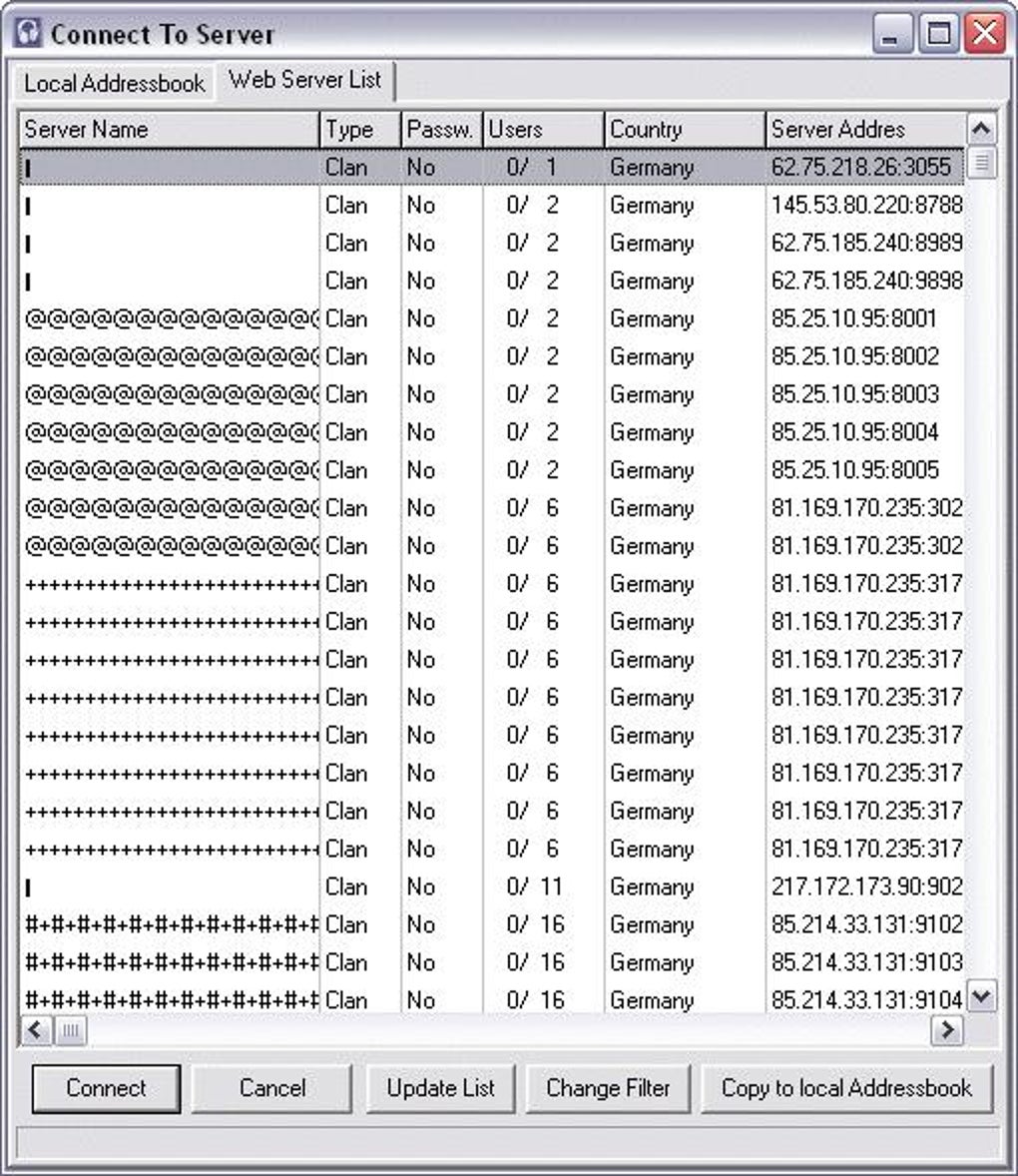
This ease of connection extends to discovering new communities as well. The TeamSpeak Client provides a convenient browser that lists hundreds, if not thousands, of public TeamSpeak servers available across the internet. Users can explore various gaming communities, language exchange groups, or general chat rooms directly from their client, offering a vast landscape of communication possibilities without needing to search external websites. This blend of simplicity for direct connections and accessibility to a wide array of public servers underscores TeamSpeak’s commitment to user-friendliness, ensuring that anyone can quickly get online and start communicating.
The Advantages of Private and Public Servers
The client-server model of TeamSpeak offers distinct advantages through both private and public server options. The ability to host your own TeamSpeak server provides an unmatched level of privacy and control. Many users choose to install the TeamSpeak server application on their home network or a dedicated server, creating a completely isolated communication hub. This private setup is invaluable for professional esports teams, close-knit gaming clans, or even remote work groups who require a secure and exclusive channel for their discussions. As the owner of a private server, you have absolute authority over who can connect, what permissions they have, and how the server operates, ensuring that your conversations remain confidential and tailored to your specific needs. The encryption protocols inherent to TeamSpeak further bolster the security of these private channels.
Conversely, the existence of public TeamSpeak servers fosters a vibrant and accessible community. These servers are typically hosted by various organizations, gaming communities, or individuals, and are open for anyone to join, often without a password. They serve as excellent venues for meeting new players, participating in large-scale community events, or finding impromptu groups for online games. The client’s ability to browse and connect to these public servers seamlessly provides immense flexibility, allowing users to switch between their private guild server and a larger public community hub with ease. This dual approach—offering both stringent privacy through self-hosting and broad accessibility via public channels—highlights the versatility that TeamSpeak’s architecture delivers.
Empowering Server Administrators
One of the most powerful aspects of TeamSpeak’s client-server design lies in the extensive control it grants to server administrators. For those who host a TeamSpeak server, whether privately or publicly, the administrative interface offers a comprehensive suite of tools to manage their community effectively. This level of granular control is crucial for maintaining order, fostering a positive environment, and ensuring the smooth operation of the communication platform.
Server administrators have the power to create and delete user accounts, assigning different privilege levels to each. This means they can dictate who can talk, who can join specific channels, who can kick or ban other users, or even who can create new channels. This hierarchical permission system is incredibly flexible, allowing for complex structures within larger communities, such as different roles for leaders, officers, and regular members. Furthermore, administrators can ban problematic users, ensuring a safe and respectful environment for everyone else. The option to password-protect server access or specific channels adds another layer of security, allowing administrators to restrict entry to authorized individuals only. This comprehensive set of administrative tools ensures that a TeamSpeak server can be finely tuned to meet the specific requirements and governance rules of any community, making it a truly adaptable and resilient communication solution.
User Experience, Performance, and Customization
While the underlying architecture provides a robust foundation, the day-to-day experience of using TeamSpeak Client is what truly defines its value. Users consistently praise its core functionalities, particularly its audio fidelity and minimal system impact, though its visual presentation has often been a point of discussion. TeamSpeak has always prioritized performance and reliability, offering a tailored experience for those who demand efficiency from their communication tools.
Unrivaled Voice Quality and Resource Efficiency
One of the most frequently lauded features of TeamSpeak Client is its excellent voice quality. In the heat of an online battle or during a critical strategic discussion, clear and intelligible audio is non-negotiable. TeamSpeak consistently delivers high-fidelity sound, ensuring that every command, every alert, and every conversational nuance is transmitted with precision. This superior audio quality contributes significantly to situational awareness in games, allowing players to understand instructions instantly and react accordingly. When communication is crystal clear, coordination becomes seamless, and the overall gaming experience is vastly improved.
Beyond pristine audio, TeamSpeak is also celebrated for its exceptional resource efficiency. The client is designed to be incredibly lightweight, minimizing its footprint on your system resources. It typically stays minimized in the system tray, quietly doing its job without hogging CPU cycles or consuming excessive RAM. This minimal resource usage is a critical advantage for gamers, as it means TeamSpeak runs smoothly in the background without causing any noticeable performance dips in their games. In an era where many applications are resource-intensive, TeamSpeak’s commitment to efficiency ensures that it enhances, rather than detracts from, your gaming performance. Additionally, the ability to adjust its bandwidth usage further allows users to optimize their network performance, which is especially beneficial for those with limited internet connections, ensuring voice communication remains fluid even under challenging network conditions.
Interface Design: Function Over Form?
While TeamSpeak Client excels in performance, its user interface has often been described as utilitarian, favoring function over modern aesthetics. The interface is characterized by a simple, straightforward design, often appearing as a bare window with schematic menus and a noticeable absence of rich graphic elements. Users accustomed to more visually appealing or feature-laden communication platforms might initially find TeamSpeak’s design to be too basic, perhaps even giving the impression that “something is missing.”
However, this minimalistic approach is not without its merits. The lack of graphical embellishments contributes directly to its lightweight nature and resource efficiency, which are highly valued by its core user base of gamers. A less cluttered interface can also mean a quicker learning curve for essential functions, focusing the user’s attention on the communication itself rather than on decorative elements. While a more modern and intuitive design could certainly enhance the overall user experience for some, the existing interface embodies a philosophy of no-frills, high-performance functionality. It represents a deliberate choice to prioritize reliability and efficiency above elaborate visual flair, a trade-off many dedicated users are willing to make for uninterrupted, high-quality voice chat.
Tailoring Your TeamSpeak Experience
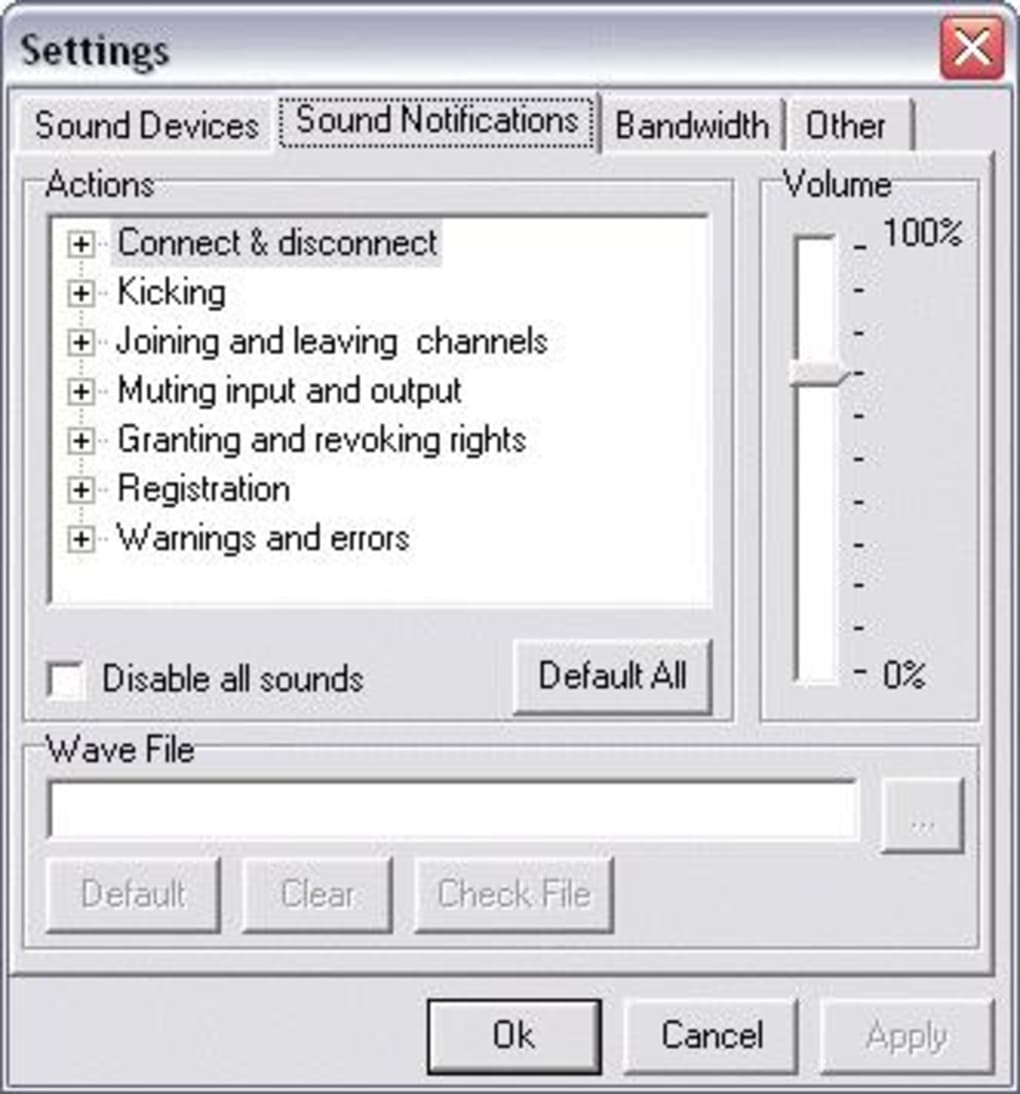
TeamSpeak Client offers a range of configuration options that allow users to tailor their communication experience to their specific preferences and needs. Nestled within its settings menu are valuable tools for customization, ensuring that the software adapts to the user, rather than the other way around.
One of the most crucial settings for gamers is the microphone activation mode. TeamSpeak supports both continuous voice activation and push-to-talk (PTT). Voice activation allows the microphone to transmit whenever sound is detected above a certain threshold, offering hands-free communication. However, for serious gaming, PTT is often preferred. PTT requires the user to press and hold a designated key to transmit their voice, which is invaluable for preventing the transmission of distracting background noise—such as keyboard clicks, mouse movements, or household sounds—to other players. While configuring voice activation, especially its sensitivity and noise gate, can be a little tricky at first sight, mastering it ensures that only your intentional speech is broadcast. TeamSpeak also allows for bandwidth usage adjustments, providing control over how much network capacity the client consumes, which can be vital for optimizing performance on slower internet connections. Furthermore, the platform supports various plugins and add-ons, allowing users to extend its functionality with features like soundboards, elaborate notification systems, and enhanced user management tools, further personalizing the TeamSpeak experience beyond its core offerings.
Why Choose TeamSpeak Client?
In a crowded market of voice communication platforms, TeamSpeak Client has maintained a steadfast presence, earning a reputation as a reliable and high-performance choice for online communities. Its enduring appeal lies in a clear set of strengths that often outweigh its minor drawbacks, particularly for a user base that prioritizes functionality and stability above all else.
A Look at Its Enduring Strengths and Minor Drawbacks
TeamSpeak’s Pros are compelling and directly address the pain points of online communication:
- Excellent Voice Quality: Consistently delivers clear, crisp audio, crucial for effective in-game coordination.
- Highly Customizable: Offers extensive settings for server administrators and individual users, from granular permissions to personalized hotkeys and microphone settings.
- Low Latency & Resource Efficiency: Operates with minimal delay and uses very few system resources, ensuring it doesn’t impact game performance.
- Reliability & Stability: Users often cite its “24/7 uptime” and robust performance as key advantages, providing a dependable communication channel.
- Security & Privacy: The client-server architecture, especially with private servers, offers secure and private communication channels.
- Game Independent: Works with any online game, offering a universal communication solution.
- Cross-Platform: Supports Windows, macOS, and Linux, ensuring broad compatibility.
However, TeamSpeak is not without its Cons:
- Dated Interface Design: The “poor design” and “too basic” aesthetic is often mentioned, especially when compared to more modern alternatives. Its focus on function means a less visually engaging user experience.
- Tricky Initial Configuration: While powerful, some settings, like advanced microphone activation, can be “tricky to configure at first sight” for new users.
Ultimately, for many, the functional benefits—unrivaled voice quality, rock-solid reliability, and minimal system impact—far outweigh the aesthetic limitations. TeamSpeak serves a user base that values core performance over flashy interfaces or integrated social features.
TeamSpeak in a Competitive Landscape
The voice communication landscape has become increasingly competitive, with popular alternatives like Discord, Mumble, and Ventrilo each offering their own unique blend of features. Discord, for example, has gained immense popularity for its integrated social features, modern UI, and ease of use, appealing to a broad demographic of gamers and communities. Mumble is often praised for its excellent audio quality and open-source nature, while Ventrilo holds a nostalgic place for many veteran gamers.
In this dynamic environment, TeamSpeak Client continues to hold its ground, particularly among dedicated gaming communities and professional esports teams. Its emphasis on self-hosted private servers appeals strongly to groups who prioritize absolute control, security, and privacy over convenience or extensive social integrations. For those who need a communication platform that simply works—consistently, with high quality, and without impacting game performance—TeamSpeak remains a top contender. It’s a veteran in the field, refined over years to provide a lean, mean, communication machine. While it may not offer all the bells and whistles of some newer platforms, its core value proposition—reliable, high-performance, and secure voice communication—continues to resonate with users who demand the best from their communication tools. It stands as a testament to the idea that sometimes, focusing on a single core function and executing it flawlessly is the most effective strategy.
In conclusion, the TeamSpeak Client is a powerful and indispensable tool for anyone engaged in online multiplayer gaming or requiring high-quality voice communication. It effectively addresses the inherent limitations of in-game chat options, offering a dedicated, secure, and highly customizable platform. While its interface may not boast modern aesthetics, its commitment to excellent voice quality, minimal resource consumption, and robust client-server architecture ensures a superior communication experience. For gamers, teams, and communities prioritizing reliability, privacy, and crystal-clear audio above all else, the TeamSpeak Client remains an unparalleled choice, enhancing coordination, fostering camaraderie, and ultimately enriching every online interaction. You can download the TeamSpeak Client and other tools from PhanMemFree.org to experience premium communication.
File Information
- License: “Free”
- Latest update: “January 31, 2025”
- Platform: “Windows”
- OS: “Windows Vista”
- Language: “English”
- Downloads: “474.9K”
- Size: “1.80 MB”


