
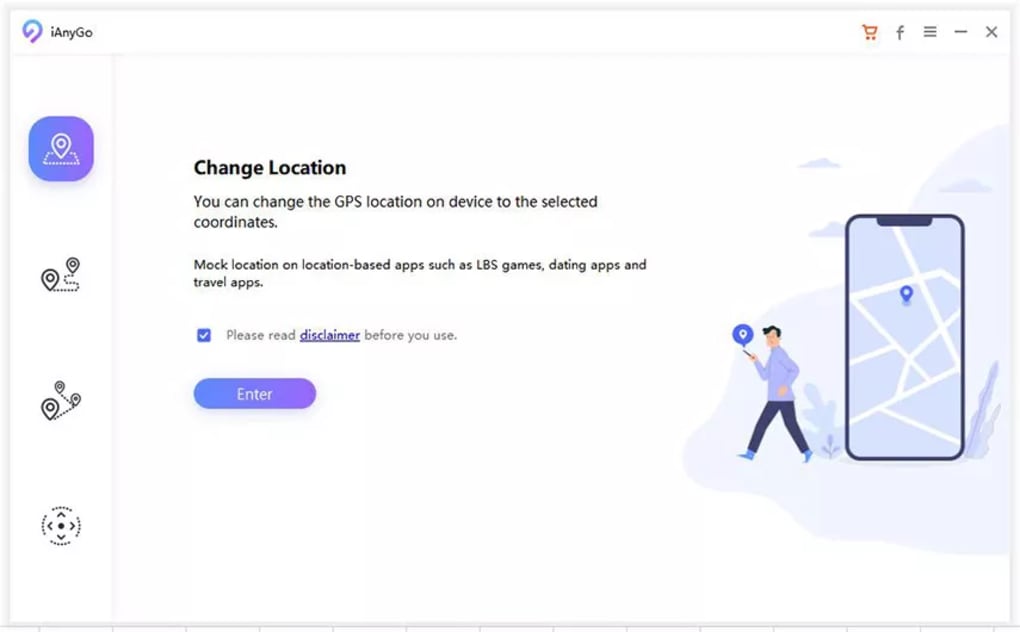
Tenorshare iAnyGo is a user-friendly application designed to modify a device’s GPS location without requiring complex procedures like jailbreaking or rooting. This tool provides a straightforward method for altering GPS coordinates, allowing users to virtually “teleport” to different locations on their device’s map. This capability opens up possibilities for various uses, ranging from enhancing gaming experiences to accessing geo-restricted content. However, it’s crucial to understand the ethical and legal implications associated with its use before exploring its functionalities. This guide provides a detailed overview of Tenorshare iAnyGo, its features, how to use it, and its potential limitations.
Understanding Tenorshare iAnyGo’s Functionality
Tenorshare iAnyGo acts as a virtual GPS location changer, manipulating the GPS data reported by your device to applications and online services. Instead of physically moving, you can simulate your location on your device, appearing to be in a completely different geographical location. This is achieved through sophisticated software techniques that intercept and modify the location data transmitted by your device’s GPS. This differs from other GPS spoofing methods that may involve root access or jailbreaking, which can compromise device security and stability. iAnyGo maintains the integrity of your device while achieving the desired location modification.
This functionality is particularly useful for several applications:
-
Gaming: Location-based games like Pokémon Go often require physical movement to progress. iAnyGo allows players to simulate movement, potentially unlocking game features or catching rare Pokémon without needing to leave their homes.
-
Social Media: Users can change their location on social media platforms like Facebook and Instagram to appear as if they are in a different location. This might be used for showcasing travel experiences without actually travelling or for connecting with people in specific regions.
-
Testing Geo-Restricted Apps: Many applications and services are limited to specific geographical regions. iAnyGo enables users to test or use these services even if they are not physically located within the designated region.
-
Testing Location-Based Services: Developers can use this tool to effectively test the location-based features of their applications from a single location, avoiding the need for multiple physical locations to carry out comprehensive testing.
Navigating the Three Dynamic Modes of iAnyGo
Tenorshare iAnyGo offers three distinct modes to simulate GPS location changes, each designed to cater to different user needs:
-
Single-Spot Mode: This mode allows users to instantly teleport their device to a single, pre-selected location. This is ideal for situations where you need to instantly change your location to a specific point on the map. Entering the address or coordinates directly is sufficient to teleport to the target location.
-
Multi-Spot Mode: This mode simulates movement between multiple pre-defined locations. You can create a customized route by selecting several points on the map. The application will then simulate movement along the specified route, providing a more realistic representation of movement than the Single-Spot mode. This is useful for games or apps that require continuous movement to function correctly.
-
Joystick Mode: This mode offers the most realistic and dynamic location simulation. Using a virtual joystick, you control the movement of your virtual location in real-time. This allows for granular control over your simulated movement, mimicking natural walking or driving patterns, and allows for precise changes in direction and speed. The speed can be adjusted for various scenarios, up to a remarkable 108 km/h (67 mph).
The intuitive interface of iAnyGo ensures that users can easily switch between these modes depending on their specific requirements, further enhancing the overall user experience.
Utilizing Tenorshare iAnyGo: A Step-by-Step Guide
Changing your device’s GPS location using Tenorshare iAnyGo is incredibly straightforward. The process typically involves three simple steps:
-
Mode Selection: Begin by selecting the appropriate mode based on your desired level of location simulation (Single-Spot, Multi-Spot, or Joystick). Each mode offers varying degrees of control and realism.
-
Location Input: Once the mode is chosen, access the integrated map and use the search functionality to input your desired destination. You can enter an address, a point of interest, or the specific GPS coordinates (latitude and longitude) for precise targeting.
-
Location Modification: After selecting the location, click the “Start to Modify” button. The application will then update your device’s GPS location to reflect the chosen coordinates. The change is instantaneous and will be reflected in all compatible applications on your device.
The integrated map feature boasts a zoom functionality, enhancing the precision of location selection. Additionally, the application automatically keeps a record of your past locations and timestamps, providing a helpful history for future reference. You also have the option to import GPX files for even greater customization and control over your simulated routes.
Advanced Features and Considerations
Tenorshare iAnyGo integrates several advanced features designed to improve user experience and versatility:
-
GPX File Import: The ability to import GPX files significantly enhances the flexibility and precision of route creation. This allows users to import pre-planned routes from other applications or GPS tracking devices. This is particularly beneficial for users who already have detailed routes mapped out.
-
Interactive Map: The detailed map displays your current virtual location in real-time, along with your chosen destination and planned routes (in Multi-Spot mode). The zoom functionality allows for precise selection and route planning.
- Historical Records: A history feature records all your past simulated locations and the timestamps, allowing you to easily revisit previous locations if needed.
However, despite its robust features, users should be aware of certain limitations and responsible usage practices:
-
App Compatibility: While Tenorshare iAnyGo works with a wide range of applications, certain applications, particularly those with robust anti-cheat or security measures (frequently found in online games), might detect the altered location data and impose restrictions or bans. It’s advisable to exercise caution and be aware of the terms of service of the applications you intend to use with this tool.
-
Ethical and Legal Implications: Spoofing your GPS location should only be done within the bounds of the law and the terms of service of the applications you use. Misusing the tool for fraudulent activities or violating app policies can result in account suspension or legal consequences. Always adhere to the ethical guidelines and legal regulations applicable in your jurisdiction.
-
Personal Use Only: Tenorshare iAnyGo is intended for personal use. Commercial exploitation of the software’s capabilities is strongly discouraged, as it could violate the terms of service of the platforms you use or be in breach of local laws.
In conclusion, Tenorshare iAnyGo offers a powerful and versatile solution for modifying your device’s GPS location. Its user-friendly interface and multiple modes cater to diverse needs, ranging from gaming enhancements to testing location-based services. However, responsible and ethical use is paramount to avoid potential negative consequences. Always operate within legal and ethical guidelines and respect the terms of service of the applications you use in conjunction with this software.
File Information
- License: “Free”
- Latest update: “November 27, 2024”
- Platform: “Windows”
- OS: “Windows 11”
- Language: “English”
- Downloads: “30K”
- Size: “1.89 MB”


