
Termux is a versatile and powerful utility application that transforms your Android smartphone or tablet into a fully functional Linux environment. Developed by Fredrik Fornwall, this free and open-source terminal emulator allows users to access the command line interface directly within the Android operating system, bypassing the need for root access or complex setup procedures. This opens up a world of possibilities for both experienced Linux users and those looking to explore the capabilities of a command-line interface within the familiar context of their mobile device.
A Linux Environment in Your Pocket
Android’s underlying architecture is based on a modified version of the Linux kernel. While the user interface provides a visually intuitive experience, many of the advanced features and functionalities inherent to Linux remain largely hidden from the typical Android user. Termux effectively bridges this gap by providing a direct access point to the command line, unlocking a wealth of potential previously inaccessible on most Android devices.
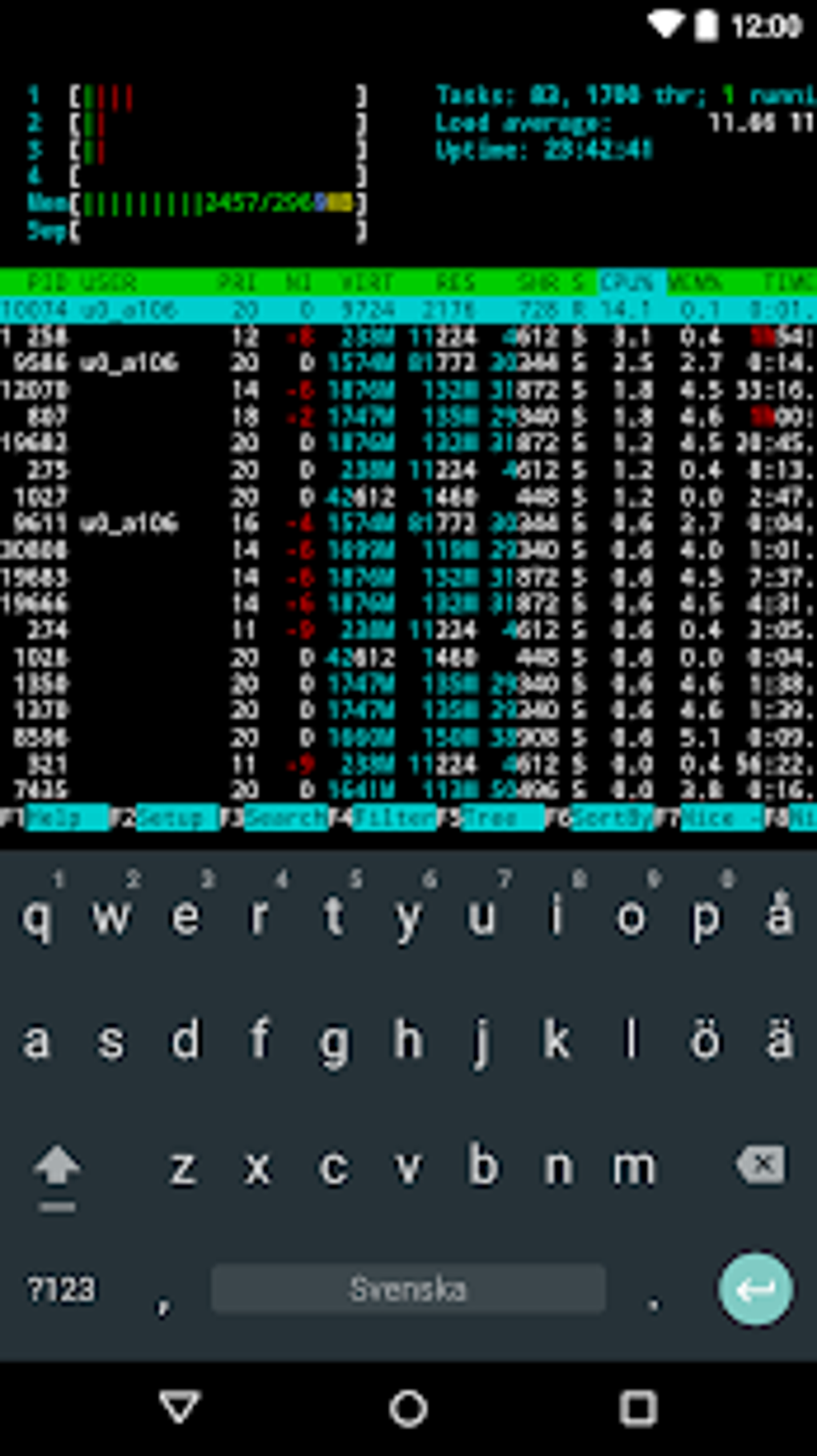
Unlike other terminal emulators which may require root privileges or additional dependencies, Termux operates seamlessly within the standard Android environment. The application provides a familiar, minimalist interface – a clean black background and text-based commands – allowing users to focus on the power of the Linux environment without unnecessary visual distractions. Users can seamlessly switch between bash and zsh shells, choosing the command line interface best suited to their needs and workflow. File management is simplified with the inclusion of built-in support for nano and vim text editors, providing familiar tools for navigating and manipulating files within the Termux environment.
Beyond basic command line access, Termux offers remarkable functionality. The app facilitates secure remote server access via SSH, enabling users to manage servers and networks from their mobile device. Users can use Python directly within the app, making it a convenient pocket calculator or for scripting purposes. Termux also unlocks the potential to play text-based games, offering classic adventure games that leverage the power of the command line for interactive gameplay. Further extending its versatility, Termux allows for C programming using the Clang compiler and GDB debugger, transforming the device into a mobile coding environment for those who value coding on the go.
A Broad Spectrum of Applications
The capabilities of Termux extend far beyond simple command-line interactions and game playing. The application’s flexibility and openness empower users to tackle a diverse array of tasks and projects:
-
Automation: Termux allows for the creation of shell scripts to automate repetitive tasks, streamline workflows, and integrate with other applications. This includes things like automatically backing up files, managing device settings, and even creating custom widgets or shortcuts.
-
System Administration: While not a replacement for full-fledged system administration tools, Termux can be invaluable for monitoring system processes, managing network connections, and troubleshooting basic system issues. This is particularly useful for those working with servers or networks remotely.
-
Development and Programming: As previously mentioned, Termux allows for C programming and offers extensive package management capabilities, granting access to a wide range of development tools and libraries. This means that developers can build and test code, compile programs, and even deploy applications, all from their mobile devices. This is particularly beneficial for those who wish to work on projects while on the move, offering a surprisingly robust mobile development environment.
-
Data Analysis: The availability of programming languages like Python opens up doors to data analysis and manipulation directly on the device. This simplifies the process of working with data sets, creating charts, and performing analysis without needing a full-blown desktop computer.
-
Networking: Through its SSH functionality and other networking tools, Termux allows for remote access to network devices and servers, offering a mobile-friendly solution for network monitoring and management.
-
Security Auditing: For security-conscious users, Termux can be used to run security scans, identify vulnerabilities, and analyze network traffic. While not a comprehensive security suite, it provides a powerful set of tools that can be used as part of a larger security strategy.
Ease of Use and Learning Curve
While Termux offers a compelling set of features and capabilities, its command-line interface may present a steep learning curve for novice users. A fundamental understanding of Linux commands, shell scripting, and command-line navigation is essential to fully leverage Termux’s capabilities. Individuals unfamiliar with these concepts might find the interface challenging and require considerable time and effort to master its functionalities. This is important to consider when evaluating Termux’s suitability based on individual experience and technical proficiency. However, the wealth of online resources, tutorials, and documentation available for both Linux and the specific command-line tools within Termux significantly mitigates this challenge.
Compatibility and Limitations
It’s crucial to note that Termux’s compatibility with various Android versions isn’t absolute. While generally compatible with a wide range of Android versions, some features or functionalities may be affected by specific Android versions or device configurations. Furthermore, certain tools and packages may have specific compatibility requirements that need to be addressed. Users should always consult the official Termux documentation and community forums for the most up-to-date information on compatibility and potential limitations. The open-source nature of the application and the actively engaged community often lead to rapid solutions to compatibility challenges and feature requests, making it a dynamic and consistently improved platform. Although the application’s primary focus remains on providing a powerful terminal emulator within Android, ongoing development continuously expands its capabilities and addresses compatibility issues, ensuring a positive user experience.
In summary, Termux offers an exceptional blend of power and portability. It empowers users with the capabilities of a full Linux environment on their Android devices, opening up a wide array of possibilities for automation, development, system administration, and more. While the learning curve can be steep for novices, the reward is a robust and flexible tool that can dramatically enhance the functionality and capabilities of an Android device, making it a valuable asset for both experienced Linux users and those keen to explore the world of command-line computing. The open-source nature and active community support ensure that Termux will continue to evolve and improve, solidifying its position as a leading mobile terminal emulator.
File Information
- License: “Free”
- Latest update: “January 24, 2025”
- Platform: “Android”
- OS: “Android 13.0”
- Language: “English”
- Downloads: “437.3K”
- Download Options: “Google Play”


