
TextAloud is a text-to-speech (TTS) software designed to convert written text into audible speech. This allows users to listen to digital content, eliminating the need for visual reading. This review will delve into its features, performance, advantages, disadvantages, and compare it to alternative options.
TextAloud’s Core Functionality: Reading Aloud and Audio File Creation
At its core, TextAloud’s functionality revolves around transforming written text into spoken audio. This simple yet powerful feature caters to a wide range of users, from those who prefer auditory consumption of information to individuals with visual impairments or those who simply find listening more convenient than reading. The software effortlessly handles various text sources, including web pages, emails, and documents. Users can copy and paste text directly into the application’s interface, initiating the conversion process. One of TextAloud’s significant advantages lies in its ability to save the generated speech as audio files, typically in MP3 or WMA formats. This feature enables users to create portable audio versions of digital content, perfect for listening on MP3 players, smartphones, or even integrated entertainment systems in vehicles. The program boasts efficient file compression, allowing users to save even lengthy texts, such as entire novels, within manageable file sizes— often under 1 megabyte each. This efficiency ensures ease of storage and sharing.
Voice Quality and Customization Options: A Mixed Bag
While TextAloud offers the convenience of text-to-speech conversion, the quality of the default voice has been a subject of mixed reviews. Many users report that the default voice sounds monotonous, lacking the natural inflection and intonation that would enhance the listening experience. This can lead to fatigue, especially during prolonged use. However, TextAloud does provide options to adjust the speed and tone of the synthesized speech. While these adjustments offer some level of personalization, they often fall short of significantly improving the overall naturalness of the voice. This limitation is particularly noticeable when compared to more advanced TTS software utilizing superior voice synthesis technology.
The full version of TextAloud, however, distinguishes itself with the integration of AT&T’s Natural Voice technology. This upgrade significantly enhances the quality of the synthesized speech, offering a more natural and engaging listening experience. The availability of multiple accents, including UK English, Indian English, and Spanish, further enhances the software’s versatility and appeal to a broader user base. This feature transforms the software from a basic reading tool to a more sophisticated and immersive audio experience. The difference between the freeware version’s voice and the Natural Voices offered in the full version is stark; the latter is far more convincing and less prone to sounding robotic or monotonous.
User Interface and Ease of Use: Navigating the Software
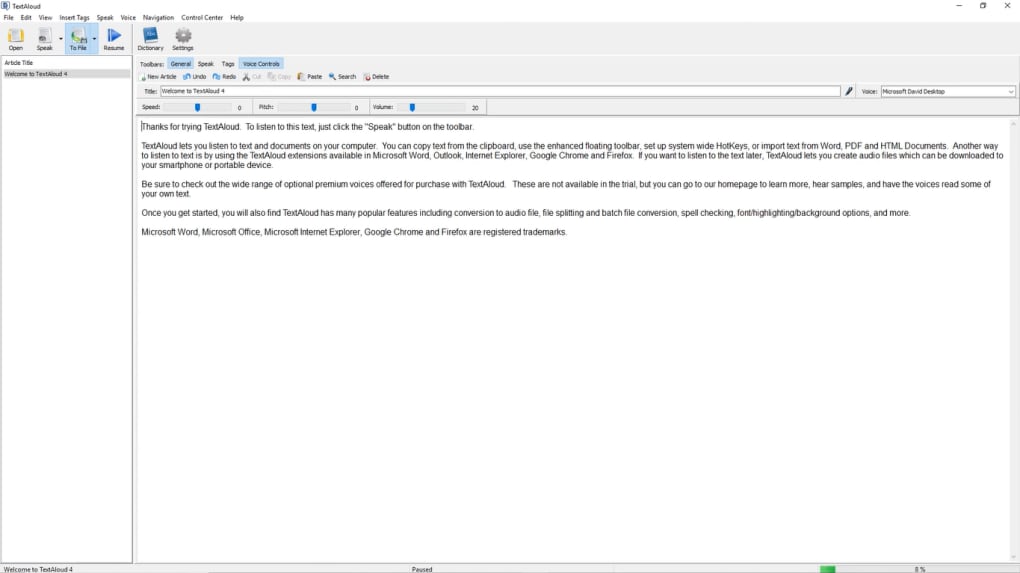
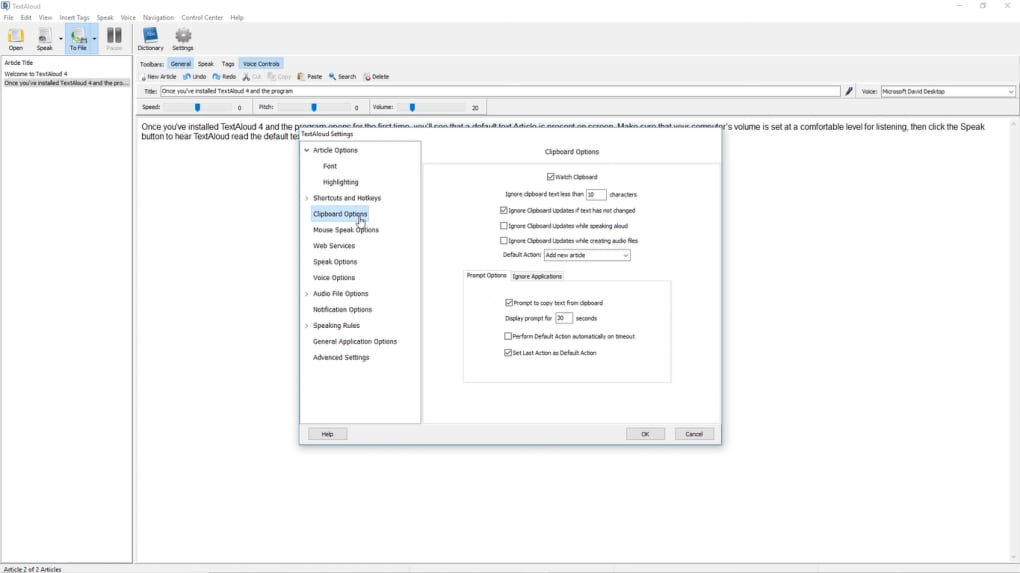
TextAloud’s user interface has drawn criticism for its outdated appearance, reminiscent of older Windows operating systems. While the interface is functional and allows users to easily access the core features, its aesthetic appeal is undeniably lacking. Modern software often emphasizes user-friendly interfaces, and TextAloud falls short in this regard. However, this visual aspect doesn’t detract significantly from the software’s functionality. The core functions are straightforward, and even users unfamiliar with similar software should find the program easy to use. The software includes comprehensive help files, both written and spoken, which are beneficial for new users learning the ropes. The availability of these resources significantly enhances the onboarding experience for users who might be intimidated by the software’s somewhat dated visual presentation.
Comparing TextAloud to Alternatives
Several alternative text-to-speech software programs offer comparable or superior features. Among the most notable competitors are Balabolka, ReadPlease, and TTSReader. Balabolka, a free and open-source option, presents a strong contender with its robust features and versatile voice options. ReadPlease also offers a free version, providing a basic level of functionality, though it might lack the advanced features of TextAloud’s paid version. TTSReader provides another free alternative, offering a straightforward interface and various voice choices. While these alternatives often offer free versions, the paid versions of TextAloud, particularly with the Natural Voice add-on, offer a more polished and natural-sounding audio output, representing a significant upgrade in listening experience. The choice between TextAloud and its competitors ultimately depends on individual needs and priorities. If budget is a primary concern, free alternatives like Balabolka or ReadPlease might suffice. However, for those seeking a more refined and natural-sounding voice, TextAloud’s investment in AT&T’s Natural Voice technology could be a significant justification for the price difference.
User Reviews and Overall Assessment
User reviews provide valuable insights into TextAloud’s strengths and weaknesses. Many users praise its ability to save time by converting large amounts of text into audio within minutes. The convenience of creating audio files for offline listening is repeatedly highlighted as a significant advantage. However, the criticism regarding the monotonous nature of the default voice is consistently echoed, emphasizing the importance of investing in the AT&T Natural Voices for an optimal listening experience. The cost of those voices is, however, noted as a significant drawback for some. The high cost of the AT&T Natural Voices alongside the software itself has been a significant point of concern for some users, particularly as the additional cost negates some of the benefits of using a potentially more cost-effective alternative.
In summary, TextAloud offers a functional and convenient text-to-speech solution, particularly beneficial for those who prefer auditory content consumption. Its capability to generate small audio files and integrate with various text sources is commendable. However, the monotonous default voice and the potentially high cost of the Natural Voices package are significant drawbacks. Potential users should carefully weigh the advantages against the limitations and consider alternative options before making a purchase decision. While the free version provides a useful introduction to the software’s core functionality, the full potential of the software, with its high-quality Natural Voices, comes at a cost that might deter budget-conscious users. For those prioritizing natural-sounding speech and a more immersive listening experience, the upgrade might be worthwhile, but the free alternatives offer a compelling price-performance proposition that users should consider carefully before investing in TextAloud’s premium features.
File Information
- License: “Trial version”
- Latest update: “June 19, 2025”
- Platform: “Windows”
- OS: “Windows Vista”
- Language: “English”
- Downloads: “101.3K”
- Size: “27.11 MB”


