
TeXworks is a free and open-source productivity application designed for authoring TeX documents. Supporting LaTeX, ConTeXt, and XeTeX, it provides a streamlined environment for creating and managing scientific and technical documents. Inspired by TeXShop, a popular Mac application, TeXworks offers a user-friendly interface accessible to both experienced TeX users and beginners alike. This guide delves into the features, capabilities, and advantages of TeXworks, exploring its strengths and limitations.
A User-Friendly Interface for TeX Document Authoring
TeXworks distinguishes itself through its intuitive and clean interface. The application’s design prioritizes ease of use, making it a readily accessible tool for individuals with varying levels of technical expertise. The central editing area is spacious and uncluttered, promoting a comfortable writing experience. This focus on simplicity doesn’t compromise functionality; instead, it enhances the user experience by providing a clear and efficient workflow.
Loading, editing, and saving TeX files is straightforward. All essential tools are readily visible and easily accessible, eliminating the need for extensive navigation. The intuitive layout minimizes distractions, allowing users to concentrate on the content creation process. The large editing field is particularly beneficial for longer documents, providing ample space to work without feeling cramped.
Beyond its visual appeal, TeXworks offers several practical features to aid in the editing process. It includes a robust search function for quickly locating specific text passages, enabling effortless text replacement. Standard editing functionalities, such as copy-pasting and highlighting, are seamlessly integrated. The application further supports font style customization, enabling users to tailor the appearance of their documents. The ability to add and remove comments enhances collaborative efforts and aids in the revision process.
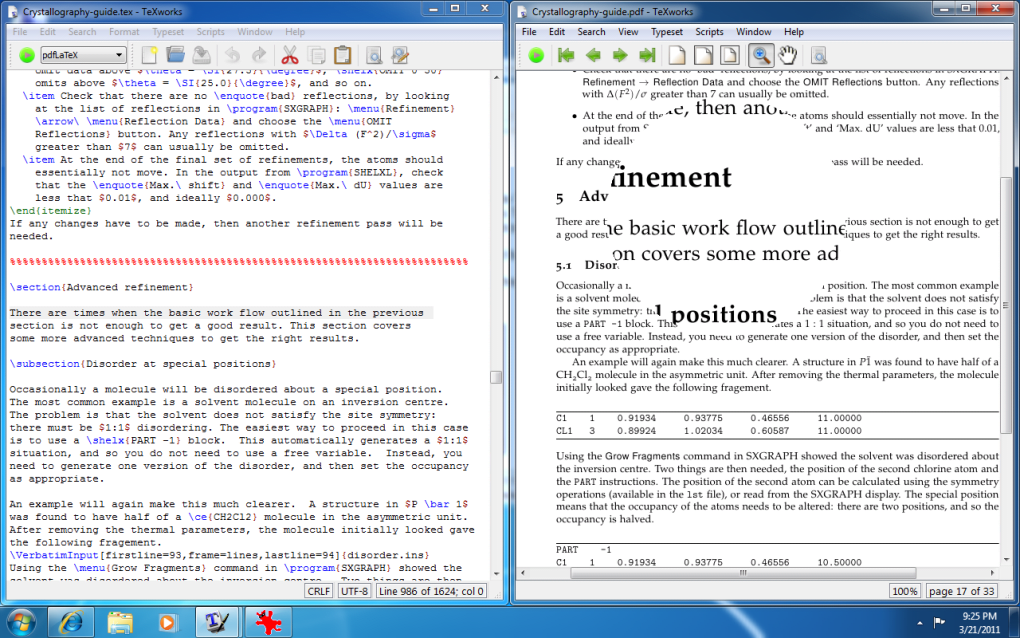
The editor also incorporates line numbering, a useful feature for referencing specific lines within the code or during collaboration. Syntax highlighting improves code readability, aiding in the identification of errors or structural inconsistencies. Users can customize the Auto-Indent mode to match their personal preferences and choose between different Smart Quotes styles, enhancing the consistency and visual appeal of the text. TeXworks’ Unicode support ensures compatibility with a wide range of characters and languages. This feature is essential for handling internationalized content and accommodates diverse writing systems. The ability to jump directly to a specific line number significantly improves navigation efficiency, particularly in larger documents.
Beyond Editing: PDF Viewing and Other Capabilities
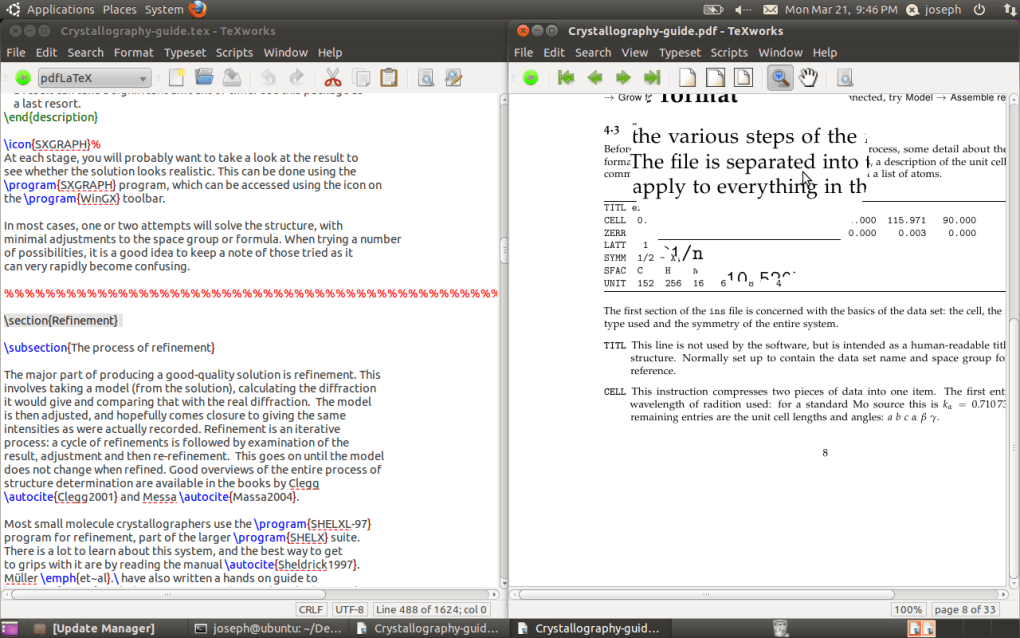
While primarily an editor for TeX files, TeXworks also functions as a PDF viewer. This dual functionality eliminates the need to switch between applications when reviewing the compiled output of a TeX document. However, it’s important to note that TeXworks’ PDF viewing capabilities are limited to reading; the application does not allow for the editing or annotation of PDF files.
The transition between editing and PDF viewing modes is seamless. The interface subtly adapts when a PDF file is opened, introducing relevant buttons and controls. This dynamic adaptation ensures a consistently intuitive user experience regardless of the file type being viewed. The ability to quickly view the rendered PDF within TeXworks streamlines the workflow, allowing for immediate feedback and facilitating iterative revisions. This reduces the disruption of switching between different applications, optimizing the overall efficiency. The extraction of information from viewed PDF files is also a valuable feature, simplifying the process of transferring data between documents.
TeXworks’ Strengths: A Powerful Yet Accessible Tool
TeXworks’ strength lies in its balance between powerful functionality and user-friendly accessibility. The combination of a clean, intuitive interface with a wide array of features makes it an ideal tool for both novice and experienced users. Its open-source nature ensures continuous development and community support, contributing to its ongoing improvement and stability.
The application’s Unicode support is particularly valuable in today’s globalized environment. It allows users to work comfortably with various languages and character sets, breaking down language barriers and enhancing accessibility for diverse user populations. The comprehensive set of editing tools, including search and replace functionality, syntax highlighting, and comment management, enhances productivity and simplifies the writing process. These tools are crucial for efficient document creation and revision. The integrated PDF viewer further simplifies the workflow by eliminating the need to use a separate PDF reader.
Furthermore, the large editing area fosters a more comfortable and efficient writing experience, particularly when working on extensive documents. The clean and simple design minimizes visual clutter, enabling users to focus on the content rather than struggling with a complex interface. The application’s overall simplicity and straightforward operation make it an attractive alternative to more complex and feature-laden TeX editors. The seamless integration of essential features within a user-friendly environment makes TeXworks a highly efficient tool.
Limitations of TeXworks: Areas for Improvement
While TeXworks excels in many areas, certain limitations exist. The inability to edit PDF files directly is perhaps the most significant drawback. While viewing PDFs within the application is convenient, the lack of editing capabilities requires users to switch to a dedicated PDF editor for any modifications. This extra step can disrupt the workflow and reduce overall efficiency.
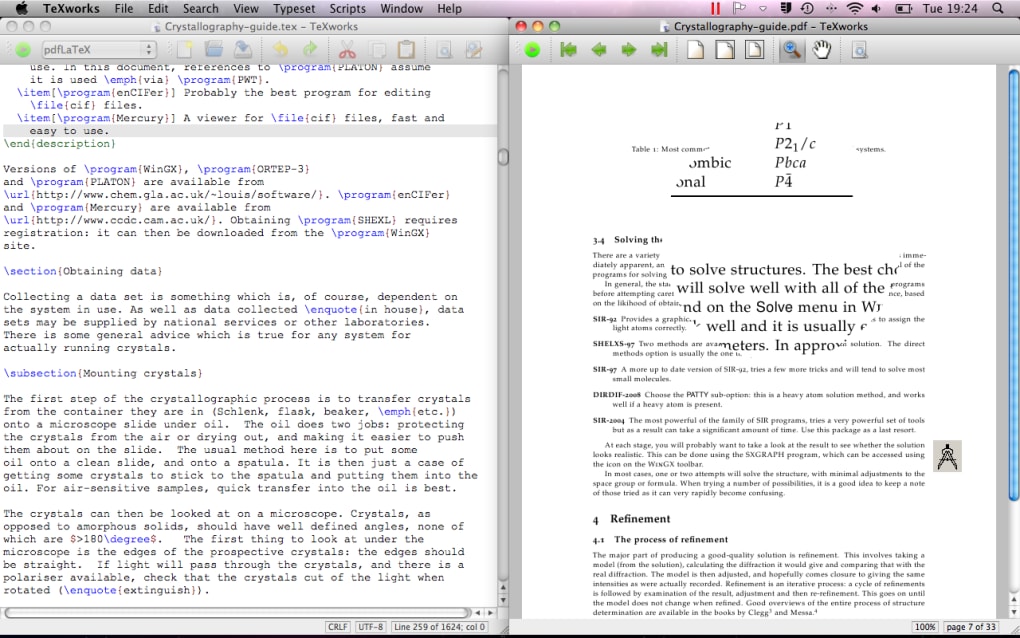
The interface modification upon opening a PDF file, while intended to improve usability, might be perceived as slightly disruptive by some users. A more consistent interface across both editing and viewing modes could improve the overall user experience. The application’s reliance on external TeX distributions is another potential point of friction. Users need to ensure they have a compatible TeX distribution installed on their system, which might present a minor technical hurdle for some.
While TeXworks offers a vast array of features, some users might desire additional functionalities. For instance, advanced features such as integrated version control or collaborative editing might be sought after by users engaged in larger-scale projects. The lack of such features currently confines TeXworks primarily to individual or smaller-team projects. The relatively small development team behind TeXworks may also affect the speed of updates and inclusion of new features compared to more commercially backed software.
Conclusion: A Valuable Asset for TeX Users
Despite its limitations, TeXworks remains a valuable tool for anyone working with TeX documents. Its user-friendly design, combined with its robust features and open-source nature, makes it an excellent choice for a wide range of users, from beginners to experienced professionals. The application’s strength lies in its ability to simplify the process of creating and editing TeX documents without sacrificing functionality. Its accessibility makes it ideal for individuals seeking a straightforward and efficient method for generating high-quality scientific and technical publications.
The combination of a clean interface, comprehensive editing features, and integrated PDF viewing makes TeXworks a highly productive and efficient tool. While not perfect, and lacking some advanced features found in other editors, it offers a valuable balance of simplicity and functionality, establishing itself as a strong contender in the world of TeX editors. For users seeking a free, open-source, and easy-to-use editor, TeXworks remains a compelling option.
File Information
- License: “Free”
- Version: “0.65”
- Latest update: “July 15, 2022”
- Platform: “Windows”
- OS: “Windows 10”
- Language: “English”
- Downloads: “12.4K”
- Size: “16.25 MB”


