
The Chess Lv.100 for Windows 10 is a straightforward chess simulator offering 100 progressively challenging levels against the computer. This review delves into its gameplay, features, strengths, weaknesses, and overall value, comparing it to other available chess software. Whether you’re a seasoned grandmaster seeking practice or a novice taking your first steps in the world of chess, this application may offer something of interest.
Gameplay and Progression
The core gameplay of The Chess Lv.100 is remarkably simple: play chess. The game presents 100 levels, each representing an incrementally more difficult opponent. Winning each level awards medals, providing a sense of accomplishment and progression. These medals unlock customization options, allowing players to alter the board’s appearance and the chess pieces’ design. This rewarding system provides motivation to continue advancing through the levels. The intuitive interface makes it easy to navigate the game, even for users unfamiliar with chess software. Move selection is straightforward, and the graphics, while not photorealistic, are clear and easily understandable.
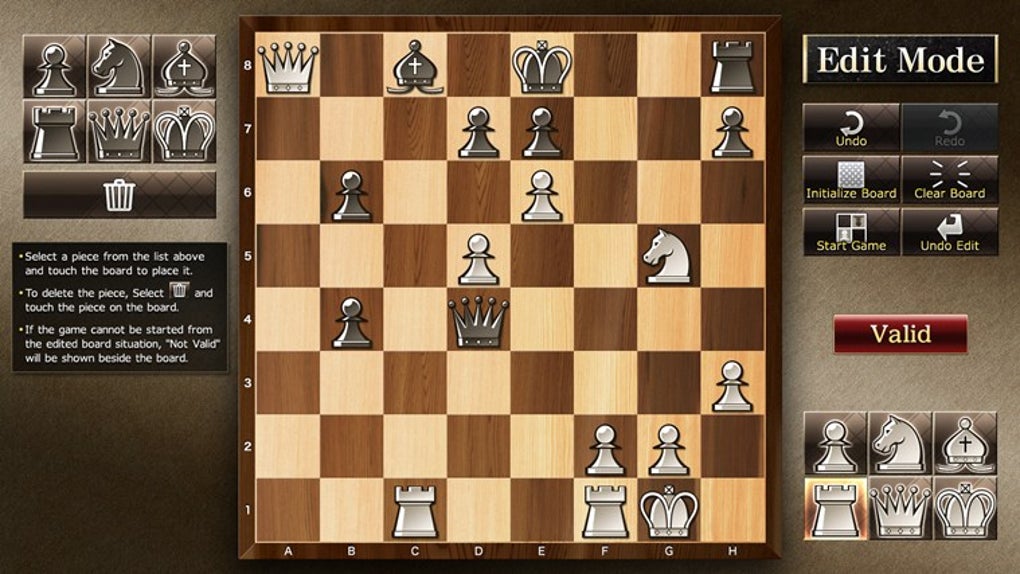
The escalating difficulty curve is a key strength. Beginners will find the early levels manageable, gradually building their skills and understanding of chess strategy. More experienced players can quickly progress to higher levels, finding a suitably challenging opponent and utilizing the game as a tool for honing their strategic thinking and tactical execution. The ability to adjust the board setup provides additional flexibility. This allows players to create custom positions, ideal for working through specific openings, endgames, or complex tactical puzzles.
Features and Customization
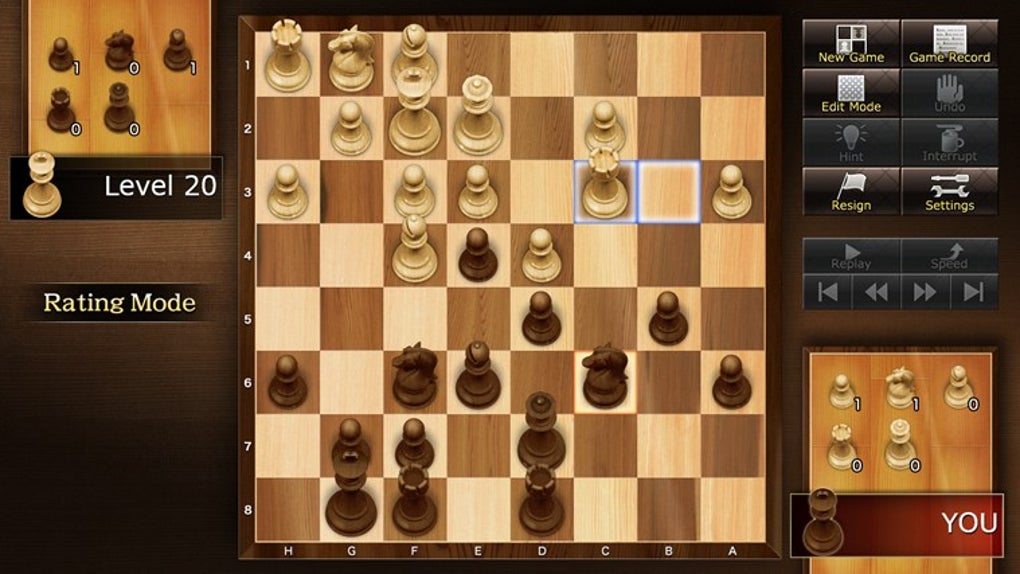
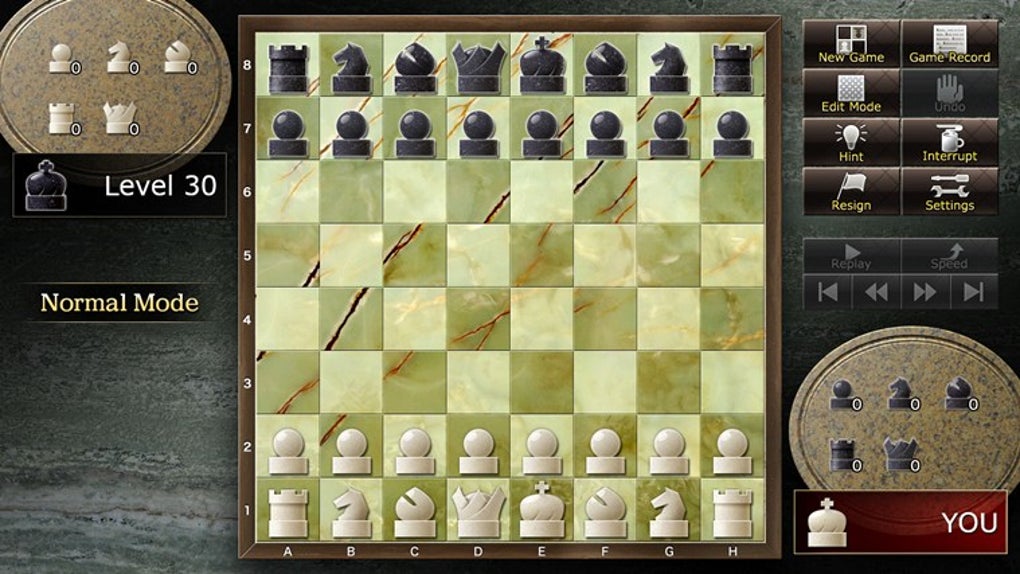
Beyond the core gameplay, The Chess Lv.100 offers several useful features enhancing the overall playing experience. The ability to customize the board’s appearance and the chess pieces is a welcome addition, adding a personal touch to the game. While the range of customization options may not be extensive, it is sufficient to prevent the game from becoming visually monotonous. The adjustable difficulty levels are crucial for catering to a wide range of skill levels, making it an accessible tool for both beginners and experts.
The edit mode, allowing players to set up custom starting positions, opens up a world of possibilities. This feature is invaluable for practicing specific openings, studying endgame scenarios, or creating unique puzzles to challenge oneself. The ability to set up unusual starting positions can also be used for exploring unconventional strategies or analyzing unusual chess positions found in books or online.
However, some users have pointed out inconsistencies in the difficulty ratings of certain levels. Some reviewers report that the difficulty levels don’t always accurately reflect the actual skill of the computer opponent. This inconsistency can be frustrating, particularly for players who are carefully working their way through the levels expecting a consistent increase in challenge.
Strengths and Weaknesses
The Chess Lv.100 presents several significant strengths. Its simple, yet effective interface ensures that the focus remains on the chess game itself. The escalating difficulty levels make it suitable for a wide range of players, from beginners to more advanced players looking for practice. The inclusion of an edit mode allows for customized gameplay, transforming it into a valuable tool for chess training and study. The reward system, utilizing medals to unlock customization options, adds an engaging layer of progression.
However, the game also exhibits certain weaknesses. The primary criticism centers around the perceived inconsistency in the difficulty ratings. Several user reviews highlight instances where the difficulty level does not accurately represent the computer opponent’s skill. Additionally, the lack of advanced features, such as opening databases, analysis engines, or the ability to play against other human players online, limits its functionality compared to more comprehensive chess programs. The limited customization options, though sufficient for some, may disappoint those seeking a wider range of visual choices.
Comparison to Alternative Chess Software
The market for chess software is expansive, offering a plethora of choices catering to various skill levels and preferences. The Chess Lv.100 occupies a niche in this market. Unlike more sophisticated chess engines, such as Stockfish or Komodo, it lacks the computational power and analytical depth to provide high-level analysis or offer insightful suggestions.
However, when compared to simpler chess games, its features and progression system provide a more engaging experience. Games like Free Chess offer basic gameplay, but they often lack the progressive difficulty and customization options found in The Chess Lv.100. Other alternatives, such as 3D Chess Game for Windows 10, might offer a visually more appealing experience, but they might not feature the same depth of difficulty levels or the customization options found in The Chess Lv.100.
The Chess Lv.100’s strengths lie in its accessibility and its focus on providing a structured learning experience. Its weakness is its lack of advanced features found in more comprehensive programs. Therefore, the best choice depends on individual needs and preferences.
User Reviews and Feedback
User reviews are mixed, highlighting both positive and negative aspects. Many users praise the game’s simplicity and intuitive interface, noting its suitability for casual play and practice. Several reviewers appreciate the progressive difficulty and the ability to customize the game’s appearance. The edit mode also receives positive feedback for its flexibility in creating custom positions for practice or puzzle solving.
However, a significant number of negative reviews focus on the inconsistencies in the difficulty ratings. Users report that the AI’s skill level does not always correspond to the stated difficulty level, leading to frustration and a feeling of unfairness. The lack of advanced features, such as an engine analysis or online multiplayer functionality, is also frequently mentioned as a drawback. The overall user experience is seemingly shaped by individual expectations and the specific level of chess experience of the user.
Conclusion
The Chess Lv.100 for Windows 10 provides a functional and accessible chess experience. Its simple interface, progressive difficulty levels, and customization options make it a suitable choice for casual players and beginners seeking a structured way to learn and improve their chess skills. However, the inconsistencies in the difficulty ratings and the absence of more advanced features limit its appeal for more experienced players or those seeking a more comprehensive chess analysis tool. Ultimately, the decision to use The Chess Lv.100 will depend on individual needs and expectations. If you are looking for a simple, easily accessible chess game with a clear progression system, this might be worth considering. However, if you require advanced features, superior AI, or competitive online play, more sophisticated chess software might be a more fitting choice.
File Information
- License: “Free”
- Version: “1.0.0.2”
- Latest update: “July 15, 2022”
- Platform: “Windows”
- OS: “Windows 8”
- Language: “English”
- Downloads: “110.6K”


