
The Guide is a free, RTF-compatible text editor designed for users who prefer a straightforward approach to document creation over the complexities of full-fledged word processors. Its strength lies in its ability to organize extensive documents using a clear hierarchical structure, making it ideal for note-taking, project management, and other tasks requiring detailed organization. Unlike many simple text editors, The Guide offers features that significantly enhance the user experience and workflow.
Intuitive Hierarchical Structure and Organization
At the heart of The Guide’s functionality lies its innovative tree-like organization system. This visually appealing interface, displayed on the left side of the application window, allows users to create and manage documents in a hierarchical fashion. This means you can nest sections within sections, creating a clear and easily navigable structure for even the most complex documents. This structured approach contrasts sharply with the linear nature of basic text editors, providing a significant advantage for managing large amounts of information. Imagine constructing an outline for a book, a complex project plan, or a detailed family tree; The Guide’s hierarchical structure empowers users to organize these multifaceted projects with effortless ease. The ability to collapse and expand branches of the tree makes navigating through large documents simple and efficient. This feature is crucial for maintaining focus and preventing information overload when working on substantial projects.
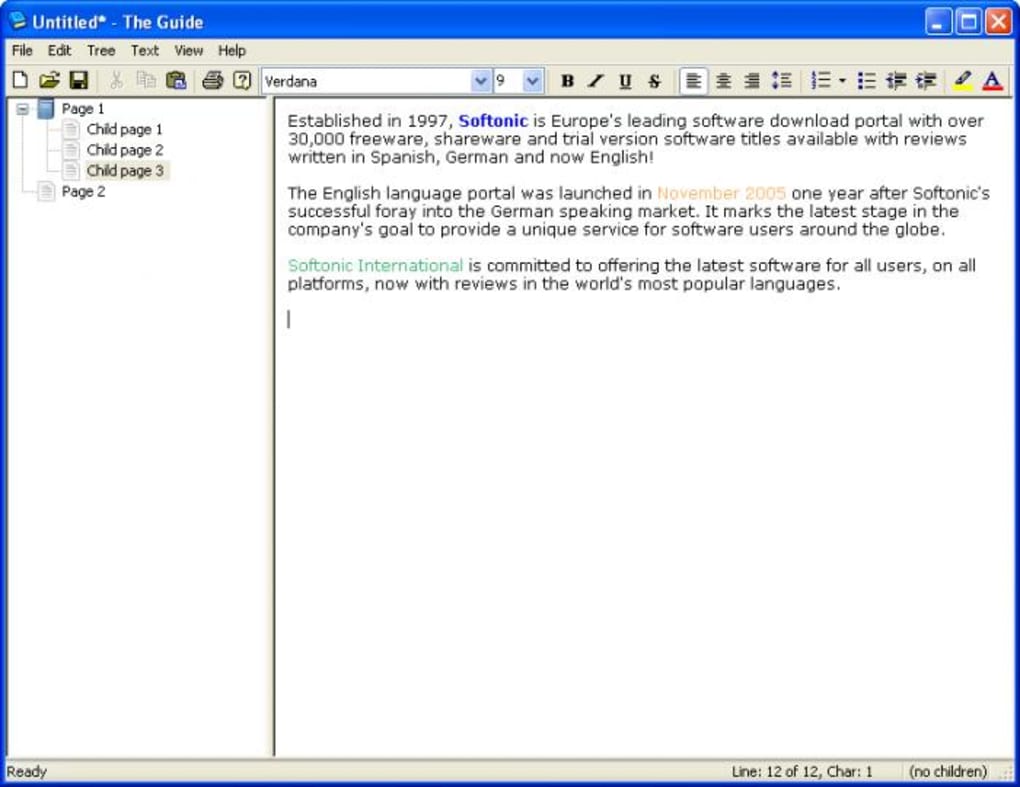
The hierarchical structure transcends simple visual organization. It offers a robust system for managing interconnected information. The Guide’s intuitive interface allows for intuitive linking of related sections, creating a dynamic and responsive document environment. This interconnectedness promotes better information flow and facilitates efficient navigation within the document. The organization is more than simply a visual representation; it’s a functional tool for managing and manipulating information within the document.
Enhanced Functionality Beyond Basic Text Editing
While The Guide operates similarly to a basic text editor like WordPad—and importantly, maintains compatibility with RTF (Rich Text Format) documents—it extends far beyond the capabilities of these simpler applications. The Guide provides a range of customization options that enhance the user experience and tailor the application to individual needs. These features differentiate it from basic text editors, making it a more powerful tool for a wider range of users.
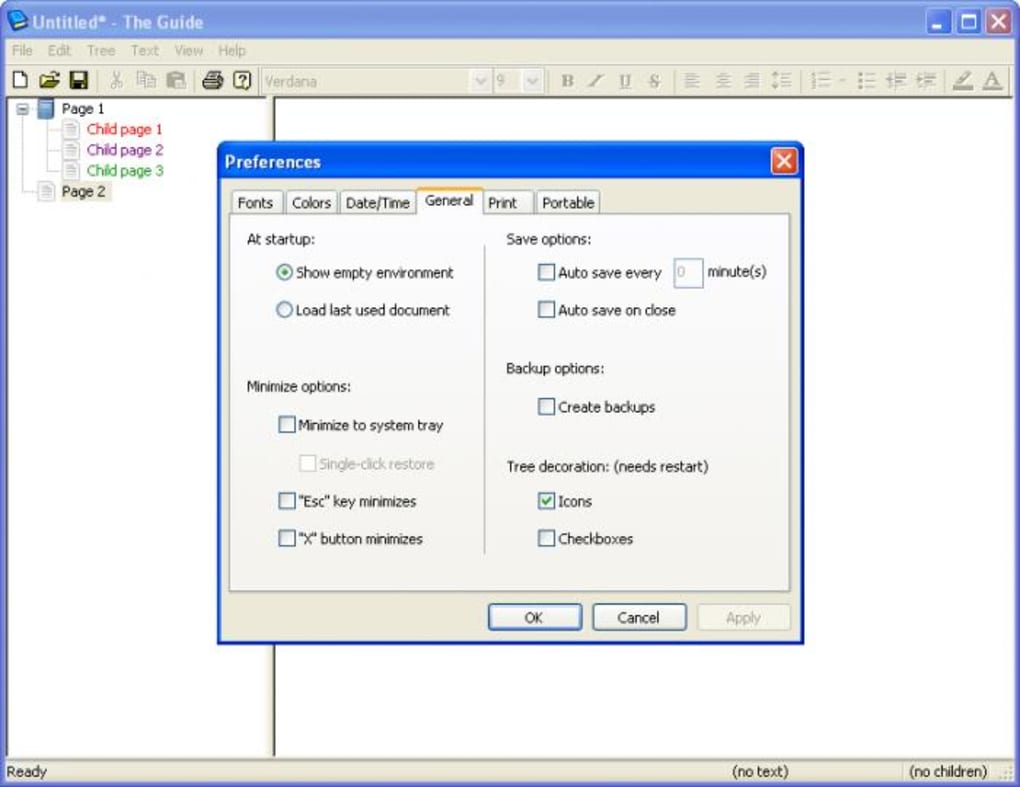
One notable feature is the ability to customize the appearance of the text. Users can select from various fonts and adjust text colors to enhance readability and create visually appealing documents. This simple yet effective feature allows for a personalized experience, catering to individual aesthetic preferences and improving the overall usability of the application. This degree of customization is often lacking in basic text editors, but The Guide makes it a standard feature.
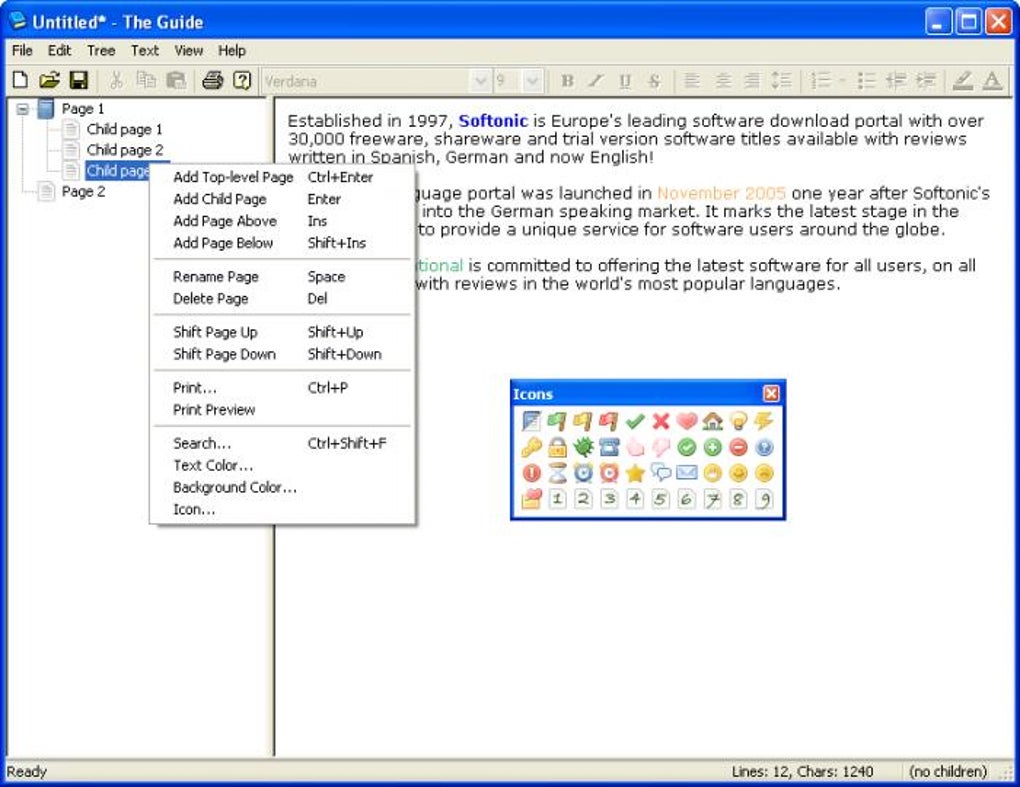
Further adding to its adaptability, The Guide allows users to assign icons to different nodes in the hierarchical structure. These visual cues provide quick identification of different sections within a document, dramatically improving the speed and efficiency of navigating large and complex documents. This functionality proves invaluable when dealing with many sections or categories, providing an at-a-glance overview and allowing for quicker access to specific parts of the document.
The Guide also integrates support for hyperlinks. Users can easily add hyperlinks to websites or email addresses, enriching the document with interactive elements and providing convenient access to related information. This feature transforms the document from a static collection of text into a dynamic information hub, connecting internal sections with external resources. This is a significant step beyond simple text editing, turning the software into a more versatile tool for knowledge management.
Keyboard Shortcuts and Portable Mode
The Guide demonstrates a strong commitment to user efficiency through its extensive use of keyboard shortcuts. Almost every action within the application can be performed using keyboard shortcuts, eliminating the need for repetitive mouse clicks and significantly speeding up the workflow. This feature appeals to power users and anyone seeking to streamline their work process. The efficiency gains are significant, especially for users who spend considerable time working within the application.
Adding to its portability and flexibility, The Guide offers a “Portable Mode.” This unique feature allows the program to save all its configuration settings within an INI file instead of the Windows Registry. This means that The Guide can be easily run from a USB drive or any other portable storage device, making it an extremely versatile tool for users on the go. This eliminates the need for installation on multiple machines, streamlining workflows and reducing setup hassles. This feature caters to users who value mobility and flexibility in their work environment.
Comparison with Alternative Applications
Several alternative applications offer similar functionality to The Guide, but each possesses its own strengths and weaknesses. Direct comparisons can highlight the unique advantages of The Guide. For example, while some alternative note-taking apps provide more advanced features, The Guide’s simplicity and ease of use make it an attractive option for users who prioritize a clean, intuitive interface.
Some alternatives might include more advanced features such as image insertion or collaborative editing, but The Guide prioritizes a streamlined, efficient user experience. This decision is a deliberate design choice, targeting users who value simplicity and speed over a broader feature set. This makes The Guide ideally suited for those who need a focused and efficient text editor, rather than a more complex, all-encompassing application.
The lack of image support, however, is a notable limitation. While this might not be crucial for all users, the inability to incorporate images directly into the document limits the application’s versatility for those who require visual components in their work.
Strengths and Weaknesses of The Guide
The Guide offers several compelling strengths:
- Excellent for structured note organization: Its hierarchical structure is unmatched for organizing large volumes of information.
- Supports hyperlinks and icons: These features enhance navigation and the richness of the document.
- Keyboard shortcut control: Provides a significant boost in efficiency for frequent users.
- Portable mode operation: Allows for seamless use across multiple computers without installation.
However, some weaknesses are worth considering:
- RTF-only compatibility: This limits its ability to work with other document formats.
- No image support: This restricts the application’s versatility for users needing visual elements.
Conclusion
The Guide is a robust and efficient text editor ideally suited for users who value a structured approach to document creation and prioritize ease of use and portability. Its hierarchical structure, customization options, and extensive keyboard shortcuts make it a powerful tool for managing large amounts of information. While the lack of image support and limited file format compatibility might restrict its appeal to some users, its simplicity, efficiency, and portable nature make it a strong contender in the realm of text editors. The Guide caters to a specific niche, offering a focused and streamlined experience for those who prioritize organization and efficiency above all else. Its design philosophy prioritizes a clear and intuitive user experience, making it a valuable tool for anyone needing a simple yet powerful way to manage their notes and documents.
File Information
- License: “Free”
- Version: “2.0”
- Latest update: “January 22, 2009”
- Platform: “Windows”
- OS: “Windows Vista”
- Language: “English”
- Downloads: “4.3K”
- Size: “1.07 MB”


