
The Sims 4, the latest iteration in the iconic life simulation franchise, offers a rich and immersive world for players to craft and control. But for those seeking to transcend the boundaries of the base game, delve deeper into its mechanics, and unleash their creativity, the Sims 4 Package Editor (S4PE) emerges as an indispensable tool. This open-source program empowers players to modify the game’s core files, enabling the creation of custom content and the fixing of glitches – a true modding powerhouse.
Understanding Package Files and the Power of Editing
Before delving into the intricacies of S4PE, it’s crucial to understand the foundation upon which it operates: package files. These .package files are the fundamental building blocks of The Sims 4, containing a wealth of game data. They serve as archives, housing various elements, including:
-
3D models: These files define the visual appearance of Sims, objects, and environments within the game. They encompass everything from the intricate details of a Sim’s clothing to the textures of furniture and architectural elements. Modifying these models allows for the creation of entirely new visual assets or the alteration of existing ones.
-
Textures: Textures provide the surface details and visual richness of 3D models. They define the colors, patterns, and materials of objects and characters, bringing them to life within the game’s virtual world. Modifying textures allows for significant changes in the visual aesthetic of the game, from subtle adjustments to complete overhauls.
-
Sounds: The soundscape of The Sims 4 is integral to its immersive experience. Package files contain various audio elements, ranging from ambient sounds to character voices and object interactions. Editing these sound files enables modders to customize the game’s auditory experience, adding new sounds or replacing existing ones.
-
Game Data: Beyond the visual and auditory aspects, package files store crucial game data. This encompasses information related to character attributes, object functionalities, gameplay mechanics, and more. Modifying this data allows for profound alterations to the core gameplay experience, adding new features, modifying existing ones, or even fixing game-breaking bugs.
These package files are not readily accessible or modifiable through the standard game interface. This is where the Sims 4 Package Editor steps in. It serves as a bridge between the player and the game’s underlying code, enabling modifications that would otherwise be impossible.
Introducing S4PE: The Sims 4 Package Editor
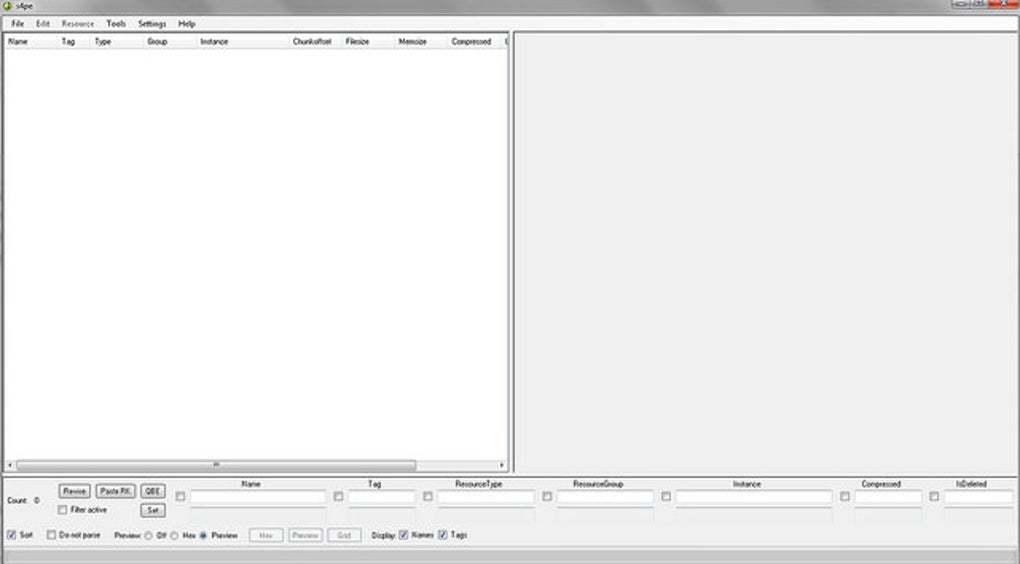
S4PE, also known as the Sims 4 Package Editor, is a powerful and versatile tool that provides users with the means to manipulate these package files. It’s built upon the S4PI (Sims 4 Package Interface) library, a fundamental codebase specifically designed to interact with The Sims 4’s package file format. This ensures compatibility and efficient interaction with the game’s internal data structures.
The software is freely available to the public, reflecting the spirit of community and collaboration within the Sims modding community. Importantly, it’s a third-party tool and thus not officially supported by Electronic Arts (EA), the game’s developer. This necessitates caution and a thorough understanding of the risks involved before making any modifications to your game files.
Capabilities of the Sims 4 Package Editor

S4PE’s capabilities extend far beyond simple file viewing. It grants users a significant degree of control over various aspects of the game:
-
Viewing and Editing Sims: S4PE allows users to access and modify the data associated with individual Sims. This includes names, appearances, traits, relationships, and even family histories. This offers unprecedented control over character customization, extending beyond the limitations of the in-game Create-a-Sim interface. Furthermore, it allows for the “resurrection” of Sims who might otherwise be permanently lost within the game’s narrative.
-
Object Manipulation: Similar to Sims, S4PE offers detailed control over in-game objects. Users can modify their properties, functionalities, and even their visual components. This empowers the creation of custom objects with unique behaviors and appearances, enriching the gameplay experience. Cloning existing objects also provides a starting point for creating variations or entirely new assets.
-
Resource Extraction: S4PE’s ability to extract resources from package files is invaluable for custom content creation. Modders can pull specific models, textures, or sounds from the game’s base files, providing a foundation for new assets and reducing the need to create everything from scratch.
-
Bug Fixing: S4PE’s potential extends to addressing glitches and bugs that might arise within The Sims 4. By directly accessing and modifying the relevant package files, modders can implement fixes and patches that enhance the game’s stability and overall playability.
Technical Aspects and Prerequisites
While S4PE’s interface is designed to be user-friendly, some technical understanding is beneficial. The program is written in C#, a programming language commonly used in game development. While not directly required for using S4PE, familiarity with C# can improve understanding and aid in more advanced modding tasks.
Furthermore, Microsoft Visual Studio is necessary for compiling and running the program. Visual Studio is a comprehensive Integrated Development Environment (IDE) used for software development. While S4PE is typically downloaded as a pre-compiled executable, possessing Visual Studio might be necessary for troubleshooting or undertaking more complex modifications.
Advantages and Disadvantages of Using S4PE
Like any powerful tool, S4PE offers significant advantages but also carries potential risks:
Advantages:
-
Open Source and Free: The open-source nature of S4PE ensures accessibility and fosters a vibrant community of users and developers. Its free availability makes it accessible to a broader audience of modders.
-
Extensive Customization: S4PE grants users an unparalleled level of control over various aspects of the game, enabling a degree of customization that extends beyond the limits of the official game.
-
Bug Fixing and Stability: Its capability to directly modify game files allows for the fixing of glitches and the enhancement of game stability, enriching the overall player experience.
-
Community Support: The large and active modding community provides ample resources, tutorials, and assistance for users struggling with S4PE.
Disadvantages:
-
Technical Requirements: The requirement for Visual Studio might pose a barrier for users lacking programming experience or the necessary software.
-
Risk of Game Corruption: Improper use of S4PE can potentially corrupt game files, leading to instability or game crashes. Caution and careful backups are crucial when working with this tool.
-
Learning Curve: Mastering S4PE’s functionalities requires time and effort, particularly for those unfamiliar with game modding or package file editing.
-
Unofficial Support: As an unofficial tool, S4PE lacks direct support from EA. This means that any issues encountered during use must be addressed within the modding community.
Conclusion: Embarking on Your Modding Journey
The Sims 4 Package Editor is a powerful tool for those looking to dive into the depths of The Sims 4’s code and customize their gameplay experience. While it demands a degree of technical understanding and caution, the potential for creative expression and gameplay enhancement makes it a rewarding tool for dedicated modders. By understanding its capabilities and limitations, and by exercising responsible usage, players can unlock a whole new dimension of gameplay and artistic freedom within the world of The Sims 4. Remember to always back up your game files before undertaking any modifications to prevent potential data loss. With careful consideration and diligent application, S4PE can transform your Sims 4 experience from a pre-defined narrative into a personalized masterpiece.
File Information
- License: “Free”
- Latest update: “July 15, 2022”
- Platform: “Windows”
- OS: “Windows 7”
- Language: “English”
- Downloads: “38K”
- Size: “1.11 MB”


