
The world of mobile personalization is vast, offering countless ways to tailor your smartphone experience. One popular avenue for customization is through themes, which allow users to transform the visual aspect of their devices, impacting everything from wallpapers and icons to fonts and even animation effects. This article explores the world of Android themes, focusing specifically on the Theme app developed by Oppo for its ColorOS operating system.
Understanding the Theme App for ColorOS
Oppo’s Theme app is an official personalization application designed to work seamlessly with ColorOS, the custom Android skin found on Oppo smartphones and tablets. This dedicated platform provides a centralized hub for accessing and applying a wide variety of custom themes, giving users unparalleled control over the look and feel of their devices. Unlike generic theme engines, the Theme app is intrinsically linked to ColorOS, ensuring compatibility and a smooth integration with the system’s core functionalities. This tight integration ensures that the themes applied don’t disrupt the overall system performance or lead to unforeseen conflicts with other apps or system settings.
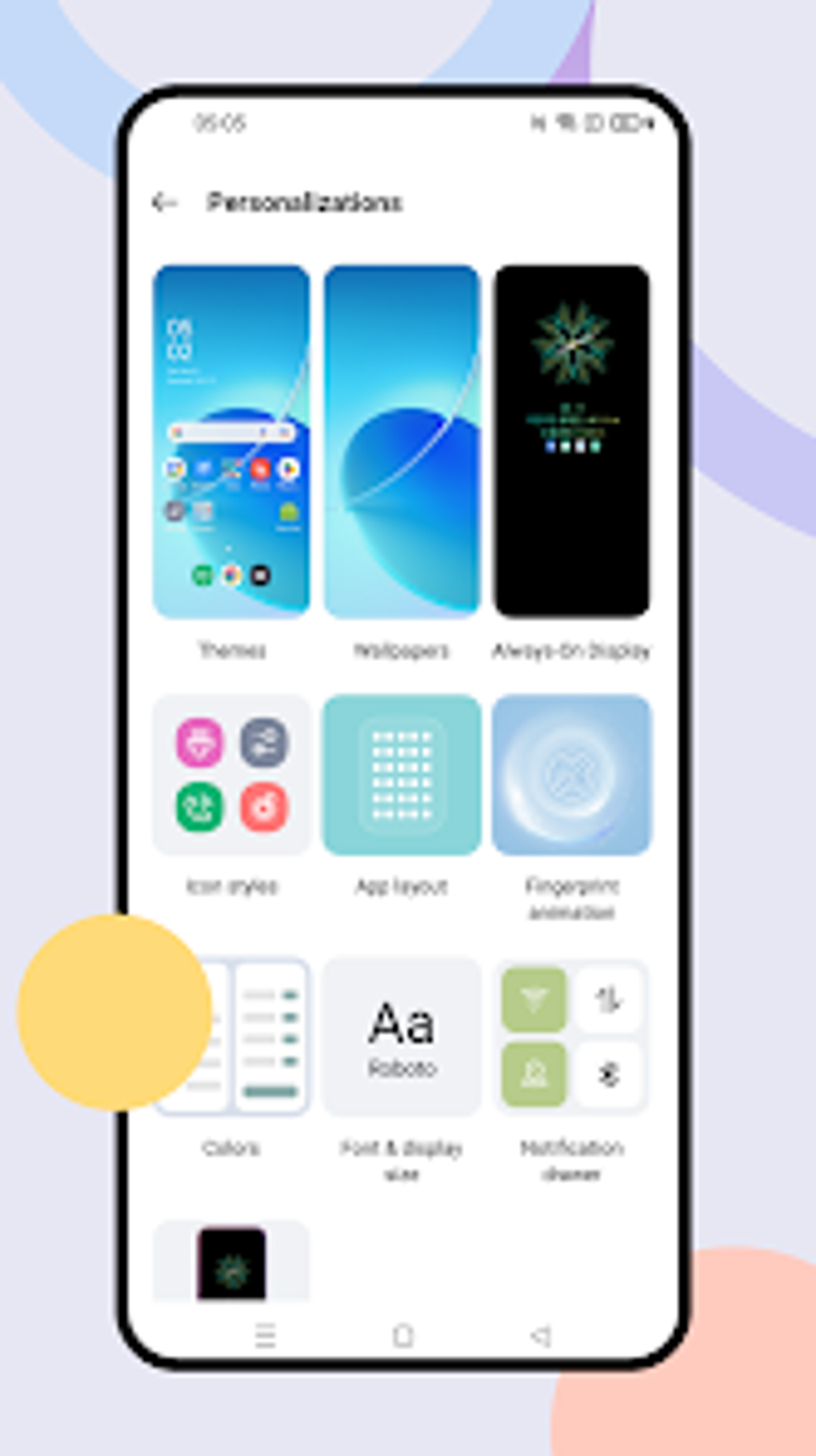
The app’s extensive catalog offers a blend of free and paid themes, providing diverse options to suit various tastes and preferences. Users can explore a vast collection of pre-designed themes, each meticulously crafted to modify different aspects of the user interface (UI). This includes not just wallpapers and color palettes, but also customized app icons, redesigned notification toggles, and even unique animations, such as those for the fingerprint unlock feature on the lock screen. The flexibility extends beyond simple visual alterations; many themes offer subtle tweaks to the system’s overall aesthetic, ensuring a cohesive and immersive experience.
However, it’s important to note a key limitation. The Theme app’s compatibility is restricted to specific versions of ColorOS. While the app might install on incompatible versions, its functionality will remain hidden, rendering it effectively unusable. This is a crucial point to consider before downloading and installing the app. Before installing, users should check their ColorOS version to ensure compatibility to avoid disappointment.
Ease of Use and Installation
A primary advantage of the Theme app lies in its user-friendly interface and straightforward installation process. The app is designed to be intuitive and accessible, even for users unfamiliar with extensive device customization. Once the app is installed and the user navigates to the theme catalog, finding and selecting a preferred theme is a simple process. Applying a new theme typically involves a single tap, after which the system automatically applies the chosen changes across the entire UI. The rapid application and seamless integration highlight the efficiency of the Theme app’s design.
This ease of use extends beyond simply selecting a theme. Managing and organizing downloaded themes is equally straightforward. The app provides a dedicated section for managing user’s downloaded themes, allowing for easy access to frequently used options and the removal of unwanted themes to free up storage space. This management capability is essential for users who might experiment with several themes before settling on a preferred option. This streamlined user experience distinguishes the Theme app from other more complex theme engines, prioritizing accessibility and user convenience.
Theme Variety and Customization Options
The sheer variety of themes available through Oppo’s Theme app is a significant draw for users. The catalog contains an extensive selection, ranging from minimalist and subtle themes to bolder, more vibrant designs. The scope of customization extends far beyond merely changing the wallpaper; users can alter nearly every visual element of the ColorOS interface. This comprehensive personalization approach allows users to tailor their phone’s appearance to their individual preferences, ensuring a unique and personally fulfilling digital experience.
Furthermore, the app frequently updates its theme catalog, introducing fresh designs and styles. This constant addition of new themes keeps the experience engaging and ensures users always have access to the latest trends and creative designs. The app’s developers clearly prioritize user engagement, actively expanding the catalog to cater to diverse preferences and interests.
However, the availability of paid themes introduces a monetization aspect that should be considered. While many themes are freely available, some require a purchase. This paywall might not appeal to all users, particularly those prioritizing free customization options. The balance between free and paid options seems carefully considered, offering a substantial selection of free themes while also providing premium options for users willing to invest in unique and high-quality designs.
The Theme App in the Broader Context of Android Personalization
Oppo’s Theme app occupies a unique position within the broader landscape of Android personalization. While many other Android manufacturers offer similar theme engines, Oppo’s integration with ColorOS creates a more cohesive and seamless experience. This direct integration ensures the compatibility and functionality of the themes, reducing the risk of encountering issues often associated with third-party theme engines. The dedicated app provides a user-friendly environment specifically designed to integrate with ColorOS, enhancing the overall personalization experience.
When comparing the Theme app to other Android theme solutions, such as those found on other manufacturers’ devices or via third-party app stores, a key difference emerges: streamlined integration. The app avoids the potential instability and compatibility problems often encountered with third-party themes, ensuring a consistent and reliable user experience. This prioritization of stability and compatibility is a major advantage for users who value a smooth and trouble-free smartphone experience.
Conclusion
Oppo’s Theme app offers a compelling solution for users seeking to personalize their ColorOS-powered devices. Its ease of use, extensive theme catalog, and seamless integration with the operating system make it a standout choice among Android customization tools. While its compatibility limitations should be considered, the app undeniably provides a robust and efficient way to significantly alter the visual aesthetics of an Oppo smartphone or tablet. The app’s focus on user-friendliness and seamless integration with the ColorOS system sets it apart from many alternative theme engines. The consistent updates and diverse selection of themes, including both free and paid options, further enhance its appeal and demonstrate a commitment to ongoing development and user satisfaction. For Oppo users running a compatible version of ColorOS, the Theme app is an essential addition for customizing and enhancing their mobile experience.
File Information
- License: “Free”
- Latest update: “November 4, 2024”
- Platform: “Android”
- OS: “Android 13.0”
- Language: “English”
- Downloads: “121.5K”
- Download Options: “Google Play”


