
Therm-App™ is a free Android utility application that leverages the capabilities of compatible smartphones to perform thermal imaging. This innovative app transforms your everyday mobile device into a powerful tool capable of capturing, displaying, recording, and sharing high-resolution thermal images. Previously restricted to specialized and expensive equipment, Therm-App™ democratizes access to thermal imaging technology, making it readily available for both professional and personal use.
Unveiling the Power of Thermal Imaging on Your Smartphone
Therm-App™’s core functionality revolves around its ability to detect and process thermal radiation emitted by objects and convert this data into easily interpretable visual images. This allows users to visualize heat signatures, a capability particularly useful in low-light conditions, through obstructions like smoke or fog, and even at night. This “seeing heat” capability opens up a vast array of applications across diverse fields.
The app caters to a broad range of needs and preferences by offering two distinct resolution options: 384x288 pixels and 640x480 pixels. Users can select the resolution that best suits their specific requirements, balancing image detail with file size and processing speed. Higher resolutions provide greater detail, while lower resolutions may be preferable for faster processing or when bandwidth is limited.
Furthermore, Therm-App™ provides flexibility in image visualization through two primary viewing modes: thermal (night vision) and thermographic (color map). The thermal mode typically presents temperature variations as different shades of a single color, often variations of white or green, offering a clear and intuitive representation of heat sources. This simple visualization is ideal for quickly identifying areas of higher or lower temperature.
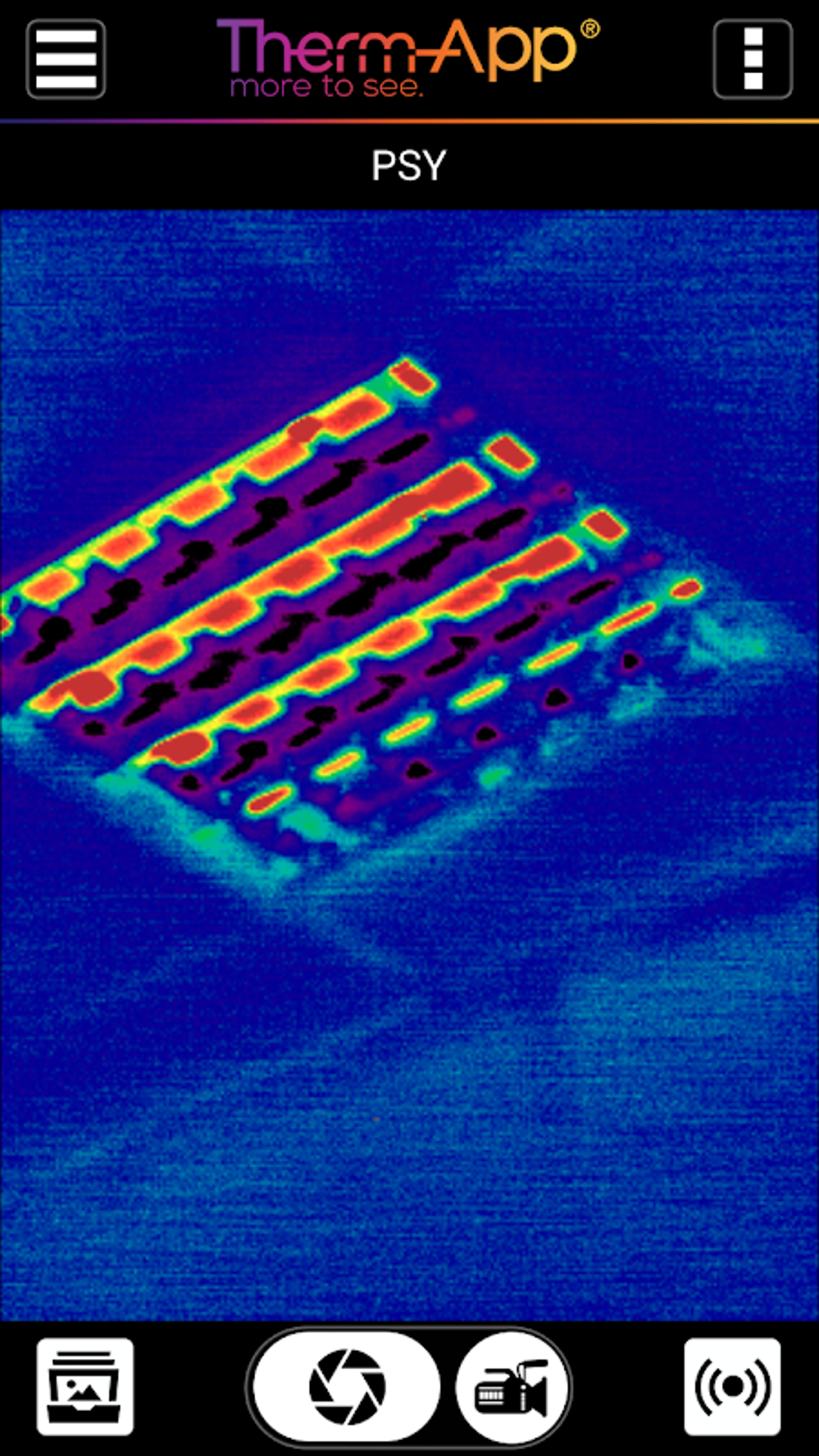
In contrast, the thermographic mode utilizes a diverse color palette to represent a wider spectrum of temperature ranges. This mode is particularly valuable for more detailed analysis, enabling users to precisely identify and measure temperature variations across the imaged area. The use of color allows for finer distinctions in temperature, facilitating more nuanced interpretation of the thermal data. This feature proves invaluable in applications such as building inspections, identifying energy inefficiencies, or even performing preliminary medical diagnostics.
Customization options extend beyond viewing modes. Users can also adjust the color palettes used in thermographic mode. This customization allows for optimized viewing in various conditions, such as bright sunlight or low-light environments. The ability to fine-tune the color representation ensures that the thermal image remains easily interpretable regardless of the surrounding conditions.
Applications Across Industries and Everyday Life
The versatility of Therm-App™ makes it a valuable tool across a multitude of sectors and everyday situations. Here are some key examples:
Professional Applications:
- Building Inspection: Identify heat loss in buildings, locate insulation problems, and detect potential structural issues related to temperature variations.
- Electrical Troubleshooting: Detect overheating components in electrical systems, identify faulty wiring, and prevent potential fire hazards.
- Industrial Maintenance: Monitor the temperature of machinery and equipment, identify potential malfunctions before they lead to failures, and ensure optimal operational efficiency.
- Agriculture: Monitor crop health by analyzing plant temperature, detect irrigation problems, and identify areas needing attention.
- Wildlife Observation: Observe wildlife activity in low-light conditions and track animal movement patterns.
Personal Applications:
- Home Security: Monitor your property at night, detect intruders, and enhance overall home security.
- Automotive: Quickly identify overheating components in your vehicle and troubleshoot potential mechanical problems.
- Outdoor Activities: Navigate safely in darkness using the app’s night vision capabilities.
- DIY Projects: Monitor temperature during DIY projects involving heat-sensitive materials, ensuring optimal results.
- Health and Wellness: (with appropriate caution and understanding this is not a medical device) observe minor skin temperature variations to understand body heat distributions (Note: Consult with a medical professional for any health-related concerns).
Beyond Static Images: Recording Thermal Videos
Therm-App™ extends beyond still images; it also supports thermal video recording. This feature allows users to capture thermal data over time, providing a dynamic view of temperature changes. This dynamic capability is particularly useful for monitoring processes, tracking temperature fluctuations, or documenting events that involve significant temperature variations. The recorded videos can then be analyzed later at a more convenient time, allowing for thorough examination of thermal patterns and trends. This functionality significantly enhances the app’s utility for monitoring and analysis.
Sharing Your Thermal Discoveries
Sharing thermal images and videos is seamlessly integrated into Therm-App™. The app offers straightforward options for sharing captured media via various social media platforms and messaging applications. This feature facilitates collaboration, allows for consultation with experts, and enables the easy dissemination of valuable thermal data. Whether you’re showcasing your findings to colleagues, friends, or a wider audience, Therm-App™ simplifies the process of sharing thermal insights.
Hardware Compatibility: Unlocking the Full Potential
While Therm-App™ offers powerful thermal imaging capabilities, it’s crucial to understand that full functionality depends on the compatibility of your smartphone. The app relies on specific hardware capabilities within the device to accurately detect and process thermal data. Not all smartphones possess the necessary sensors and processing power to fully support the app’s advanced features. It is therefore important to check the app description and compatibility requirements before downloading to ensure your smartphone meets the minimum specifications for optimal performance.
Advantages and Disadvantages: Weighing the Pros and Cons
Pros:
- Transforms smartphones into thermal cameras: This transforms a readily available device into a versatile thermal imaging tool.
- Offers high-resolution thermal imaging: Provides detailed thermal images, facilitating precise analysis.
- Provides long-range night vision: Enables thermal imaging in low-light and dark conditions.
- Enables image and video recording: Allows users to capture both static and dynamic thermal data.
- User-friendly interface: Offers an intuitive design, facilitating easy navigation and use.
- Sharing capabilities: Provides easy options to share captured media across various platforms.
Cons:
- Requires a compatible smartphone: Not all smartphones support the app’s thermal imaging functionality.
- Image quality may be dependent on smartphone capabilities: The image quality may vary based on the capabilities of the individual device.
Conclusion: A Powerful Tool at Your Fingertips
Therm-App™ presents a compelling solution for anyone seeking access to thermal imaging technology. By leveraging the processing power and sensors of compatible smartphones, it provides a cost-effective and readily available alternative to expensive dedicated thermal imaging devices. Its intuitive interface, diverse features, and robust sharing capabilities make it a powerful tool for a wide range of applications, spanning professional fields and everyday use. While smartphone compatibility is a key factor to consider, for users with compatible devices, Therm-App™ opens a new world of thermal imaging possibilities.
File Information
- License: “Free”
- Version: “2.6.28-05”
- Latest update: “April 24, 2025”
- Platform: “Android”
- OS: “Android 13.0”
- Downloads: “8.6K”
- Size: “25.87 MB”
- Download Options: “APK, Google Play”
- Filename: “com-thermapp-67-62306430-48aab6631dbf9a2a36fa3e837b81e3b2.apk”


