
Thonny is a free and open-source Integrated Development Environment (IDE) specifically designed for learning and using the Python programming language. Developed by an independent developer who shares the same name, Thonny offers a simplified, intuitive approach to coding, making it an excellent choice for beginners and experienced programmers alike. Unlike more complex IDEs like Microsoft Visual Studio or NetBeans, which can be overwhelming for newcomers, Thonny prioritizes ease of use and a clear, visual learning experience. This makes it an ideal platform for individuals taking their first steps into the world of programming or for those seeking a streamlined environment for Python development.
A Beginner’s Approach to Python Programming
Learning to program can be challenging, requiring a strong grasp of technical concepts and a willingness to adapt to different coding styles and languages. Choosing the right programming language and IDE is crucial for a positive learning experience. For those interested in Python, Thonny provides a significant advantage by offering a user-friendly interface tailored to beginners. Its design emphasizes simplicity and clarity, eliminating much of the complexity often associated with learning to code.
One of Thonny’s most significant features is its ability to visualize the execution of Python code. While running a program, Thonny simultaneously displays the code, allowing users to step through each line and understand its effect. This feature is particularly helpful for beginners who can directly observe the relationship between code and program behavior. Moreover, Thonny provides real-time updates on variable values, demonstrating how they change as the program executes. This detailed, step-by-step feedback empowers users to develop a deeper understanding of the underlying processes involved in programming. This granular level of detail extends to expressions, providing comprehensive insights into how they are evaluated and their impact on the program’s overall function.
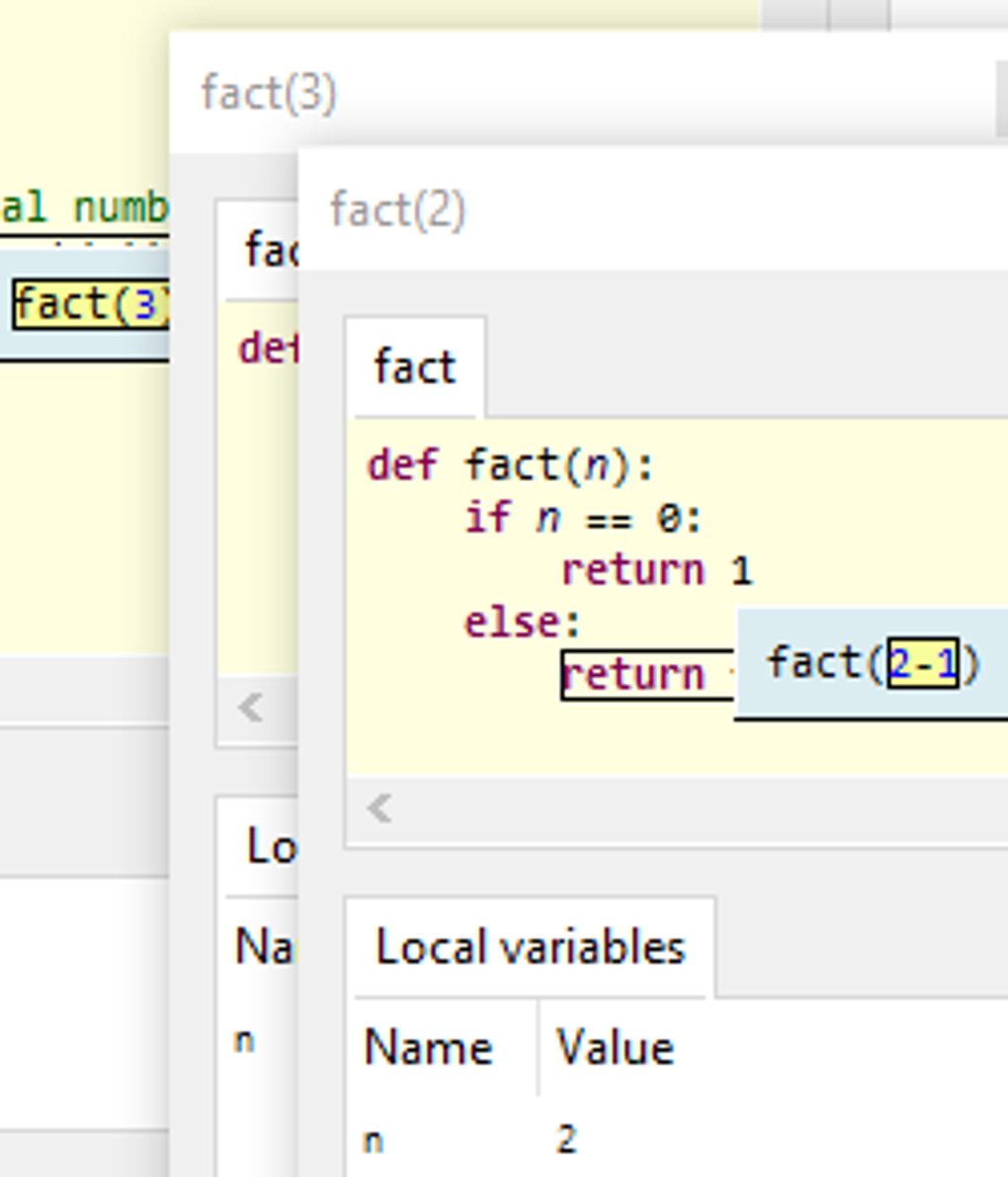
Beyond its visual capabilities, Thonny includes several essential features commonly found in more advanced IDEs, albeit presented in a more accessible manner. These include a built-in debugger, a powerful tool for identifying and resolving errors in code. The debugger allows users to pause program execution, inspect variable values, and step through the code line by line, assisting in identifying the root cause of any issues. In addition, Thonny offers auto code completion, suggesting possible code completions as the user types. This speeds up the coding process and reduces the likelihood of typos or syntax errors. Further enhancing usability, Thonny automatically highlights syntax errors, guiding users toward correct code structure and preventing common programming mistakes.
While Thonny’s primary focus is on Python, this specialization is both a strength and a limitation. The simplicity and tailored features are highly beneficial for Python learning, but it lacks the versatility to support other programming languages directly. This limited scope may prove restrictive for programmers working with multiple languages. However, for beginners concentrating on Python, this specialization is a major asset.
Visualized Learning: A Key Advantage
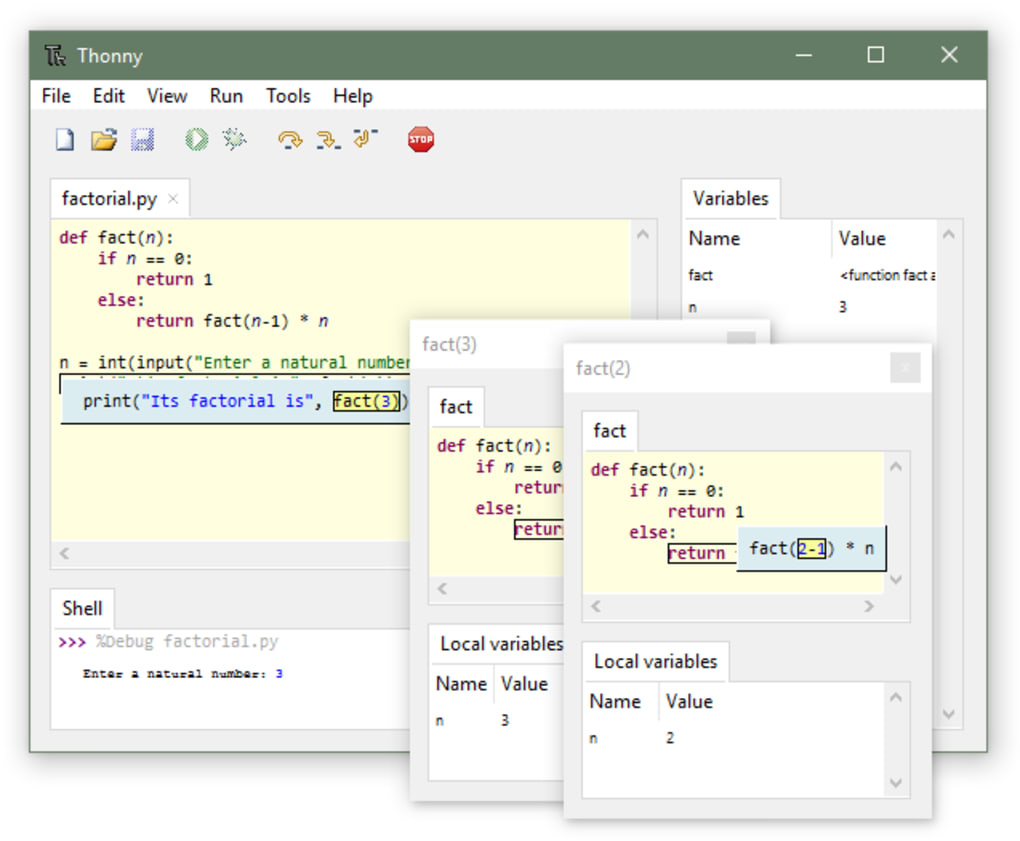
For newcomers to programming, the visual aspects of Thonny are particularly valuable. The intuitive interface requires minimal setup, offering a plug-and-play experience that focuses on coding rather than configuration. The visual debugging tools, combined with the real-time feedback on variable values and expression evaluation, provide a dynamic and engaging learning environment. This visual approach transforms the often abstract concepts of programming into concrete, observable processes, significantly enhancing the learning curve.
This hands-on, visual approach is a considerable advantage over text-based learning methods often used in introductory programming courses. The immediate feedback mechanism helps solidify understanding by connecting the theoretical concepts with practical application. The ability to see code execution in real-time makes it easier to grasp how code affects the program’s behavior, fostering a more intuitive understanding of the programming process.
Thonny’s emphasis on ease of use extends beyond its visual features. The straightforward interface simplifies navigation, making it easy for beginners to find and utilize the tools and features they need. The streamlined design reduces the cognitive load associated with learning new software, allowing users to concentrate on the core concepts of programming.
This ease of use is complemented by its extensive documentation and community support. The readily available resources provide clear guidance and assistance, allowing users to overcome any challenges they may encounter while learning.
Thonny’s Features and Capabilities
Thonny’s core functionality encompasses several key features that enhance the coding experience for both novices and experienced Python programmers. Its capabilities extend beyond simple code execution and include robust debugging, intelligent code completion, and clear error highlighting.
1. Integrated Debugger: Thonny’s built-in debugger allows users to step through their code line by line, inspecting variable values and observing the program’s flow. This is invaluable for identifying and resolving errors, providing a powerful learning tool for understanding how code works.
2. Auto Code Completion: As the programmer types, Thonny suggests possible completions, reducing the risk of errors and accelerating the development process. This feature is particularly beneficial for beginners who may not be familiar with all Python’s keywords and functions.
3. Syntax Error Highlighting: Thonny automatically highlights syntax errors, providing immediate feedback on coding mistakes. This early detection prevents the accumulation of errors and promotes the development of accurate code.
4. Simple Interface: Thonny’s design prioritizes simplicity and clarity, minimizing distractions and keeping the focus on the code itself. This user-friendly approach reduces the learning curve and makes the IDE accessible to beginners.
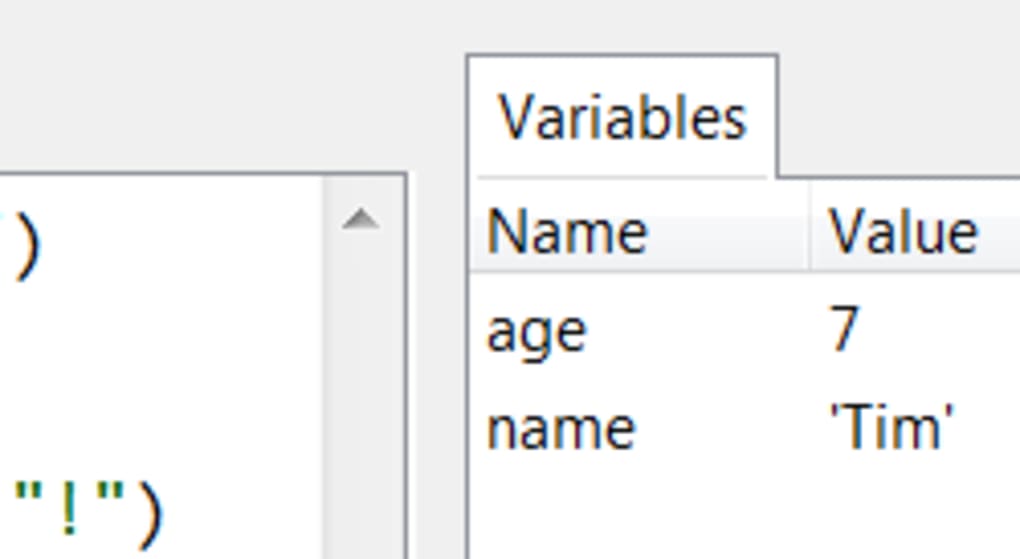
5. Variable Inspection: The real-time display of variable values allows users to observe how data changes throughout the program’s execution. This feature enhances understanding and debugging capabilities.
6. Expression Evaluation: Thonny provides granular details on expression evaluation, offering insights into how expressions are processed and their effect on program execution.
Limitations and Alternatives
While Thonny excels as a beginner-friendly Python IDE, it does have limitations. Its primary drawback is its exclusive focus on Python. Programmers working with other languages will need to use a different IDE. However, for those specifically learning or using Python, this focused design is a strength.
Several alternative IDEs offer broader language support but often come with a steeper learning curve. These include more comprehensive and complex IDEs such as:
- PyCharm: A professional-grade IDE with extensive features and support for multiple Python frameworks.
- VS Code: A versatile code editor with extensive extension support, allowing for Python development with added capabilities.
- Atom: A highly customizable and open-source text editor suitable for Python programming, often favored for its extensibility.
- Spyder: An open-source IDE specifically designed for scientific Python programming.
The choice of IDE depends largely on individual needs and experience level. For beginners focusing on Python, Thonny’s simplicity and ease of use are highly valuable. More experienced programmers or those working with multiple languages may find the broader capabilities of alternative IDEs more advantageous. Ultimately, the “best” IDE is a matter of personal preference and project requirements.
File Information
- License: “Free”
- Latest update: “December 20, 2024”
- Platform: “Windows”
- OS: “Windows 11”
- Language: “English”
- Downloads: “204K”
- Size: “23.48 MB”


