
Threadit is a free utility tool developed by threadit.app, designed to revolutionize workplace communication and collaboration. Available as a browser extension for Google Chrome and as a standalone Windows application, Threadit allows users to create and share short video recordings, providing a concise and engaging alternative to lengthy email chains, time-consuming video calls, and potentially ambiguous instant messages. This innovative approach leverages the familiarity and ease of use of short-form video platforms like TikTok, adapting the format to the specific needs and dynamics of professional environments.
Threadit: How It Works and Key Features
The core functionality of Threadit centers around creating and sharing “threads” – collections of short video clips organized around a specific topic or project update. Before you begin, account creation is necessary; users can conveniently leverage their existing Google or Microsoft accounts for seamless integration. Once logged in, the Threadit extension icon will appear in the top-right corner of your Chrome browser, providing quick access to the application.
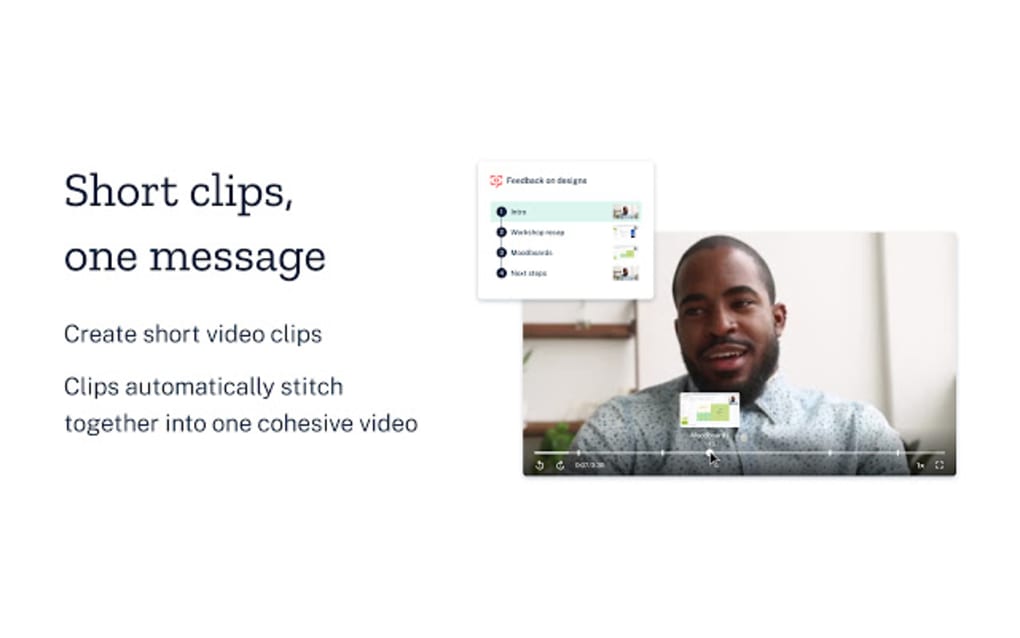
Clicking the icon reveals a user-friendly interface where users can choose from various templates or start with a blank Threadit. The process of creating a thread is intuitive and straightforward. Users can name their thread, providing a clear and concise title to indicate the subject matter. The interface then allows for the attachment of multiple video clips, enabling users to present a comprehensive update in a segmented, easily digestible manner.
The recording process itself is incredibly straightforward. Control options are easily accessible and clearly presented within the recording window. A prominent red button initiates recording, while readily available toggles allow users to switch their webcam and microphone on or off as needed. For presentations or demonstrations, a dedicated screen-sharing button allows users to capture their screen activity alongside their webcam feed, providing a holistic view of their update.
Upon completion of recording, users are presented with a set of options before publishing their Threadit. This crucial stage allows for fine-grained control over sharing and access permissions. Users can choose to make their threads publicly viewable, or restrict access to specific individuals or groups, ensuring sensitive information remains appropriately protected. Further customization options include enabling transcription for enhanced accessibility and the ability to attach supporting documents or files to the video thread.
The collaborative nature of Threadit extends beyond the initial creator. Others can reply to threads by creating their own video responses, continuing the conversation and workflow within the platform. However, it is important to note that recipients will also need a Threadit account to participate actively in the thread, view the videos, and contribute their feedback or updates.
Threadit: Advantages and Disadvantages
Threadit offers several compelling advantages that make it a powerful tool for enhancing workplace efficiency and communication. Its intuitive design and ease of use are significant benefits, making it accessible to users with varying levels of technical proficiency. The ability to attach multiple videos to a single thread provides a structured approach to conveying complex information, avoiding the scattered nature of long email chains or fragmented messaging. The inclusion of versatile sharing and control options allows users to manage access to their threads, balancing collaborative transparency with the need for information security.

However, Threadit also has limitations. The requirement for all participants to have a Threadit account can be a barrier to adoption, particularly in environments where onboarding new tools can be a lengthy process. While this promotes a more controlled and consistent collaborative environment, it does present an initial hurdle to overcome.
Threadit: Comparison to Traditional Communication Methods
Compared to traditional communication methods, Threadit offers a significant improvement in efficiency and clarity. Long email chains can easily become unwieldy, with information scattered across multiple messages and responses. Similarly, video calls, while effective for real-time interaction, can be time-consuming to schedule, requiring the coordination of multiple participants’ calendars and often resulting in unproductive delays. Instant messaging, while fast, can lack context and clarity, leading to misunderstandings or the need for clarification.
Threadit neatly circumvents these challenges. The concise nature of short-form videos allows for efficient communication, conveying key information quickly and directly. The ability to attach multiple clips allows for a structured presentation, addressing multiple aspects of a project or update in a logical sequence. The control over sharing and access ensures that information remains focused and appropriately distributed, preventing the accidental sharing of sensitive data.
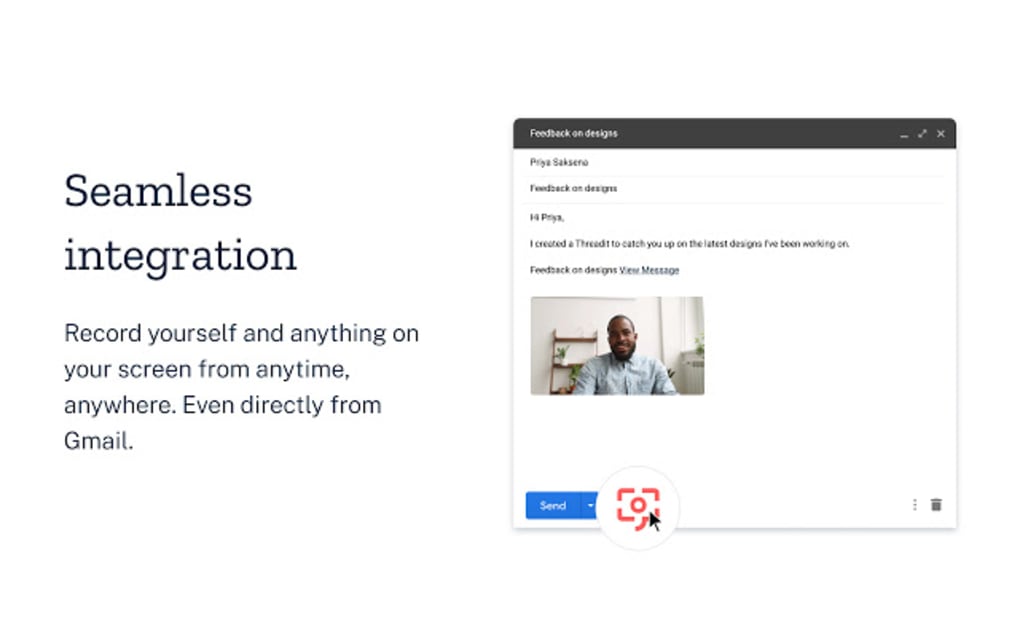
The inclusion of transcription features further enhances accessibility and usability, providing a textual record of the video content, benefiting users who may prefer to read rather than watch videos or those working in noisy environments. The ability to attach supplementary documents adds another layer of functionality, providing a centralized repository for relevant materials, avoiding the need to sift through separate email attachments or cloud storage folders.
Threadit: A Tool for Enhanced Productivity and Collaboration
In conclusion, Threadit presents a compelling alternative to traditional workplace communication methods. Its user-friendly interface, combined with the efficient use of short-form video, offers a significant improvement in clarity, conciseness, and collaborative efficiency. While the requirement for all participants to have an account presents a minor barrier, the benefits in terms of improved workflow, reduced meeting times, and enhanced communication outweigh this limitation for many teams. Its unique approach to combining the engaging format of short-form video with controlled collaborative features positions Threadit as a valuable tool for organizations seeking to streamline communication and enhance overall team productivity. The platform’s intuitive design and robust features make it a worthy addition to the arsenal of tools used to foster successful teamwork and project management. The ease of use, coupled with the flexibility offered by video-based communication and robust control options, positions Threadit as a promising solution for enhancing workplace communication and collaboration in the modern digital landscape.
File Information
- License: “Free”
- Version: “1.12”
- Latest update: “July 15, 2022”
- Platform: “Windows”
- OS: “Windows 8.1”
- Language: “English”
- Downloads: “143”


