
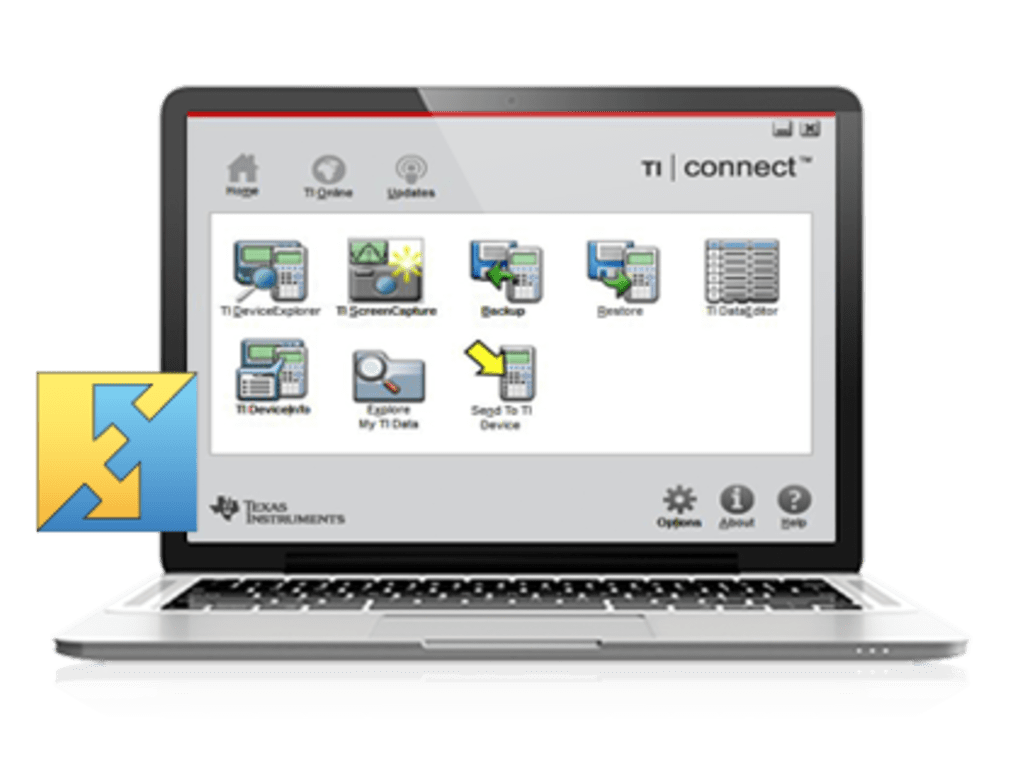
TI Connect is a free IT and development software application designed to facilitate seamless communication between Texas Instruments (TI) graphing calculators and computers. This essential tool empowers users to effortlessly transfer files, update calculator operating systems, and download applications directly to their TI devices. Acting as a successor to the older TI-Graphic Link software, TI Connect streamlines the process by eliminating the need for calculator-specific software versions. This means a single installation supports a wide range of compatible TI graphing calculators, offering a significant advantage in terms of convenience and usability.
A Deep Dive into TI Connect’s Functionality
TI Connect’s primary function is to establish a reliable connection between a computer and a compatible TI graphing calculator. This connection is typically established via a USB link cable, enabling a range of crucial operations:
-
Data Transfer: Users can effortlessly transfer data files, programs, and other essential information between their calculator and computer. This bidirectional transfer capability allows for easy backup, storage, and sharing of calculator projects and data sets. This feature is particularly useful for students and educators who frequently work with large datasets or complex programs.
-
Operating System Updates: Keeping the calculator’s operating system up-to-date is crucial for maintaining optimal performance, security, and access to the latest features. TI Connect simplifies this process by providing a straightforward method for downloading and installing the latest OS updates directly onto the calculator. This ensures the calculator remains compatible with newer applications and benefits from performance enhancements and bug fixes.
-
Application Downloads: TI Connect acts as a gateway to a vast library of calculator applications. Users can browse, download, and install a wide range of educational, utility, and entertainment applications directly onto their TI calculators. This expands the calculator’s functionality beyond its core mathematical capabilities, making it a versatile tool for a diverse range of applications.
Understanding TI Connect’s Strengths and Weaknesses
While TI Connect offers a significant improvement over its predecessor and provides considerable advantages, it’s crucial to acknowledge both its strengths and weaknesses:
Pros:
-
Universal Compatibility: Unlike previous software solutions, TI Connect generally supports a broad range of compatible TI graphing calculators without requiring separate software installations for each model. This greatly simplifies the process for users who own multiple calculators or who need to support a variety of models within a classroom setting. This streamlined approach significantly reduces complexity and improves overall user experience.
-
Efficient Data Transfer: The software is designed to facilitate efficient and reliable data transfer between the calculator and the computer. This feature is especially beneficial when dealing with large files or complex programs, enabling quicker transfer times compared to alternative methods. The transfer process itself is intuitive and user-friendly, minimizing the learning curve and allowing users to quickly get started.
-
Free and Accessible: TI Connect is offered completely free of charge, making it an accessible tool for students, educators, and hobbyists alike. This ensures that the necessary software is readily available without imposing financial barriers. This accessibility further enhances the overall value proposition of the software.
-
Operating System Updates: TI Connect provides a simple and convenient way to update the operating system of the graphing calculator. This ensures the device remains up-to-date with the latest features, bug fixes, and security patches. Staying current with OS updates is essential for maintaining optimal performance and security.
-
Application Management: The ability to easily manage and install calculator applications is a key benefit. This allows users to extend the functionalities of their calculators significantly. The simplified process of application management reduces technical hurdles and makes the process accessible to a wide range of users.
Cons:
- Occasional Slowdowns: Some users have reported occasional slowdowns during the data transfer process. These slowdowns may be attributed to various factors, including the speed of the USB connection, the size and complexity of the transferred files, and the overall system performance of the connected computer. While not a consistent problem, these slowdowns can be frustrating, especially when working with time-sensitive projects.
-
Limited Compatibility: While TI Connect boasts broad compatibility, it doesn’t support every TI graphing calculator model. Users should always check the official TI website to ensure compatibility before downloading and installing the software. This limitation can be a source of frustration for users with older or less common calculator models.
-
Unexplained Errors: As with any software application, users may encounter occasional unexplained errors during data transfer or other operations. These errors can be particularly problematic when dealing with important data or projects. While typically infrequent, these instances can interrupt workflow and require troubleshooting.
-
Reliance on Physical Connection: TI Connect requires a physical connection between the calculator and the computer via a USB cable. This reliance on a physical connection can be an inconvenience, particularly for users who prefer wireless solutions or who are frequently on the move. The absence of wireless capabilities limits the flexibility and convenience of the software.
Addressing User Concerns and Potential Solutions
While the potential drawbacks of TI Connect are noteworthy, many can be mitigated through proper usage and troubleshooting:
-
Slowdowns: To address occasional slowdowns, users should ensure they are using a high-quality USB cable and that the USB port on their computer is functioning correctly. Restarting both the computer and the calculator can also resolve temporary glitches. Furthermore, transferring files in smaller batches can also help improve transfer speed.
-
Unexplained Errors: When encountering unexplained errors, users should first check the TI Connect website for troubleshooting tips and known issues. Restarting the software or the computer can often resolve minor errors. If the problem persists, contacting TI support may be necessary.
TI Connect: A Valuable Tool for Educators and Students
TI Connect plays a significant role in educational settings. Its ability to facilitate the distribution of applications, updates, and data simplifies classroom management and allows educators to effectively manage a large number of student calculators. This centralized management significantly streamlines the process of deploying updates and distributing educational resources.
TI Connect’s Place in the Ecosystem of TI Calculator Software
TI Connect sits within a larger ecosystem of software and resources provided by Texas Instruments for its graphing calculators. It acts as a crucial bridge, linking the calculator’s capabilities to the broader computing world. Its free availability and broad functionality make it a valuable asset for both casual users and those who rely heavily on their TI calculators for advanced tasks. The software is continuously being improved and updated, reflecting Texas Instruments commitment to supporting its user base.
Conclusion: A Powerful and Necessary Tool
TI Connect, despite its minor drawbacks, remains a powerful and essential tool for anyone who owns a compatible TI graphing calculator. Its ability to facilitate easy data transfer, operating system updates, and application downloads significantly enhances the overall user experience. While some users may encounter occasional slowdowns or errors, these instances are generally infrequent and can often be resolved through basic troubleshooting. The overall convenience and accessibility of TI Connect make it a valuable resource for students, educators, and professionals alike who utilize TI graphing calculators. Its free availability further solidifies its position as an indispensable tool in the world of TI graphing calculator technology.
File Information
- License: “Free”
- Version: “4.0.0.218”
- Latest update: “May 28, 2019”
- Platform: “Windows”
- OS: “Windows 8”
- Language: “English”
- Downloads: “2.5K”
- Size: “18.09 MB”


