
Time Adjuster is a free, popular video software application specifically designed for Windows operating systems. Categorized under Video software, with a more precise subcategory of DVD & DivX subtitle management, it’s garnered significant attention for its ease of use and effectiveness in synchronizing subtitles with video files. While no longer actively updated, its legacy remains relevant for users seeking a straightforward solution to subtitle alignment issues. This comprehensive guide will explore the features, functionalities, and overall user experience of Time Adjuster, as well as provide context within the broader landscape of subtitle synchronization tools.
Understanding Time Adjuster’s Core Functionality
Time Adjuster’s primary function is to streamline the often tedious process of aligning subtitles with video playback. This is particularly crucial when dealing with downloaded subtitles that may not perfectly match the timing of the video. The software allows users to make precise adjustments to subtitle timestamps, ensuring accurate synchronization. The intuitive interface simplifies this process, even for users without extensive technical experience. Unlike more complex subtitle editing tools that offer features like subtitle creation and extensive formatting options, Time Adjuster focuses solely on synchronization, making it a highly efficient tool for its intended purpose. This streamlined approach minimizes the learning curve and maximizes usability.
This software’s strength lies in its simplicity. It provides users with a clear, concise interface designed to efficiently adjust subtitle timing. The program does not require extensive storage space, making it suitable even for systems with limited resources. This lightness, combined with its straightforward functionality, contributes to its popularity among users who prioritize efficiency and ease of use over a plethora of advanced features.
System Requirements and Supported Languages
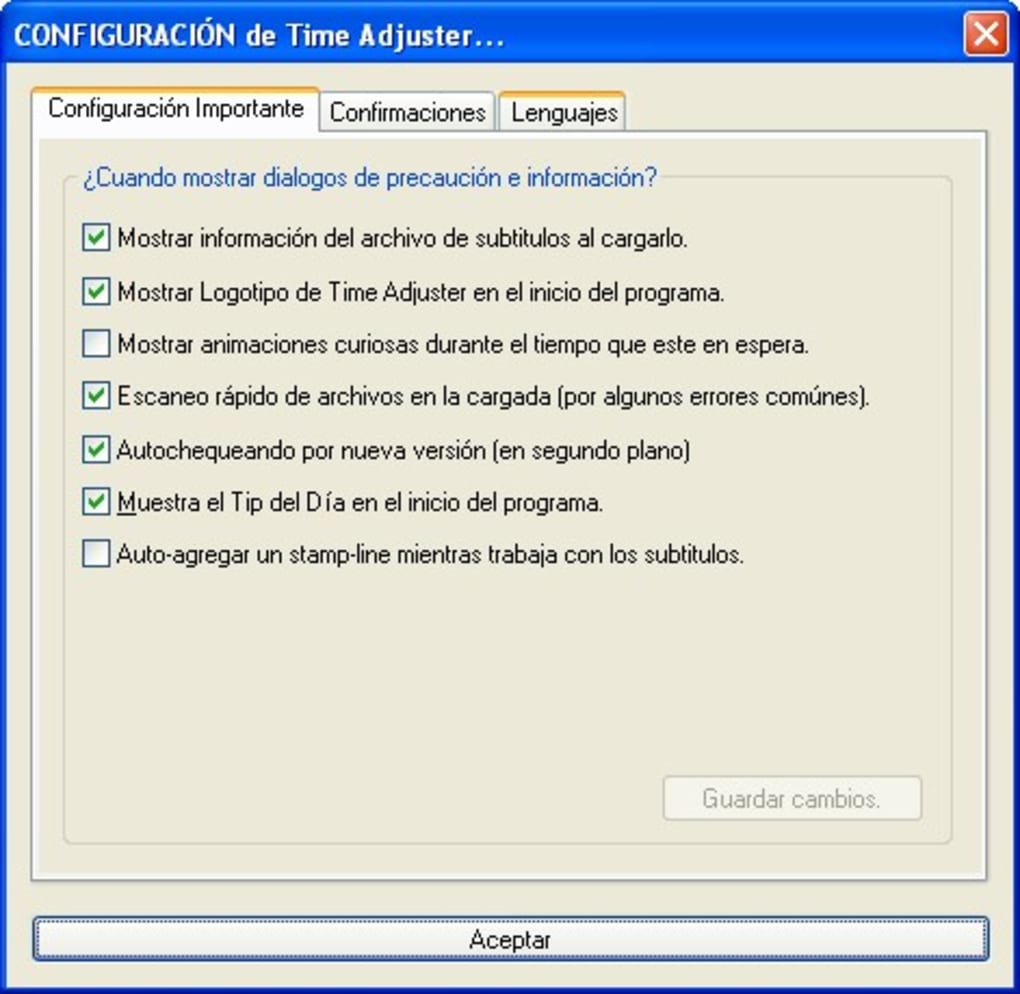
Time Adjuster boasts compatibility with older Windows operating systems, including Windows 98 and earlier versions, highlighting its longevity and adaptability across different system architectures. This broad compatibility expands its potential user base considerably. While its primary language is English, Time Adjuster offers support for multiple languages, including Spanish and German, further enhancing its accessibility and global appeal. This multilingual support is a notable aspect, signifying an effort to cater to a broader international audience. The program’s relatively low system requirements ensure it can run smoothly on a wide range of machines, regardless of their processing power or memory capacity.
User Experience and Interface Design
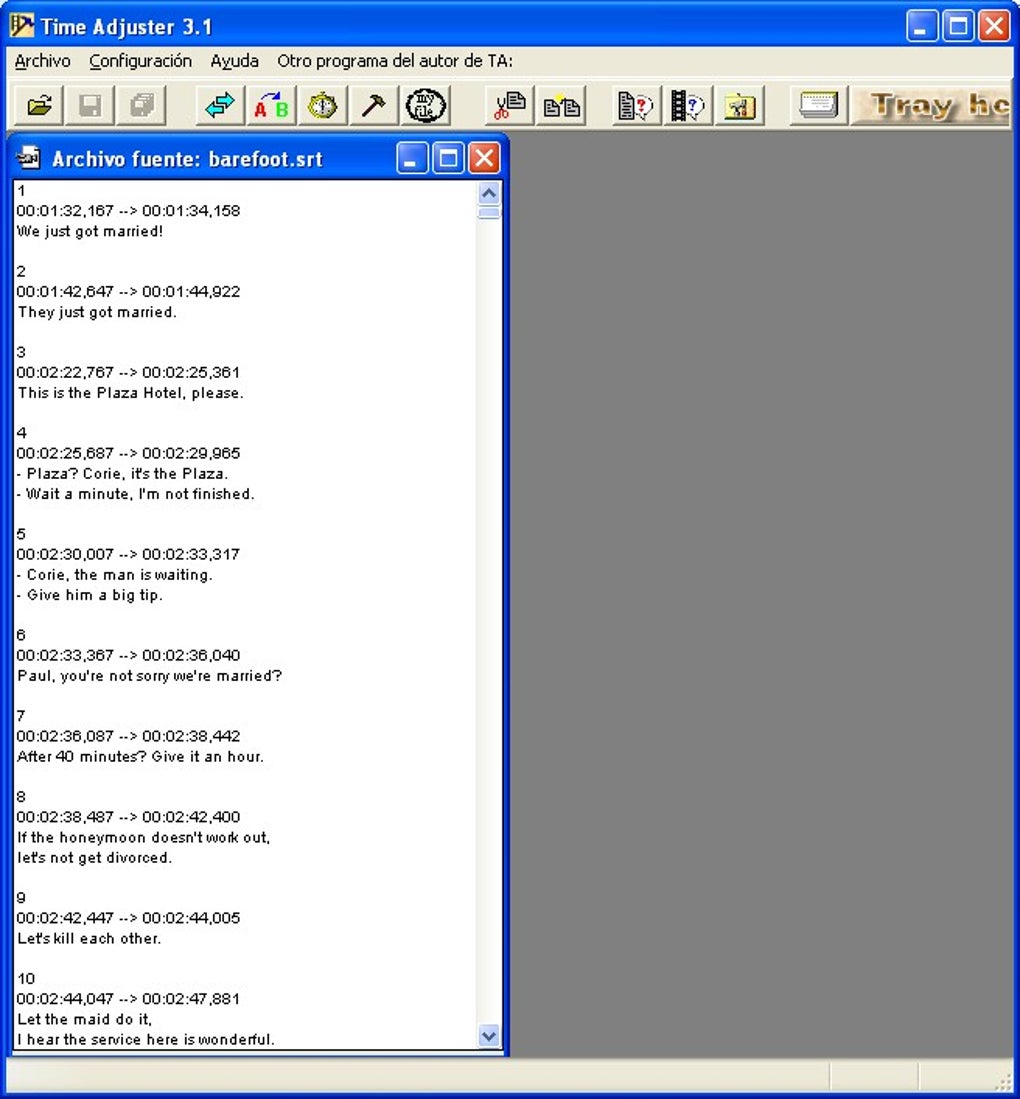
The user interface of Time Adjuster is designed for simplicity and ease of use. Its intuitive layout eliminates unnecessary complexities, allowing users to quickly grasp the core functionalities. This streamlined approach makes it accessible to users of all technical skill levels, from novices to experienced users. The software avoids overwhelming the user with numerous options or complex settings, focusing instead on providing a clear and efficient pathway to accurate subtitle synchronization. This design philosophy prioritizes practicality and user-friendliness above all else.
Comparing Time Adjuster to Alternative Subtitle Synchronization Tools
While Time Adjuster was a popular choice in its time, several alternative subtitle synchronization tools have emerged, each with its own set of features and advantages. Some offer more advanced features like automatic synchronization algorithms, batch processing capabilities, and more sophisticated editing tools. Others focus on specific file formats or incorporate features for subtitle creation and translation. However, Time Adjuster’s distinct advantage remains its simplicity and ease of use, a characteristic that appeals to users who value efficiency over advanced functionality.
Comparing Time Adjuster to contemporary alternatives such as Automatic Subtitle Synchronizer, SubMagic, VobSub, and Subtitle Workshop reveals a significant difference in feature sets. While the alternatives often offer more extensive functionalities including subtitle creation, editing, and advanced synchronization algorithms, they may also come with a steeper learning curve. Time Adjuster’s focus on a singular, easily mastered task—subtitle synchronization—gives it a distinct advantage for users who prioritize ease of use and speed over comprehensive feature sets. The choice between Time Adjuster and other tools ultimately depends on the user’s specific needs and technical proficiency.
Installation, Use, and Potential Issues
The installation process for Time Adjuster is typically straightforward and uncomplicated, requiring minimal user interaction. The user experience is largely defined by the software’s focus on ease of use. Its simple interface guides users through the synchronization process without requiring specialized knowledge. However, user reviews highlight potential issues, including the presence of unwanted bundled software in older versions and occasional incompatibility with certain subtitle formats. It’s crucial to download the software from reputable sources to mitigate the risk of malware or bundled applications. Users should also verify compatibility with their subtitle file format before utilizing the program. The lack of recent updates also represents a potential concern, as it might limit compatibility with newer video formats or operating systems.
Security Concerns and User Reviews
Past user reviews have raised concerns about the inclusion of potentially unwanted programs or malware in some versions of Time Adjuster. This highlights the importance of downloading the software from trusted sources and exercising caution when installing any software. While such concerns haven’t been consistently reported in all versions, users should remain vigilant and scan downloaded files with reputable antivirus software before execution. It’s crucial to carefully review the installation process and opt out of any unwanted add-ons or toolbars. The absence of recent updates also raises security concerns, as vulnerabilities may not be patched in older versions.
Conclusion: Time Adjuster’s Place in the Subtitle Synchronization Landscape
Time Adjuster, despite its age and lack of recent updates, remains a relevant entry in the subtitle synchronization software market. Its straightforward approach, intuitive interface, and low system requirements make it an attractive option for users prioritizing ease of use and efficiency. While more advanced alternatives offer a broader range of features, Time Adjuster’s simplicity remains its defining characteristic, appealing to a specific user base seeking a quick and effective solution for subtitle alignment. However, potential security concerns associated with older versions underscore the need for careful downloading and installation practices. Users should weigh the pros and cons, considering their technical proficiency and specific needs, before selecting Time Adjuster or any alternative subtitle synchronization software. Ultimately, its legacy lies in its once-unrivaled simplicity, a factor that continues to resonate with some users even in the context of more feature-rich contemporaries.
File Information
- License: “Free”
- Version: “3.1”
- Latest update: “June 9, 2011”
- Platform: “Windows”
- OS: “Windows NT”
- Language: “English”
- Downloads: “64.6K”
- Size: “953.45 KB”


