
Timestamp Camera is a free Android application designed to add time and location watermarks to photos and videos. This feature is invaluable for various purposes, from documenting events with precise temporal and geographic context to enhancing the authenticity and trustworthiness of visual media. This review will delve into the app’s functionality, usability, features, and compare it with alternatives available on the market.
Core Functionality: Timestamping Your Visuals
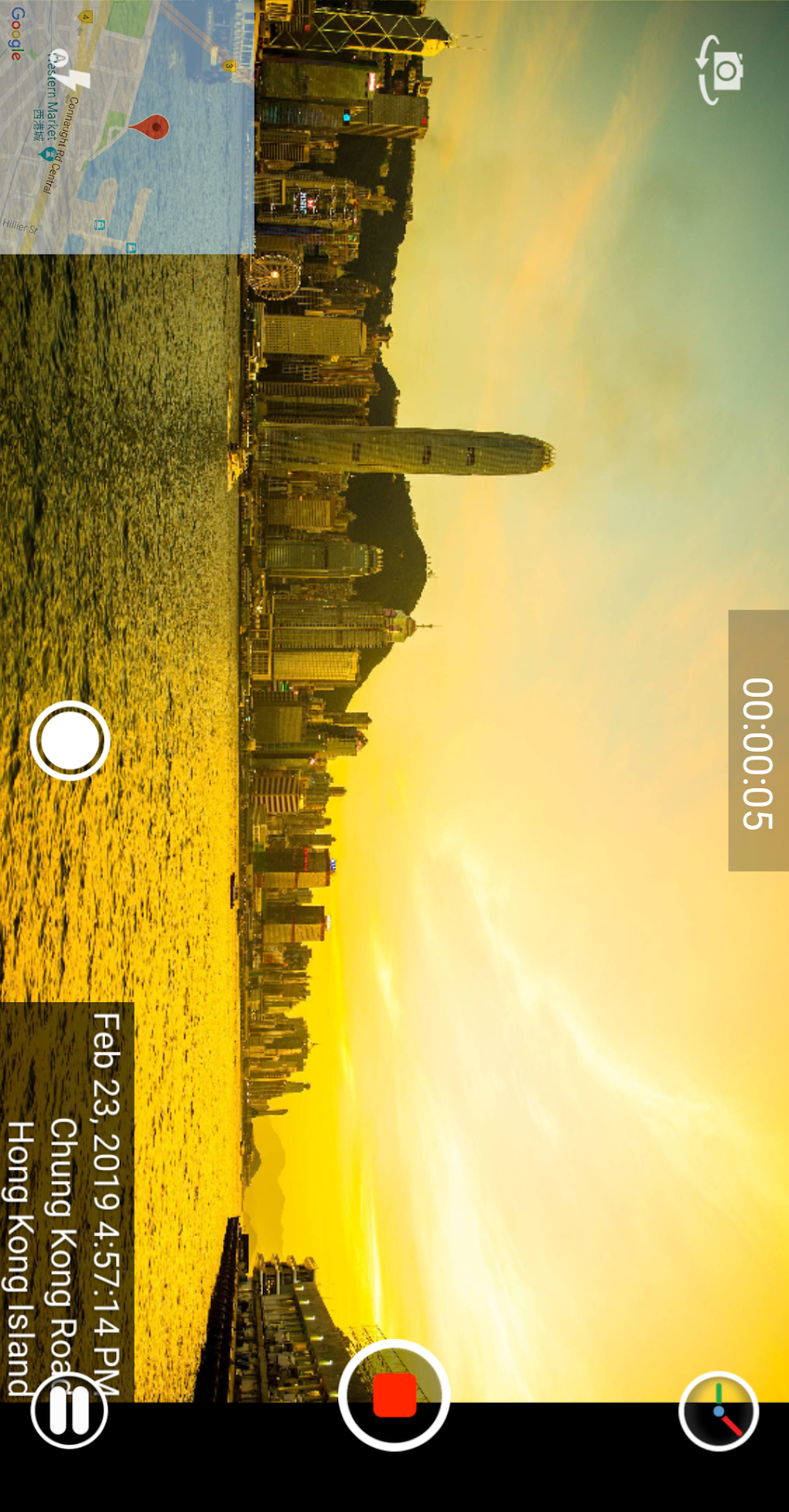
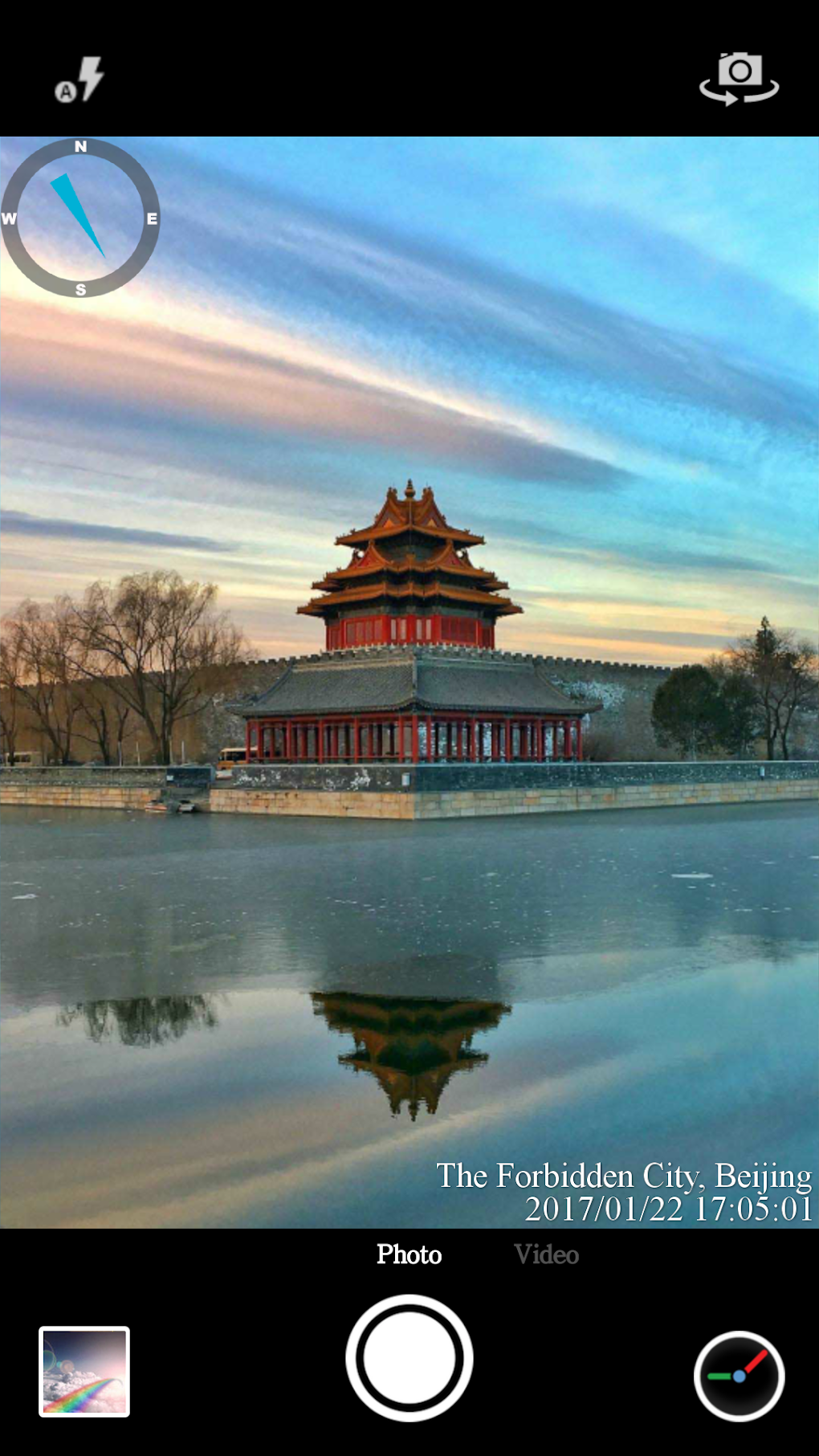
The core function of Timestamp Camera is straightforward yet powerful: it allows users to embed timestamps and geographic location data directly onto their photos and videos. This data is presented as a watermark, typically displayed in a corner of the image or video frame. The app’s simplicity is one of its greatest strengths; the user interface is intuitive, making it accessible to users of all technical skill levels. No prior experience with photo or video editing software is required to effectively utilize its capabilities.
The app’s ability to record precise timestamps eliminates any ambiguity surrounding when a particular image or video was captured. This is especially crucial for legal, journalistic, or investigative purposes, where verifiable timestamps are essential. Similarly, the inclusion of location data provides a geographic context, further enriching the information embedded within the media. This contextual data can prove highly beneficial for various applications, ranging from travel vlogging to personal record-keeping.
The process of adding timestamps and location data is streamlined. Users typically need only to open the app, select their preferred settings (discussed below), and capture or select existing photos or videos. The app automatically adds the watermark upon image or video capture or import. This seamless integration ensures that the timestamping process doesn’t disrupt the overall user experience.
Customization and Settings: Tailoring Your Watermark
Beyond its basic functionality, Timestamp Camera offers a range of customization options, allowing users to tailor the appearance and content of the watermark to their specific needs. This level of customization elevates the app beyond a simple timestamping tool and transforms it into a versatile visual enhancement utility.
Users can adjust several aspects of the watermark, including:
-
Time Format: The app typically provides various options for displaying the time, ranging from simple 12-hour or 24-hour formats to more detailed representations including date, time zone, and even milliseconds. This flexibility allows users to choose the level of precision necessary for their particular application.
-
Location Data: The app utilizes the device’s GPS to obtain location information. However, users can usually choose to either display the full GPS coordinates, a simplified address, or even omit location data altogether. This option provides users with control over the level of detail regarding location data included in the watermark.
-
Watermark Position: The position of the watermark on the image or video can usually be adjusted. Options commonly include corner placement (top-left, top-right, bottom-left, bottom-right), or the ability to manually place the watermark at a user-defined position within the frame. This allows for better composition and avoids obscuring important parts of the visual content.
-
Watermark Opacity: The transparency or opacity of the watermark is often adjustable, allowing users to find a balance between visibility and visual impact. A more transparent watermark will be less intrusive on the visual content, while a less transparent watermark will ensure the timestamp is clearly legible.
-
Font and Color: Users typically have options to choose the font style, size, and color of the watermark text. This enhances the overall aesthetic appeal and allows users to match the watermark to the overall tone and style of their visual content.
-
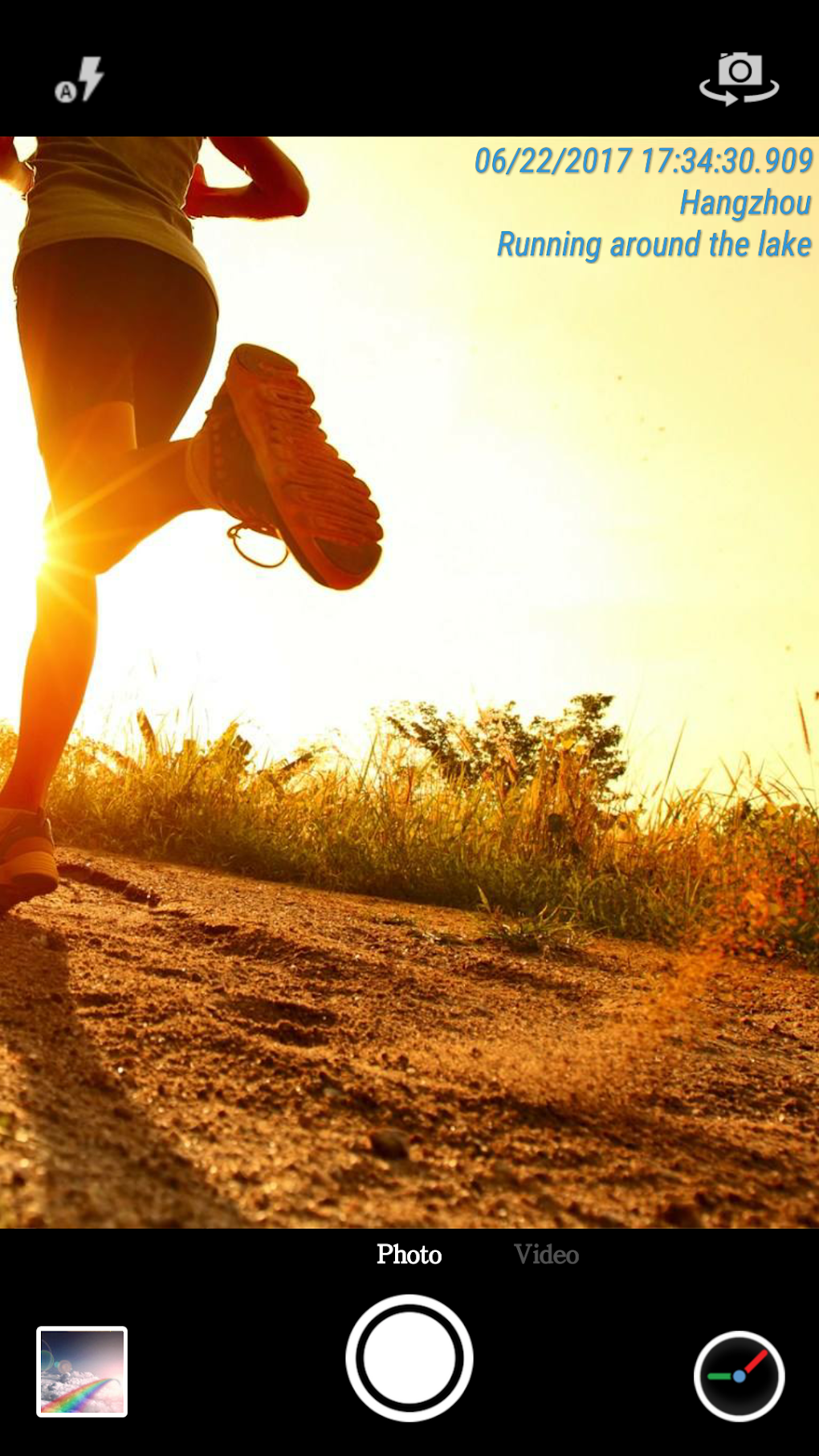
Custom Text: Some advanced versions of Timestamp Camera may offer the option to add custom text to the watermark beyond the standard time and location data. This could be anything from a personal identifier to a project-specific label, enabling increased personalization.
- Logo Watermark: Similar to custom text, some apps might also allow adding a custom logo as a watermark. This feature can be particularly useful for branding purposes.
Alternative Apps and Comparisons
Several alternative apps offer similar timestamping functionalities. A brief comparison helps highlight Timestamp Camera’s strengths and weaknesses relative to its competitors. Some competitors might offer more advanced features, such as automated backup to cloud storage, more sophisticated watermark customization options (e.g., shapes, transparency gradients), or integration with other productivity tools. However, Timestamp Camera’s simplicity and ease of use often remain a significant advantage.
Comparing Timestamp Camera to applications like Timestamp Camera Enterprise, Mark Camera, or Date Time Stamp Camera reveals some key differences. Timestamp Camera Enterprise, for example, often emphasizes enhanced security and the prevention of forged timestamps. Mark Camera may focus on comprehensive watermarking options, and Date Time Stamp Camera may prioritize ease of use even more than Timestamp Camera itself. Choosing the best application depends on the specific needs and priorities of the user.
User Experience and Interface
One of the most significant strengths of Timestamp Camera is its user-friendly interface. The app is designed to be intuitive and straightforward, minimizing the learning curve for new users. The settings are clearly labeled, and the process of adding timestamps and location data is streamlined and efficient. This simplicity makes the app readily accessible even for those who are not technically proficient.
The app’s overall design is typically clean and uncluttered, focusing on the core functionality rather than superfluous features. This minimalist approach enhances the user experience, making the app easy to navigate and use, even for beginners. The absence of intrusive ads or unnecessary permissions is a further plus, contributing to a more pleasant user experience.
Technical Aspects and Performance
Timestamp Camera’s performance generally depends on the device’s processing power and available resources. However, it’s generally known for its relatively low resource consumption, meaning that it won’t significantly impact the performance of the device, even on less powerful smartphones or tablets. The app typically works seamlessly with both the front-facing and rear-facing cameras, offering flexibility in image acquisition.
The accuracy of the timestamps and location data depends on the device’s GPS capabilities and the accuracy of its internal clock. While the app cannot guarantee absolute accuracy in extreme cases of poor GPS reception or clock inaccuracies, its performance is generally consistent and reliable under normal operating conditions.
Conclusion: A Simple Yet Powerful Tool
Timestamp Camera provides a simple yet effective solution for adding timestamps and location data to photos and videos. Its intuitive user interface, customizable settings, and reliable performance make it a valuable tool for a wide range of users. While more advanced apps offer a broader feature set, Timestamp Camera excels in its ease of use and its focus on core functionality. For users who prioritize simplicity and ease of use, Timestamp Camera stands as a strong contender amongst its competitors. Its free availability further enhances its appeal, making it an excellent choice for those seeking a reliable and convenient timestamping solution. While the specific features might vary slightly based on the version and update, the core functionality remains consistent and reliable across different versions of the application. The app is well-suited for individuals and organizations requiring simple yet accurate timestamping of visual media.
File Information
- License: “Free”
- Latest update: “August 2, 2025”
- Platform: “Android”
- OS: “Android 13.0”
- Language: “English”
- Downloads: “5.5K”
- Download Options: “Google Play”


