
Tiny11 is a significantly streamlined version of Windows 11, developed by the NTDEV community. Designed for older hardware and low-end PCs, it strips away many of the features and components considered non-essential, offering a faster and more efficient computing experience. This article explores the advantages and disadvantages of Tiny11, helping you decide if it’s the right choice for your needs.
Tiny11: Performance and Functionality
One of Tiny11’s primary appeals lies in its drastically reduced system footprint. By removing unnecessary bloatware, pre-installed applications, telemetry services, and various background processes, Tiny11 achieves remarkable performance improvements. Users report significantly faster boot times, increased responsiveness, and better overall system performance, especially on machines that struggle to run the full version of Windows 11. This lightweight design makes it an attractive option for users with older hardware or low-end PCs that might otherwise be deemed unsuitable for a modern operating system.
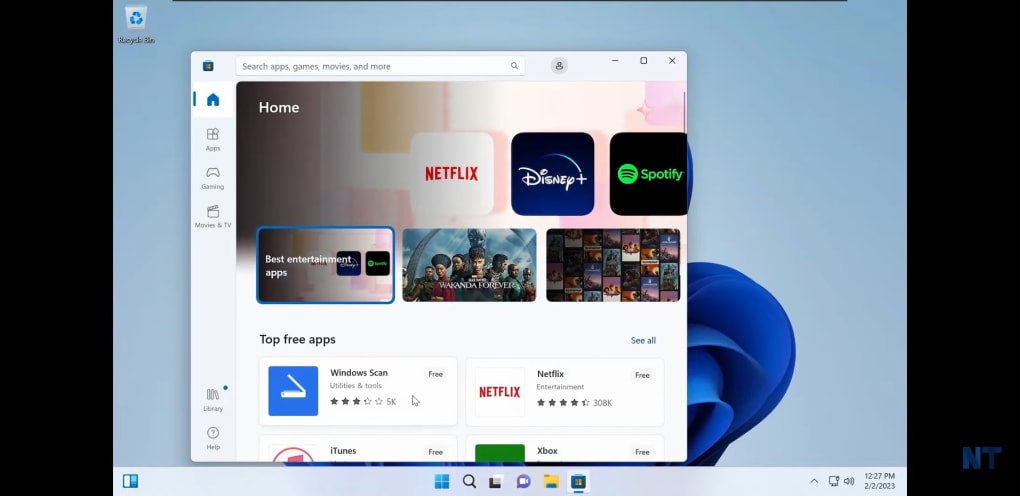
The core functionality of Windows 11 remains largely intact. Essential features such as the Microsoft Store, Windows Defender (for basic security), and fundamental system settings are retained. However, users should be aware that many default Windows 11 applications and functionalities are absent. This means that users who rely heavily on specific pre-installed apps or advanced features will need to manually install them. This might involve additional time and effort in configuring the system to match individual needs. While suitable for basic computing tasks like web browsing, document creation, and media consumption, users who rely on a full suite of Microsoft applications and services might find Tiny11’s limitations frustrating.
Security and Support Considerations
The lack of official Microsoft support is a critical point to consider when evaluating Tiny11. Because it’s a community-developed modification rather than an official Microsoft product, it doesn’t receive official security updates or patches through the standard Windows Update mechanism. While Tiny11 allows for manual Windows updates, the compatibility and efficacy of these updates are not guaranteed. This means that critical security patches might fail to apply correctly, leaving the system vulnerable to potential exploits. Therefore, security-conscious users who require consistent and reliable security updates should exercise caution.
The absence of official support extends beyond security updates. Troubleshooting technical issues may prove more challenging since there’s no official support channel to assist with problems. Relying on community forums and online resources might be necessary, which can be time-consuming and may not always yield immediate solutions. This lack of formal support can be a significant drawback, especially for users who are not technically proficient.
Compatibility and Limitations
Tiny11’s streamlined nature introduces potential compatibility issues. Because certain components and drivers have been removed, some applications or hardware might not function correctly. This can range from minor glitches to complete incompatibility, potentially rendering specific software unusable. Before installing Tiny11, users should carefully consider the software and hardware they rely on to ensure compatibility. Thorough research and testing are recommended to avoid any unforeseen problems. This increased risk of incompatibility might be a deal-breaker for users with specialized software or hardware requirements.
Furthermore, the absence of certain system services might limit the functionality of specific applications. While basic applications likely work flawlessly, complex software with stringent system requirements might experience performance issues or fail to function altogether. Users should anticipate the need for careful testing and potential adjustments to their software suite.
Installation and Usage
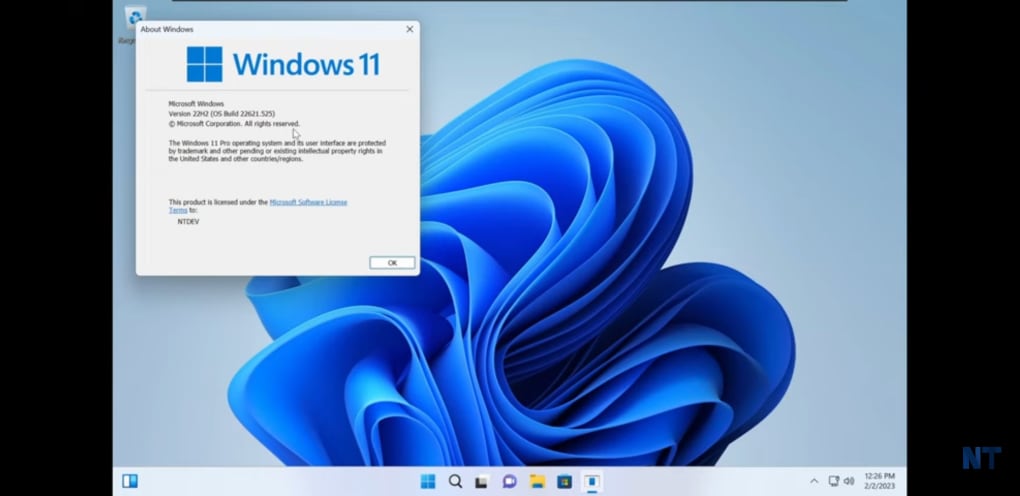
The installation process for Tiny11 is generally similar to installing a standard Windows 11 ISO image. However, users need to understand that this is a modified version and not the official release from Microsoft. Therefore, it’s crucial to proceed with caution and follow the instructions provided by the NTDEV community meticulously. Errors during installation could potentially lead to system instability or data loss. The lack of official support implies that troubleshooting installation problems might require extensive research and self-reliance.
Once installed, the user experience will likely differ noticeably from standard Windows 11. The simplified interface and the absence of pre-installed applications result in a leaner, less cluttered desktop. While some users might appreciate this minimalism, others might find it less user-friendly or visually appealing, especially those accustomed to the standard Windows 11 interface and its default applications.
The Target Audience for Tiny11
Tiny11’s appeal primarily lies with users who prioritize performance and efficiency over a comprehensive feature set. Individuals with older PCs struggling to run Windows 11 or those seeking a more streamlined computing experience might find it beneficial. The low system requirements and faster boot times make Tiny11 a viable option for revitalizing outdated hardware. It is particularly appealing to users who primarily utilize their computer for basic tasks like web browsing, email, and document editing. However, it’s critical to acknowledge its limitations and potential risks.
Tiny11 is not a solution for everyone. Users who require a fully functional and supported operating system with regular security updates and comprehensive compatibility should stick with the official Windows 11 release. Likewise, users who rely heavily on specific Windows applications or services that have been removed in Tiny11 should carefully evaluate the implications before making the switch.
Tiny11: A Balanced Perspective
Tiny11 presents a compelling alternative to the full Windows 11 experience for specific users. Its lightweight design and improved performance on low-end hardware are undeniably attractive features. However, the lack of official support, security updates, and potential compatibility issues necessitate careful consideration. It’s crucial to weigh the advantages of improved performance against the trade-offs in security and functionality. Users should assess their individual needs and technical expertise before making the decision to install Tiny11.
The ultimate choice between Tiny11 and the official Windows 11 release depends heavily on individual priorities. Those willing to accept potential risks and limitations in exchange for enhanced performance on older hardware will likely find Tiny11 advantageous. However, those prioritizing security, comprehensive features, and official support should opt for the official Windows 11 installation. A well-informed decision requires a thorough understanding of both the benefits and the inherent risks associated with using a community-modified operating system.
File Information
- License: “Free”
- Version: “1.0”
- Latest update: “April 16, 2025”
- Platform: “Windows”
- OS: “Windows 10”
- Language: “English”
- Downloads: “76.4K”
- Size: “3.18 GB”


