
Tixati is a free, open-source BitTorrent client renowned for its speed, efficiency, and comprehensive feature set. Unlike many of its competitors, Tixati operates without intrusive advertisements or bundled software, providing a clean and streamlined user experience focused solely on torrenting. This review will delve into its features, usability, safety, and overall performance, helping you determine if it’s the right BitTorrent client for your needs.
A User-Friendly Interface for All Levels
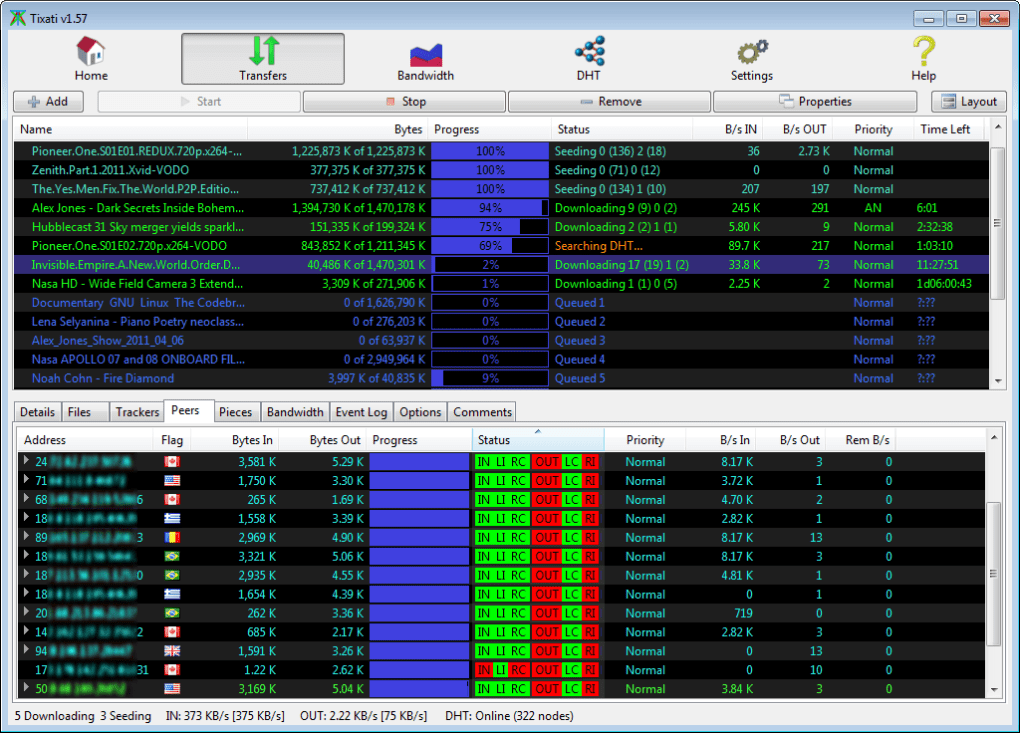
One of Tixati’s greatest strengths is its intuitive and minimalistic interface. While some torrent clients overwhelm users with cluttered dashboards and unnecessary features, Tixati maintains a clean and straightforward design. This makes it accessible to beginners who might find other clients daunting, while simultaneously offering advanced options for experienced users to fine-tune their downloads.
The main window presents a clear overview of active and completed downloads, providing essential information such as download/upload speed, remaining time, file size, and the number of peers connected. These statistics are presented in a visually clear and easy-to-understand manner, allowing users to monitor their downloads without being bombarded with extraneous data. This simplicity extends to the various settings menus, which are logically organized and easy to navigate. Even advanced options, like bandwidth management and IP filtering, are presented in a way that is understandable and manageable for users of all technical skill levels. Furthermore, the lightweight nature of the application ensures minimal system resource consumption, allowing it to run smoothly even on less powerful machines.
Advanced Features for Optimized Downloads
Tixati goes beyond the basics, offering a robust collection of features designed to enhance download speed, security, and management. These features are not merely superficial additions; they are integrated seamlessly into the application’s core functionality.
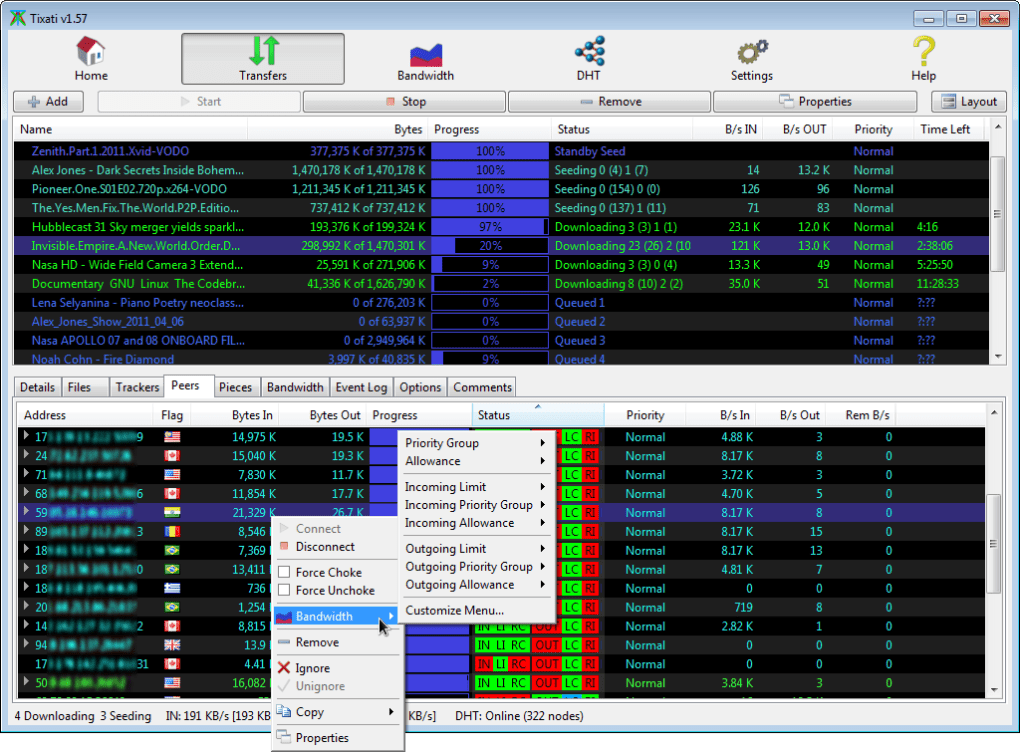
Bandwidth Management: Tixati provides granular control over bandwidth allocation, allowing users to set limits for both upload and download speeds. This is particularly useful for users with limited bandwidth or those who want to prioritize other network activities. The ability to fine-tune these settings ensures that downloads don’t consume excessive bandwidth, preventing slowdowns in other applications or network congestion. This feature is crucial for managing internet traffic effectively.
IP Filtering: Tixati incorporates an IP filtering system, enabling users to block connections from specific IP addresses or ranges. This feature enhances security by preventing connections from potentially malicious or unreliable sources. This is a key feature for those concerned about their privacy and security while torrenting.
Peer Selection: The client allows for advanced peer selection, providing options to prioritize connections based on various criteria, including upload speed, location, and trustworthiness. This improves download speeds by focusing on the most efficient and reliable peers.
Task Scheduling: Tixati permits scheduling downloads to begin or end at specific times. This is beneficial for users who want to control when their downloads consume bandwidth, optimizing network usage during off-peak hours. This feature is particularly useful for users who share their internet connection or have data caps.
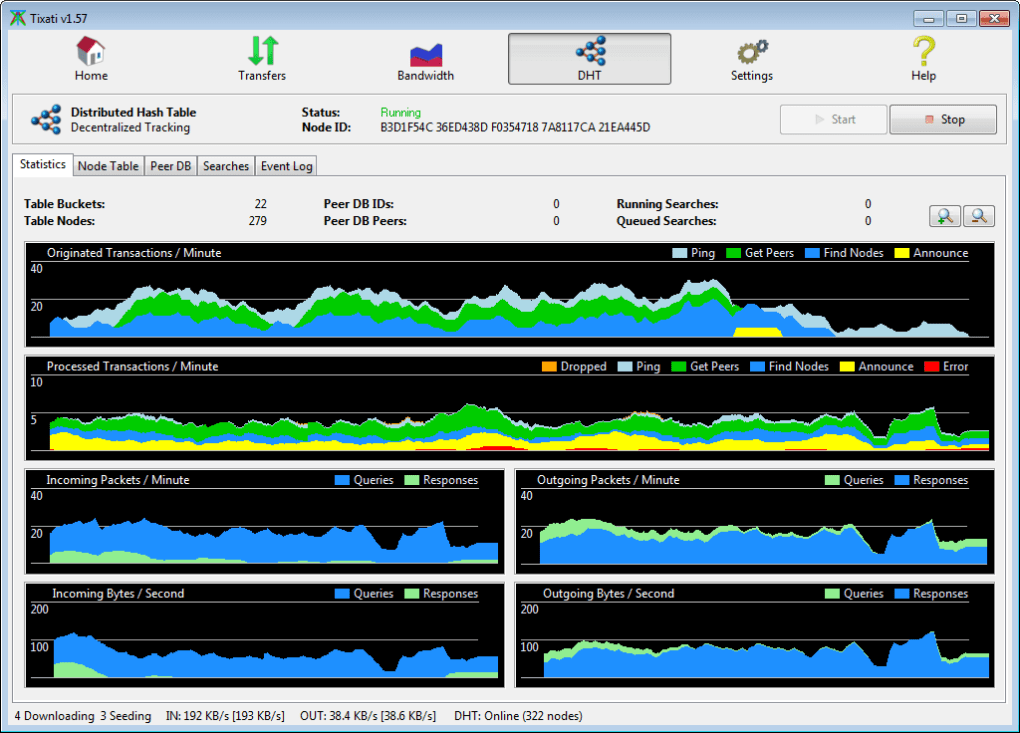
Support for DHT, PEX, and Magnet Links: Tixati fully supports Distributed Hash Table (DHT), Peer Exchange (PEX), and magnet links, ensuring that it can seamlessly connect to and download from a wide range of peers and sources. These features ensure robust and efficient download performance. Support for magnet links further adds convenience, eliminating the need to download the bulky .torrent files.
Built-in RSS Reader: A unique feature of Tixati is its integrated RSS feed reader. This allows users to subscribe to RSS feeds containing torrent links, automatically downloading new content as it becomes available. This significantly simplifies the process of staying updated on the latest releases.
Encryption: Tixati supports standard message stream encryption, improving the security and privacy of your torrenting activities by preventing eavesdropping.
IPv6 Compatibility: Tixati is fully compatible with IPv6, ensuring smooth operation on networks utilizing the latest internet protocol.
Downloading and Using Tixati
Using Tixati is straightforward. You’ll need a .torrent file, which contains metadata about the torrent, including its size, content, and the location of the peers currently sharing the file. You can add .torrent files to Tixati via the “Add” option, or you can use a magnet link which directly points to the torrent without requiring a separate .torrent file. Once you add the torrent, Tixati automatically begins the download process, displaying detailed progress information, including download/upload speed, remaining time, and the number of peers connected. Once the download is complete, the files will be saved to the designated download folder. Furthermore, Tixati provides extensive logging features, which are invaluable for troubleshooting issues that may occasionally arise.
Speed and Efficiency
Tixati’s download speeds are generally considered to be very good, often exceeding those of comparable clients. Its efficient use of bandwidth, combined with its support for DHT, PEX, and advanced peer selection, contributes to its strong performance. However, it’s crucial to remember that download speeds depend on several factors, including your internet connection speed, the number of seeders (users uploading the file), the popularity of the torrent, and network congestion. Tixati provides tools and settings to maximize efficiency, but optimal speeds are not entirely under its control.
Safety and Security
While Tixati itself is a safe and secure application – free from ads and bundled software – it’s essential to remember that torrenting inherently carries certain security risks. When downloading using a torrent client like Tixati, your IP address is visible to all peers participating in the torrent swarm. This exposes your identity and could make you vulnerable to various threats. To mitigate these risks, it’s strongly recommended to use a reputable Virtual Private Network (VPN) whenever using Tixati or any torrent client. A VPN encrypts your internet traffic and masks your IP address, protecting your privacy and anonymity.
Is Tixati Free?
Yes, Tixati is completely free and open-source software. It does not contain any ads, unlike many other torrent clients that use advertisements to generate revenue. The developers maintain and update the software without resorting to monetization strategies that compromise user experience or security. This commitment to providing a high-quality, ad-free experience sets Tixati apart from many of its competitors.
Tixati Alternatives
While Tixati offers an excellent combination of features and user-friendliness, other BitTorrent clients are available, each with its own advantages and disadvantages. Popular alternatives include uTorrent, BitTorrent, qBittorrent, and Deluge. These alternatives may offer slightly different feature sets, interfaces, or performance characteristics, so users might prefer one over another depending on their specific needs and preferences.
Conclusion: Should You Download Tixati?
Tixati is a powerful and highly-efficient BitTorrent client that stands out from the competition due to its ad-free nature, intuitive interface, and comprehensive feature set. Whether you’re a seasoned torrent user or a complete beginner, Tixati’s ease of use and advanced options make it a compelling choice. While always remembering to utilize a VPN for security, Tixati offers a secure and efficient way to download torrents. Its commitment to a clean user experience, coupled with its robust feature set, makes it an excellent option for anyone looking for a reliable and powerful BitTorrent client. If you’re seeking a fast, feature-rich, and ad-free torrent client, Tixati is definitely worth considering.
File Information
- License: “Free”
- Latest update: “April 30, 2025”
- Platform: “Windows”
- OS: “Windows XP”
- Language: “English”
- Downloads: “101.4K”
- Size: “20.51 MB”


