TorrDroid Torrent Downloader is a utility application designed for Android devices, enabling users to search for and download torrent files directly from their mobile phones or tablets. Developed by IntelliGems, this free application functions as a combined search engine and download client, streamlining the process of acquiring torrent content. This review will delve into its features, performance, advantages, and drawbacks to help you determine if TorrDroid is the right torrent client for your needs.
What is TorrDroid Torrent Downloader?
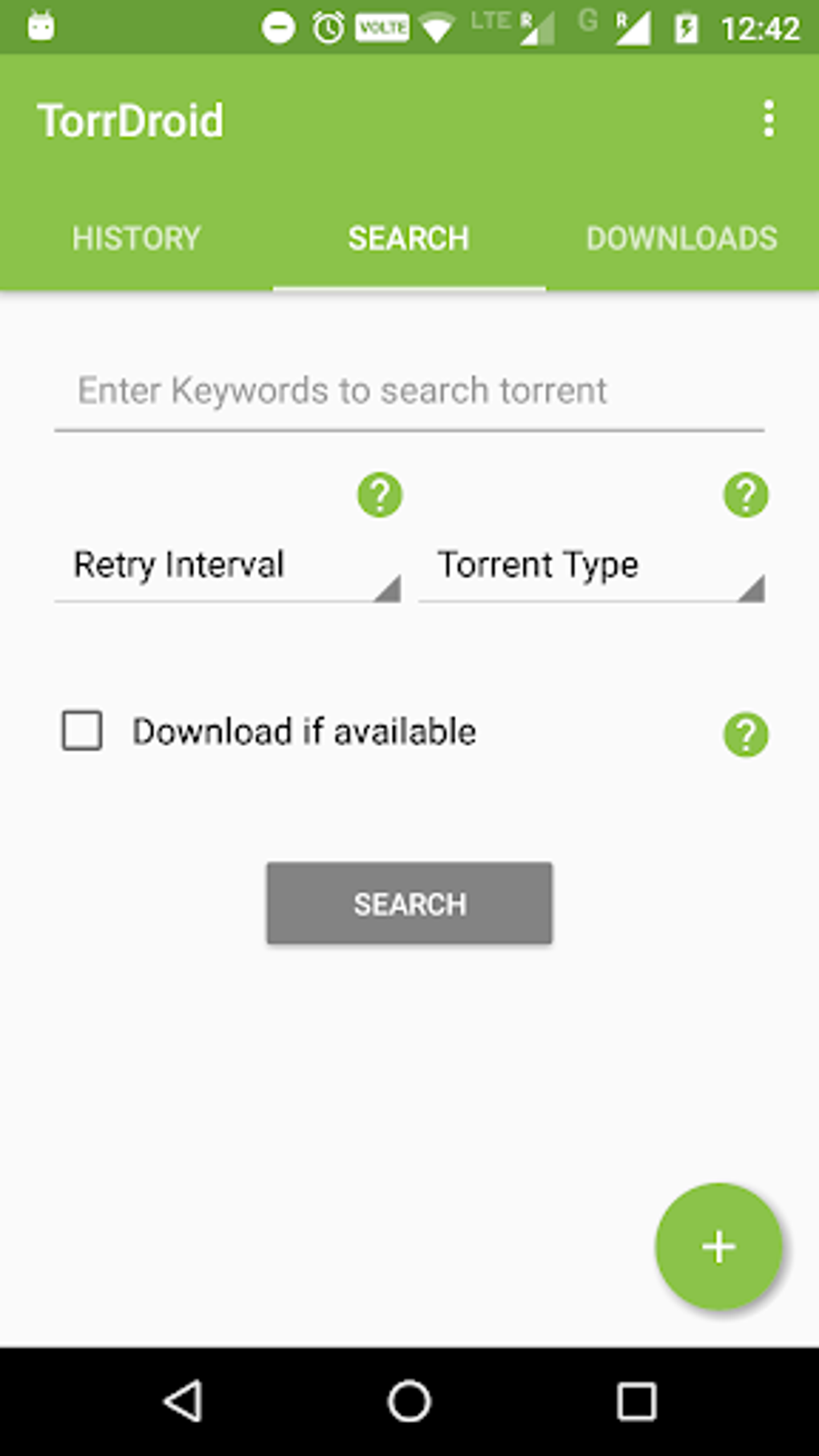
TorrDroid Torrent Downloader distinguishes itself by integrating a built-in search engine directly within the application. This eliminates the need to use separate search engines or websites to locate torrent files. Users simply enter their desired search term, and the app presents a list of relevant torrent results, ready for immediate download. The application handles all the technical aspects of torrent downloading, abstracting away complexities like port forwarding, DHT, and peer discovery, making the process user-friendly and accessible even for those unfamiliar with torrent technology.
The app boasts several key features aimed at improving the user experience:
- Seamless Search and Download: The integrated search functionality allows for rapid torrent discovery, eliminating the need for external searches. The download process is straightforward, requiring minimal user interaction.
- Automatic Torrent Handling: TorrDroid automatically manages the technical details of torrent downloading, ensuring a smooth and efficient transfer of files.
- Multiple Download Support: The application supports both simultaneous and sequential downloads, allowing users to download multiple files concurrently or to prioritize downloads. This is especially useful for users downloading larger files, allowing them to manage their bandwidth effectively. The ability to queue downloads is also a key feature for efficient file management.
- Intuitive Interface: TorrDroid features a clean and user-friendly interface, minimizing the learning curve and making the application accessible to users of all technical skill levels. The simplicity of the interface is a significant advantage, allowing users to focus on finding and downloading their desired files without being overwhelmed by complex settings or options.
- Built-in File Browser: Once downloaded, files are easily managed through the integrated file browser. This allows users to perform standard file operations such as moving, copying, deleting, and sharing downloaded content. This eliminates the need to switch to a separate file manager application to access and organize downloaded files.
- SD Card Support: By default, downloaded files are saved to the device’s SD card (if available), optimizing storage and freeing up space on the internal storage. Users can, however, customize this setting in the app’s options to direct downloads to their preferred location.
TorrDroid: Advantages and Disadvantages
While TorrDroid provides a convenient solution for downloading torrents on Android, it’s crucial to consider both its advantages and drawbacks:
Advantages:
- Simplicity and Ease of Use: The application’s intuitive design and integrated search functionality make it incredibly user-friendly. The streamlined process simplifies torrent downloads, making it accessible to a wide range of users.
- Speed and Efficiency: TorrDroid generally provides reasonably fast download speeds, although this can be affected by network conditions and the availability of peers for the chosen torrent. Efficient download management features, including multiple download support, contribute to the overall efficiency of the application.
- Integrated Search Engine: The built-in search engine simplifies the process of locating torrent files, eliminating the need to use separate search platforms.
- File Management Tools: The integrated file browser provides convenient file management capabilities without requiring additional applications.
- Free to Use: TorrDroid is available for free, eliminating any subscription fees or in-app purchases.
Disadvantages:
- Data Consumption: Torrent downloads can consume significant amounts of mobile data, making it advisable to use TorrDroid primarily over Wi-Fi connections. Users on limited data plans should exercise caution to avoid unexpected data charges.
- Potential for Malicious Files: As with any torrent client, there’s a risk of downloading malicious files. Users should exercise caution and only download torrents from reputable sources to mitigate this risk. Always scan downloaded files with a reputable antivirus program before executing them.
- Background Download Issues: Some users have reported occasional issues with background downloads. While generally reliable, the app may occasionally fail to resume downloads or experience interruptions.
- No Advanced Features: Compared to some desktop torrent clients, TorrDroid lacks advanced features such as scheduling, bandwidth prioritization, or extensive customization options. This may limit its appeal to power users who require fine-grained control over their downloads.
- Limited Platform Support: TorrDroid is exclusively available for Android. Users of other operating systems like iOS, Windows, or macOS will need to find alternative torrent clients.
Is TorrDroid Torrent Downloader Good?
TorrDroid Torrent Downloader offers a straightforward and easy-to-use approach to torrenting on Android. Its integrated search and download capabilities, coupled with a clean interface, make it a compelling option for users who primarily need a simple and convenient torrent client. However, the potential for data consumption, the risk of downloading malicious files, and the lack of advanced features should be considered before using the application.
The app is best suited for users who are comfortable with the inherent risks associated with downloading torrents and who prioritize ease of use and simplicity over advanced functionality. Users with limited data plans should strictly use the app on Wi-Fi networks to prevent unexpected charges. Thorough diligence in selecting trusted torrent sources is crucial to minimize the risk of downloading malware or other harmful content.
For users who require more advanced features, such as robust bandwidth control, scheduling options, or IP filtering, more feature-rich desktop clients might be more suitable. TorrDroid is a viable choice for casual users seeking a convenient and readily available torrent client on their Android device, but it isn’t the ideal solution for every user.
Alternatives to TorrDroid Torrent Downloader
While TorrDroid is a solid option, several other torrent clients exist for Android. These offer various features and capabilities, catering to different user needs and preferences. Some notable alternatives include:
- µTorrent: A well-established and widely used torrent client with a wide range of features and options. It’s known for its reliability and performance.
- BitTorrent: Another popular and reliable torrent client with a user-friendly interface and decent download speeds.
- flud: A lightweight and efficient torrent client that focuses on simplicity and ease of use.
Choosing the right torrent client ultimately depends on your individual needs and priorities. Consider the features you require, your technical skill level, and your tolerance for risk before settling on a particular application. Always remember to download software only from trusted sources and to exercise caution when downloading files from torrent networks.
Remember that the legality of downloading copyrighted material using torrent clients varies widely depending on your location. Always ensure you are only downloading content that is legally available in your region. This review is for informational purposes only and does not endorse or encourage any illegal activity.
File Information
- License: “Free”
- Latest update: “July 29, 2025”
- Platform: “Android”
- OS: “Android 13.0”
- Language: “English”
- Downloads: “237.8K”
- Download Options: “Google Play”