
Torrex Lite is a free torrent downloader designed for Windows 10. It offers a straightforward approach to downloading torrent files, integrating a built-in media player for convenient playback. While its simplicity is a strength, users should be aware of potential risks associated with torrenting and exercise caution when selecting download sources. This review will explore Torrex Lite’s features, advantages, disadvantages, and crucial safety considerations for users.
Ease of Use and Interface
One of Torrex Lite’s primary selling points is its user-friendly interface. The application boasts a clean and intuitive design, making it accessible even to users unfamiliar with torrent clients. The straightforward layout allows users to quickly search, download, and manage their torrents without navigating complex menus or settings. The developers explicitly aimed for simplicity, which translates into a streamlined experience for both novice and experienced users. The availability of the application in over thirty languages further enhances its accessibility across a global user base. This multilingual support minimizes the language barrier and ensures a comfortable experience for a diverse range of users.
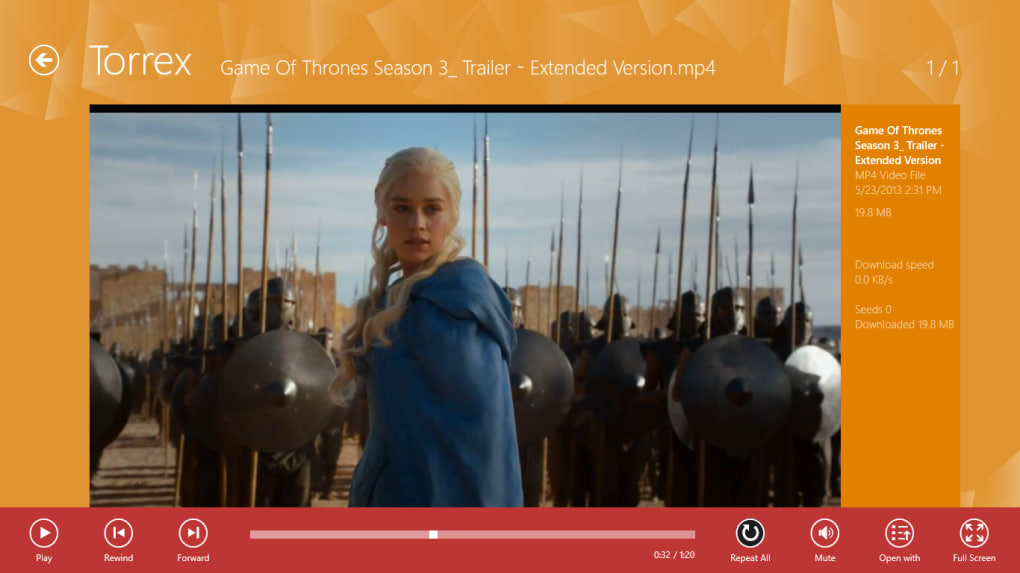
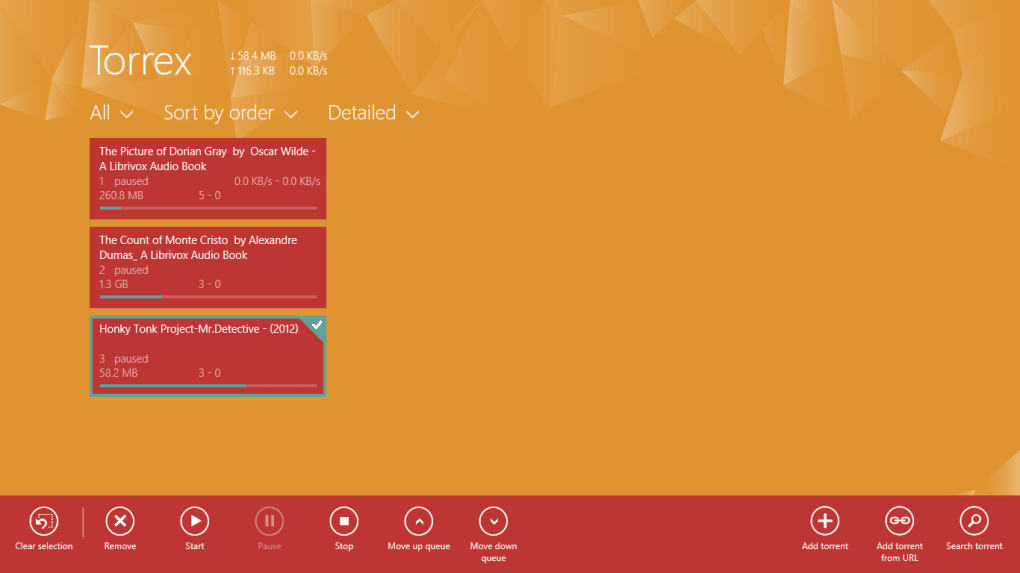
This ease of use extends beyond the initial setup. Adding torrents is simple, often involving a drag-and-drop function or pasting magnet links. Managing downloads is equally intuitive, with clear visual indicators of download progress, speed, and file size. The integrated media player allows users to start watching videos or listening to audio files before the download is fully complete, significantly enhancing user experience. This feature sets Torrex Lite apart from some competitors, providing an immediate gratification factor that is particularly valuable for media consumption.
However, the focus on simplicity does mean that some advanced features found in other, more complex clients might be missing. This is a trade-off; the simplicity sacrifices some customization options for a more beginner-friendly experience. Power users looking for granular control over bandwidth allocation, prioritization settings, or other advanced torrent management options may find Torrex Lite’s capabilities somewhat limited. This tradeoff, however, is intentional, targeting a wider audience less interested in the technicalities of torrenting and more focused on a seamless download and playback experience.
Functionality and Features
Torrex Lite’s core function is downloading torrent files and magnet links. It efficiently handles these downloads, providing real-time progress updates. The built-in media player is a key differentiating factor, enabling users to stream media content while the download is still in progress. This is a significant convenience for users who want to start consuming downloaded media immediately. It avoids the delay often associated with waiting for a complete download before playback. The application’s ability to handle both torrent files and magnet links broadens its usability, allowing users to leverage various torrent sources without needing to convert or process files.
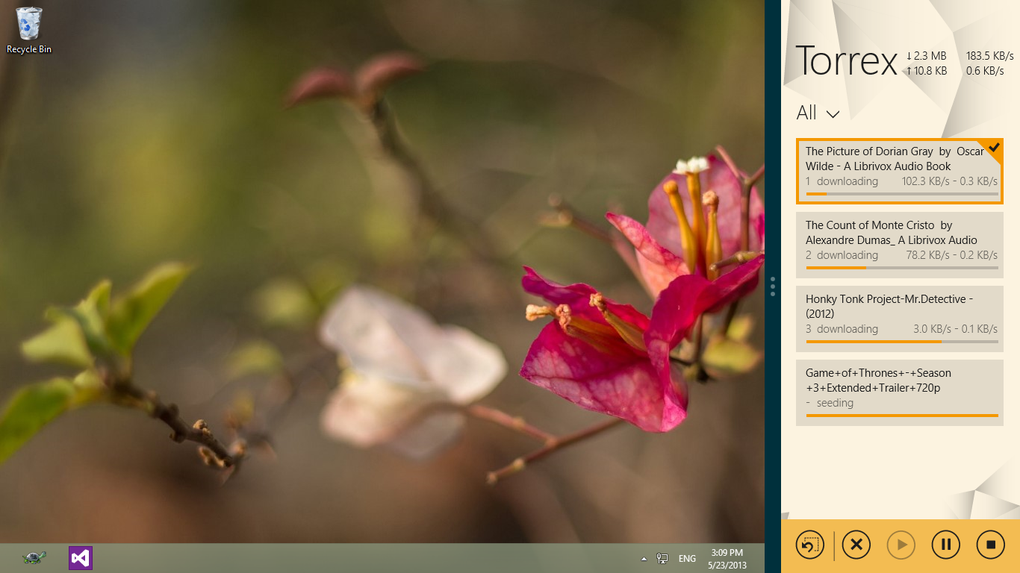
The background download capability (limited to the Pro version) allows for simultaneous torrenting and other system tasks. This feature is crucial for users who don’t want their download process to interrupt other activities. The ability to download in the background significantly improves workflow and resource management. This background functionality demonstrates a consideration for multitasking users who need the flexibility to use their computer for multiple purposes concurrently without sacrificing download efficiency.
While Torrex Lite offers a range of features, its overall functionality remains streamlined and straightforward. This design choice might be seen as a limitation by users accustomed to more robust torrent clients with advanced features. Power users may find that they require more sophisticated customization options. However, the simplicity and ease of use cater well to a significant portion of users, particularly those who prefer an uncluttered and easy-to-navigate interface.
Safety and Security Considerations
Torrenting inherently carries security risks. Downloading from untrusted sources can expose users to malware, viruses, and other harmful content. This is a critical point to emphasize when discussing Torrex Lite. While the software itself is not inherently malicious, the downloaded content can be. Therefore, users must take precautions to protect their systems.
Torrex Lite does not include built-in security features like antivirus scanning or malware detection. This underscores the user’s responsibility to only download torrents from reputable and verified sources. Sticking to trusted torrent websites and checking the source’s reputation before downloading any content is crucial for minimizing risks. The absence of internal security measures highlights the need for external security solutions. The user should employ a robust antivirus and anti-malware program on their system as a critical first line of defense.
The prevalence of ads within the application also necessitates caution. Users should avoid clicking on suspicious or unfamiliar ads to prevent accidental malware downloads. Being discerning about ads and clicking only on links from trusted sources is crucial to enhance security. These ads, while potentially lucrative for the developers, introduce an additional layer of risk that users should be prepared to manage.
The lack of advanced features, such as IP masking or encryption, makes it crucial for users to prioritize safe torrenting practices. If security is a primary concern, users should consider employing a VPN (Virtual Private Network) to mask their IP address and encrypt their internet traffic. This added layer of security is highly recommended to minimize the risks associated with torrenting.
Comparison with Other Torrent Clients
Compared to other torrent clients, Torrex Lite occupies a unique niche. While established clients like uTorrent or qBittorrent offer a broader range of features and customization options, Torrex Lite prioritizes simplicity and ease of use. This makes it an excellent choice for users who want a straightforward torrenting experience without the complexities of advanced settings.
The integrated media player is a noteworthy feature that differentiates Torrex Lite from many competitors. Many other clients require users to use external media players, adding an extra step to the process. The integration within Torrex Lite contributes to its streamlined workflow and immediate media consumption capabilities.
However, users seeking extensive customization, advanced bandwidth management, or robust security features should consider other options. The simplicity of Torrex Lite comes at the cost of some advanced functionalities found in more feature-rich clients. This is a trade-off that users must consider based on their individual needs and technical expertise.
The decision to choose Torrex Lite versus other torrent clients depends on individual priorities. If simplicity and ease of use are paramount, Torrex Lite may be an excellent option. But if advanced features and robust security are essential, users should explore alternative clients that cater to more technically demanding users.
In conclusion, Torrex Lite presents a viable option for users seeking a simple and user-friendly torrent downloader for Windows 10. Its intuitive interface and integrated media player streamline the download and playback process. However, users must remain vigilant about security risks associated with torrenting, prioritizing downloads from trustworthy sources and employing appropriate safety measures to protect their systems. The trade-off between simplicity and advanced features is crucial, and users should select the client that best aligns with their needs and technical expertise.
File Information
- License: “Free”
- Version: “1.1.0.7”
- Latest update: “May 9, 2018”
- Platform: “Windows”
- OS: “Windows 10”
- Language: “English”
- Downloads: “77.9K”


